Encrypt an External Hard Drive: BitLocker To Go, Mac and What the Drive Costs
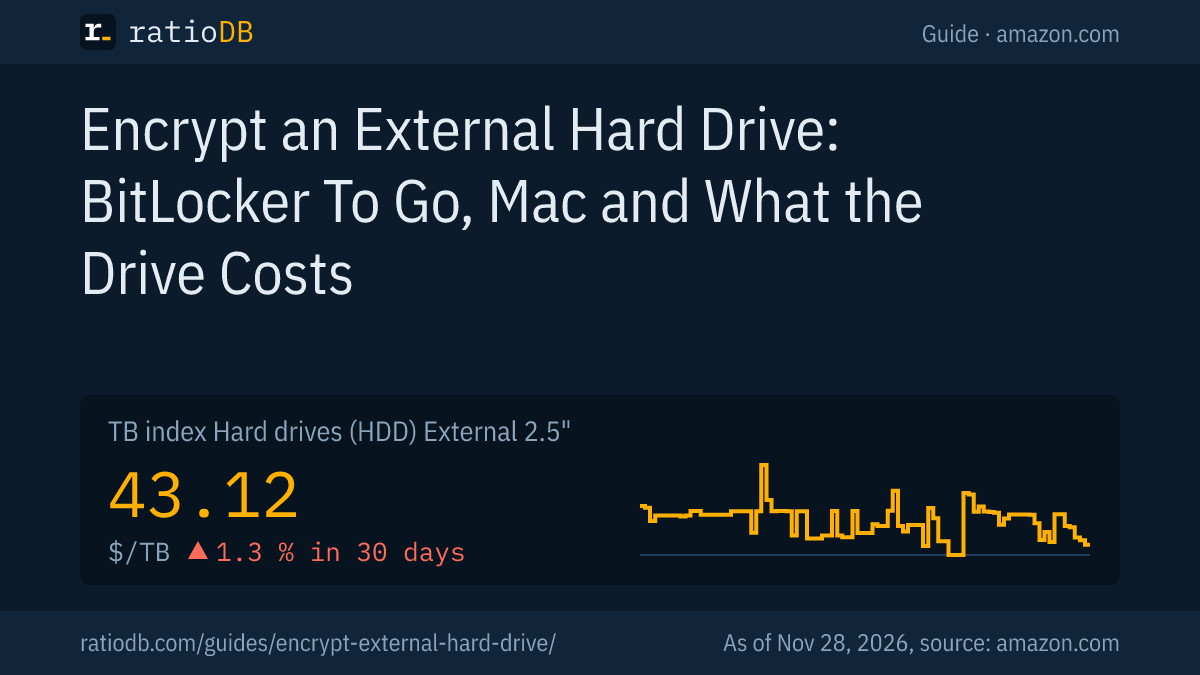
On Windows you encrypt an external hard drive with BitLocker To Go, which according to Microsoft is only available in Windows Pro, Enterprise and Education. On a Mac it works with a right-click in Finder or in Disk Utility. External 2.5-inch hard drives currently cost $38.33 per TB on amazon.com according to the ratioDB index (as of Nov 28, 2026 at 9:18 AM UTC).
An encrypted drive protects backups and private files if it is lost or stolen. This guide shows the built-in methods in Windows and macOS and what a new drive costs. ratioDB does not test drives, we summarize publicly documented steps and compare real prices.
How do I encrypt an external hard drive on Windows?
Open BitLocker Drive Encryption by searching for BitLocker. According to Microsoft, external drives are listed under Removable data drives, BitLocker To Go. Select Turn on BitLocker, choose an unlock option and back up the recovery key.
Encryption takes a while, and according to Microsoft you can keep using the computer meanwhile. According to Microsoft Learn, BitLocker To Go covers USB flash drives, SD cards and external hard drives. Such drives can be unlocked with a password, a smart card certificate or a recovery password.
More on BitLocker in general is in the guide BitLocker.
Does it work with Windows Home?
Not with BitLocker. According to Microsoft, BitLocker Drive Encryption is not available on Windows Home. If Manage BitLocker is not listed, Microsoft says you do not have the right Windows edition.
According to Microsoft, Windows Home offers Device Encryption. According to Microsoft Learn, however, it only encrypts the OS drive and fixed drives, and external and USB drives remain unencrypted. How-To Geek names VeraCrypt as an alternative to BitLocker.
How do I encrypt an external hard drive on a Mac?
In Finder, Control-click the drive in the sidebar and choose Encrypt. According to Apple, the drive is converted to APFS and then encrypted. You can keep using the Mac while it encrypts.
According to Apple's Disk Utility help, the Finder method works without erasing the drive. Alternatively, choose the format APFS (Encrypted) when erasing in Disk Utility, in which case Apple says you must erase the drive first. Older macOS versions without APFS cannot read the drive afterwards, according to Apple.
How to prepare drives on a Mac in general is explained in the guide External hard drive for Mac.
What should I keep in mind before encrypting?
Keep the recovery key or the password in a safe place. Without them you cannot reach the data. According to Apple, an encrypted external drive asks for the password when you connect it.
According to Apple, an encrypted external drive cannot be connected to an AirPort base station for Time Machine backups. On file systems there is the guide exFAT vs NTFS.
What does an external hard drive cost per TB?
External 2.5-inch hard drives currently cost $38.33 per TB on amazon.com according to the ratioDB index (as of Nov 28, 2026 at 9:18 AM UTC). The cheapest new offer per TB from a known brand, 2.5 or 3.5 inch, is the WD Elements 20 TB with 20 TB for $549.99, which is $27.50 per TB.
The index is the median of the 10 cheapest new external 2.5-inch hard drives of all brands per TB. The table shows the cheapest new external hard drive of a known brand per size, 2.5 or 3.5 inch. If a size is missing, there was no such offer at the data date.
Cheapest external hard drive from known brands per size on amazon.com, as of Nov 28, 2026 at 9:18 AM UTC
| Capacity | Cheapest offer | Price | Price per TB |
|---|---|---|---|
| 1 TB | WD My Passport 1 TB | $99.60 | $99.60 |
| 2 TB | Seagate 2 TB | $119.99 | $60.00 |
| 4 TB | Seagate Expansion 4 TB | $169.99 | $42.50 |
| 5 TB | WD My Passport 5 TB | $214.50 | $42.90 |
Used and refurbished offers are not in the table. The 3 cheapest new external hard drives per TB:
All offers are under external 2.5 inch and external 3.5 inch, all types under Hard drives (HDD). Which drive suits you is explained in the guide Buying an external hard drive.
How does ratioDB compare hard drives?
ratioDB regularly retrieves the amazon.com prices of all listed hard drives and converts them to price per TB, with 1 TB equal to 10^12 bytes. The index is the median of the 10 cheapest new offers of the product type.
For multipacks ratioDB divides by capacity times quantity. Used and refurbished offers are labeled and never count toward the index. All rules are on the methodology page.
Frequently asked questions about encrypting an external hard drive
How do I encrypt an external hard drive for free?
On Windows Pro, Enterprise and Education with BitLocker To Go, on a Mac via Finder or Disk Utility. Both are built into the operating system.
Can Windows Home encrypt external hard drives?
Not with BitLocker, which according to Microsoft is not available on Windows Home. According to Microsoft Learn, Device Encryption does not cover external drives. How-To Geek names VeraCrypt as an alternative.
Does encrypting on a Mac erase data?
Not via Finder: according to Apple the drive is converted to APFS and encrypted without erasing. Via Disk Utility, Apple says you must erase the drive first.
What happens if I forget the password?
On Windows you then need the recovery key that BitLocker has you back up during setup. Without password and key you cannot reach the data.
How long does encryption take?
It depends on the amount of data. According to Microsoft and Apple, you can keep using the computer meanwhile.
Does the drive ask for the password every time I connect it?
On a Mac yes, according to Apple you enter the password when connecting. On Windows, according to Microsoft Learn, you unlock BitLocker To Go drives with a password, smart card or recovery password.
Sources
- Microsoft: BitLocker Drive Encryption, Device Encryption in Windows
- Microsoft Learn: Encryption and data protection
- Apple: Protect your Mac information with encryption, Encrypt and protect a storage device in Disk Utility
- How-To Geek: How to encrypt an external hard drive
- ratioDB: amazon.com prices, methodology