SSD for PS4: Which One Fits, How to Install It and What It Costs
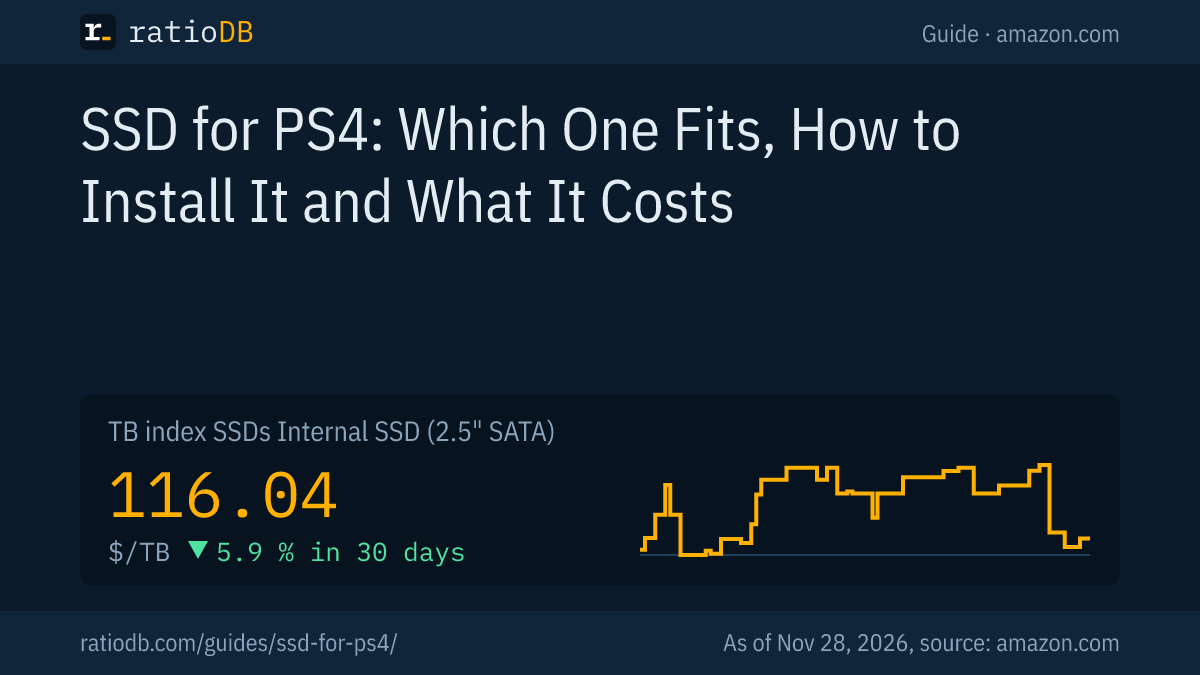
Any internal 2.5-inch SATA hard drive or SSD up to 9.5 mm thick and with at least 160 GB fits the PS4. After the swap you reinstall the system software from a USB drive. Internal SATA SSDs currently cost $116.04 per TB on amazon.com according to the ratioDB index (as of Nov 28, 2026 at 9:18 AM UTC).
Sony built the PS4's drive to be replaceable. This guide names the requirements, the steps and what an SSD brings and costs. ratioDB does not test drives, we summarize publicly documented information and compare real prices.
Which SSD fits the PS4?
The PS4 needs an internal 2.5-inch Serial ATA drive, no thicker than 9.5 mm and with at least 160 GB. Game Informer and MakeUseOf name these 3 requirements. They apply to SSDs and hard drives alike.
According to GameSpot, the PS4 supports up to 8 TB of internal and 8 TB of external storage. According to TechSpot, the interface on the PS4 and PS4 Slim is SATA II, and only the PS4 Pro has SATA III. An M.2 SSD does not fit, it uses a different format. The difference is explained in the guide NVMe vs SATA.
What does an SSD bring in the PS4?
An SSD mainly speeds up startup. Digital Trends measured a system boot roughly 5 to 8 seconds faster than with the stock hard drive. According to GameSpot, the operating system also runs a bit quicker and more smoothly.
If you mainly need more space, an external drive expands storage without screws, see the guide External hard drive for PS4.
How do I install the SSD in the PS4?
According to PlayStation support, you need a long Phillips screwdriver and your PS4's model number. You remove the cover, release the drive bay, swap the drive using 4 screws and put everything back together.
The exact steps differ by model, which is why Sony lists the model number first. Back up your saves beforehand. Trusted Reviews points out that you start from scratch after installing the new drive. With PlayStation Plus, Sony says you can restore saves backed up to the cloud afterwards.
How do I install the system software on the new SSD?
On a PC or Mac, create a folder PS4 on a USB drive formatted as FAT32 or exFAT, and inside it a folder UPDATE. Save Sony's reinstallation file there as PS4UPDATE.PUP. Then start the PS4 in Safe Mode.
According to Sony, you start Safe Mode by holding the power button and releasing it after the 2nd beep. There you select Initialize PS4 (Reinstall System Software). If the console does not recognize the file, Sony says to check that folder and file names are in uppercase. How to prepare the drive is in the guide Formatting a USB drive.
What does an SSD for the PS4 cost per TB?
Internal SATA SSDs currently cost $116.04 per TB on amazon.com according to the ratioDB index (as of Nov 28, 2026 at 9:18 AM UTC). The cheapest new offer per TB from a known brand is the SP Silicon Power A55 Boost 7mm 2 TB with 2 TB for $232.97, which is $116.49 per TB.
The index is the median of the 10 cheapest new internal 2.5-inch SATA SSDs of all brands per TB. The table shows the cheapest new SSD of a known brand per size. If a size is missing, there was no such offer at the data date.
Cheapest internal SATA SSD from known brands per size on amazon.com, as of Nov 28, 2026 at 9:18 AM UTC
| Capacity | Cheapest offer | Price | Price per TB |
|---|---|---|---|
| 500 GB | Patriot Burst Elite 480 GB | $62.99 | $131.23 |
| 1 TB | SP Silicon Power A55 Boost 1 TB | $123.97 | $123.97 |
| 2 TB | SP Silicon Power A55 Boost 7mm 2 TB | $232.97 | $116.49 |
Used and refurbished offers are not in the table. The 3 cheapest new SATA SSDs per TB:
All offers are under internal SATA SSDs, all types under SSDs. For the successor console there is the guide SSD for PS5.
How does ratioDB compare SSDs?
ratioDB regularly retrieves the amazon.com prices of all listed SSDs and converts them to price per TB, with 1 TB equal to 10^12 bytes. The index is the median of the 10 cheapest new offers of the product type.
For multipacks ratioDB divides by capacity times quantity. Used and refurbished offers are labeled and never count toward the index. All rules are on the methodology page.
Frequently asked questions about an SSD for the PS4
Which SSD fits the PS4?
An internal 2.5-inch SATA SSD, no thicker than 9.5 mm and with at least 160 GB. Game Informer and MakeUseOf name these requirements.
How large can the SSD in the PS4 be?
According to GameSpot, the PS4 supports up to 8 TB of internal storage.
Does an M.2 SSD fit the PS4?
No. The PS4 only takes 2.5-inch SATA drives.
Is an SSD worth it in a PS4 Slim?
Yes, for startup. According to TechSpot, the PS4 and PS4 Slim only have SATA II, and only the PS4 Pro has SATA III. Digital Trends measured a boot roughly 5 to 8 seconds faster.
Do I need to reinstall the system software?
Yes. You put the file PS4UPDATE.PUP in the folder PS4, UPDATE on a USB drive formatted as FAT32 or exFAT and start the PS4 in Safe Mode, as Sony describes.
Will I lose my saves?
You start from scratch on the new SSD. Back up your saves first. With PlayStation Plus, Sony says you can restore cloud backups afterwards.
Sources
- PlayStation: PS4 upgrade HDD, Update and reinstall PS4 system software
- Game Informer: A step-by-step guide to replacing your PS4 hard drive
- MakeUseOf: Upgrade your PS4's hard drive
- GameSpot: How to upgrade your PS4 hard drive
- TechSpot: Replace your PS4 hard drive
- Digital Trends: How to upgrade your PS4 hard drive
- Trusted Reviews: PS4 HDD upgrade
- ratioDB: amazon.com prices, methodology