External hard drive for TV: recording, timeshift and playing movies
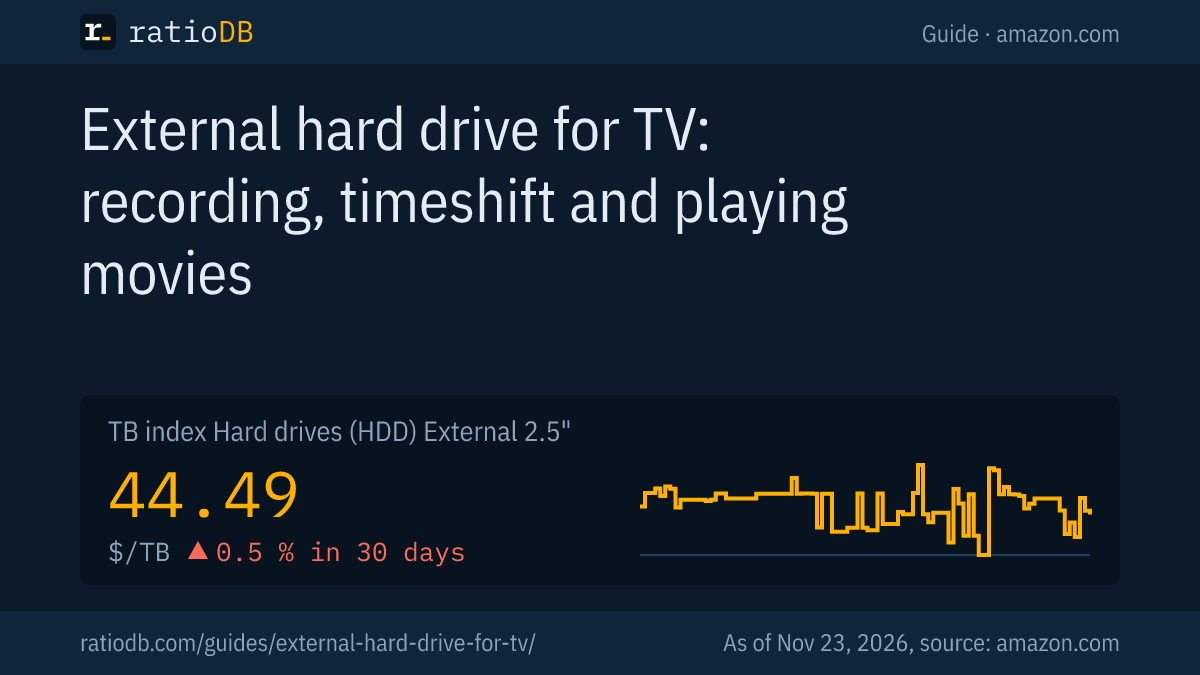
For recording on a TV, an external 2.5 inch hard drive powered over its USB cable is the right fit. Samsung recommends a USB hard drive with USB 2.0 or later and at least 5,400 rpm, and LG advises against USB flash drives for recording. Recordings are copy protected: according to Samsung they only play on the TV that recorded them, according to LG not on PCs or other TV models. An external 2.5 inch hard drive currently costs $44.49 per TB on amazon.com (TB index, as of Nov 23, 2026 at 10:17 AM UTC).
Many TVs can record shows to a USB hard drive, pause live TV and pick up later (timeshift), or play movies, music and photos from the drive. What exactly works depends on the brand and the model. This guide shows which drive fits, what Samsung and LG require in their manuals, which size makes sense and why you cannot just watch recordings on a PC. The details come from the Samsung and LG support pages and manuals we read for this guide. ratioDB does not test drives or TVs itself, we compare prices and spec sheets. What a matching drive costs right now is shown below with live prices from amazon.com (as of Nov 23, 2026 at 10:17 AM UTC).
Which hard drive works for a TV?
An external 2.5 inch hard drive powered over USB fits almost every TV with a recording feature. Samsung recommends a USB hard drive with USB 2.0 or later and at least 5,400 rpm, LG recommends a 2.5 inch hard drive without its own power supply that draws at most 500 mA.
The two brands' requirements compared:
| Item | Samsung (S90D manual) | LG (support page and manual) |
|---|---|---|
| Recommended drive | USB hard drive with USB 2.0 or later, 5,400 rpm or more | 2.5 inch hard drive without its own power supply |
| USB flash drives | not supported for recording | often too slow for HD and 4K recording, LG recommends a hard drive |
| Power draw | not stated | at most 500 mA, otherwise a smaller drive or a 3.5 inch drive with a power adapter |
| RAID drives | not supported | not stated |
| Capacity | no upper limit stated | up to 2 TB on webOS, 40 GB to 2 TB on Netcast |
| Hubs and extensions | not stated | do not use extension cables, a hub may cause problems |
| Playing recordings | not on a computer or a different TV | not on PCs or other TV models |
The table shows why the external 2.5 inch hard drive is the obvious choice: it runs on power from the USB port, needs no adapter and matches both brands' recommendations. According to LG, a 3.5 inch drive with its own power adapter is the fallback if the USB port cannot supply enough power.
Important: not every TV can record. Samsung says recording is only available on select models, and on LG timeshift depends on the model. Check your TV's spec sheet or manual before you buy.
How big should a hard drive for a TV be?
For most people, a drive with 1 to 2 TB is enough. On LG TVs with webOS, LG puts the upper limit at 2 TB, so larger drives bring nothing there. Samsung names no upper limit, but recommends a drive with enough free space.
According to Samsung, how many hours fit on a drive depends on the free space and the recording quality. A show in HD or 4K takes more space than one in standard resolution. Neither Samsung nor LG gives fixed hour counts.
Our recommendation: 1 TB for occasional recordings, 2 TB for series fans and for LG TVs with webOS. This is a ratioDB rule of thumb. If you also store movies from your PC on the drive, take the larger size, as long as your TV supports it.
Cheapest new external 2.5 inch hard drive per size on amazon.com, known brands, as of Nov 23, 2026 at 10:17 AM UTC
| Capacity | Cheapest external 2.5" hard drive (USB powered) |
|---|---|
| 1 TB | WD My Passport 1 TB: $99.60 ($99.60 per TB) |
| 2 TB | WD My Passport 2 TB: $122.75 ($61.38 per TB) |
| 4 TB | Seagate Expansion 4 TB: $169.99 ($42.50 per TB) |
| 5 TB | WD My Passport 5 TB: $222.85 ($44.57 per TB) |
The cheapest 1 TB external 2.5 inch hard drive is currently WD My Passport 1 TB for $99.60. At 2 TB, WD My Passport 2 TB costs $122.75 right now. All offers are listed under 1 TB external hard drives and 2 TB external hard drives.
Can I watch TV recordings on a PC?
No. According to Samsung, recordings are DRM protected and cannot be played on a computer or a different TV. LG says the same: because of copy protection, recordings do not play on PCs or other TV models. They no longer play even on your own TV if its video board has been replaced.
That has practical consequences:
- TV broken or replaced: The recordings on the drive no longer play on the new set.
- Repair: According to Samsung and LG, recordings no longer play after the video board is replaced.
- Watching on a PC: According to Samsung and LG, the recordings cannot be played on a computer.
So think of the TV drive as a buffer for shows you will watch in the coming weeks. It is not meant as a permanent archive.
How do I set up a hard drive on my TV?
Plug the drive into the USB port intended for recording and let the TV format it. Samsung requires formatting before the first recording, and this erases all data on the drive. On LG, recording only works on the "HDD IN" or "USB Port 1" port.
The steps at a glance:
- Back up your data: If files are on the drive, copy them to another drive first. Formatting erases everything.
- Pick the right port: On LG, use "HDD IN" or "USB Port 1". For other brands, the manual says which port is meant for recording.
- Connect directly: LG advises against extension cables and warns that a hub may cause problems.
- Format: Samsung asks whether to format the drive when you plug it in. According to Samsung, it is formatted in NTFS. According to LG, formatting is optional on LG TVs and improves recording performance. Some older LG models require the drive to be initialized.
- Check the antenna: Samsung lists an antenna connection and tuned channels as requirements. LG says only broadcasts received through the antenna input can be recorded.
On Samsung, you start an instant recording via the "123" button on the remote and the record option, according to the support page. Timeshift is in the same place. Exact menu names differ by model and year, your TV's manual lists them.
What is timeshift and does it need a hard drive?
Timeshift pauses live TV and plays it back later with a delay. To do this, the TV stores the show in the background on the USB drive. According to Samsung, timeshift does not work without a connected drive.
Samsung names the same requirement for timeshift as for recording: a connected and formatted USB drive with enough free space. According to Samsung, a recording stops if free space drops below 50 MB while recording. If recording and timeshift run at the same time and space falls below 500 MB, only the recording stops. On LG, the feature is called Time Machine and depends on the model according to LG.
Why is a USB flash drive poor for recording?
According to LG, the write speed of USB flash drives is often too low for HD and 4K recording, so LG recommends a hard drive. Samsung's manual says USB memory is not supported for recording.
A flash drive is often fine for playing photos, music and smaller videos. For recording, though, the TV writes large amounts of data continuously, and many flash drives cannot keep up. A hard drive is also much cheaper per TB. If you still want to use a flash drive for media files, the guide Best USB flash drive helps you choose.
Can I play movies and photos from the drive on my TV?
Yes, many TVs play videos, music and photos from USB drives. LG names FAT32 and NTFS as file systems for hard drives. According to Microsoft, FAT32 allows at most 4 GiB per file, about 4.3 GB, so NTFS is the better choice for large movie files, as long as your TV reads it.
Keep the difference from a recording drive in mind: a drive the TV has formatted for recording is reserved for the TV. If you want to play movies from your PC on the TV, it is best to use a separate drive that you fill on the PC. Which file system fits what is explained in the guide exFAT vs NTFS. Which formats your TV plays is listed in its manual.
What if the TV does not recognize the hard drive?
It usually comes down to power, the port or the format. LG names too high a power draw as a possible cause and then recommends a drive with lower power draw or a 3.5 inch drive with its own power adapter. If a Samsung TV shows the format message when recording, the drive has not been formatted yet.
The most common causes and what the brands recommend:
| Sign | Possible cause | What helps |
|---|---|---|
| Drive does not spin up | power draw over 500 mA | drive with lower power draw or a 3.5 inch drive with an adapter (LG) |
| Drive is not recognized | extension cable or hub | plug straight into the TV (LG) |
| Recording not possible | wrong USB port | on LG "HDD IN" or "USB Port 1" |
| Format message | drive not formatted for recording | format on the TV, back up data first (Samsung) |
| Recording stops | too little free space | delete old recordings (Samsung) |
| Flash drive not recognized | stick with its own software or auto detection | use a plain stick or a hard drive (LG) |
Also check whether your TV can record at all. Samsung only offers recording on select models. If a PC does not recognize the drive either, the drive itself is probably the problem. What to check then is covered in the guide External hard drive not showing up.
External hard drive or external SSD for a TV?
For a TV, a hard drive is enough. Samsung and LG explicitly recommend hard drives in their instructions, and their speed is sufficient for recordings and movies. An external SSD costs several times as much per TB. On amazon.com, the TB index of external SSDs is currently 2.7 times the index of external 2.5 inch hard drives (as of Nov 23, 2026 at 10:17 AM UTC).
If you want to store lots of movies and have an outlet next to the TV, you can choose a 3.5 inch drive with a power adapter, as long as the TV supports the size. The cheapest external 3.5 inch hard drive per TB is currently WD Elements 20 TB at $27.50 per TB (20 TB). For LG TVs with a 2 TB limit, that does not pay off.
What does a hard drive for a TV cost right now?
On amazon.com, the TB index is $44.49 per TB for external 2.5 inch hard drives and $43.07 per TB for external 3.5 inch hard drives (as of Nov 23, 2026 at 10:17 AM UTC). The 3 cheapest offers are shown here, all prices with date and source.
Used and refurbished offers are labeled in our lists. Advice on them is in the guide Refurbished hard drives. All models with price per TB are listed under external 2.5 inch hard drives.
What are the most common mistakes?
The most common mistakes are a flash drive instead of a hard drive, a drive that is too large for LG TVs and assuming recordings can be watched on a PC or a new TV.
| Mistake | Result | Better |
|---|---|---|
| Flash drive for recording | recording stutters or is not supported | external hard drive |
| Drive over 2 TB on an LG TV with webOS | space over 2 TB goes unused | pick 1 to 2 TB |
| Expecting to watch recordings on a PC | copy protection blocks playback | treat the drive as a buffer |
| Extension cable or hub | drive does not run reliably | plug straight into the recording port |
| Wrong USB port | recording not possible | port per manual, on LG "HDD IN" or "USB Port 1" |
| Cable pulled during recording | recording is damaged | unplug only after it ends |
How does ratioDB compare external hard drives?
ratioDB regularly pulls the amazon.com prices of all listed external hard drives and converts them to price per TB, with 1 TB equal to 1,000,000,000,000 bytes. The TB index is the median of the 10 cheapest new offers per product type.
External 2.5 inch hard drives, external 3.5 inch hard drives and external SSDs are kept in separate lists with their own index. Used and refurbished offers are labeled and never count toward the index. The tables in this guide only show new single units from known hard drive brands. ratioDB does not test drives or TVs itself. The requirements come from the linked Samsung and LG support pages and manuals and apply to the models named there. All rules are on the methodology page, all hard drives under hard drive prices per TB.
External hard drive for TV FAQ
Which hard drive is best for a TV?
An external 2.5 inch hard drive powered over USB. Samsung recommends USB 2.0 or later and at least 5,400 rpm, LG a 2.5 inch hard drive without its own power supply that draws at most 500 mA.
How big can a TV hard drive be?
That depends on the brand. LG names an upper limit of 2 TB for TVs with webOS. Samsung's manual names no upper limit. When in doubt, the limit is in your model's manual.
Can I play TV recordings on another device?
No. According to Samsung, recordings are DRM protected and play neither on a computer nor on a different TV, according to LG not on PCs or other TV models. After the video board is replaced, they no longer play on your own TV either.
Can I record to a USB flash drive?
According to LG, flash drives are often too slow for HD and 4K recording, and LG recommends a hard drive. According to its manual, Samsung does not support USB memory for recording.
Does the TV hard drive need formatting?
On Samsung, yes, before the first recording or timeshift. This erases all data. According to LG, formatting is optional on LG TVs and improves recording performance.
Why doesn't my TV recognize the hard drive?
Common causes are too high a power draw, an extension cable or the wrong port. LG recommends a drive with lower power draw or a 3.5 inch drive with a power adapter if problems occur. Also check whether your TV can record at all.
What does a hard drive for a TV cost right now?
On amazon.com, the TB index for external 2.5 inch hard drives is $44.49 per TB (as of Nov 23, 2026 at 10:17 AM UTC). The table above shows the cheapest offers from 500 GB to 5 TB.
Sources
- Samsung: Set up and Record Live TV, S90D manual, recording notes (on ManualsLib)
- LG: Hard drives and USB sticks on LG TVs (German), LG Nano 81 manual, recording notes (on ManualsLib)
- Microsoft: File system functionality comparison, limits
- ratioDB: amazon.com prices, methodology