Samsung T7 vs T9: Which External SSD Fits?
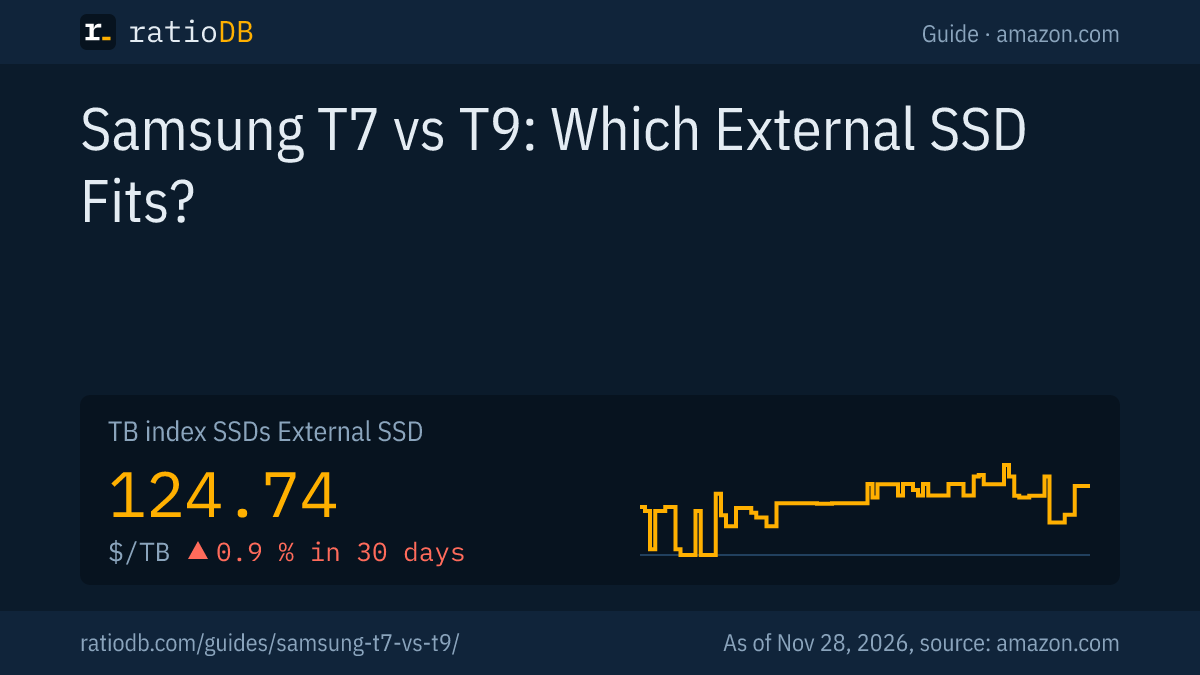
The Samsung T9 reads and writes up to 2,000 MB/s over USB 3.2 Gen 2x2 (20 Gbit/s) according to the maker, the T7 up to 1,050 MB/s over USB 3.2 Gen 2 (10 Gbit/s). The T9 only reaches that lead on a port and with a cable for Gen 2x2. On a USB 3.2 Gen 2 port it runs at about 900 MB/s. External SSDs currently cost $124.74 per TB on amazon.com according to the ratioDB index (as of Nov 28, 2026 at 9:18 AM UTC).
T7 and T9 are Samsung's best-known portable SSDs. This guide puts the spec sheets side by side, names measured values from tests and shows who gains from the T9 and who is fine with the T7. ratioDB does not test SSDs itself, we compare maker figures, tests and real prices.
What is the difference between the Samsung T7 and the T9?
The biggest difference is the connection. According to Samsung, the T9 uses USB 3.2 Gen 2x2 at 20 Gbit/s and reaches up to 2,000 MB/s, while the T7 Shield uses USB 3.2 Gen 2 at 10 Gbit/s and reaches up to 1,050 MB/s. The T9 also carries 5 years of warranty against 3 years for the T7 Shield.
| Feature | T7 Shield | T9 |
|---|---|---|
| Connection | USB 3.2 Gen 2 (10 Gbit/s) | USB 3.2 Gen 2x2 (20 Gbit/s) |
| Read up to | 1,050 MB/s | 2,000 MB/s |
| Write up to | 1,000 MB/s | 1,950 to 2,000 MB/s depending on size |
| Capacities | 1TB, 2TB, 4TB | 1TB, 2TB, 4TB |
| Warranty | 3 years | 5 years |
These are maker figures. The T7 also comes as the Touch with a fingerprint reader in 500GB to 2TB, with the same 1,050 and 1,000 MB/s according to Tom's Hardware. According to TechRadar, the T9 encrypts in hardware with AES 256-bit. In Samsung's drop testing it survived falls from up to 3 m, according to TechRadar.
On paper the T9 reads about 1.9 times as fast as the T7. In practice it depends on the computer, as the next section shows.
How fast is the T9 without USB 3.2 Gen 2x2?
Samsung writes that for the top values the computer and cable must support USB 3.2 Gen 2x2 and the UASP mode. On a Gen 2 port, PetaPixel measures about 900 MB/s reading and writing for the T9, roughly T7 level.
According to PetaPixel, the T9 also runs without Gen 2x2, but then the port holds it to about the level of a T7. TechRadar therefore writes that anyone with only USB 3.2 Gen 2 or Gen 1 has little reason to buy the T9. The cable counts too: according to GSMArena, most USB-C cables lying around at home do not support Gen 2x2.
| Test | Read | Write |
|---|---|---|
| T7 (StorageReview) | 894 MB/s | 840 MB/s |
| T7 Shield (StorageReview) | 894 MB/s | 937 MB/s |
| T9 on Gen 2 (PetaPixel) | about 900 MB/s | about 905 MB/s |
| T9 on Gen 2x2, 4TB (StorageReview, Blackmagic) | 1,566 MB/s | 1,582 MB/s |
| T9 on Gen 2x2, 2TB (PCPer, CrystalDiskMark) | 2,029 MB/s | 1,869 MB/s |
The values come from different tests and computers and are only roughly comparable. They show the pattern, though: on Gen 2x2 the T9 is clearly ahead of the T7, on Gen 2 it is not. Which USB level your port has is explained in the guide USB speeds. The difference to Thunderbolt is shown in Thunderbolt vs USB-C.
Who gains from the T9 and who from the T7?
The T9 pays off if your computer has a Gen 2x2 port and you regularly copy very large files, such as video projects. For backups, game libraries and everyday use with a phone, console or laptop with USB 3.2 Gen 2, the T7 is enough.
According to PetaPixel, Gen 2x2 ports are rare, but they exist. Without one, you pay for speed with the T9 that does not arrive. That leaves the warranty as an argument: Samsung gives 5 years on the T9 and 3 years on the T7 Shield, according to Tom's Hardware.
- T7 fits: laptop or phone with USB 3.2 Gen 2 or Gen 1, backups, photos, game console.
- T9 fits: computer with USB 3.2 Gen 2x2, large video projects, anyone who values the longer warranty and pays little extra.
The price per TB on the day of purchase decides. An overview of good external SSDs is in the guide best external SSD. For the iPhone, see SSD for the iPhone.
What do external SSDs like the T7 and T9 cost per TB?
External SSDs currently cost $124.74 per TB on amazon.com according to the ratioDB index (as of Nov 28, 2026 at 9:18 AM UTC). The cheapest new offer per TB from a known brand is the Crucial X8 1 TB with 1 TB for $99.99, which is $99.99 per TB.
The index is the median of the 10 cheapest new external SSDs of all brands per TB. The table shows the cheapest new external SSD from a known brand per capacity, without separating models. Whether a T7 or T9 leads, you see from the names in the list. If a capacity is missing, there was no such offer at the time of the data.
Cheapest external SSD from known brands per capacity on amazon.com, as of Nov 28, 2026 at 9:18 AM UTC
| Capacity | Cheapest offer | Price | Price per TB |
|---|---|---|---|
| 1 TB | Crucial X8 1 TB | $99.99 | $99.99 |
| 2 TB | SanDisk Extreme 2 TB | $274.00 | $137.00 |
| 4 TB | Samsung T5 EVO 4 TB | $568.75 | $142.19 |
Used and refurbished offers are not included in the table. The 3 cheapest new external SSDs per TB:
All offers are under External SSD, all types under SSDs.
How does ratioDB compare external SSDs?
ratioDB fetches amazon.com prices of all listed external SSDs regularly and converts them into price per TB, with 1 TB equal to 10^12 bytes. The index is the median of the 10 cheapest new offers of the product type.
ratioDB divides multipacks by capacity times count. Used and refurbished offers are labeled and never count toward the index. All rules are on the Methodology page.
Frequently asked questions about Samsung T7 and T9
Is the Samsung T9 faster than the T7?
According to Samsung, yes, up to 2,000 MB/s against up to 1,050 MB/s. The lead only exists on a port with USB 3.2 Gen 2x2 and a matching cable. On Gen 2, PetaPixel measures about 900 MB/s for the T9.
Does the T9 work on a normal USB-C port?
Yes. PetaPixel measures the T9 at about 900 MB/s on a port without Gen 2x2. That is roughly the level of the T7.
Do I need a special cable for the T9?
For the top values, yes. Samsung states that the computer and cable must support USB 3.2 Gen 2x2. According to GSMArena, most USB-C cables lying around at home cannot do that. Look for the cable's specification.
What warranty do the T7 and T9 have?
According to Tom's Hardware, the T9 has a 5-year warranty and the T7 Shield 3 years. Check the terms on Samsung's page for your country.
Which capacities do the T7 and T9 come in?
The T9 and the T7 Shield come in 1TB, 2TB and 4TB. According to Tom's Hardware, the T7 Touch comes in 500GB, 1TB and 2TB.
Does the T9 work with phones and game consoles?
Samsung lists the T9 as compatible with smartphones, game consoles, PCs and tablets. There too, the device's port sets the speed.
Sources
- Samsung: Portable SSD T9, product page, T9 4TB, note on port, cable and UASP
- Tom's Hardware: Samsung T9 compared with T7 Shield and Touch
- StorageReview: Samsung T9 review
- PCPer: Samsung T9 review
- PetaPixel: Samsung T9 review
- TechRadar: Samsung T9 review
- GSMArena: Samsung T9 with USB 3.2 Gen 2x2
- ratioDB: amazon.com prices, Methodology