Expand MacBook Storage: What Works, What Does Not and What External Storage Costs
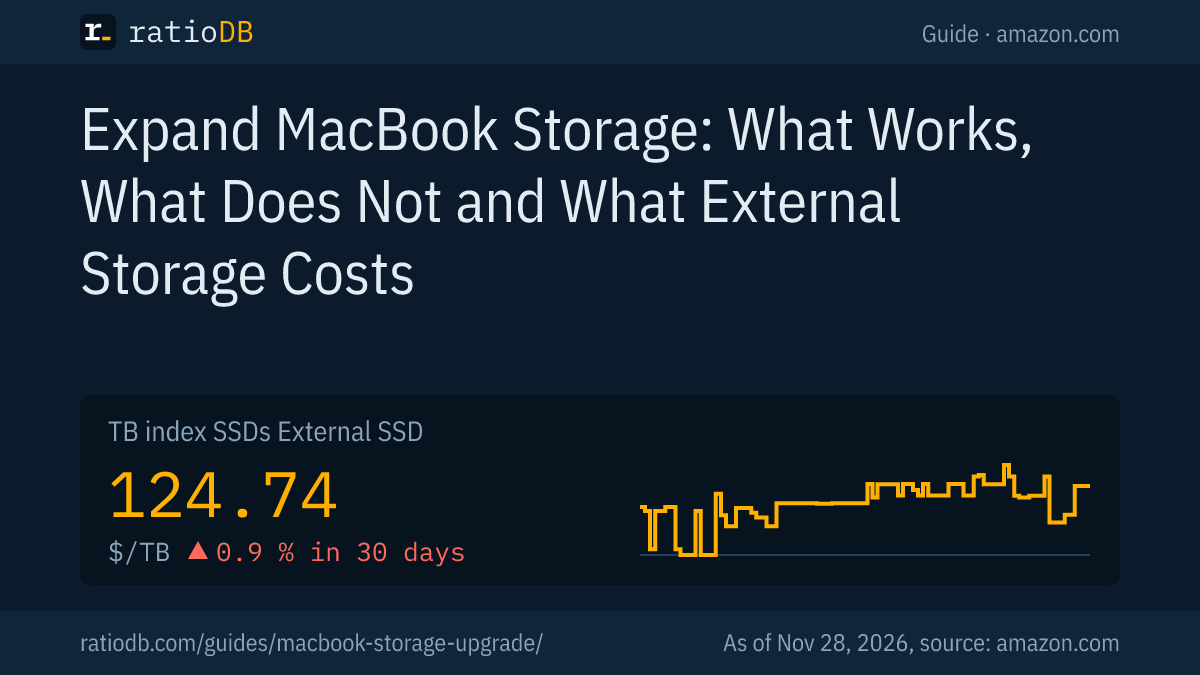
You cannot upgrade the internal storage of a current MacBook. You get more space with an external SSD on USB or Thunderbolt that you format in Disk Utility. External SSDs currently cost $124.74 per TB on amazon.com according to the ratioDB index (as of Nov 28, 2026 at 9:18 AM UTC).
Answers in the Apple Support Community say the internal SSD cannot be upgraded in any current or recent Mac notebook. This guide explains what remains, what to look for and what external storage costs. ratioDB does not test drives, we summarize publicly documented information and compare real prices.
Can I expand the storage in my MacBook later?
On current MacBooks, according to the Apple Support Community, no: the internal SSD cannot be upgraded. Eclectic Light writes that such an upgrade is not feasible for most users on Apple silicon models and puts the warranty and AppleCare+ at risk.
On a MacBook with Apple silicon you therefore fix the storage size at purchase. If you need more later, you add external storage. If you use a Mac mini, the guide Mac mini SSD has the matching overview.
Which external SSD suits a MacBook?
The community recommends an external SSD with USB 3, USB4 or Thunderbolt. According to the Apple Support Community, Thunderbolt is the fastest external option but not cheap.
According to a community answer, the 2023 16-inch MacBook Pro has 3 USB-C ports that support USB 3.1 Gen 2 at up to 10 Gbps, USB4 and Thunderbolt 4 at up to 40 Gbps. How these standards differ is explained in the guides USB speeds and Thunderbolt vs USB-C.
An M.2 SSD runs externally only with an enclosure, see the guide NVMe enclosures. A selection of ready-made drives is in the guide Best external SSD.
Is external storage worth it compared with more internal storage?
In March 2025, Eclectic Light estimated the saving for 512 GB internal plus 2 TB external versus 2 TB internal at roughly 200 to 220 dollars, euros or pounds. Apple silicon Macs also always start from internal storage.
Eclectic Light points out that a Mac with Apple silicon cannot run entirely from an external SSD, because startup and Recovery need the internal storage. Keeping large media libraries on external storage is common, according to Eclectic Light. For a MacBook you use on the move, an external drive means one more device to carry.
How do I format an external SSD for the Mac?
Open Disk Utility and choose View, Show All Devices. Select the SSD in the sidebar, click Erase and choose the scheme GUID Partition Map. According to Apple, erasing removes everything on the drive.
Apple advises copying files to another drive first. For the format, community answers name APFS. Suitable drives for the Mac are shown in the guide External hard drive for Mac.
Which data do I put on the external SSD?
The community advises moving large photo, music and movie libraries to the external SSD. Apple has its own help pages for this, such as moving the Photos library.
The community recommends a second, larger drive for Time Machine backups. By default, according to the community, Time Machine backs up the internal SSD and the libraries on the external SSD. More on backups is in the guide Backups with the 3-2-1 rule.
What does external storage cost per TB?
External SSDs currently cost $124.74 per TB on amazon.com according to the ratioDB index (as of Nov 28, 2026 at 9:18 AM UTC). The cheapest new offer per TB from a known brand, external or M.2, is the Crucial X8 1 TB with 1 TB for $99.99, which is $99.99 per TB.
The index is the median of the 10 cheapest new external SSDs of all brands per TB. The table shows the cheapest new SSD of a known brand per size, external or M.2 NVMe. If a size is missing, there was no such offer at the data date.
Cheapest SSD from known brands per size on amazon.com, as of Nov 28, 2026 at 9:18 AM UTC
| Capacity | Cheapest offer | Price | Price per TB |
|---|---|---|---|
| 1 TB | Crucial X8 1 TB | $99.99 | $99.99 |
| 2 TB | Crucial E100 2 TB | $247.96 | $123.98 |
| 4 TB | Samsung T5 EVO 4 TB | $568.75 | $142.19 |
Used and refurbished offers are not in the table. The 3 cheapest new SSDs per TB:
All offers are under external SSDs and M.2 NVMe, all types under SSDs.
How does ratioDB compare SSDs?
ratioDB regularly retrieves the amazon.com prices of all listed SSDs and converts them to price per TB, with 1 TB equal to 10^12 bytes. The index is the median of the 10 cheapest new offers of the product type.
For multipacks ratioDB divides by capacity times quantity. Used and refurbished offers are labeled and never count toward the index. All rules are on the methodology page.
Frequently asked questions about expanding MacBook storage
Can I replace the SSD in my MacBook?
According to the Apple Support Community, not in current or recent Mac notebooks. Eclectic Light calls an upgrade on Apple silicon models not feasible for most users.
Which external SSD is the fastest for a MacBook?
According to a community answer, Thunderbolt is the fastest external option but not cheap. The community says Thunderbolt or USB4 SSDs at 40 Gbps come closest to the internal SSD but can run relatively warm.
Can I start macOS from an external SSD?
Only to a limited degree with Apple silicon. Eclectic Light explains that startup always begins in internal storage and Recovery lives there.
How do I format the external SSD?
Open Disk Utility, show all devices, select the SSD, Erase, scheme GUID Partition Map. Everything on the drive is erased, as Apple writes.
Is the external SSD enough as a Time Machine backup?
The community recommends a second, larger drive for Time Machine. By default, according to the community, Time Machine backs up the internal SSD and the libraries on the external SSD.
What does external storage save compared with more internal storage?
In March 2025, Eclectic Light calculated a saving of roughly 200 to 220 for 512 GB internal plus 2 TB external versus 2 TB internal. The table shows what a TB costs today.
Sources
- Apple: Erase and reformat a storage device in Disk Utility on Mac, Initialize an external storage device
- Eclectic Light: Should you pay a premium price for a bigger internal SSD?
- Apple Support Community (user answers): Upgrade 2TB SSD with 4TB SSD, Can I add internal SSD to my new MacBook Air M3, Adding drive to Mac Mini M4
- ratioDB: amazon.com prices, methodology