USB-C vs Thunderbolt: The Difference Explained Simply
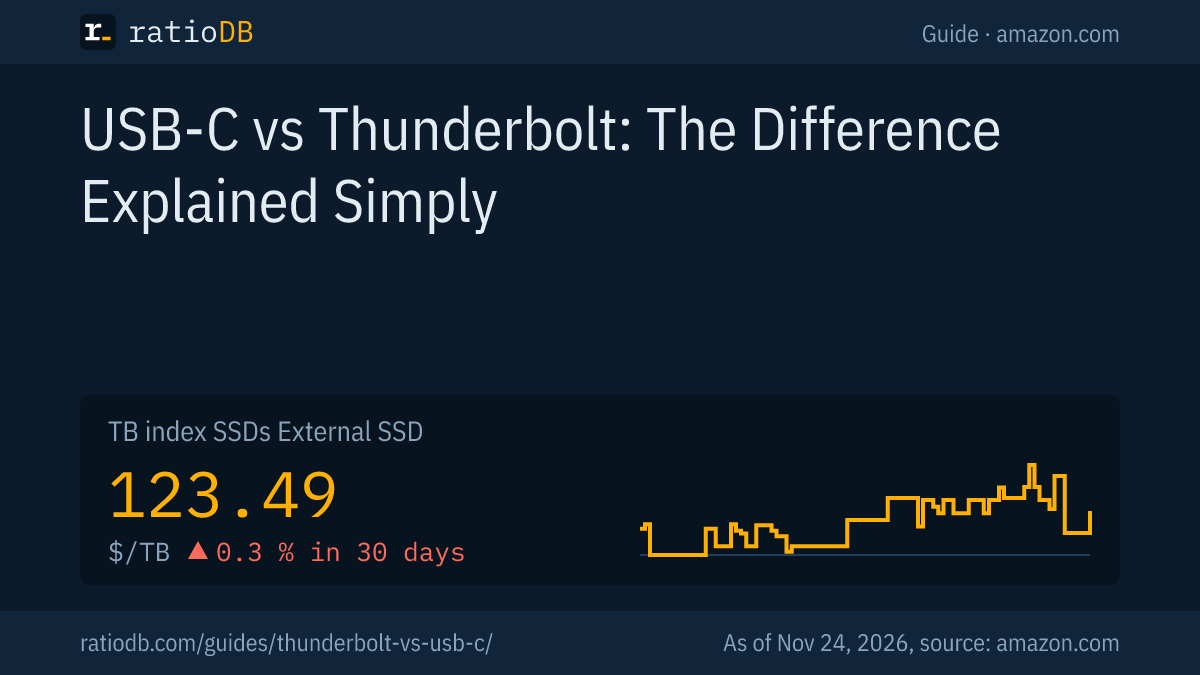
USB-C is only the shape of the connector. Thunderbolt is an Intel standard that uses the same connector and requires fixed minimums: according to Intel, Thunderbolt 4 guarantees 40 Gbps, laptop charging up to 100W and 2 monitors at 4K. A regular USB-C port can reach 5, 10, 20, 40 or 80 Gbps depending on the device. External SSDs currently cost $123.49 per TB on amazon.com according to the ratioDB index (as of Nov 24, 2026 at 12:18 PM UTC).
Both ports look the same, and Thunderbolt cables fit USB-C sockets. The difference lies in what is guaranteed. This guide explains what Thunderbolt 4 and 5 promise, how USB4 compares, how to recognize port and cable and when a Thunderbolt SSD pays off. ratioDB does not test devices, we compare spec sheets and real prices.
What is the difference between Thunderbolt and USB-C?
According to Intel, USB-C only describes the oval connector. Thunderbolt 4 uses that connector but sets minimums for data, power and video through certification. With USB-C, each maker decides which USB version and which extras sit behind the port.
So a USB-C port can hold anything from USB 3.2 Gen 1 at 5 Gbps to USB4 at 80 Gbps. Thunderbolt devices, cables and accessories must pass certification according to Intel and then carry the lightning symbol. What the USB tiers mean in detail is in the guide USB speeds explained.
| Feature per Intel and Kingston | Thunderbolt 5 | Thunderbolt 4 | USB4 |
|---|---|---|---|
| Minimum speed on the PC | 80 Gbps | 40 Gbps | 20 Gbps |
| Maximum speed | 80 Gbps, 120 Gbps with Bandwidth Boost | 40 Gbps | 40 Gbps (USB4 2.0: 80 Gbps) |
| Monitors | up to 2 at 8K | at least 2 at 4K | at least 1 |
| PCIe for storage | double the throughput of Thunderbolt 4 | at least 32 Gbps | optional |
What does Thunderbolt 4 guarantee?
According to Intel, Thunderbolt 4 guarantees at least 40 Gbps, laptop charging up to 100W and 2 monitors at 4K. According to Kingston, Thunderbolt 4 also requires at least 32 Gbps for PCIe data and 15W of power for accessories.
The PCIe tunnel matters for storage. Through it, an external NVMe SSD talks to the computer almost like an internal one. With USB4 it is optional according to Kingston, with Thunderbolt 4 it is required. According to Windows Central, the USB4 minimum is 20 Gbps and 7.5W, and only 1 external monitor is guaranteed.
What does Thunderbolt 5 add?
According to Intel, Thunderbolt 5 doubles the minimum speed to 80 Gbps in both directions. With Bandwidth Boost it reaches up to 120 Gbps in one direction, but then only 40 Gbps in the other. According to Intel, Thunderbolt 5 complies with the USB 80Gbps standard.
Bandwidth Boost switches on automatically when demanding monitors are connected, according to Intel. For storage, what counts is the doubled PCIe throughput Intel cites compared to Thunderbolt 4. The basis is USB4 Version 2.0, which according to USB-IF is sold under the name USB 80Gbps.
How do I recognize Thunderbolt on the port and cable?
You recognize Thunderbolt by the lightning symbol next to the port and on the cable plug. According to Intel, every certified Thunderbolt device and cable carries this mark. New USB cables state the speed directly according to USB-IF, such as USB 40Gbps or USB 80Gbps.
Cable length matters too. For 40 Gbps, Cambrionix lists passive cables up to 0.8 m or active cables up to 2 m. An ordinary USB-C charging cable without markings often only does USB 2.0 and slows down any fast SSD.
- Look for the lightning bolt next to the port on the computer or check the spec sheet for "Thunderbolt 4" or "Thunderbolt 5".
- Use a cable with the lightning symbol or a 40Gbps or 80Gbps marking.
- For cables over 0.8 m, choose a certified active cable.
How to connect several devices to one port is in the guide docking station.
Are Thunderbolt and USB-C compatible?
Yes, Thunderbolt 4 is compatible with USB4 according to Intel, and Thunderbolt ports accept regular USB-C devices. Speed then follows the slowest part. A Thunderbolt SSD only works on a plain USB-C port if it also supports USB.
One example is the SanDisk Professional PRO-G40. According to the maker, it reads up to 3,000 MB/s over Thunderbolt 3 and up to 1,050 MB/s over USB 3.2 Gen 2. On a computer without Thunderbolt you get about a third of the speed, as Photography Life also describes. More Thunderbolt models are in the guide Thunderbolt SSD.
Is Thunderbolt worth it for an external SSD?
Thunderbolt pays off if you edit large video projects directly from the SSD or often copy many GB, and your computer has Thunderbolt. For backups, photos and games, an SSD with USB 3.2 Gen 2 reaching about 1,000 MB/s is usually enough.
An alternative for tinkerers: a USB4 or Thunderbolt enclosure with an internal NVMe SSD, explained in the guide NVMe enclosure. The buying guide for all connections is in the guide best external SSD.
What does an external SSD cost per TB?
External SSDs currently cost $123.49 per TB on amazon.com according to the ratioDB index (as of Nov 24, 2026 at 12:18 PM UTC). The cheapest new offer from a known brand in our data is the SanDisk Desk 8 TB with 8 TB for $897.95, which is $112.24 per TB.
The index covers all external SSDs, whether with USB or Thunderbolt. Which interface an SSD has is in the product name and the spec sheet.
Cheapest external SSD from known brands per capacity on amazon.com, all connections, as of Nov 24, 2026 at 12:18 PM UTC
| Capacity | Cheapest offer | Price | Price per TB |
|---|---|---|---|
| 1 TB | SanDisk 1 TB | $124.99 | $124.99 |
| 2 TB | Seagate One Touch 2 TB | $239.99 | $120.00 |
| 4 TB | Samsung T5 EVO 4 TB | $549.99 | $137.50 |
Used and refurbished offers are not included in the table. The 3 cheapest new external SSDs per TB:
All offers are under External SSDs, all types under SSDs.
How does ratioDB compare SSDs?
ratioDB fetches amazon.com prices of all listed SSDs regularly and converts them into price per TB, with 1 TB equal to 10^12 bytes. The TB index is the median of the 10 cheapest new offers per product type.
ratioDB divides multipacks by capacity times count. Used and refurbished offers are labeled and never count toward the index. All rules are on the Methodology page.
Frequently asked questions about Thunderbolt and USB-C
Is every USB-C port Thunderbolt?
No. According to Intel, USB-C is only the shape of the connector. You recognize Thunderbolt by the lightning symbol next to the port or in the spec sheet.
Can I use a Thunderbolt cable for USB-C devices?
Yes. According to Dell, Thunderbolt 4 cables also work with USB4 devices. With a slower USB-C device, the cable runs at that device's speed.
Is USB4 the same as Thunderbolt 4?
No, but the two are compatible. USB4 can reach 40 Gbps but according to Kingston only has to deliver 20 Gbps. Thunderbolt 4 guarantees 40 Gbps.
How fast is Thunderbolt 5?
According to Intel, 80 Gbps in both directions and with Bandwidth Boost up to 120 Gbps in one direction, then 40 Gbps in the other.
Does a Thunderbolt SSD work on a regular USB-C port?
Only if it also supports USB. According to the maker, the SanDisk PRO-G40 reaches up to 1,050 MB/s over USB 3.2 Gen 2 instead of up to 3,000 MB/s over Thunderbolt 3.
Which cable do I need for 40 Gbps?
A cable with the lightning symbol or a 40Gbps marking. Cambrionix lists passive cables up to 0.8 m or active cables up to 2 m.
Sources
- Intel: Thunderbolt overview, Thunderbolt 4 vs USB-C, Thunderbolt 5 introduced
- Kingston: USB4 explained
- Windows Central: Thunderbolt 4, USB4 and USB
- USB-IF: USB 80Gbps announcement (PDF)
- Cambrionix: Thunderbolt vs USB-C cable connections
- Dell: Active Thunderbolt 4 cable
- SanDisk: PRO-G40 SSD
- Photography Life: SanDisk PRO-G40 review
- ratioDB: amazon.com prices, Methodology