SD Card for a Trail Camera: Size, Class, Formatting and Price
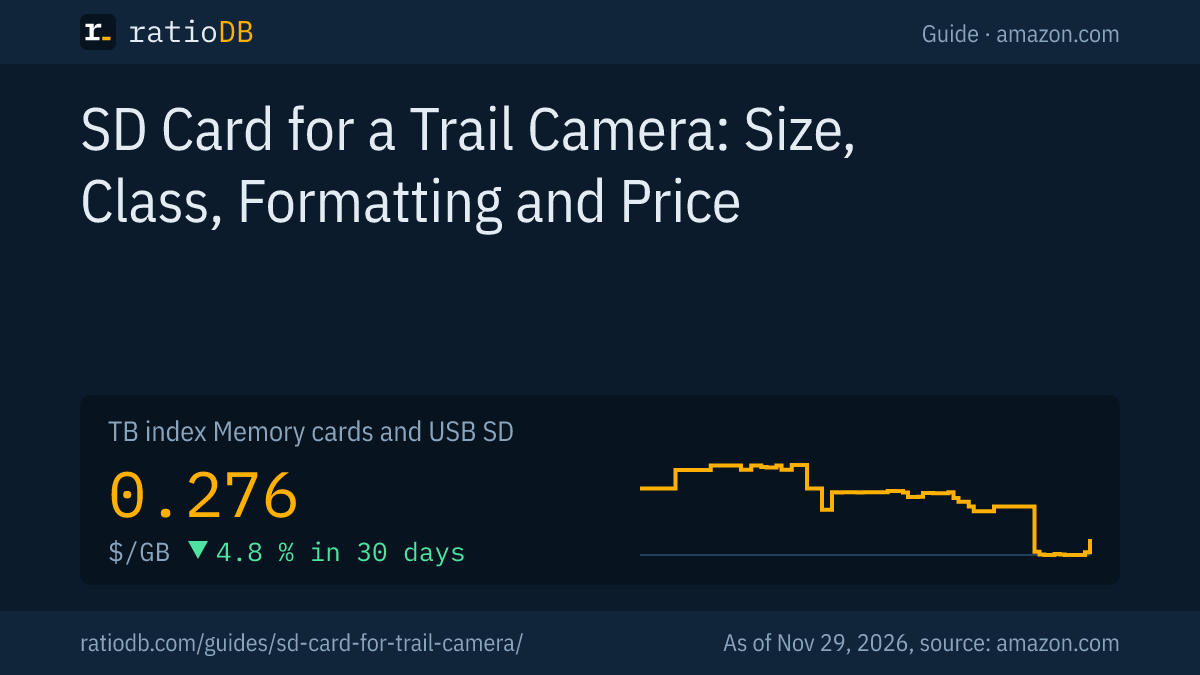
According to NatureSpy, a 32GB or 64GB SD card is almost certainly sufficient for most trail cameras. Browning recommends reformatting the card in the camera each time you install it. SD cards currently cost $0.276 per GB on amazon.com according to the ratioDB index (as of Nov 29, 2026 at 9:17 PM UTC).
Many trail cameras have no internal memory, so without a card they record nothing. This guide covers the size, the speed class and the pitfalls with adapters and U3 cards. ratioDB does not test cards, we compare maker specs and real prices.
What size SD card does a trail camera need?
NatureSpy calls 32GB or 64GB sufficient for most users, 64GB for sites left about a month between checks, and 128GB for even longer periods. GardePro sees 32GB to 64GB as the sweet spot and 128GB to 256GB for rarely checked or video-heavy cameras.
According to NatureSpy, supported capacities range from 16GB to 512GB depending on brand and model. GardePro warns that most consumer trail cameras run into compatibility ceilings above 256GB. Browning says the permitted card sizes are listed in the camera manual. The Browning help pages we read give no number, so always use the figure from your own manual.
According to GardePro, cards up to 32GB are SDHC and from 64GB they are SDXC. Older cameras often need SDHC, newer ones take both.
Which speed class is enough?
According to GardePro, Class 10 is sufficient for most trail cameras that mainly take photos. U1 delivers 10MB/s and suits Full HD video, U3 delivers 30MB/s and is recommended for 4K video.
One catch: NatureSpy reports problems with U3 cards in some Browning cameras, and Browning offers firmware updates for that. If you do not film in 4K, check whether your model tolerates a U3 card before buying. What each class means in detail is covered in the guide SD card speed classes.
GardePro also names high endurance cards, often built for temperature swings and many write cycles. For a camera that stays outdoors, that is a sensible feature.
Does a microSD card in an adapter work?
NatureSpy warns that some cameras do not like microSD cards in adapters, especially Browning and Bushnell. Some cameras, NatureSpy names its Helarctos and the SpyPoint Flex, take microSD only.
If your camera has a full-size card slot, a full-size SD card is the safest buy. If it takes only microSD, buy a microSD card and you need no adapter. The camera's spec sheet tells you which format applies.
How do I format the card and what if there are errors?
Browning advises reformatting the card each time you install it, to keep full speed and capacity and to have fewer memory errors. On a Browning camera you do it in the setup menu with Delete All and Yes, on a Bushnell the item is called Format.
NatureSpy considers formatting in the camera preferable to formatting on a computer, because the computer can change the card's file system. According to Browning, switch the camera off when inserting or removing the card.
For error messages Browning lists these steps: for Card Full, check whether the card really is full. For Card Locked, slide the lock switch to unlocked. NatureSpy describes the switch on the left side of the card, where sliding it down locks the card. If reformatting does not help, Browning recommends testing another card. If the card is unreadable, see the guide SD card not detected.
What does an SD card for a trail camera cost?
SD cards currently cost $0.276 per GB on amazon.com according to the ratioDB index (as of Nov 29, 2026 at 9:17 PM UTC). The cheapest new offer per GB from a known brand is the Transcend SDC300S 1 TB with 1 TB for $176.89, which is $0.177 per GB.
The index is the median of the 10 cheapest new SD cards of all brands per GB. The table shows the cheapest new card from a known brand per capacity. If a capacity is missing, there was no such offer at the time of the data. Whether a card is U3 or high endurance is stated in the product name or the data sheet.
Cheapest SD card from known brands per capacity on amazon.com, as of Nov 29, 2026 at 9:17 PM UTC
| Capacity | Cheapest offer | Price | Price per GB |
|---|---|---|---|
| 32 GB | Patriot LX Series Micro 32 GB | $11.49 | $0.359 |
| 64 GB | SanDisk Ultra 64 GB | $21.79 | $0.340 |
| 128 GB | SanDisk Made 128 GB | $24.06 | $0.188 |
| 256 GB | SanDisk Extreme UHS 256 GB | $61.27 | $0.239 |
Used and refurbished offers are not included in the table. The 3 cheapest new SD cards per GB:
All offers are at SD cards and microSD, all types under Memory cards and USB.
How does ratioDB compare memory cards?
ratioDB fetches amazon.com prices of all listed SD cards regularly and converts them into price per GB, with 1 GB equal to 10^9 bytes. The index is the median of the 10 cheapest new offers of the product type.
ratioDB divides multipacks by capacity times count. Used and refurbished offers are labeled and never count toward the index. All rules are on the Methodology page.
Frequently asked questions about SD cards for trail cameras
Which SD card is best for a trail camera?
A 32GB or 64GB card, Class 10, from a brand the camera maker names. Browning recommends its own brand, SanDisk or Kingston.
How large can the SD card in a trail camera be?
The camera manual says. NatureSpy lists maximums from 16GB to 512GB depending on the model, and GardePro sees compatibility limits above 256GB.
Is Class 10 enough or do I need U3?
According to GardePro, Class 10 is enough for cameras that mainly take photos. U3 at 30MB/s is recommended for 4K video, but according to NatureSpy it causes problems in some Browning cameras.
Should I format the card before inserting it?
Yes, ideally in the camera. Browning advises it each time you insert the card, and NatureSpy considers it better than formatting on a computer.
Why does the camera show Card Locked or Card Full?
With Card Locked, the card's lock switch is set to locked. With Card Full, Browning says to first check whether the card really is full.
Can I use a microSD card with an adapter?
Some cameras do not tolerate it, according to NatureSpy especially Browning and Bushnell. Better to use the format named in the spec sheet.
Sources
- Browning Trail Cameras: SD Card, General, Formatting a SD Card
- NatureSpy: SD Cards and Trail Cameras (as of October 8, 2024)
- GardePro: How to Choose the Correct SD Card for a Trail Camera (March 11, 2025)
- ratioDB: amazon.com prices, Methodology