Repair an SD Card: Steps for Errors, Write Protection and RAW
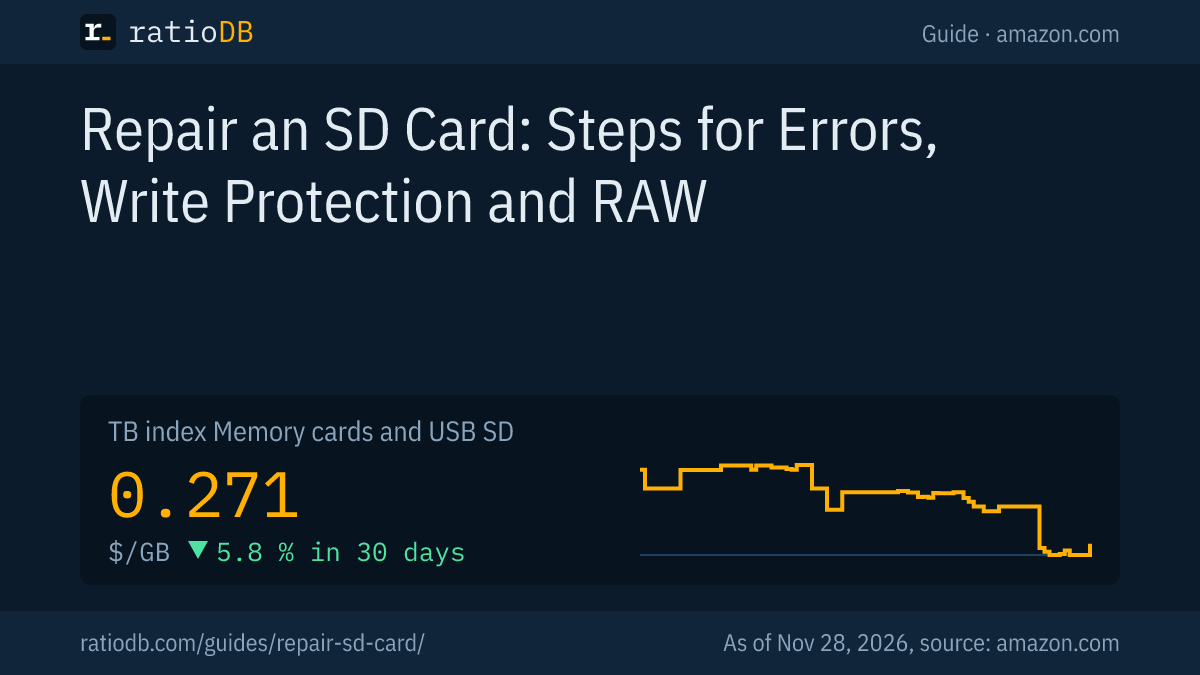
You repair an SD card like this: test another reader and another computer, check the write-protect switch, look in Disk Management, assign a drive letter, run chkdsk. With a hardware defect, only replacement remains. SD cards currently cost $0.271 per GB on amazon.com according to the ratioDB index (as of Nov 28, 2026 at 9:18 AM UTC).
Back up important files before you format or repair. This guide shows the steps without extra software, names the limits and works out what a replacement costs. ratioDB does not repair cards, we summarize publicly documented steps and compare real prices. The steps apply to SD and microSD cards alike.
How do I recognize a damaged SD card?
According to SalvageData, typical signs are: the card is missing in File Explorer or Disk Management, it looks empty, shows RAW, is write-protected or triggers error messages. Slow performance can point to physical damage.
First check whether only the connection is at fault. Recoverit recommends using another reader or USB port and testing the card on another computer or device. If it works there, the card may not be faulty, according to Recoverit.
If no device detects the card, the guide SD card not detected helps.
What do I do about write protection?
First check the small switch on the side of the card. Recoverit describes it on the left side, and sliding it up disables protection. If the card stays write-protected, the DiskPart command attributes disk clear readonly removes the protection.
EaseUS and SalvageData name DiskPart for cards that are locked, write-protected or locked by third-party encryption software. More in the guide SD card write protected.
How do I assign a drive letter?
Press the Windows key plus X and open Disk Management. Find the card, right-click it and choose Change Drive Letter and Paths. According to EaseUS and SalvageData, a letter conflict can make a card look unreadable or corrupted.
With a new letter, the card should become readable again, according to SalvageData.
How do I repair file system errors with chkdsk?
Open the command prompt as administrator and enter chkdsk F: /f /r /x, where F: is your card's drive letter. SalvageData names this command. Afterwards re-insert the card or restart the computer.
MiniTool advises recovering important files first and only then starting chkdsk. Recoverit likewise recommends securing data before formatting or creating a new partition.
What do I do with a RAW card?
If Disk Management shows RAW, the file system is unreadable. According to iBoysoft, chkdsk is not available for RAW drives. After backing up what you can, you format the card with FAT32 or exFAT, as iBoysoft names.
Formatting erases all data. According to CleverFiles, recovery software such as Disk Drill only works if the card appears in Disk Management without the No media label. How to format properly is in the guide Formatting an SD card, and recovery is covered in the guide Data recovery.
When is the SD card beyond saving?
If no device shows the card, not even in Disk Management, the hardware is usually defective. Then replacement or professional data recovery remains.
iBoysoft also writes that repair fails when a card is severely corrupted. Which card suits which device is explained in the guide SD card for your camera.
What does a new SD card cost per GB?
SD cards currently cost $0.271 per GB on amazon.com according to the ratioDB index (as of Nov 28, 2026 at 9:18 AM UTC). The cheapest new offer per GB from a known brand, SD or microSD, is the Transcend SDC300S 1 TB with 1 TB for $176.89, which is $0.177 per GB.
The index is the median of the 10 cheapest new SD cards of all brands per GB, excluding microSD. The table shows the cheapest new SD or microSD card of a known brand per size. If a size is missing, there was no such offer at the data date.
Cheapest SD and microSD card from known brands per size on amazon.com, as of Nov 28, 2026 at 9:18 AM UTC
| Capacity | Cheapest offer | Price | Price per GB |
|---|---|---|---|
| 64 GB | SanDisk Ultra 64 GB | $21.79 | $0.340 |
| 128 GB | SanDisk Made 128 GB | $24.30 | $0.190 |
| 256 GB | SanDisk Extreme UHS 256 GB | $61.27 | $0.239 |
Used and refurbished offers are not in the table. The 3 cheapest new cards per GB:
All offers are under SD cards and microSD, all types under Memory cards and USB. For microSD there is the guide Buying a microSD card.
How does ratioDB compare memory cards?
ratioDB regularly retrieves the amazon.com prices of all listed memory cards and converts them to price per GB, with 1 GB equal to 10^9 bytes. The index is the median of the 10 cheapest new offers of the product type.
For multipacks ratioDB divides by capacity times quantity. Used and refurbished offers are labeled and never count toward the index. All rules are on the methodology page.
Frequently asked questions about repairing an SD card
How do I repair an SD card that does not work?
First test another reader, another USB port and another computer. Then check the write-protect switch, assign a drive letter in Disk Management and run chkdsk.
How do I remove write protection?
Slide the switch on the side of the card, if there is one. If protection remains, EaseUS and SalvageData name the DiskPart command attributes disk clear readonly.
What does RAW mean on an SD card?
The file system is unreadable, and the card shows RAW as its file system. According to iBoysoft, chkdsk does not work on RAW. After backing up your data, you format with FAT32 or exFAT.
Can chkdsk delete data?
chkdsk checks the file system and tries to fix errors. MiniTool advises recovering important files first.
Can I recover data from a broken SD card?
Only while the card appears in Disk Management without No media. CleverFiles states this for Disk Drill. With a hardware defect, only professional data recovery helps.
Is repairing worth it or is a new card better?
With a hardware defect, repair is not worth it. With a software fault, trying only costs time.
Sources
- SalvageData: How to fix a corrupted SD card without formatting
- Recoverit: Fix a corrupted SD card with chkdsk, Fix a corrupted SD card without formatting
- EaseUS: How to fix a corrupted SD card
- iBoysoft: SD card errors and problems
- CleverFiles: Fix a corrupted SD card
- MiniTool: chkdsk on an SD card
- ratioDB: amazon.com prices, methodology