Can You Mix RAM? Combining Different Memory Modules
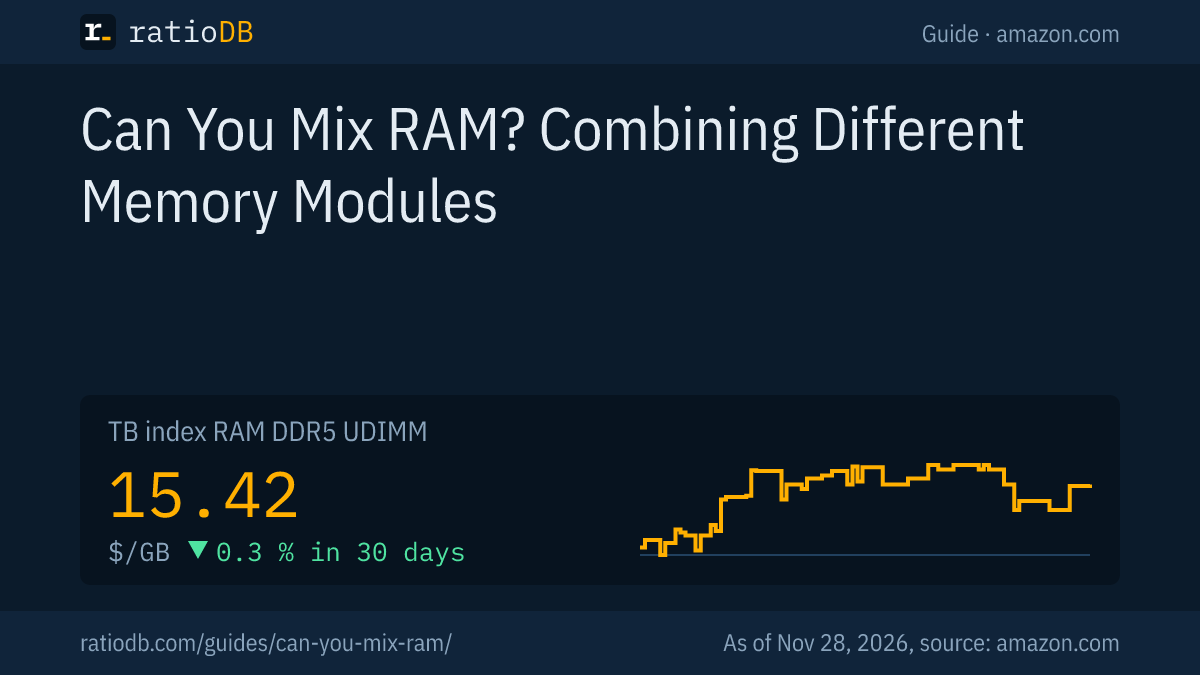
You can often mix RAM, within limits: DDR4 and DDR5 never combine. Modules with different speeds all run at the speed of the slowest one, according to Crucial. Different sizes work on many Intel systems in Flex Mode, where only part of the memory runs in dual channel. On amazon.com, DDR5 memory currently costs $15.42 per GB according to the ratioDB GB index (as of Nov 28, 2026 at 5:18 PM UTC).
When upgrading, many people already have modules in the PC and just want to add more. This guide shows what you can mix, what happens to speed and dual channel, and when a new kit is the better choice. ratioDB does not test modules, we compare prices and spec sheets.
Can you mix different RAM?
Yes, as long as the generation matches. Crucial states plainly that generations such as DDR4 and DDR5 can never be mixed. Different speeds, latency or voltage technically work but are not optimal, according to Crucial. Different brands are the smallest issue.
The table sums up what happens when you mix:
| What differs | Does it work? | What happens |
|---|---|---|
| Generation (DDR4 and DDR5) | no | does not fit the same slot |
| Form factor (DIMM and SO-DIMM) | no | does not fit the same slot |
| Speed | yes | all run at the slowest speed |
| Latency and voltage | usually | the board picks values all modules handle |
| Size | usually | partly single channel (Flex Mode) |
| Brand | usually | rarely an issue, speed profile may be unstable |
The generations are explained in DDR5 vs DDR4, the form factors in SO-DIMM vs DIMM. Server memory (RDIMM) and desktop memory (UDIMM) do not mix either, see RDIMM vs UDIMM.
What happens when you mix RAM speeds?
All modules run at the speed of the slowest module. Crucial adds that you cannot speed up a computer by adding faster memory while another module is slower. Intel and Dell state the same rule in their manuals.
An example: an existing DDR5-4800 module and a new DDR5-6000 module run together at 4800. The faster module clocks down to the slower one. Intel's desktop board manuals say that if different speed DIMMs are used between channels, the slowest memory timing is used. The same goes for XMP or EXPO: one module's profile often does not suit the other. How to check the speed afterwards is in How to check RAM speed.
Can you mix RAM sizes?
On many Intel systems, yes, in Flex Mode. The part of memory that is equal in both channels runs in dual channel, the rest in single channel. Tom's Hardware's example: with 8 GB in one channel and 4 GB in the other, 8 GB run in dual channel and the remaining 4 GB in single channel.
Intel's manuals describe 3 modes: dual channel when both channels hold the same capacity, single channel, and Flex Mode. In Flex Mode, the lower part of memory is mapped to dual channel and the upper part to single channel. According to Tom's Hardware, Intel Flex Memory dates back to 2004.
| Setup | Channel A | Channel B | Mode |
|---|---|---|---|
| 2 x 16 GB | 16 GB | 16 GB | full dual channel |
| 16 GB and 8 GB | 16 GB | 8 GB | 16 GB dual channel, 8 GB single channel |
| 2 x 8 GB and 1 x 16 GB | 16 GB | 2 x 8 GB | full dual channel, 2 modules on channel B |
The last row shows a trick from the Tom's Hardware example: spread the modules so both channels hold the same capacity and everything runs in dual channel. Which slot belongs to which channel is in your motherboard manual. More in Dual channel memory.
Is mixing RAM harder with DDR5?
Yes, somewhat. Intel says the maximum supported speed may be lower with multiple modules per channel. According to AnandTech, DDR5 is particularly sensitive here. Mixed modules add to the risk that a fast profile won't run stable.
With 4 modules, each channel holds more than 1 module. AnandTech notes that DDR5 loses top speed in this setup even on desktops. Kingston warns, as quoted by MacMyths, that even modules with seemingly matching specs can contain different components, and mixing them can cause instability or prevent overclocking. If you want more DDR5, a kit of 2 larger modules is often the safe choice. How much memory you need is in How much RAM do I need?.
How do you mix RAM without problems?
First read the details of your current modules, buy the same series at the same speed and size if you can, and spread the modules so both channels hold the same capacity. Then test for stability.
- Identify current modules: read maker, part number, size and speed in Task Manager or PowerShell, see How to check RAM speed.
- Buy a match: same generation and form factor, ideally the same series, speed and size.
- Fill slots per the manual: both channels should hold the same capacity, see How to install RAM.
- Check the profile: if XMP or EXPO is unstable, turn it off or lower the speed, see XMP and EXPO.
- Test: a memory test catches errors before data is lost, see How to test RAM.
Memory with error correction (ECC) is a topic of its own, covered in ECC RAM.
What does matching RAM cost per GB right now?
On amazon.com, the ratioDB GB index for desktop DDR5 memory stands at $15.42 per GB (as of Nov 28, 2026 at 5:18 PM UTC). The cheapest new single module from a known brand per GB is currently SP Silicon Power 16 GB with 16 GB for $104.25.
The table shows the cheapest new single desktop module from a known brand at each size, DDR5 or DDR4. If you are adding to an existing module, look for the same series and speed in the list.
Cheapest desktop single module by size on amazon.com, as of Nov 28, 2026 at 5:18 PM UTC
| Capacity | Cheapest offer | Price | Price per GB |
|---|---|---|---|
| 16 GB | SP Silicon Power 16 GB | $104.25 | $6.52 |
All offers are under DDR5 for desktop PCs and DDR4 for desktop PCs, all types under Memory. Whether now is a good time to buy is in Why RAM prices are so high.
How does ratioDB compare memory?
ratioDB pulls the amazon.com prices of every listed RAM module regularly and converts them to price per GB. The GB index is the median of the 10 cheapest new offers per product type.
Kits with several modules are divided by their total capacity. Used offers are labeled and never count toward the index. ratioDB does not test modules. The mixing rules come from the linked sources by Crucial, Intel, Dell and Tom's Hardware. All rules are on the Methodology page.
Frequently asked questions about mixing RAM
Can I use 8 GB and 16 GB RAM together?
Usually yes. On many Intel systems, Flex Mode then runs 16 GB in dual channel and the remaining 8 GB in single channel. Your manual says whether your system supports it.
Can I mix RAM brands?
Usually yes. Same generation, speed and size matter more than the brand. A speed profile like XMP is more often unstable with mixed brands, though.
Can I mix DDR4 and DDR5?
No. Crucial says generations can never be mixed. The modules do not fit the same slot.
Will fast RAM work with slower RAM?
Yes, but all modules then run at the speed of the slowest one. The faster module gains you nothing on speed.
Why does my PC crash after mixing RAM?
Usually a speed profile is running that does not suit every module. Turn XMP or EXPO off or lower the speed, then run a memory test.
What does DDR5 RAM cost right now?
On amazon.com, the GB index for desktop DDR5 memory is $15.42 per GB (as of Nov 28, 2026 at 5:18 PM UTC). The table above shows the cheapest module at each size.
Sources
- Crucial: Can you mix and match DRAM?, Memory speeds and compatibility
- Intel: Memory channels and speed, DH87RL manual with dual channel and Flex Mode
- Tom's Hardware: What is Flex Mode?
- Dell: Memory installation guidelines, different speeds
- AnandTech: DDR5 with 2 modules per channel
- MacMyths: Mixing DDR5 kits, speeds and brands
- ratioDB: amazon.com prices, Methodology