WD Elements vs My Book: Differences, Encryption and Price per TB
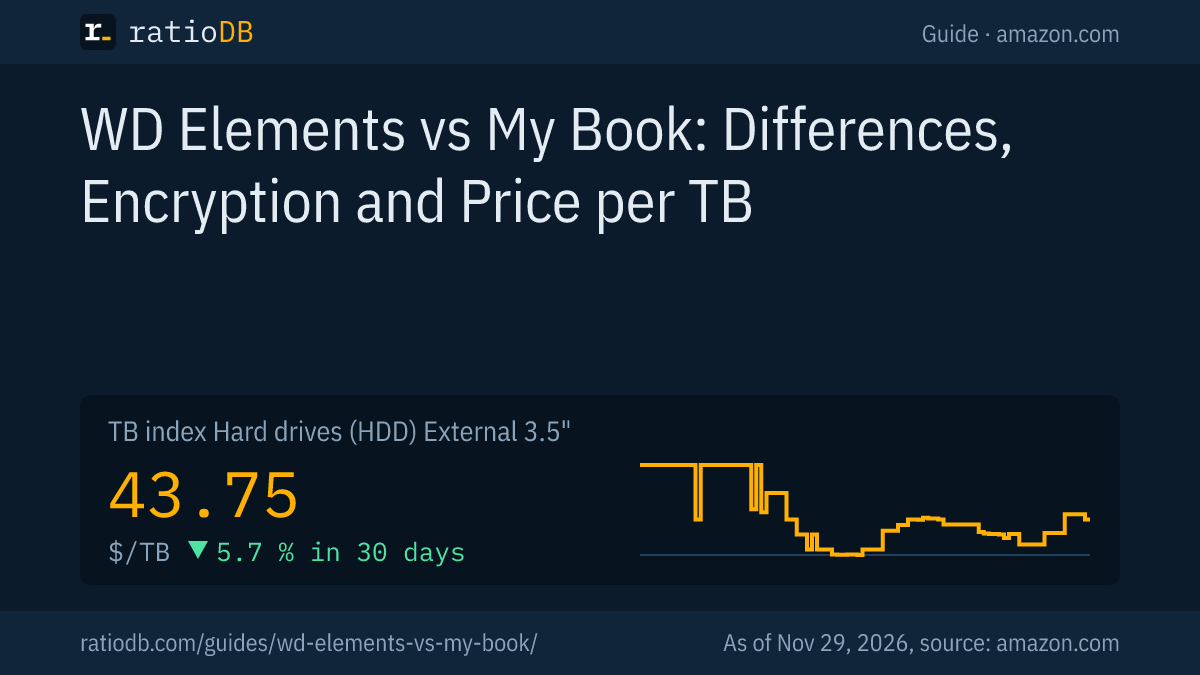
According to Western Digital's product pages, the My Book has a 3-year warranty, password protection with 256-bit AES encryption and comes formatted as exFAT. The Elements Desktop has a 2-year warranty and ships with NTFS according to B&H. External 3.5-inch hard drives currently cost $43.75 per TB on amazon.com according to the ratioDB index (as of Nov 29, 2026 at 9:17 PM UTC).
Both drives are 3.5-inch desktop drives with a power adapter and a Micro-B USB port. The difference lies in what surrounds the disk: warranty, encryption, software and factory format. This guide puts the published details side by side and shows what the drives cost per TB. ratioDB does not test drives, we summarize manufacturer information and compare real prices.
What is the difference between WD Elements and My Book?
According to WD, the My Book offers password protection with 256-bit AES encryption and backup software, a 3-year warranty and exFAT out of the box. For the Elements Desktop WD lists a 2-year warranty, and B&H lists encryption as not supported and NTFS as the factory format.
The details at a glance, for the 4 TB models (Elements Desktop WDBWLG0040HBK, My Book WDBBGB0040HBK):
- Warranty: Elements Desktop 2 years, My Book 3 years (limited warranty each, according to WD).
- Encryption: Elements Desktop no encryption support (B&H), My Book password protection with 256-bit AES (WD).
- Software: for the My Book WD lists Acronis True Image for Western Digital (download and installation required), for the Elements Desktop the pages we read list none.
- Factory format: Elements Desktop NTFS (B&H), My Book exFAT (WD).
- Connection: both Micro-B, the Elements with USB 3.0 (WD also says USB 3.2 Gen 1), the My Book with USB 3.2 Gen 1.
- Power adapter: included with both (WD).
- Operating systems: Elements Desktop Windows 10 or later, reformatting is needed for macOS (WD); My Book Windows 10 or later and macOS 11 or later (WD).
The blog Sir Apfelot describes the Elements Desktop similarly: a desktop drive with a power supply and no special software or data encryption, with the Elements line a little cheaper. The section further down answers the price question with real numbers. The pages we read do not say which disk sits inside the case, so we make no claim about it.
Do I need the My Book's encryption?
Only if the drive holds data a thief or finder must not read. According to WD, the My Book protects access with a password and 256-bit AES encryption. According to B&H, the Elements Desktop has no encryption support.
If you want to protect a drive without built-in encryption, the guide Encrypt an external hard drive shows ways (methods described there, not by WD). Encryption does not replace a backup, more in the guide 3-2-1 backup.
Does the drive work on a Mac and which format do I need?
According to WD, the My Book is formatted as exFAT and listed for macOS 11 or later. For the Elements Desktop WD lists Windows 10 or later and says reformatting may be required for macOS. B&H names NTFS as the factory format.
Sir Apfelot says what matters is that the drive uses a format suited to the Mac such as exFAT, and that an NTFS drive can be reformatted in Disk Utility. Reformatting erases everything on the drive, so back it up first. A how-to is in the guide How to format a USB drive, the formats are compared in exFAT vs NTFS.
Both need a power adapter, is that a drawback?
According to WD, both drives ship with a power adapter. Sir Apfelot describes such desktop drives as meant for fixed use at a desk because power comes from an adapter.
Sir Apfelot says the My Book is not for mobile use because it needs a power adapter. If you need a drive on the go, look at 2.5-inch models instead, see Buying an external hard drive.
What does an external 3.5-inch hard drive cost per TB?
External 3.5-inch hard drives currently cost $43.75 per TB on amazon.com according to the ratioDB index (as of Nov 29, 2026 at 9:17 PM UTC). The cheapest new offer per TB from a known brand is the WD Elements 20 TB with 20 TB for $549.99, which is $27.50 per TB.
The index is the median of the 10 cheapest new external 3.5-inch hard drives of all brands per TB. The table shows the cheapest new drive of a known brand per size. If a size is missing, there was no such offer at the data date. Compare Elements and My Book at the same size by price per TB, because how much more the My Book costs for 1 extra year of warranty and the encryption changes with the daily price.
Cheapest hard drive of known brands per size on amazon.com, as of Nov 29, 2026 at 9:17 PM UTC
| Capacity | Cheapest offer | Price | Price per TB |
|---|---|---|---|
| 2 TB | Seagate 2 TB | $119.99 | $60.00 |
| 4 TB | Seagate Expansion 4 TB | $169.99 | $42.50 |
| 8 TB | Seagate Expansion 8 TB | $279.99 | $35.00 |
| 20 TB | WD Elements 20 TB | $549.99 | $27.50 |
Used and refurbished offers are not in the table. The 3 cheapest new hard drives per TB:
All offers are under External 3.5 inch and External 2.5 inch, all types under Hard drives (HDD).
How does ratioDB compare hard drives?
ratioDB regularly retrieves the amazon.com prices of all listed hard drives and converts them to price per TB, with 1 TB equal to 10^12 bytes. The index is the median of the 10 cheapest new offers of the product type.
For multipacks ratioDB divides by capacity times quantity. Used and refurbished offers are labeled and never count toward the index. All rules are on the methodology page.
Frequently asked questions about WD Elements and My Book
What is the difference between WD Elements and My Book?
According to WD, the My Book has a 3-year warranty, password protection with 256-bit AES and exFAT out of the box. The Elements Desktop has a 2-year warranty, no encryption support according to B&H and NTFS out of the box.
Is the My Book encrypted?
According to WD, it offers password protection and built-in 256-bit AES encryption.
Does the WD Elements Desktop work on a Mac?
According to WD, reformatting is needed for macOS. It erases all data, so back up first.
Do both have a power adapter?
Yes, according to WD a power adapter is included with both.
How long is the warranty?
2 years for the Elements Desktop and 3 years for the My Book, limited warranty each according to WD. The WD pages at times mention a free extra year as a promotion.
Sources
- Western Digital: WD My Book (model WDBBGB0040HBK-NESN)
- Western Digital: WD Elements Desktop (model WDBWLG0040HBK-NESN)
- B&H Photo: WD 4TB Elements Desktop (retailer details on encryption and factory format)
- Sir Apfelot: Difference between WD My Book, WD My Passport, WD My Passport Ultra, and WD Elements
- ratioDB: amazon.com prices, methodology