TBW and DWPD: What SSD Endurance Really Tells You
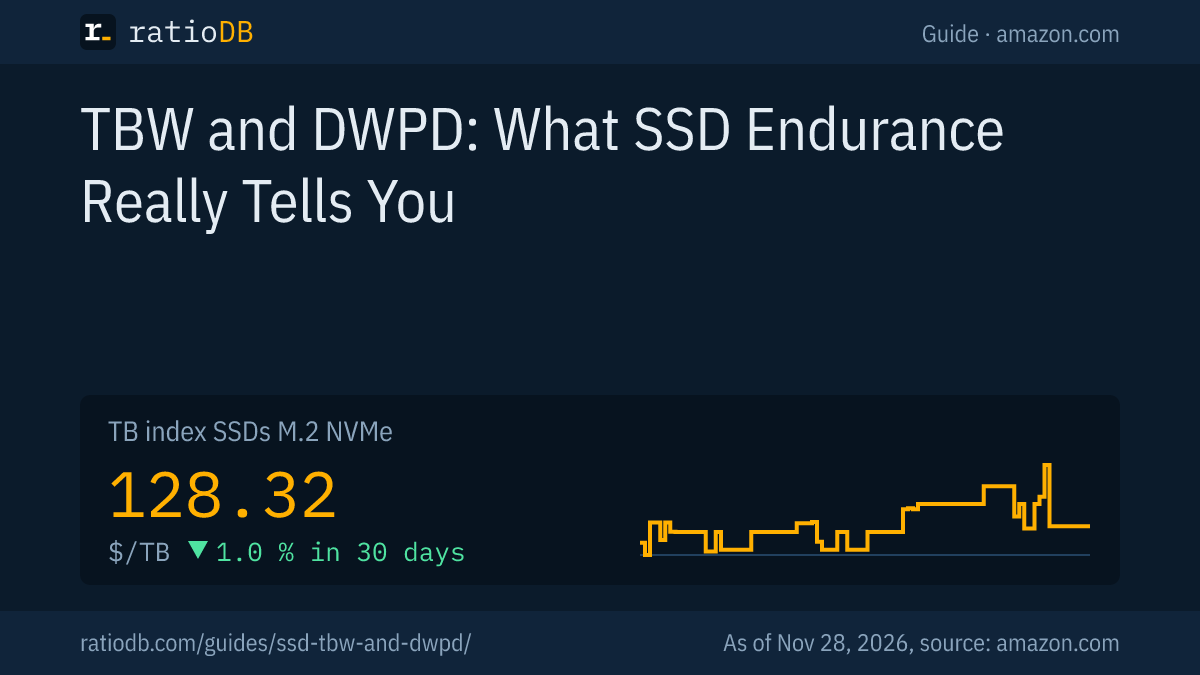
TBW (Terabytes Written) states how much data an SSD may write within its warranty. DWPD (Drive Writes Per Day) states how often you may overwrite the whole SSD each day. According to Microsoft, both values depend on the warranty period and convert into each other. On amazon.com the TB index for M.2 NVMe SSDs currently stands at $128.32 per TB according to ratioDB (as of Nov 28, 2026 at 9:18 AM UTC).
Anyone comparing SSDs runs into both abbreviations and often does not know which says more. The short answer: they measure the same thing, just against a different reference. This guide shows the conversion with examples, explains why the warranty period is decisive and names the limits of both numbers. ratioDB does not test SSDs, we compare prices and spec sheets.
What do TBW and DWPD mean?
TBW is the total amount of data you may write to the SSD within the warranty. DWPD relates that amount to the size of the SSD and the warranty days. According to Western Digital, a 1 TB drive rated for 10 DWPD can take 10 TB of writes every day.
Microsoft names the only real difference: DWPD depends on the size of the SSD, TBW does not. Both values refer to the manufacturer's warranty period. According to How-To Geek, DWPD is common in the enterprise space, while TBW is typical for consumer drives.
Western Digital describes the background: SSDs wear out as you write to them. The maker states how much writing it guarantees under warranty. That is a commitment, not a measurement of the actual lifespan. How long an SSD lasts in daily use is explained in the guide SSD lifespan.
How do you convert TBW to DWPD?
TBW equals DWPD times capacity in TB times 365 times warranty years. Conversely, DWPD equals TBW divided by capacity in TB, 365 and warranty years. Example: a 1 TB SSD with 600 TBW and a 5 year warranty has 0.33 DWPD.
The formulas come from Western Digital and Enterasource. Kingston calculates the same way, only with capacity in GB and a factor of 1,000.
TBW = DWPD × capacity (TB) × 365 × warranty years
DWPD = TBW ÷ (capacity (TB) × 365 × warranty years)
Kingston gives the example of an SSD with 7.68 TB, 14,016 TBW and a 5 year warranty. Worked out, that is 14,016 divided by 1,825 times 7.68, which makes 1 DWPD.
| TBW at 1 TB | Warranty | Calculation | DWPD |
|---|---|---|---|
| 300 | 5 years | 300 ÷ 1,825 | 0.16 |
| 600 | 5 years | 600 ÷ 1,825 | 0.33 |
| 1,200 | 5 years | 1,200 ÷ 1,825 | 0.66 |
| 600 | 3 years | 600 ÷ 1,095 | 0.55 |
The rows are plain worked examples, not manufacturer figures. They show how much the warranty period counts: the same 600 TBW gives 0.55 DWPD at 3 years and 0.33 at 5 years.
Why does the warranty period matter?
A DWPD value is only comparable together with its warranty period. According to DirectMacro, 1 DWPD over 3 years means roughly 40% less total endurance than 1 DWPD over 5 years, even though the number looks the same.
So read the warranty period from the same spec sheet. With TBW this trap does not exist, because the total amount is already fixed. At equal capacity, TBW compares directly: more TBW means more guaranteed write volume.
What stands behind it: according to Storedbits, TBW depends on the endurance of the flash cells, the capacity, the write amplification and the spare area. Makers do not disclose write amplification and spare area, so TBW cannot be recalculated from outside. How the cell types differ is explained in the guide QLC and TLC.
What do TBW and DWPD not tell you?
Both values only measure the wear of the flash cells under warranty. Servermall points out that the controller, power delivery or firmware can fail an SSD long before its TBW is reached. Conversely, an SSD can keep running past its TBW.
The TBW value is not a shutoff limit. Servermall advises against relying on that in production use. A recalculated value neither extends the warranty nor makes the SSD more durable.
Here is how to check where your SSD stands: many programs read the amount of data written so far through SMART (the drive's self-reporting). How that works is in the guide Check drive health. Compare it with the TBW value on the spec sheet. A backup matters too: endurance is no replacement for one, and the rule for it is in the guide 3-2-1 backup.
What do NVMe SSDs with good TBW cost per TB?
The TBW value is on every SSD's spec sheet, and ratioDB does not list it. The price per TB is the comparison value ratioDB adds: on amazon.com the TB index for NVMe SSDs stands at $128.32 per TB (as of Nov 28, 2026 at 9:18 AM UTC). The cheapest new NVMe SSD from known brands per TB is currently SP Silicon Power A55 Boost 7mm 2 TB with 2 TB for $232.97.
Check the TBW value on the maker's spec sheet before buying and weigh it against the price.
Cheapest NVMe and SATA SSD per size on amazon.com, as of Nov 28, 2026 at 9:18 AM UTC
| Capacity | Cheapest offer | Price | Price per TB |
|---|---|---|---|
| 500 GB | Patriot Burst Elite 480 GB | $62.99 | $131.23 |
| 1 TB | SP Silicon Power A55 Boost 1 TB | $123.97 | $123.97 |
| 2 TB | SP Silicon Power A55 Boost 7mm 2 TB | $232.97 | $116.49 |
| 4 TB | Crucial P3 Plus 4 TB | $639.25 | $159.81 |
Used and refurbished offers are not included in the table. The 3 cheapest new SSDs per TB:
All offers are under M.2 NVMe SSDs and Internal SSDs, all types under SSDs.
How does ratioDB compare SSDs?
ratioDB regularly pulls the amazon.com prices of all listed SSDs and converts them to price per TB, with 1 TB equal to 10^12 bytes. The TB index is the median of the 10 cheapest new offers per product type.
ratioDB divides multipacks by capacity times piece count. Used and refurbished offers are labeled and never count toward the index. ratioDB does not test SSDs, the TBW values come from the makers' spec sheets. All rules are on the Methodology page.
Frequently asked questions about TBW and DWPD
Which is better, TBW or DWPD?
Neither, they measure the same thing. According to Microsoft, DWPD depends on the size of the SSD and TBW does not. DWPD is handy for comparing SSDs of different sizes, TBW for the total amount.
How do I convert TBW to DWPD?
DWPD equals TBW divided by capacity in TB times 365 times warranty years. A 1 TB SSD with 600 TBW and a 5 year warranty comes to 0.33 DWPD.
How do I convert DWPD to TBW?
TBW equals DWPD times capacity in TB times 365 times warranty years. A 1 TB SSD with 1 DWPD and a 5 year warranty stands at 1,825 TBW.
Does the SSD die when the TBW value is reached?
Not automatically. Servermall writes that an SSD can keep running past the rated value. You should not rely on that in continuous use. A backup is still needed.
Why does the same SSD have a different TBW at different sizes?
Because more flash cells allow more write volume. According to Storedbits, capacity goes directly into the calculation of the TBW value.
Is a low TBW enough for normal users?
That depends on how much you write. Read the data written on your current SSD through SMART and compare it with the spec sheet. More in the guide SSD lifespan.
Sources
- Microsoft: Understanding SSD endurance, DWPD and TBW
- Western Digital: SSD endurance and formulas
- Enterasource: DWPD vs TBW
- Kingston: Calculating DWPD from TBW
- How-To Geek: What TBW means for SSDs
- DirectMacro: Enterprise SSD endurance
- Storedbits: TBW, MTBF and DWPD
- Servermall: Server SSD endurance
- ratioDB: amazon.com prices, Methodology