Should You Defrag an SSD? Why Not and What Windows Does Instead
You should not defragment an SSD by hand. Kingston writes that SSDs do not require defragmentation, that defragmenting an SSD is not effective and that doing it continuously over a long period may shorten the drive's life. Windows recognizes SSDs on its own and sends the TRIM command when it optimizes them. Leave that automation on. Defragmenting is only worth it on classic hard drives with spinning platters.
This guide explains what defragmenting does, why it does nothing for SSDs, what Windows does with your SSD in the background and how to check that everything is set up right. The details come from support pages by Microsoft and Kingston that we read for this guide. ratioDB does not run its own hardware tests. We compare prices and spec sheets. What SSDs and hard drives cost per TB right now is shown further down with live amazon.com prices (as of Nov 17, 2026 at 4:17 PM UTC).
What does defragmenting mean?
Defragmenting rearranges the pieces of a file so they sit next to each other on the drive. Microsoft describes it for hard drives as reorganizing the files so that they are all lined up and easier to read. On a hard drive, that saves the read head from moving around.
When saving, the file system spreads a file across free spots. When the drive is full or files are deleted and rewritten often, the pieces of a file end up in many places. The file is then called fragmented. To read a single file, a hard drive has to jump its read head across the spinning platter several times. That takes time. Defragmenting puts the pieces back together.
An SSD has no spinning platters and no read head. Kingston explains that because an SSD has no moving platters, defragmenting does not speed up seek times. For an SSD it makes no difference whether the pieces of a file sit side by side or spread out.
| Drive | How it finds data | Does defragmenting help? |
|---|---|---|
| Hard drive (HDD) | read head moves over spinning platters | yes, fewer head movements |
| SSD | controller reads electronically from flash memory | per Kingston no, not effective |
Why should I not defragment an SSD?
Because it brings nothing and costs writes. Kingston writes that defragmenting adds uneven wear to particular areas of the SSD, even though SSDs are designed to spread writes evenly. According to Kingston, occasional defragmentation is harmless, but doing it continuously over a long period may shorten the drive's life.
Flash memory can only take a limited number of writes. Makers specify this as TBW, the amount of data in terabytes written that they guarantee. A defrag tool moves large amounts of data from one place to another. Those are writes with no benefit. How much an SSD can take and what TBW means is in the guide SSD lifespan.
No need to panic, though: if you defragmented an SSD once by accident, Kingston says it did no harm. Only switch off tools that do it regularly, such as older system maintenance tools with their own schedule.
What does Windows do to my SSD when it optimizes?
Windows trims SSDs. Microsoft describes that hard drives are defragmented when optimized, while SSDs are trimmed. Windows tells the SSD which areas it can safely clean up while idle. By default, Windows optimizes your drives once a week.
TRIM is a command the operating system uses to tell the SSD which data has been deleted. Kingston writes that TRIM allows the operating system to inform the SSD that data has been deleted. The SSD can then clean up those areas while idle instead of waiting for the next write. The guide SSD TRIM explains more.
For the PowerShell command Optimize-Volume, Microsoft lists what Windows does per drive when no option is given:
| Drive | Default per Microsoft |
|---|---|
| Hard drive (HDD) | analyze and defragment |
| SSD with TRIM support | retrim, sending TRIM again for all free space |
| SSD without TRIM support | no operation |
| Removable drive with FAT | no operation |
According to Microsoft, retrim generates TRIM and unmap hints for all currently unused sectors of the volume, telling the drive they are no longer needed. According to Hanselman, this resends TRIM requests the file system may have dropped along the way. That is why the tool is called "Defragment and Optimize Drives": it defragments hard drives and optimizes SSDs.
Does Windows still defragment my SSD sometimes?
Yes, in one special case about once a month, and that is by design. In its documentation for the defrag command, Microsoft writes that the scheduled task runs traditional optimization on SSDs, including traditional defragmentation and retrim, once per month. In 2014, after checking with the Windows storage team, Scott Hanselman named the condition: when volume snapshots are enabled.
Volume snapshots are turned on by System Restore, for example. In his blog post of December 3, 2014, Hanselman quoted the Windows team with 2 reasons: volume snapshot copy on write gets slow on fragmented SSD volumes, and the file system metadata can only keep track of a limited number of fragments per file. Once that limit is reached, writing or extending a file can fail.
For you this means: this rare defragmentation is intentional and not a bug. According to Microsoft it runs at most once a month. Microsoft also writes that if you manually run traditional defragmentation on an SSD between scheduled runs, the next scheduled run performs analysis and retrim but skips traditional defragmentation on that SSD. There is no reason to switch the automation off.
How do I check whether TRIM is active on my SSD?
Open Command Prompt as administrator and enter fsutil behavior query disabledeletenotify. According to Kingston, a result of 0 means TRIM is enabled in Windows, and 1 means it is disabled.
Here is how, according to Kingston:
- Open Command Prompt as administrator: search for "cmd", right-click it and choose "Run as administrator".
- Query: enter fsutil behavior query disabledeletenotify and press Enter.
- Read the result: 0 means TRIM is active. 1 means TRIM is off.
- If it shows 1, turn it on: enter fsutil behavior set disabledeletenotify 0.
The query changes nothing, it is only a check. According to Microsoft, you can trigger a retrim by hand with the defrag command and the /L switch (for example defrag C: /L in Command Prompt as administrator) or in PowerShell with Optimize-Volume and the -ReTrim parameter. Microsoft says the /O switch performs the proper optimization for each media type. According to Microsoft, defrag requires administrator rights.
What do the switches of the defrag command mean?
The defrag command controls the same optimization as the Windows tool, just from Command Prompt. Microsoft lists, among others, /A for analysis, /D for traditional defragmentation, /L for retrim and /O for the proper optimization per media type. Without a switch, defrag performs traditional defragmentation.
The key switches per Microsoft:
| Switch | What it does per Microsoft | Useful for |
|---|---|---|
| /A | performs an analysis on the specified volumes | hard drive and SSD, check only |
| /D | traditional defrag, the default without a switch | hard drives only |
| /L | performs retrim on the specified volumes | SSDs |
| /O | proper optimization for each media type | all drives |
| /C | performs the operation on all volumes | combined with /O |
| /U | prints the progress on screen | all |
| /V | verbose output with fragmentation statistics | all |
The difference between defrag C: and defrag C: /O matters. Without a switch, Microsoft says defrag performs traditional defragmentation, on an SSD too. With /O, Windows picks what fits the drive, which on an SSD means retrim. If you type the command by hand, use /O, or /L for SSDs. All switches require administrator rights.
What about external SSDs, USB flash drives and memory cards?
Do not defragment USB flash drives and memory cards. Like SSDs they use flash memory, so Kingston's reasoning applies the same way. For removable drives with FAT and SSDs without TRIM support, Microsoft says Windows does nothing at all when optimizing.
For external SSDs on a USB port, Windows decides the same way as for internal ones: if the drive reports TRIM support, Windows sends a retrim when optimizing. If it does not, Microsoft says Windows does nothing. Defragmenting by hand helps an external SSD as little as an internal one. Which external SSD is worth it is in the guide Best external SSD.
Should I turn off automatic optimization?
No. Microsoft writes that Windows optimizes your data drives mostly automatically to maintain performance, by default once a week. On SSDs that is TRIM, on hard drives defragmentation. Both are harmless and both help.
How to check and change the schedule, according to Microsoft:
- Type "defrag" in the search box on the taskbar.
- Open "Defragment and Optimize Drives".
- Under "Scheduled optimization", select "Change settings".
- Choose daily, weekly or monthly. You can also turn the schedule off here, which we advise against.
Microsoft recommends increasing the frequency if optimization has been missed 3 times. If your computer is rarely on, the weekly slot can be missed. The list shows when each drive was last optimized. Microsoft notes that if analysis of an SSD is skipped, this "Last run" time is not updated and can be up to a month old. That is not a fault either.
What about defrag tools from other vendors?
You do not need any for SSDs. Kingston writes that SSDs do not require defragmentation, and Windows handles TRIM on its own. Add-on tools that defragment SSDs on a schedule only cause writes with no benefit.
Some system maintenance tools come with their own defragmenter that runs on a schedule. Check in the settings whether SSDs are excluded, or turn the feature off for SSDs. Many SSD makers offer their own tools with maintenance features such as firmware updates and status displays. For everyday use, Windows optimization is enough. If your computer has both a hard drive and an SSD, let Windows manage both: according to Microsoft it picks the proper optimization for each media type.
Is defragmenting still worth it for hard drives?
Yes. On hard drives with spinning platters, defragmenting makes reading faster. For hard drives in the "Defragment and Optimize Drives" tool, Microsoft describes 2 options: let Windows analyze whether the drive needs optimization, or optimize it right away.
The weekly schedule takes care of this in everyday use. Running it by hand is worth it after a big cleanup, for example after deleting many large files and copying new ones.
One exception for hard drives: do not defragment a hard drive that shows read errors or makes noises. Moving large amounts of data puts strain on a struggling drive. Back up the data first. What the noises mean is in the guide Hard drive clicking.
How much do SSDs and hard drives cost per TB right now?
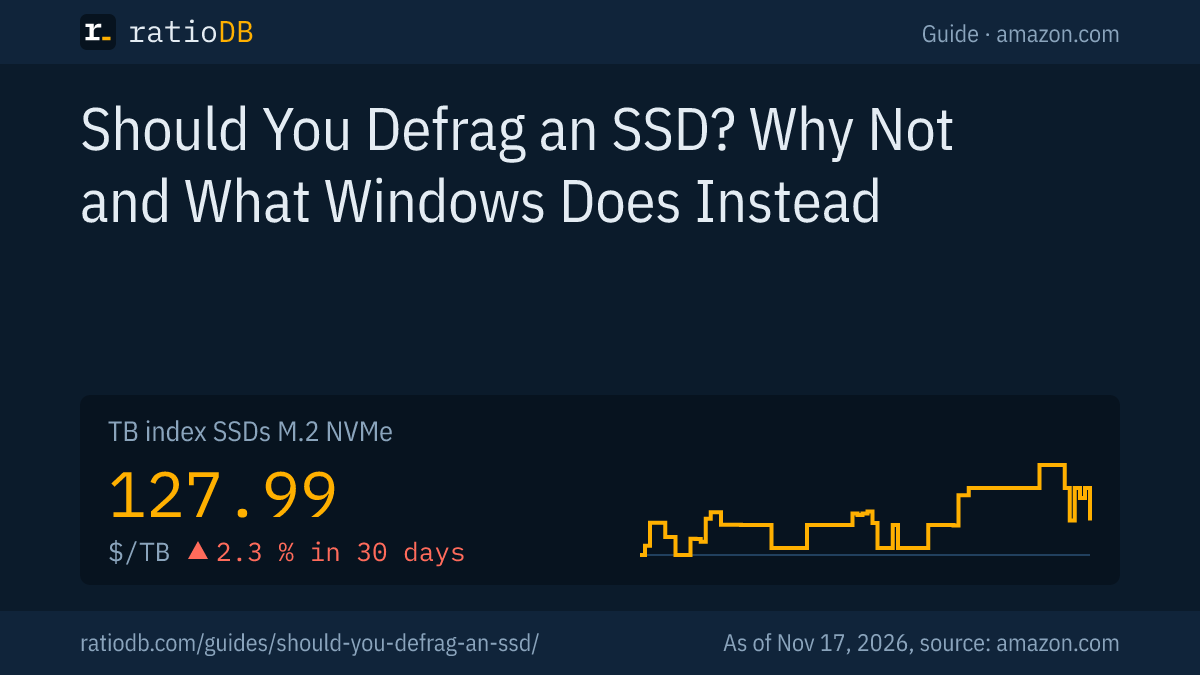
An M.2 NVMe SSD costs $127.99 per TB on amazon.com according to the ratioDB TB index, a 2.5" SATA SSD $120.49 per TB and an internal 3.5" hard drive $34.31 per TB (as of Nov 17, 2026 at 4:17 PM UTC). Per TB, the NVMe SSD is about 3.7 times as expensive as the 3.5" hard drive.
Drive type, default optimization per Microsoft, TB index and cheapest drive at 2 TB on amazon.com, known brands, as of Nov 17, 2026 at 4:17 PM UTC
| Drive | Default per Microsoft | TB index | Cheapest at 2 TB |
|---|---|---|---|
| M.2 NVMe SSD | TRIM (retrim) | $127.99 | Crucial P5 Plus 2 TB: $199.60 |
| 2.5" SATA SSD | TRIM (retrim) | $120.49 | SP Silicon Power A55 Boost 7mm 2 TB: $234.97 |
| 3.5" hard drive | Analyze and defragment | $34.31 | Toshiba 2 TB: $69.99 |
| 2.5" hard drive | Analyze and defragment | $56.50 | Seagate BarraCuda 2 TB: $199.00 |
Cheapest new SSD per capacity on amazon.com, known brands, as of Nov 17, 2026 at 4:17 PM UTC
| Capacity | Cheapest M.2 NVMe SSD | Cheapest 2.5" SATA SSD |
|---|---|---|
| 500 GB | Patriot P320 512 GB: $83.99 ($164.04 per TB) | Patriot Burst Elite 480 GB: $64.99 ($135.40 per TB) |
| 1 TB | Adata Legend 710 1 TB: $147.99 ($147.99 per TB) | SP Silicon Power A55 Boost 1 TB: $127.97 ($127.97 per TB) |
| 2 TB | Crucial P5 Plus 2 TB: $199.60 ($99.80 per TB) | SP Silicon Power A55 Boost 7mm 2 TB: $234.97 ($117.49 per TB) |
| 4 TB | Crucial P3 Plus 4 TB: $640.66 ($160.17 per TB) | SanDisk 520 4 TB: $686.07 ($171.52 per TB) |
Prices come live from the ratioDB database and cover new single units from known brands. The cheapest NVMe SSD per TB right now is Crucial P5 Plus 2 TB at $99.80 per TB (2 TB). If your computer with a hard drive feels slow, an SSD is worth a look. When the switch pays off is in the guide SSD vs HDD, and the move itself in Clone HDD to SSD.
All offers by size are on 1 TB NVMe SSD, 2 TB NVMe SSD, 4 TB NVMe SSD, and by form factor on M.2 NVMe SSD, 2.5" SATA SSD, Internal 3.5" hard drives and Internal 2.5" hard drives.
Which mistakes are most common when optimizing SSDs?
The most common mistakes are defragmenting an SSD regularly by hand or with add-on tools, turning off Windows' automatic optimization, leaving TRIM disabled and defragmenting a struggling hard drive.
| Mistake | Result | Right way per source |
|---|---|---|
| Defragmenting an SSD regularly | writes with no benefit | Kingston: SSDs do not require defragmentation |
| Turning off automatic optimization | no more retrim | Microsoft: Windows optimizes weekly, SSDs by TRIM |
| TRIM disabled | SSD never learns about deleted data | Kingston: fsutil behavior set disabledeletenotify 0 |
| Treating the monthly defrag as a bug | needless tinkering | Microsoft: scheduled task, by design |
| Running defrag C: without /O on an SSD | traditional defrag on the SSD | Microsoft: /O picks the proper optimization |
| Defragmenting a struggling hard drive | strain, possible data loss | back up the data first |
| Optimization often missed | drives go unmaintained | Microsoft: increase the frequency |
How does ratioDB compare SSDs and hard drives?
ratioDB pulls amazon.com prices for every listed SSD and hard drive on a regular schedule and converts them to price per TB, with 1 TB equal to 1,000,000,000,000 bytes. The TB index is the median of the 10 cheapest new offers per product type.
M.2 NVMe SSDs, 2.5" SATA SSDs and hard drives sit in separate lists with their own index. Used and renewed offers are labeled and never count toward the index. ratioDB does not test drives itself. The details in this guide come from the linked sources. All rules are on the Methodology page, all SSDs under SSD prices per TB.
Frequently asked questions about defragmenting an SSD
Do you need to defragment an SSD?
No. Kingston writes that SSDs do not require defragmentation and that it is not effective on them. Instead, Windows sends the TRIM command when it optimizes, by default once a week.
Does defragmenting hurt an SSD?
A single defrag does no harm, according to Kingston. Doing it continuously over a long period may shorten the drive's life because it adds uneven wear to particular areas.
Why does Windows still defragment my SSD?
According to Microsoft, the scheduled task also runs traditional defragmentation on SSDs once a month. In 2014 Scott Hanselman named active volume snapshots, for example through System Restore, as the condition. It is by design.
Should I turn off "Optimize Drives" for my SSD?
No. For SSDs, Windows sends TRIM, which helps the drive. Microsoft even recommends increasing the frequency if optimization has been missed several times.
How do I check whether TRIM is active?
Enter fsutil behavior query disabledeletenotify in Command Prompt as administrator. According to Kingston, 0 means TRIM is active and 1 means it is disabled.
Should I defragment a hard drive?
Yes. On hard drives with spinning platters, defragmenting makes reading faster. Windows does it weekly by default. Do not defragment a hard drive with read errors. Back up the data first.
How much does an SSD cost per TB right now?
On amazon.com the TB index is $127.99 per TB for M.2 NVMe SSDs and $120.49 per TB for 2.5" SATA SSDs (as of Nov 17, 2026 at 4:17 PM UTC). The tables above show the cheapest offers.
Sources
- Microsoft: Defragment and optimize your drives, defrag, Optimize-Volume
- Kingston: A400 SSD FAQ on defragmentation, TRIM and fsutil
- Scott Hanselman: The real and complete story: Does Windows defragment your SSD? (Dec 3, 2014)
- ratioDB: amazon.com prices, Methodology