Steam Deck SD Card: Which microSD to Buy, How to Format It, What It Costs
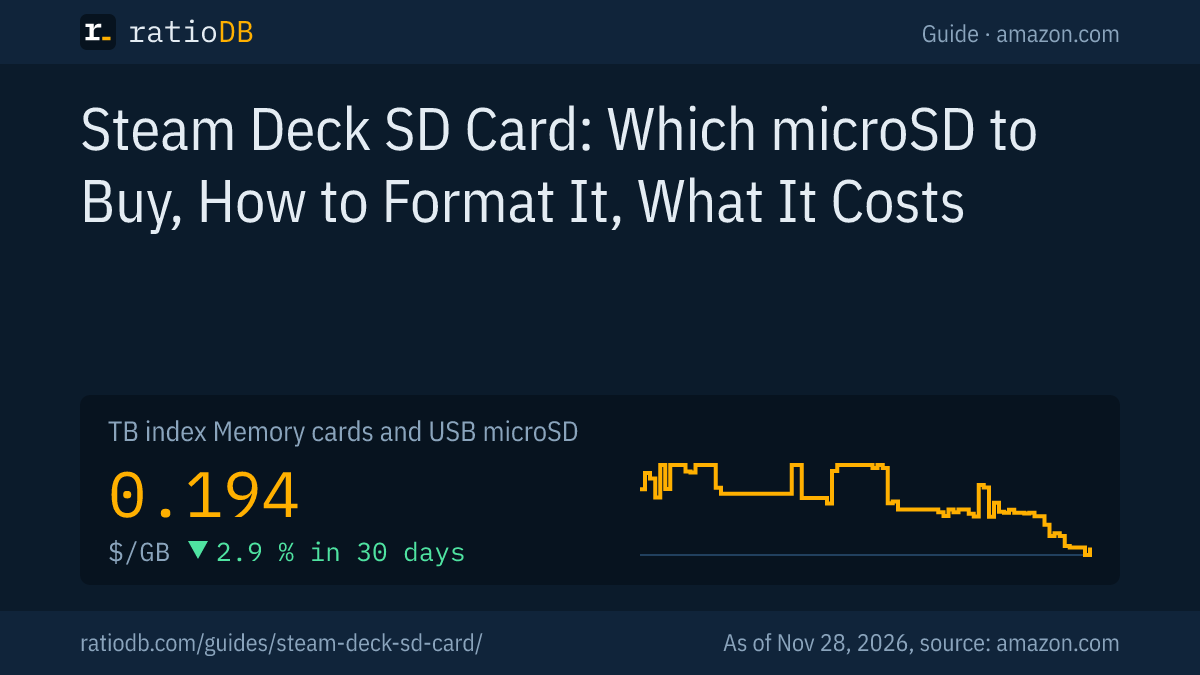
The Steam Deck takes microSD cards through a UHS-I slot. According to Valve, any UHS-I card of Class 3 or better is supported, and faster UHS-II and UHS-III cards work but without their higher speed. You format the card in the device before first use. microSD cards currently cost $0.194 per GB on amazon.com according to the ratioDB index (as of Nov 28, 2026 at 9:18 AM UTC).
Modern games fill the internal storage quickly, which is why many players add a microSD card. This guide gives Valve's requirements, explains which speed actually matters and shows what the cards cost per GB. ratioDB does not test cards itself, we compare manufacturer specs and real prices.
Which microSD card does the Steam Deck accept?
Valve lists a UHS-I interface for the Steam Deck that supports SD, SDHC and SDXC cards. According to Valve's help page, any UHS-I card of Class 3 or better is enough.
It has to be a microSD card, because Best Buy states that full-size SD cards do not fit the slot. You recognize Class 3 by the digit 3 inside the U symbol on the packaging. What the markings U3, V30 and A2 mean is explained in the guide SD speed classes.
How fast does the card need to be for the Steam Deck?
PCGamesN reports that the Steam Deck's UHS-I slot tops out at 104 MB/s. Cards that promise more bring no benefit in the Steam Deck. According to Valve, UHS-II and UHS-III cards work, but their higher speed is not supported.
Figures such as 190 or 200 MB/s on the packaging only apply with a matching reader and an interface beyond UHS-I. In the Steam Deck the class counts, not the peak number. That is why paying extra for the fastest cards hardly pays off here, see the guide SanDisk Extreme vs Extreme PRO.
So buy by price per GB and size, not by the highest MB/s figure. For cards from 256 GB, look mainly for a known brand and a reputable seller.
How do I format the microSD card in the Steam Deck?
Insert the card into the slot on the underside and go to Steam, Settings, System, Format SD card. According to Windows Central, the Steam Deck formats the card with the ext4 file system. All data on the card is erased.
Valve states that every microSD card must be formatted before use. Back up anything you want to keep first, because Best Buy notes that formatting deletes the existing files.
How to format cards in general is covered in the guide Formatting an SD card. If the card does not work, the guide Repairing an SD card helps.
Which size suits the Steam Deck?
For a medium library, 256 GB or 512 GB is enough. Anyone who wants many large games takes 1 TB. The table below shows which sizes currently cost what per GB on the data date.
Notes on 1 TB cards are in the guide microSD with 1 TB. If you would rather swap the internal storage, read Replacing the Steam Deck SSD.
What does a Steam Deck SD card cost per GB?
microSD cards currently cost $0.194 per GB on amazon.com according to the ratioDB index (as of Nov 28, 2026 at 9:18 AM UTC). The cheapest new offer per GB from a known brand is the Samsung P9 Express 512 GB with 512 GB for $92.99, which is $0.182 per GB.
The index is the median of the 10 cheapest new microSD cards of all brands per GB. The table shows the cheapest new card of a known brand per size. If a size is missing, there was no such offer at the data date.
Cheapest microSD card from known brands per size on amazon.com, as of Nov 28, 2026 at 9:18 AM UTC
| Capacity | Cheapest offer | Price | Price per GB |
|---|---|---|---|
| 256 GB | SanDisk Extreme UHS 256 GB | $61.27 | $0.239 |
| 512 GB | Samsung P9 Express 512 GB | $92.99 | $0.182 |
Used and refurbished offers are not in the table. The 3 cheapest new microSD cards per GB:
All offers are under microSD, all types under Memory cards and USB.
How does ratioDB compare memory cards?
ratioDB regularly retrieves the amazon.com prices of all listed memory cards and converts them to price per GB, with 1 GB equal to 10^9 bytes. The index is the median of the 10 cheapest new offers of the product type.
For multipacks ratioDB divides by capacity times quantity. Used and refurbished offers are labeled and never count toward the index. All rules are on the methodology page.
Frequently asked questions about the Steam Deck SD card
Which SD card does the Steam Deck need?
A microSD card with UHS-I and Class 3 or better. Valve says so in the Steam help. According to Valve, the Steam Deck supports SD, SDHC and SDXC cards.
Does a UHS-II card help in the Steam Deck?
No. According to Valve, UHS-II and UHS-III cards work, but their higher speed is not supported. The slot is UHS-I and tops out at 104 MB/s.
Does a normal SD card fit the Steam Deck?
No, it has to be a microSD card. According to Best Buy, full-size SD cards do not fit the slot.
How do I format the card for the Steam Deck?
Insert the card, then Steam, Settings, System, Format SD card. All data is erased. According to Windows Central, the Steam Deck uses the ext4 file system.
Sources
- Valve: Steam Deck basics and troubleshooting, Steam Deck specifications
- PCGamesN: Best microSD card for the Steam Deck
- Windows Central: How to format SD cards on the Steam Deck
- Best Buy: Memory cards for the Steam Deck
- ratioDB: amazon.com prices, methodology