SanDisk Extreme vs Extreme PRO: Which microSD Card Fits?
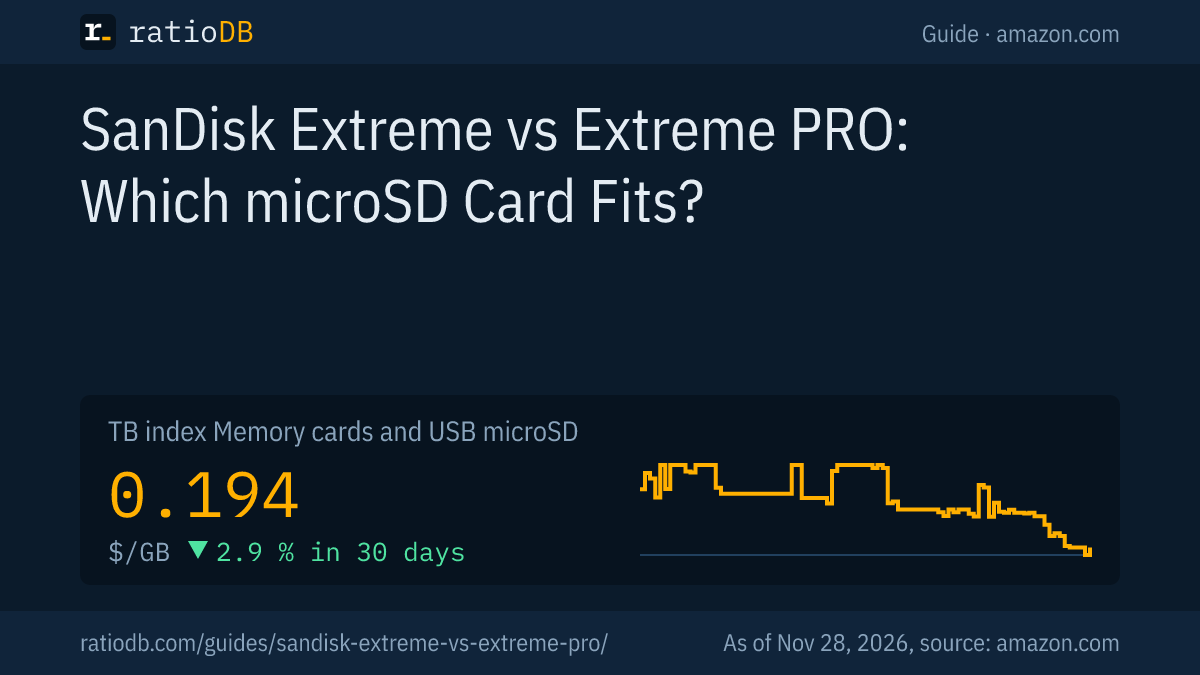
The SanDisk Extreme PRO is the faster of the two lines, but only slightly. According to the maker it reads up to 200 MB/s and writes up to 140 MB/s from 256GB, while the Extreme reads up to 190 MB/s and writes up to 130 MB/s. Both lines use UHS-I with the classes U3, V30 and A2. microSD cards currently cost $0.194 per GB on amazon.com according to the ratioDB index (as of Nov 28, 2026 at 9:18 AM UTC).
Anyone shopping for a microSD card for a phone, drone, action cam or handheld quickly lands on these 2 names. This guide puts the SanDisk spec sheets side by side, shows what both lines share and names the cases where the Extreme PRO adds something. ratioDB does not test cards, we compare spec sheets and real prices.
What is the difference between SanDisk Extreme and Extreme PRO?
The difference is in speed and it is small. According to SanDisk, the Extreme PRO reads up to 200 MB/s at 64GB and above, while the Extreme reads up to 170 MB/s at 64GB and up to 190 MB/s from 128GB. In writing, the Extreme PRO leads at 64GB and from 256GB, and both are equal at 128GB.
| Capacity | Extreme read and write up to | Extreme PRO read and write up to |
|---|---|---|
| 64GB | 170 and 80 MB/s | 200 and 90 MB/s |
| 128GB | 190 and 90 MB/s | 200 and 90 MB/s |
| 256GB to 1TB | 190 and 130 MB/s | 200 and 140 MB/s |
These are maker figures from the spec sheets. SanDisk states them as "up to" and they depend on the device, the reader and the files. On paper the Extreme PRO leads by about 5 percent in reading and by about 8 percent in writing from 256GB. At 128GB both lines write at up to 90 MB/s.
According to SanDisk, the Extreme comes from 32GB to 2TB and the Extreme PRO from 32GB to 1TB. At 32GB both are slower and carry only the A1 class.
What can both lines do equally well?
According to SanDisk, both cards carry the classes U3 and V30, and from 64GB also A2. V30 guarantees 30 MB/s sustained writing, which is enough for 4K video. A2 stands for fast app loading. Both use the UHS-I interface.
For recording video, the guaranteed minimum speed counts, not the peak value. Here the lines are equal: both hold V30. Both also carry A2 from 64GB. For it, SanDisk lists 4,000 read and 2,000 write operations per second (IOPS) on the Extreme PRO. What U3, V30 and A2 mean exactly is explained in the guide SD speed classes.
Both cards run in devices with microSDXC. SanDisk points out that not every device supports microSDXC. A look at the manual settles that, as also described in the guide the 1TB microSD card.
Why do many devices not reach the peak values?
The UHS-I standard ends at 104 MB/s. According to SanDisk, both lines only reach values above that with a matching reader and with its own QuickFlow technology. Many phones, consoles and cameras therefore run below the spec sheet values.
On its product pages SanDisk writes that the peak values need compatible devices and that speed can be lower depending on the device. When testing an Extreme PRO with 512GB, StorageReview measured about 191 MB/s reading and about 133 MB/s writing, which is close to the maker figures.
For you this means: the lead of the Extreme PRO often does not arrive in a phone or handheld. On a computer with a fast reader it shows up more readily, and SanDisk recommends its own PRO-READER for the top values. Which card suits phones is explained in the guide SD card for your phone.
When is the Extreme PRO worth it?
The Extreme PRO is worth it when you copy large amounts of data with a fast reader or write very many photos in a row in a camera. For 4K video, phone, console and handheld the Extreme is enough, because both lines carry the same classes.
- Extreme fits: phone, drone, action cam, Nintendo Switch, Steam Deck, 4K video.
- Extreme PRO fits: burst photos in a camera, regular copying of large folders with the matching reader, when the extra cost is small.
In the end, the price per GB on the day of purchase decides. If the Extreme PRO costs only a few cents more per GB, little speaks against it. If the gap is large, the faster line rarely brings you anything in daily use. For consoles, the guides SD card for the Switch and SD card for the Steam Deck help.
Is the Extreme PRO also available as an SD card?
Yes. According to SanDisk, the Extreme PRO SD UHS-I comes from 32GB to 1TB. From 64GB it reads up to 200 MB/s, from 256GB it writes up to 140 MB/s, below that up to 90 MB/s. It carries U3 and V30.
The speed matches the microSD version of the line. SanDisk markets the SD card for burst photos and 4K video. If your camera has an SD slot and no microSD slot, you take the full-size card. A microSD card with an adapter fits too but is usually not needed. More notes for cameras are in the guide SD card for your camera.
What do SanDisk Extreme and Extreme PRO cost per GB?
microSD cards currently cost $0.194 per GB on amazon.com according to the ratioDB index (as of Nov 28, 2026 at 9:18 AM UTC). The cheapest new offer per GB from a known brand is the Transcend SDC300S 1 TB with 1 TB for $176.89, which is $0.177 per GB.
The index is the median of the 10 cheapest new microSD cards of all brands per GB. The table shows the cheapest new card from a known brand per capacity, without separating the lines. Which line is cheaper in the list, you see from the name. If a capacity is missing, there was no such offer at the time of the data.
Cheapest microSD card from known brands per capacity on amazon.com, as of Nov 28, 2026 at 9:18 AM UTC
| Capacity | Cheapest offer | Price | Price per GB |
|---|---|---|---|
| 128 GB | SanDisk Made 128 GB | $24.30 | $0.190 |
| 256 GB | SanDisk Extreme UHS 256 GB | $61.27 | $0.239 |
| 512 GB | Samsung P9 Express 512 GB | $92.99 | $0.182 |
| 1 TB | Transcend SDC300S 1 TB | $176.89 | $0.177 |
Used and refurbished offers are not included in the table. The 3 cheapest new microSD cards per GB:
All offers are under microSD and SD cards, all types under Memory cards and USB. The general buying guide is in the guide buying a microSD card.
How does ratioDB compare memory cards?
ratioDB fetches amazon.com prices of all listed memory cards regularly and converts them into price per GB, with 1 GB equal to 10^9 bytes. The index is the median of the 10 cheapest new offers of the product type.
ratioDB divides multipacks by capacity times count. Used and refurbished offers are labeled and never count toward the index. All rules are on the Methodology page.
Frequently asked questions about SanDisk Extreme and Extreme PRO
Is the SanDisk Extreme PRO faster than the Extreme?
On paper, yes. According to SanDisk, the Extreme PRO reads up to 200 MB/s and the Extreme up to 190 MB/s. In writing it leads at 64GB (90 vs 80 MB/s) and from 256GB (140 vs 130 MB/s), and both are equal at 128GB.
Do I need the Extreme PRO for 4K video?
No. According to SanDisk, both lines carry U3 and V30, which means at least 30 MB/s sustained writing. For 4K recording on a phone, drone and action cam the Extreme is enough, as long as the device supports the card.
What does QuickFlow mean at SanDisk?
That is SanDisk's name for the technology that takes the cards beyond the 104 MB/s of the UHS-I standard. According to SanDisk it needs compatible devices, and in a phone or console the speed often stays below that.
Does the Extreme PRO work in the Switch and the Steam Deck?
Both consoles take microSDXC cards. SanDisk lists the Extreme PRO as compatible with devices for microSDXC UHS-I. The guides SD card for the Switch and SD card for the Steam Deck explain the choice for both devices.
Which capacities do Extreme and Extreme PRO come in?
According to SanDisk, the Extreme comes from 32GB to 2TB and the Extreme PRO from 32GB to 1TB. The 32GB cards are slower and carry only A1, from 64GB A2 applies.
How do I spot a fake SanDisk card?
Most reliably with a test that writes the whole card and reads it back, such as H2testw on Windows or F3 on a Mac. Warning signs are a price far below the usual level and an unknown seller.
Sources
- SanDisk: Extreme microSD, spec sheet with speed per capacity
- SanDisk: Extreme PRO microSD UHS-I, speed and classes
- SanDisk: Extreme PRO SD UHS-I
- StorageReview: Test of the SanDisk Extreme PRO microSD
- TP-Link: How to spot and test fake microSD cards
- ratioDB: amazon.com prices, Methodology