Best NAS hard drive 2026: which one to buy, compared by price per TB
A NAS hard drive is an internal 3.5-inch drive built for 24/7 use in network storage from Synology, QNAP or UGREEN, with CMR recording and a fixed workload rating from the manufacturer. On amazon.com, Synology Plus HAT3310 16 TB is the cheapest per TB right now at $43.42 per TB (as of Oct 28, 2026 at 1:17 AM UTC). ratioDB compares 10 new offers from 8 NAS lines by Western Digital, Seagate, Toshiba and Synology.
The specs in this guide come from the manufacturers' data sheets and are linked. All prices come live from the ratioDB database and are recalculated with every price update.
What is a NAS hard drive?
A NAS hard drive is built to run around the clock in devices with several drives. It uses CMR recording, is rated for a set number of drive bays and has a workload rating (the amount of data per year the manufacturer says it can handle) of 180 to 550 TB.
A NAS (network attached storage) usually runs day and night and reads and writes for several users at once. Several drives side by side create vibration. The pro lines have RV sensors (rotational vibration sensors) for this, for example WD Red Pro, Seagate IronWolf Pro and Toshiba N300.
The most important difference from many cheap desktop drives is the recording method. According to the manufacturers, every current NAS line in this guide uses CMR. Some desktop drives such as the Seagate BarraCuda with 4 or 8 TB use SMR, which can become very slow during RAID rebuilds. More on this in the guide CMR vs SMR.
Which NAS hard drive is the cheapest per TB right now?
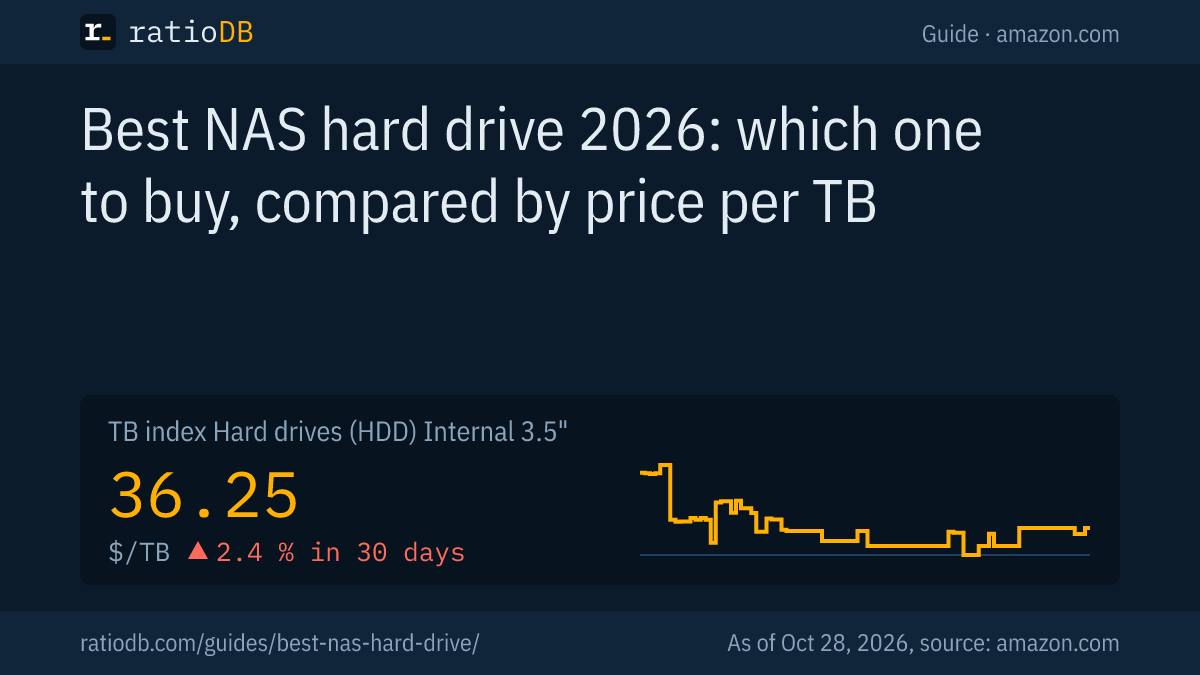
The cheapest per TB on amazon.com right now is Synology Plus HAT3310 16 TB at $43.42 per TB. The median of all 10 new NAS offers is $51.13 per TB, and the TB index for all internal 3.5-inch drives is $36.25 per TB.
Price per TB differs by capacity. The table shows the cheapest NAS drive at each size, so you can see where the price per TB is lowest right now.
Cheapest new NAS hard drive per capacity on amazon.com, as of Oct 28, 2026 at 1:17 AM UTC
| Capacity | Cheapest NAS drive | Price per TB | Spindle speed |
|---|---|---|---|
| 4 TB | WD Red Plus 4 TB | $47.50 | 5,400 rpm |
| 6 TB | Seagate IronWolf 6 TB | $53.17 | 5,400 rpm |
| 8 TB | Synology Plus HAT3320 8 TB | $58.06 | 7,200 rpm |
| 12 TB | Toshiba N300 Pro 12 TB | $44.17 | 7,200 rpm |
| 14 TB | Seagate IronWolf Pro 14 TB | $48.89 | 7,200 rpm |
| 16 TB | Synology Plus HAT3310 16 TB | $43.42 | 7,200 rpm |
| 24 TB | WD Red Pro 24 TB | $79.17 | 7,200 rpm |
Each name links to the product page with price history, 90-day low and data sheet specs. ratioDB counts a drive as a NAS drive only if it belongs to a line the manufacturer explicitly sells for NAS use: WD Red Plus, WD Red Pro, Seagate IronWolf, IronWolf Pro, Toshiba N300, N300 Pro and Synology Plus.
Which NAS drive lines are there and how do they differ?
NAS lines fall into 2 classes: WD Red Plus, Seagate IronWolf and Toshiba N300 for small systems with a 180 TB per year workload and a 3-year warranty, and WD Red Pro, IronWolf Pro and N300 Pro for large systems with a 550 TB workload and a 5-year warranty.
NAS lines according to the manufacturers' data sheets
| Line | Bays | Workload per year | Warranty | Spindle speed | Capacities |
|---|---|---|---|---|---|
| WD Red Plus | up to 8 | 180 TB | 3 years | 5,400 to 5,640 rpm up to 8 TB, 7,200 rpm from 10 TB | 2 to 12 TB |
| WD Red Pro | large systems | 550 TB | 5 years | 7,200 rpm | up to 26 TB |
| Seagate IronWolf | 1 to 8 | 180 TB | 3 years | 5,400 to 5,900 rpm up to 8 TB, 7,200 rpm from 8 TB | up to 16 TB |
| Seagate IronWolf Pro | unlimited | 550 TB | 5 years | 7,200 rpm | up to 32 TB |
| Toshiba N300 | up to 12 | 180 TB | 3 years | 7,200 rpm | 4 to 22 TB |
| Toshiba N300 Pro | up to 24 | 300 to 550 TB | 5 years | 7,200 rpm | 4 to 24 TB |
Sources: data sheets WD Red Plus, WD Red Pro, IronWolf, IronWolf Pro, N300, N300 Pro. Western Digital's own page lists the Red Pro once as "up to 24-bay" and once as "unlimited", which is why the table says "large systems". For the N300 Pro, the 550 TB workload applies only to the large models; the smaller ones are rated for 300 TB.
According to the manufacturers, all 6 lines use CMR. The pro lines have an MTBF (mean time between failures) of 2.5 million hours, WD Red Plus and IronWolf 1 million hours. IronWolf and IronWolf Pro also include 3 years of Seagate's Rescue data recovery service.
What the lines cost per TB on amazon.com right now, as of Oct 28, 2026 at 1:17 AM UTC
| Series | From price per TB | Offers | Cheapest model |
|---|---|---|---|
| WD Red Plus | $47.50 | 1 | WD Red Plus 4 TB |
| WD Red Pro | $79.17 | 1 | WD Red Pro 24 TB |
| IronWolf | $53.17 | 2 | Seagate IronWolf 6 TB |
| IronWolf Pro | $48.89 | 2 | Seagate IronWolf Pro 14 TB |
| N300 Pro | $44.17 | 1 | Toshiba N300 Pro 12 TB |
| Synology Plus HAT3300 | $66.74 | 1 | Synology Plus HAT3300 4 TB |
| Synology Plus HAT3310 | $43.42 | 1 | Synology Plus HAT3310 16 TB |
| Synology Plus HAT3320 | $58.06 | 1 | Synology Plus HAT3320 8 TB |
Do I need a pro drive or is the regular NAS line enough?
For a NAS with up to 8 bays at home or in a small office, WD Red Plus, IronWolf or N300 are enough. The pro lines pay off with more bays, heavy use or if you want a 5-year warranty instead of 3 years. Per TB they are often barely more expensive.
How to decide:
- Number of bays: WD Red Plus and IronWolf are rated for up to 8 bays, the N300 for up to 12. Above that you need a pro line.
- Data per year: 180 TB per year is about 490 GB per day. If you write and read more, for example for team video editing or many backups, pick a line rated for 550 TB.
- Warranty: 5 years for the pro lines, 3 years for the regular lines.
- Price per TB: Compare both classes directly. Large pro models are often cheaper per TB than small models of the regular line.
There is a ceiling on capacity: WD Red Plus goes up to 12 TB, IronWolf up to 16 TB. If you want 18 TB or more per drive, you end up with WD Red Pro, IronWolf Pro, N300 or N300 Pro.
Why does CMR matter for a NAS?
CMR (conventional magnetic recording) writes tracks side by side and stays fast during long writes. SMR drives slow down sharply in that situation, which can stretch a RAID rebuild from hours to days. That makes CMR a must for a NAS.
Western Digital itself says drives with DM-SMR (drive-managed SMR) deliver "significantly lower performance" when resilvering a ZFS pool, and recommends Red Plus and Red Pro for that use (WD blog, June 23, 2020). In a ServeTheHome test, an SMR WD Red took nearly 230 hours to resilver a 4-drive RAIDZ, while the 3 CMR drives each finished in under 17 hours (ServeTheHome, May 28, 2020).
Watch the name: the plain WD Red without "Plus" uses SMR. According to Western Digital this applies to the models WD20EFAX, WD30EFAX, WD40EFAX and WD60EFAX, intended for "light daily workloads" (WD Red product brief). TrueNAS advises against these models for ZFS (TrueNAS). For a NAS, choose WD Red Plus or Red Pro.
The full background is in the guide CMR vs SMR: what is the difference?.
How much capacity do I need for my NAS?
Usable capacity depends on the RAID level. With RAID 5 or SHR-1 it is the number of drives minus 1, times the smallest drive: 4 drives with 12 TB each give you 36 TB of usable storage.
Synology gives the RAID 5 formula (number of drives minus 1) times the smallest drive and recommends the following by number of drives (Synology):
| Drives | Synology recommendation |
|---|---|
| 2 to 4 | SHR-1 (Synology Hybrid RAID) or RAID 5 |
| 5 to 7 | SHR-1 or RAID 5 plus a hot spare (a spare drive that takes over automatically) |
| 8 to 19 | SHR-2 or RAID 6 plus a hot spare |
| 20 or more | RAID TP |
Plan with headroom: photos, videos and backups keep growing. Because large drives are often cheaper per TB, buying fewer but bigger drives can pay off. It also leaves bays free for later.
What does a 4-bay NAS cost per usable TB?
The cheapest option per usable TB is a NAS with 4 drives of 16 TB each: the 4 drives currently cost $2,778.64 on amazon.com and give you 48 TB of usable space with RAID 5 or SHR-1, which is $57.89 per usable TB. With RAID 6 or SHR-2, half the capacity is usable, but a second drive may fail.
The price per TB of a single drive is only half the story. A RAID always gives up capacity for redundancy. With 4 drives, 3 remain usable in RAID 5 or SHR-1 and only 2 in RAID 6 or SHR-2. The table runs the numbers with the cheapest NAS drive at each size.
NAS with 4 new NAS drives: cost and price per usable TB, as of Oct 28, 2026 at 1:17 AM UTC
| Capacity per drive | 4 drives cost | Usable RAID 5 | Per usable TB | Usable RAID 6 | Per usable TB |
|---|---|---|---|---|---|
| 4 TB | $759.96 | 12 TB | $63.33 | 8 TB | $95.00 |
| 6 TB | $1,276.00 | 18 TB | $70.89 | 12 TB | $106.33 |
| 8 TB | $1,857.96 | 24 TB | $77.42 | 16 TB | $116.12 |
| 12 TB | $2,119.96 | 36 TB | $58.89 | 24 TB | $88.33 |
| 14 TB | $2,737.80 | 42 TB | $65.19 | 28 TB | $97.78 |
| 16 TB | $2,778.64 | 48 TB | $57.89 | 32 TB | $86.83 |
| 24 TB | $7,599.96 | 72 TB | $105.56 | 48 TB | $158.33 |
The NAS unit itself is not included. With 4 drives, redundancy always costs a quarter (RAID 5) or half (RAID 6) of the capacity, no matter how large the drives are. That is why the price per TB of the single drive also decides in a RAID, and it is often lowest for large models.
How much power does a 4-bay NAS use?
According to the datasheets, 4 NAS drives draw about 12 to 31 watts at idle. At 18.31 cents per kWh, the average US residential price in July 2026 according to the EIA, that is about $19 to $50 a year when running around the clock, depending on the model.
The figures come from the manufacturers' datasheets. We calculated the electricity cost ourselves: 4 drives at idle, 24 hours a day, 365 days a year, without the NAS unit.
| Model | Idle | Read and write | 4 drives at idle per year |
|---|---|---|---|
| WD Red Plus 4 TB (WD40EFPX) | 3.1 W | 4.7 W | about 109 kWh, about $20 |
| WD Red Plus 12 TB (WD120EFBX) | 2.9 W | 6.3 W | about 102 kWh, about $19 |
| WD Red Plus 12 TB (WD120EFGX) | 6.1 W | 8.8 W | about 214 kWh, about $39 |
| Seagate IronWolf 8 TB (ST8000VN002) | 3.4 W | 5.3 W | about 119 kWh, about $22 |
| Seagate IronWolf 8 TB (ST8000VN004) | 7.8 W | 10.1 W | about 273 kWh, about $50 |
| Seagate IronWolf Pro 16 TB (ST16000NT001) | 5.0 W | 7.6 W | about 175 kWh, about $32 |
| Seagate IronWolf Pro 24 TB (ST24000NT002) | 6.3 W | 7.8 W | about 221 kWh, about $40 |
| Toshiba N300 4 TB (HDWG740EZSTC) | 3.49 W | 6.75 W | about 122 kWh, about $22 |
| Toshiba N300 8 TB (HDWG780EZSTA) | 4.92 W | 8.19 W | about 172 kWh, about $32 |
Sources: WD Red Plus product brief (03/2025), IronWolf datasheet, IronWolf Pro datasheet, Toshiba N300 datasheet (12/2024), electricity price EIA Electric Power Monthly, Table 5.3.
2 things stand out: models of the same size can use very different amounts of power, for the 8 TB IronWolf 3.4 or 7.8 watts at idle depending on the part number. And large helium drives such as the WD120EFBX use far less power per TB. Here, 4 × 12 TB even idle below 4 × 4 TB. If your NAS runs around the clock, add the power cost to the price per TB.
How long does a RAID rebuild take with large drives?
With large drives a rebuild takes days. By Synology's formula, a 24 TB drive needs about 51 hours with no other load and about 26 days while other services keep running. During that time a RAID 5 has no protection against a second failure.
Synology calculates the time as the capacity of 1 drive divided by its speed. For hard drives under DSM 7, Synology gives an ideal speed of 125 MB/s with no other services and 10 MB/s while other services run (Synology). That gives our own calculation:
| Capacity of 1 drive | No other load (125 MB/s) | With other services (10 MB/s) |
|---|---|---|
| 12 TB | about 25 hours | about 13 days |
| 24 TB | about 51 hours | about 26 days |
| 32 TB | about 68 hours | about 35 days |
This is why Synology recommends SHR-2 or RAID 6 from 8 drives up: a second drive can fail during the rebuild without data loss. It is also why SMR is such a problem in a NAS: an SMR drive can fall far below the assumed rebuild speed.
Should I use identical drives in my NAS?
Yes, ideally the same model at the same capacity. QNAP advises against mixing: every drive is limited to the smallest capacity, the group runs at the speed of the slowest drive, and older drives are more likely to fail during a rebuild.
Mixing is technically possible but "generally not recommended", according to the QNAP FAQ. Synology Hybrid RAID makes better use of different sizes, but speed still follows the slowest drive.
A practical tip: if you buy several identical drives, the part number on ratioDB quickly shows you every offer of the same model, including other conditions.
Is it worth shucking external hard drives?
Per TB often yes: the cheapest new external 3.5-inch drive on amazon.com is currently Seagate Expansion 8 TB at $35.00 per TB, while the cheapest NAS drive costs $43.42 per TB. But Western Digital itself says that opening the enclosure voids the warranty, and it does not guarantee which model is inside.
Taking a drive out of its external enclosure is called "shucking". A 3.5-inch external enclosure contains a regular internal drive with a USB bridge. Right now, the cheapest external drive is 19.4% cheaper per TB than the cheapest NAS drive. The TB index for external 3.5-inch drives stands at $42.62, for internal ones at $36.25.
Before you open an enclosure, know these 3 points:
- Warranty: Western Digital states: "Opening a single-drive external enclosure will void the warranty" (WD Support). Seagate's warranty terms also exclude products with unauthorized removal of covers (Seagate).
- Unknown model: According to Western Digital, only the capacity is guaranteed. Model, spindle speed, cache and the recording method CMR or SMR are not (same source). For a NAS with RAID, that is a risk.
- Power connector: Some shucked drives won't spin up on older power supplies. The reason is the Power Disable feature from the SATA 3.3 standard, which sits on one pin of the power connector (Tom's Hardware, Dec 19, 2017). A Molex to SATA adapter usually solves it.
Our advice: for backups, an external drive is often unbeatable per TB, and that is exactly what it is built for. For a NAS with RAID, an internal NAS drive with full warranty and known recording method is the better buy. All external models are in the list External 3.5" hard drives.
Are enterprise drives like Seagate Exos an alternative?
Yes, enterprise drives such as Seagate Exos or WD Ultrastar work in a NAS and are sometimes cheaper per TB. On amazon.com, Toshiba MG07ACA 12 TB costs $39.17 per TB right now, while the cheapest NAS drive costs $43.42 per TB.
For Exos drives from 12 to 32 TB, Seagate lists a 5-year warranty, an MTBF of 2.5 million hours and an AFR (annualized failure rate) of 0.35%, all at 7,200 rpm with CMR (Exos data sheet). For the Ultrastar DC HC590 with 24 and 26 TB, Western Digital also lists a 550 TB workload, 0.35% AFR and a 5-year warranty (HC590 data sheet).
Keep 2 points in mind: enterprise drives are built for data centers, where noise and power draw matter less. And a seller's warranty can differ from the manufacturer's warranty. Check the seller and the warranty terms on every offer.
How loud are NAS hard drives?
Drives at 7,200 rpm are usually louder than models at about 5,400 rpm, but not always. According to the data sheet, the WD Red Plus 6 TB runs at 23 dBA idle and 27 dBA while seeking, and the 12 TB WD120EFGX at 34 and 39 dBA.
Values from the data sheets, idle and seek:
| Model | Spindle speed | Idle | Seek |
|---|---|---|---|
| WD Red Plus 6 TB (WD60EFPX) | 5,400 rpm | 23 dBA | 27 dBA |
| WD Red Plus 12 TB (WD120EFGX) | 7,200 rpm | 34 dBA | 39 dBA |
| WD Red Plus 12 TB (WD120EFBX) | 7,200 rpm | 20 dBA | 29 dBA |
| Seagate IronWolf 8 TB (ST8000VN002) | 5,400 rpm | 25 dBA | 26 dBA |
| Seagate IronWolf 8 TB (ST8000VN004) | 7,200 rpm | 28 dBA | 32 dBA |
Manufacturers measure differently, so values from different brands are only roughly comparable. If your NAS sits in a living room or bedroom, models at about 5,400 rpm are a good choice. For speed and large capacities, 7,200 rpm is hard to avoid.
Can I put any hard drive in a Synology NAS?
Since DSM 7.3 on October 8, 2025, yes: the 2025 DiskStation Plus, Value and J series models again allow storage pools with drives Synology has not validated. M.2 SSDs used as a storage pool or cache still need to be on the compatibility list.
In April 2025, Synology had announced that the compatibility list for the 2025 Plus series would contain only Synology drives (TechRadar, April 21, 2025). Affected models included the DS925+, DS1525+, DS725+, DS1825+, DS425+ and DS225+ (NASCompares). With DSM 7.3, Synology reversed this (Synology, October 8, 2025).
ratioDB also lists Synology's own drives (Synology Plus, models HAT3300, HAT3310 and HAT3320). Per TB, comparing them with WD, Seagate and Toshiba is worth it.
How does ratioDB find the cheapest NAS hard drive?
ratioDB fetches the amazon.com prices of all listed hard drives every 2 hours and converts them to price per TB. Whether a model belongs to a NAS line comes from the manufacturer's data sheet, never from the Amazon title.
Every offer is listed with condition, price, capacity and timestamp. The TB index is the median of the 10 cheapest new offers. ratioDB shows refurbished and used drives separately and never includes them in the index. All rules are on the methodology page, and every internal 3.5-inch drive is in the list internal 3.5-inch hard drives.
NAS hard drive FAQ
What is the difference between IronWolf and IronWolf Pro?
IronWolf is meant for NAS units with 1 to 8 bays, with a 180 TB per year workload and a 3-year warranty. IronWolf Pro is rated for any number of bays, with a 550 TB workload, a 5-year warranty and capacities up to 32 TB. Seagate says both use CMR.
Can I use regular hard drives in a NAS?
Technically yes, many desktop drives run in a NAS. Watch out for CMR, though: some cheap desktop models such as the Seagate BarraCuda with 4 or 8 TB use SMR, which can get very slow during a RAID rebuild. NAS lines are also built for 24/7 operation and a fixed workload rating.
Is WD Red CMR or SMR?
The plain WD Red (models ending in EFAX) uses SMR. WD Red Plus and WD Red Pro use CMR, according to Western Digital. For a NAS with RAID, choose Red Plus or Red Pro.
How long does a NAS hard drive last?
Manufacturers give a 3-year warranty for the regular NAS lines and 5 years for the pro lines. For comparison, Backblaze reports an annualized failure rate of 1.36% for the drives in its data centers in 2025 (Backblaze). A NAS still does not replace a backup.
Do Synology NAS units still require Synology drives?
No. Since DSM 7.3 (October 8, 2025), the 2025 Plus, Value and J series models again allow storage pools with drives from other manufacturers. Only M.2 SSDs still need to be on the compatibility list.
Which NAS hard drive is the cheapest per TB?
Right now it is Synology Plus HAT3310 16 TB at $43.42 per TB on amazon.com (as of Oct 28, 2026 at 1:17 AM UTC). The value changes with every price update; the current ranking is in the table above.
What does a 4-bay NAS setup cost right now?
The cheapest per usable TB right now are 4 NAS drives of 16 TB each for $2,778.64 in total. With RAID 5 or SHR-1, that gives you 48 TB of usable space, $57.89 per usable TB (as of Oct 28, 2026 at 1:17 AM UTC). The NAS unit comes on top.
Can I put a shucked external drive in my NAS?
Technically yes, but Western Digital states that opening the enclosure voids the warranty. The manufacturer also does not guarantee which model is inside, it may be SMR. For a NAS with RAID, an internal NAS drive is the safe choice.
Sources
- Western Digital: WD Red Plus data sheet, WD Red Pro, WD Red product brief (SMR), Blog on WD Red and SMR (June 23, 2020), Ultrastar DC HC590 data sheet
- Seagate: IronWolf data sheet, IronWolf Pro data sheet, Exos data sheet
- Toshiba: N300, N300 Pro, N300 Pro data sheet
- Synology: Which RAID type is best, Estimated time of storage operations, DSM 7.3 (October 8, 2025)
- TechRadar: Synology and third-party drives (April 21, 2025), NASCompares (October 7, 2025)
- QNAP: mixing drives
- ServeTheHome: WD Red SMR vs CMR tested (May 28, 2020), TrueNAS: WD Red SMR
- Backblaze Drive Stats 2025
- Power use: WD Red Plus product brief (03/2025), IronWolf datasheet, IronWolf Pro datasheet, Toshiba N300 datasheet, EIA Electric Power Monthly
- External drives: WD Support: drives inside external enclosures, Seagate limited consumer warranty, Tom's Hardware: Power Disable (Dec 19, 2017)
- ratioDB: daily amazon.com prices, methodology