Laptop RAM Upgrade 2026: SO-DIMM, Soldered or CAMM2?
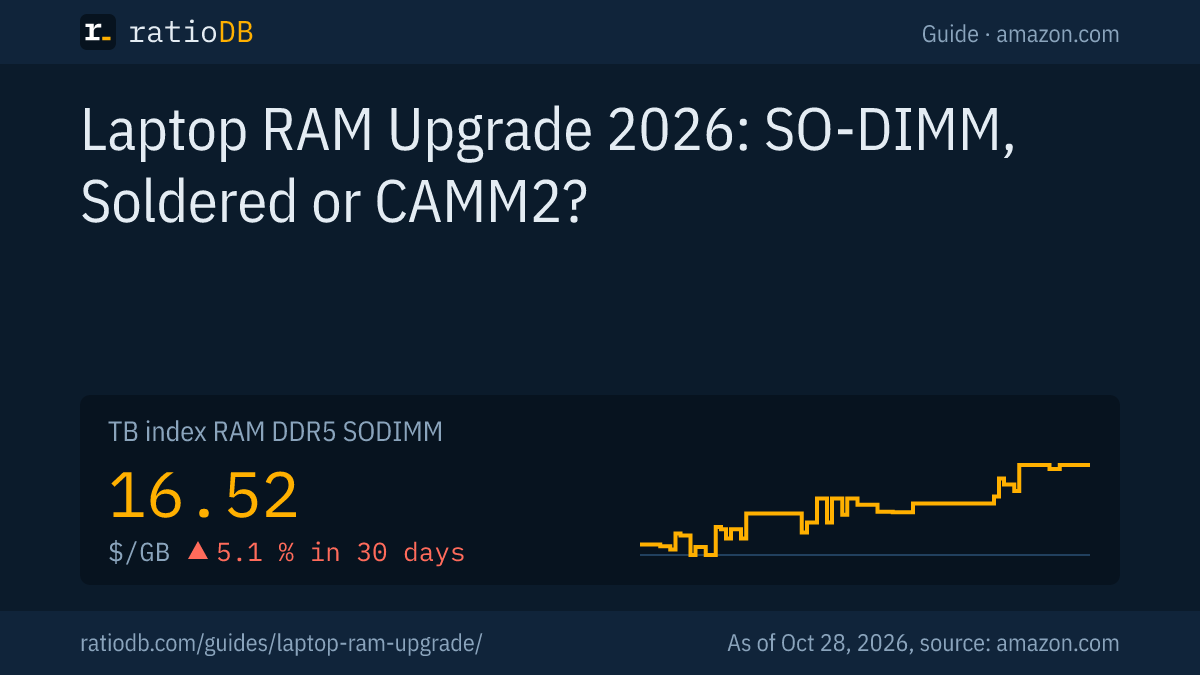
A laptop RAM upgrade only works if your laptop has SO-DIMM slots or a CAMM2 connector, because soldered LPDDR5 memory cannot be replaced. On amazon.com, DDR5 SO-DIMMs cost $16.52 per GB right now according to the ratioDB index, DDR4 SO-DIMMs $6.05 per GB (as of Oct 28, 2026 at 1:17 AM UTC). Three quick checks tell you whether an upgrade is possible before you spend any money.
This guide covers the three kinds of laptop memory, shows how to find out what fits your machine, and compares 46 SO-DIMM offers by price per GB. ratioDB does not benchmark memory. We combine specs from manufacturers and from JEDEC, the standards body for memory, with live prices from our database.
Can I upgrade the RAM in my laptop?
Yes, if your laptop has at least one SO-DIMM slot or a CAMM2 connector. If the memory is LPDDR5 or LPDDR5X soldered directly to the motherboard, the amount is fixed for good. Your model's spec sheet tells you which one you have.
Laptop memory comes in three designs today:
| Design | Upgradeable | Memory type | Typical for |
|---|---|---|---|
| SO-DIMM (socketed module) | yes, swap or add a module | DDR4 or DDR5 | business laptops, gaming laptops, mini PCs |
| Soldered (onboard) | no | mostly LPDDR5 or LPDDR5X | thin ultrabooks |
| CAMM2 or LPCAMM2 | yes, swap the whole module | DDR5 or LPDDR5X | new workstation laptops |
Mixed designs are common. Some laptops have part of their memory soldered on and one free SO-DIMM slot next to it. Within one product line, some configurations can be soldered and others socketed, so always check the exact model number of your machine.
What is the difference between SODIMM and DIMM?
SO-DIMM (Small Outline Dual Inline Memory Module) is the short memory module for laptops and mini PCs, DIMM the long one for desktops. According to Lexar, DDR4 SO-DIMMs have 260 pins and DDR5 SO-DIMMs 262, while desktop DIMMs have 288 pins in both generations.
Lexar puts an SO-DIMM at about 67.6 mm long and a desktop DIMM at about 133.35 mm, nearly double (Lexar Enterprise). The key differences:
| Feature | DDR4 SO-DIMM | DDR5 SO-DIMM | Desktop DIMM |
|---|---|---|---|
| Pins per Lexar | 260 | 262 | 288 |
| Length per Lexar | about 67.6 mm | about 67.6 mm | about 133.35 mm |
| Used in | older laptops and mini PCs | current laptops and mini PCs | desktop PCs |
DDR4 and DDR5 SO-DIMMs cannot be swapped for each other, because pin count and layout differ. A DDR4 laptop needs DDR4 again. What else DDR5 changes compared with DDR4 is covered in DDR5 vs DDR4.
Desktop memory does not fit a laptop and the other way round. The same applies to price: on amazon.com, laptop and desktop memory of the same generation often cost different amounts per GB, as the table further down shows.
How do I know if my laptop RAM is soldered?
Soldered memory shows up on the spec sheet as onboard, soldered, or as LPDDR5 or LPDDR5X with no free slot. Windows Task Manager shows under Performance and Memory how many slots are used. If there is no slot count at all, the memory is usually soldered.
LPDDR (Low Power Double Data Rate) memory sits fixed on the motherboard in most laptops. In early 2024, Micron wrote that LPCAMM2 brings "the ability to upgrade low power DRAM for the first time" (Micron, 01/09/2024). So if your laptop spec sheet lists LPDDR5X, an upgrade is almost always off the table.
How to check your laptop:
- Find the model number: It is on the sticker underneath or in Windows System Information.
- Read the manufacturer spec sheet: Look for lines like "2 x SO-DIMM", "1 x onboard + 1 x SO-DIMM" or "LPDDR5X onboard", plus the maximum supported capacity.
- Open Task Manager: Under Performance and Memory, Windows shows speed, form factor and how many slots are in use (Windows Central).
- Read the module label: With the bottom panel off, the sticker on the module shows capacity, generation and speed.
The Acer Community gives an example of the difference within a single brand: the Nitro V 16 AI has two memory slots, while the Swift Go 16 AI uses soldered LPDDR5X (Acer Community).
What is CAMM2 memory?
CAMM2 (Compression Attached Memory Module) is a flat, screwed down memory module that JEDEC published as standard JESD318 on December 5, 2023. It comes as DDR5 CAMM2 and as LPDDR5 or LPDDR5X CAMM2, and the two variants are not interchangeable.
A CAMM2 module lies flat on the motherboard and is screwed down instead of clipped into a slot. According to JEDEC, the DDR5 version targets performance notebooks and mainstream desktops, the LPDDR5X version a wider range of notebooks and some server segments (JEDEC, 12/05/2023). How it compares with SO-DIMM according to Micron and Lenovo:
| Feature | DDR5 SO-DIMM | LPCAMM2 per Micron |
|---|---|---|
| Board space | baseline | up to 64% less than dual stacked SO-DIMMs |
| Power | baseline | up to 61% lower active power per 64-bit bus |
| Speed per Micron | 5,600 MT/s (standard) | up to 9,600 Mbps announced, 7,500 MT/s in the first laptop |
| Dual channel | needs 2 modules | with 1 module |
| Capacities at launch | many | 16 to 64 GB announced, 32 and 64 GB on sale |
Micron introduced LPCAMM2 on January 9, 2024. According to Lenovo, the ThinkPad P1 Gen 7 was the first laptop on the market to use it, and the modules launched at 7,500 MT/s in 32 and 64 GB, sold only through crucial.com (Micron, 05/07/2024). The Register reports that a single module already provides dual channel memory (The Register, 04/24/2024).
What that means for you: if your laptop uses CAMM2, an upgrade means replacing the whole module with a larger one. Adding a second module is not possible. The ratioDB database has no CAMM2 offer right now, so there are no prices for it in this guide.
How much does laptop RAM cost per GB right now?
On amazon.com, DDR5 SO-DIMMs cost $16.52 per GB according to the ratioDB index, +5.1% over 30 days. DDR4 SO-DIMMs are at $6.05 per GB. The index is the median of the 10 cheapest new offers per memory type.
Laptop vs desktop memory: index per GB on amazon.com, as of Oct 28, 2026 at 1:17 AM UTC
| Generation | Laptop (SO-DIMM) per GB | Desktop (DIMM) per GB | Laptop costs |
|---|---|---|---|
| DDR5 | $16.52 | $15.62 | +5.7% |
| DDR4 | $6.05 | $6.51 | -7.1% |
For DDR5, laptop memory currently costs 5.7% more per GB than desktop memory. DDR4 SO-DIMMs cost about 2.7 times less per GB than DDR5 SO-DIMMs. You can only buy what your laptop supports, though. The lowest level of the DDR5 SO-DIMM index over the last 90 days was $13.70 per GB.
Why memory is so expensive in 2026 and where prices may go is covered in Why RAM prices are so high. The day by day curve is on the RAM price history page.
How much does a laptop RAM upgrade cost?
An upgrade to 16, 32 or 64 GB costs as much as the cheapest matching module or kit. The table shows the cheapest new offer per total capacity on amazon.com, split into DDR5 and DDR4.
Cheapest new SO-DIMM offer per total capacity on amazon.com, as of Oct 28, 2026 at 1:17 AM UTC
| Total capacity | Cheapest DDR5 SO-DIMM | Cheapest DDR4 SO-DIMM |
|---|---|---|
| 8 GB | Samsung Single Rank Laptop 8 GB: $132.00 (1 × 8 GB) | Crucial 8 GB: $52.99 (1 × 8 GB) |
| 16 GB | Acer SD200 Single 16 GB: $249.99 (1 × 16 GB) | A-Tech 16 GB: $88.64 (1 × 16 GB) |
| 32 GB | Corsair Vengeance 2 × 16 GB: $479.99 (2 × 16 GB) | Puskill 2 × 16 GB: $179.97 (2 × 16 GB) |
| 64 GB | Gigastone 2 × 32 GB: $848.99 (2 × 32 GB) | no offer |
A kit is several identical modules in one box, for example 2 × 16 GB for 32 GB in total. The figure in brackets shows how many modules you need. If your laptop has only one slot, only a single module works. All offers are listed under DDR5 laptop RAM and DDR4 laptop RAM, and 32 GB in total also under 32GB DDR5 RAM.
The cheapest new DDR5 SO-DIMM per GB right now is Gigastone 2 × 32 GB (2 × 32 GB) at $13.27 per GB. For DDR4 it is A-Tech 16 GB (1 × 16 GB) at $5.54 per GB.
Is one large module or a 2 module kit better?
A kit of two identical modules gives you dual channel, two memory channels working in parallel instead of one. One large module leaves a slot free for later. A kit pays off for gaming and integrated graphics, one module is often fine for office work.
Dual channel means the processor talks to two modules at the same time. That matters most on laptops without a dedicated graphics card, because integrated graphics use system memory as video memory. With SO-DIMM you need two modules for it, with LPCAMM2 one module is enough according to The Register.
On amazon.com, 32 GB of DDR5 costs $599.99 as a single module (G.skill Ripjaws Series 32 GB) and $479.99 as a 2 × 16 GB kit (Corsair Vengeance 2 × 16 GB). The kit is cheaper right now and adds dual channel on top.
If you already have one module installed and buy a second, match its capacity and speed. Your laptop spec sheet lists the supported speed.
Does more RAM make a laptop faster?
More RAM helps if your laptop already runs out of memory. Windows then moves data to the SSD, which slows down switching between programs and browser tabs. If memory is only half used, an upgrade does little.
Task Manager shows under Performance and Memory how many GB are in use. If usage regularly gets close to the full amount during your normal work, an upgrade is worth it. If it stays well below, more memory will not make the laptop faster, and the processor or the SSD is the more likely bottleneck.
Going from 8 to 16 GB or from 16 to 32 GB is often the cheapest way to keep an older laptop usable for browsing, office work and video calls. Prices per capacity are in the table above.
How much RAM does a laptop need?
16 GB is enough for office work, browsing and video calls. 32 GB makes sense for photo editing, programming with virtual machines and current games. 64 GB is mainly for video editing, large data sets and local AI models.
| Use | Recommendation | Why |
|---|---|---|
| Office, browsing, streaming | 16 GB | many browser tabs and office apps run smoothly |
| Photo editing, programming | 32 GB | room for large files and several programs |
| Gaming on integrated graphics | 32 GB in dual channel | the graphics use part of system memory |
| Video editing, local AI models | 64 GB | large projects and models fit entirely in memory |
Check the maximum capacity on the spec sheet before you buy, it differs by model and by slot. You can compare a single size under 16GB DDR5 RAM. How much RAM you need in more detail depends on your software, the numbers above are a starting point.
How do I install RAM in a laptop?
You need a matching Phillips or Torx screwdriver. Shut the laptop down, unplug the charger, remove the bottom panel, slide the module into the slot at an angle and press it down until the side clips lock.
Step by step:
- Shut down: Shut the laptop down completely and unplug the charger. Sleep mode is not enough.
- Open the bottom panel: Remove the screws and lift the panel carefully with a plastic pry tool. Many manufacturers describe this in the service manual.
- Discharge static: Touch a grounded metal object first.
- Release the old module: Push the two side clips apart and the module pops up at an angle.
- Insert the new module: Slide it in at an angle until it stops, then press it flat until it clicks.
- Check: Boot the laptop and confirm in Task Manager that the new capacity shows up.
What do the numbers on an SO-DIMM mean?
Every SO-DIMM lists capacity, generation, speed and often latency, such as "16GB DDR5 5600 CL46" or "PC5-44800". The PC number is the data rate in MB/s: speed in MT/s times 8 bytes per transfer. 5,600 times 8 is 44,800.
The labels at a glance, as they also appear in many amazon.com listings:
| Label | Example | Meaning |
|---|---|---|
| Capacity | 16 GB | size of one module, per module in a kit |
| Generation | DDR5 | must match the laptop, DDR4 and DDR5 are not interchangeable |
| Speed | 5600 MT/s | million transfers per second |
| PC rating | PC5-44800 | data rate in MB/s (5,600 × 8 bytes) |
| Latency | CL46 | wait time in clock cycles before the first answer |
| Rank | 1Rx8 | number of memory banks on the module |
A few examples: DDR4-3200 is PC4-25600 (3,200 × 8), DDR4-2666 is PC4-21300, DDR5-4800 is PC5-38400. A lower CL figure is slightly faster at the same speed, but on a laptop it matters little. Getting generation and speed right matters much more.
What should I look for when buying laptop RAM?
Check form factor, generation, speed, capacity per module and price per GB. SO-DIMM and DIMM are not interchangeable, and neither are DDR4 and DDR5. Your laptop spec sheet lists the speed and the maximum capacity.
The key points:
- Form factor: SO-DIMM for laptops, DIMM for desktops only. CAMM2 needs a CAMM2 module.
- Generation: DDR4 or DDR5, shown on the spec sheet or in Task Manager.
- Speed: The spec sheet lists the supported speed. According to Micron, 5,600 MT/s is the standard speed for DDR5 SO-DIMMs.
- Capacity per module: The maximum per slot is on the spec sheet.
- Price per GB: A kit can cost less per GB than a single module. ratioDB divides kits by their total capacity.
- Condition: ratioDB labels every offer as new, renewed or used. Used offers that are not cheaper than new are hidden.
How does ratioDB compare laptop RAM?
ratioDB checks the amazon.com prices of every listed SO-DIMM offer regularly and converts them to price per GB. Kits are divided by the total capacity of all modules. The index is the median of the 10 cheapest new offers per memory type.
The specs in this guide come from the linked pages of JEDEC, Micron, Lexar, Lenovo and Acer, as of 10/24/2026. We do not run our own measurements. Every offer is listed with condition, price, capacity and timestamp. All rules are on the Methodology page, all memory types under RAM.
Laptop RAM upgrade FAQ
Can you upgrade RAM on any laptop?
No. An upgrade needs SO-DIMM slots or a CAMM2 connector. Many thin laptops have soldered LPDDR5 or LPDDR5X memory that cannot be replaced. Your model's spec sheet lists the memory design and the maximum capacity.
Can I put desktop RAM in a laptop?
No. According to Lexar, desktop DIMMs are about 133 mm long with 288 pins, laptop SO-DIMMs about 68 mm with 260 pins for DDR4 and 262 for DDR5. They do not fit the same slot.
What is CAMM2?
CAMM2 is a flat, screwed down memory module standardized by JEDEC in December 2023 as JESD318. Micron says its LPCAMM2 version needs up to 64% less space and up to 61% less active power than SO-DIMM and delivers dual channel with one module.
Is CAMM2 better than SODIMM?
It is smaller and more efficient according to Micron, and one module gives you dual channel. The downside: to upgrade, you replace the whole module, and so far few laptops and offers use it.
Can I mix DDR4 and DDR5 in a laptop?
No. DDR4 and DDR5 SO-DIMMs have different pin counts and do not fit the same slot. Your laptop supports exactly one generation, listed on its spec sheet.
Are two RAM sticks better than one?
For gaming and integrated graphics, yes, because two identical modules run in dual channel. For office work, one large module is often enough and keeps a slot free for later.
How much does 32GB of laptop RAM cost?
On amazon.com, 32 GB of DDR5 currently starts at $479.99 as a kit and $599.99 as a single module (as of Oct 28, 2026 at 1:17 AM UTC). The table above lists the cheapest offers per capacity for DDR5 and DDR4.
Sources
- JEDEC: CAMM2 standard JESD318 (12/05/2023)
- Micron: LPCAMM2 announcement (01/09/2024), LPCAMM2 for the ThinkPad P1 Gen 7 (05/07/2024)
- Lexar Enterprise: SODIMM for laptops and small devices
- The Register on Lenovo, Micron and LPCAMM2 (04/24/2024), Acer Community on upgradeable laptops, Windows Central on memory info in Task Manager
- ratioDB: amazon.com prices, Methodology