CMR vs SMR: What's the difference between hard drive recording types?
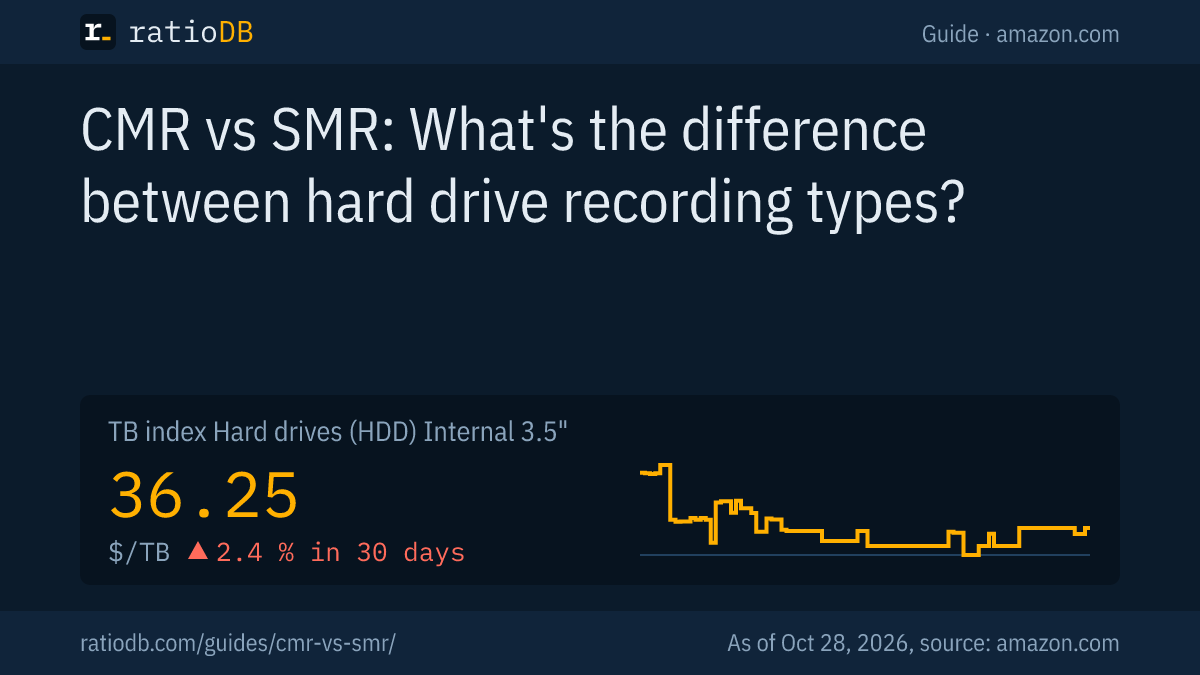
CMR (conventional magnetic recording) and SMR (shingled magnetic recording) are 2 ways a hard drive writes data to its platters. SMR overlaps tracks like roof shingles and, according to Western Digital, adds up to 11% areal density, but it slows down sharply during sustained writes. For NAS, RAID and ZFS, Western Digital recommends CMR, and Seagate uses CMR in every IronWolf NAS drive.
ratioDB labels 176 internal hard drive models with their recording type, taken only from manufacturer data sheets and official lists: 111 use CMR, 23 use SMR. This guide explains the difference, shows how to spot SMR and compares real amazon.com prices per TB.
What is the difference between CMR and SMR?
With CMR, tracks sit side by side with small gaps, so any sector can be rewritten in place. With SMR, tracks overlap, so changing one track means rewriting the tracks layered on top of it. Reads are about equally fast on both.
Western Digital explains it in its own white paper: the write head is wider than the read element needs. Each new track partly overwrites the previous one and leaves a narrow strip the read head can still read (WD white paper on SMR). Removing those gaps fits up to 11% more data on the same area than a CMR drive of the same generation, according to Western Digital.
| Feature | CMR | SMR |
|---|---|---|
| Tracks | side by side with a gap | overlapping like roof shingles |
| Rewrite a sector in place | yes | no, the whole zone is rewritten |
| Reads | fast | about the same as CMR |
| Sustained random writes | steady | collapse once the cache is full |
| Areal density | baseline | up to 11% more (Western Digital) |
| Suited for RAID, NAS, ZFS | yes | only with limits |
CMR is often also called PMR (perpendicular magnetic recording). Wikipedia treats the 2 terms as synonyms (Wikipedia).
How does SMR work in detail?
SMR groups the overlapping tracks into zones. New data first lands in a staging area called the media cache and is reorganized into the zones later. As long as the cache has room, SMR is fast. Once it fills up, write performance drops hard.
The overlapping tracks form fixed-size zones, with gaps between the zones. A single track in the middle of a zone cannot simply be changed, because the next track rests on top of it (zonedstorage.io).
Toshiba describes the process like this: new data goes to the DRAM buffer first, then to a media cache. The drive then merges old and new data and writes it sequentially to another SMR zone (Toshiba). That reorganizing happens while the drive is idle. If you write for a long time, for example when copying large amounts of data or rebuilding a RAID array, the cache fills up. Then the drive "slows down dramatically", as Blocks & Files reported (Blocks & Files, April 15, 2020).
What types of SMR are there?
There are 3 types of SMR: drive-managed SMR, host-managed SMR and host-aware SMR, a hybrid of the two. PCs and NAS boxes almost always use drive-managed SMR, which presents itself to the computer like a regular hard drive.
| Type | Who manages the zones | Where it is used |
|---|---|---|
| Drive-managed SMR (DM-SMR) | the drive firmware, invisible to the computer | desktop drives and some NAS drives |
| Host-managed SMR | operating system or software that writes only sequentially | data centers with adapted software |
| Host-aware SMR | both, with zones that prefer sequential writes | rare, backward compatible |
Host-managed SMR needs the ZBC (for SCSI) and ZAC (for ATA) standards. Linux has supported them since kernel 4.10. There is no industry standard for drive-managed SMR, and Western Digital says its performance "can be unpredictable" (WD white paper on SMR, zonedstorage.io).
One quirk concerns TRIM: TrueNAS advises turning off mass TRIM on DM-SMR WD Red drives, because they can otherwise stop responding (TrueNAS forum).
Is SMR slower than CMR?
For reads and short writes, barely. For long random writes, yes, and dramatically so: in a ServeTheHome test, an SMR WD Red needed nearly 230 hours to resilver a RAIDZ array, while CMR drives finished in under 17 hours.
In 2020 ServeTheHome rebuilt a 4-drive RAIDZ array. The SMR WD40EFAX took "nearly 230 hours", all 3 CMR drives tested finished in "under 17 hours" (ServeTheHome, May 28, 2020). Blocks & Files documented ZFS stalls of over 60 seconds and an average of about 40 MB/s while filling a WD40EFAX (Blocks & Files).
Toshiba confirms that SMR affects write speeds, especially with continuous random writes (Toshiba, April 28, 2020). In normal desktop use, such as launching programs, viewing photos and copying files now and then, you often won't notice any of this.
When is SMR good enough and when do you need CMR?
SMR is fine for data written once and rarely changed: archives, media libraries and backups written in one go. You need CMR for NAS with RAID, ZFS, surveillance cameras that record nonstop and anything with lots of random writes.
Seagate lists workloads that are "sequential or easily sequentialised" as a good fit for SMR, such as media repositories, backup tiers, compliance archives and object storage (Seagate CMR/SMR list). Western Digital explicitly recommends CMR for ZFS and write-heavy use (WD blog).
| Use | Recommendation | Reason |
|---|---|---|
| NAS with RAID or ZFS | CMR | rebuild and resilver are very slow with SMR |
| Surveillance with nonstop recording | CMR | the cache stays full |
| External backup drive | SMR is OK | data is written in one go |
| Media archive, movies, photos | SMR is OK | write once, read often |
| Games and programs | either works | mostly reads, short writes |
What should you do if your NAS already has an SMR drive?
Replace the SMR drive with a CMR model, one drive at a time and only after a fresh backup. Start the swap when the NAS has little else to do, so the rebuild finishes as quickly as possible.
An SMR drive in a NAS often runs without trouble in daily use. It becomes critical when another drive fails, because then the SMR drive has to write for hours on end. Here is how to proceed:
- Check your backup: A NAS with RAID is not a backup. Copy important data to a second medium first, for example an external hard drive.
- Identify the model: Read the part number of each drive in your NAS storage manager and compare it with the manufacturer lists or the label on ratioDB. For Western Digital, the SMR models of the WD Red end in EFAX.
- Buy a CMR replacement with the same or larger capacity: A replacement must not be smaller than the old drive. The cheapest CMR models are listed further down in this guide.
- Swap one drive at a time: Remove the drive, insert the new one, wait for the rebuild. Only when the NAS reports a healthy state again do you move on to the next drive.
- Avoid other load: Synology assumes 125 MB/s for a rebuild without other services and only 10 MB/s when other services are running (Synology). Large copy jobs and backups should wait until afterwards.
With ZFS, for example on TrueNAS, the swap matters even more. TrueNAS advises against the SMR WD Red drives for ZFS (TrueNAS).
Are external hard drives CMR or SMR?
Manufacturers rarely state the recording method for external drives. SMR is common in slim 2.5-inch enclosures: according to Seagate, all 2.5-inch BarraCuda drives use SMR. For backups written in one go, this is not a problem.
An external hard drive contains a regular internal drive with a USB connection. Which model exactly is usually not disclosed. For typical use as a backup or archive, SMR hardly matters because large amounts of data are written sequentially. Seagate explicitly names backup storage as a suitable use case for SMR (Seagate CMR/SMR list).
It is different if you want to take a drive out of its enclosure and put it in a NAS. Before opening it, you can't be sure which recording method is inside. For a NAS, an internal drive from a NAS line is therefore the safe choice, see the guide Best NAS hard drive.
What was the 2020 WD Red SMR controversy?
In April 2020 it came out that Western Digital had used SMR in 2 to 6 TB WD Red NAS drives without disclosing it. Users ran into problems with RAID rebuilds. WD then renamed its CMR models to WD Red Plus, and a class action ended in a settlement.
The key moments:
- April 14, 2020: Blocks & Files reports on WD Red drives with the EFAX suffix failing RAID and ZFS rebuilds. Western Digital confirms: "WD Red 2TB-6TB drives are device-managed SMR" (Blocks & Files).
- April 2020: Seagate confirms SMR in BarraCuda ST2000DM008, ST4000DM004 and ST8000DM004 and states there is no SMR in IronWolf or IronWolf Pro (Blocks & Files). Toshiba lists SMR in models including the 4 and 6 TB P300, while the N300 does not use SMR (Toshiba).
- June 23, 2020: Western Digital introduces WD Red Plus as the name for its CMR models. WD Red Pro stays all CMR, and plain WD Red stays SMR (WD blog).
- 2021 and 2022: The class action Malone v. Western Digital ends in a settlement. According to Tom's Hardware, buyers received $4 per 2 or 3 TB drive and $7 per 4 or 6 TB drive, and WD must disclose SMR on WD Red for at least 4 years (Tom's Hardware, August 26, 2021). The plaintiffs' law firm reports payments of about $56 per claim in June 2022 (Bursor & Fisher).
For older listings and leftover stock, it always pays to check the manufacturers' official CMR and SMR lists.
How can you tell if a hard drive uses SMR?
The safest way is the data sheet or the official CMR and SMR lists from Western Digital, Seagate and Toshiba. Software cannot reliably detect drive-managed SMR, because the drive reports itself like a regular hard drive. ratioDB shows the recording type right on every listing.
Here is how to check the main brands:
- Western Digital: WD's support page explains how to find the recording type on the label or data sheet. WD and HGST drives built before 2018 use CMR (WD Support). According to the 2025 product brief, every WD Red Plus model uses CMR, for example WD40EFPX, WD80EFPX and WD120EFGX (WD Red Plus product brief). Plain WD Red with an EFAX suffix uses SMR.
- Seagate: According to the official list, 3.5-inch BarraCuda drives use SMR at 4 and 8 TB and CMR from 12 TB. 2.5-inch BarraCuda and FireCuda use SMR, IronWolf and SkyHawk use CMR only (Seagate CMR/SMR list).
- Toshiba: According to Toshiba, models including the 4 and 6 TB P300 use SMR, the N300 NAS line does not (Toshiba, April 28, 2020).
On ratioDB, open the details of a listing. The recording type is shown there with a link to the data sheet. Under "Filters and view" you can filter the list by CMR or SMR.
Which hard drive lines use CMR and which use SMR?
Every documented model in the NAS lines WD Red Plus, WD Red Pro, IronWolf, IronWolf Pro and N300 and in the surveillance lines WD Purple and SkyHawk uses CMR. SMR is used by the plain WD Red, the 2.5-inch BarraCuda and WD Blue models, Toshiba S300 and some 3.5-inch BarraCuda and WD Blue capacities.
The table summarizes the ratioDB database by series. It only includes models whose recording method is documented in a manufacturer datasheet or official list, 31 series in total. Models without such proof are left out, even if they belong to a listed series.
Recording method by hard drive series according to the manufacturers, ratioDB database
| Series | Recording | Documented models |
|---|---|---|
| Seagate BarraCuda | depends on model | 8 |
| Seagate BarraCuda 2.5-inch | SMR | 5 |
| Seagate BarraCuda Pro | CMR | 1 |
| Seagate Exos 7E2000 | CMR | 5 |
| Seagate Exos 7E8 | CMR | 3 |
| Seagate Exos X18 | CMR | 2 |
| Seagate Exos X20 | CMR | 1 |
| Seagate Exos X22 | CMR | 1 |
| Seagate FireCuda 2.5-inch SSHD | SMR | 2 |
| Seagate FireCuda 3.5-inch SSHD | CMR | 1 |
| Seagate IronWolf | CMR | 10 |
| Seagate IronWolf Pro | CMR | 15 |
| Seagate SkyHawk | CMR | 7 |
| Seagate SkyHawk AI | CMR | 2 |
| Synology Plus HAT3300 | CMR | 1 |
| Synology Plus HAT3310 | CMR | 2 |
| Synology Plus HAT3320 | CMR | 1 |
| Toshiba MG07ACA | CMR | 1 |
| Toshiba MG10F | CMR | 1 |
| Toshiba N300 | CMR | 7 |
| Toshiba N300 Pro | CMR | 1 |
| Toshiba S300 | SMR | 2 |
| Toshiba X300 Pro | CMR | 1 |
| WD Blue | depends on model | 10 |
| WD Blue 2.5-inch | SMR | 2 |
| WD Purple | CMR | 8 |
| WD Purple Pro | CMR | 4 |
| WD Red | SMR | 4 |
| WD Red Plus | CMR | 10 |
| WD Red Pro | CMR | 14 |
| WD_BLACK | CMR | 2 |
"Depends on model" means the series mixes both methods. For the 3.5-inch Seagate BarraCuda, Seagate lists the 4 TB and 8 TB capacities as SMR and the models from 12 TB as CMR. For the 3.5-inch WD Blue it also depends on the part number. In both cases the exact model number decides, the series name alone is not enough.
The surveillance lines show well where CMR matters: cameras write around the clock, so the cache of an SMR drive would hardly ever get time to reorganize data. All documented WD Purple and SkyHawk models use CMR.
Which SMR hard drives are on amazon.com right now?
ratioDB currently finds 3 new internal 3.5-inch hard drives with SMR and 37 with CMR on amazon.com, each according to the data sheet. The cheapest SMR drive per TB is Seagate BarraCuda 8 TB at $33.00 per TB.
New SMR hard drives on amazon.com, cheapest first, as of Oct 28, 2026 at 1:17 AM UTC
| SMR drive | Capacity | Price per TB | Series |
|---|---|---|---|
| Seagate BarraCuda 8 TB | 8 TB | $33.00 | BarraCuda |
| Seagate BarraCuda 8 TB | 8 TB | $35.00 | BarraCuda |
| WD Red 6 TB | 6 TB | $68.32 | WD Red |
If you buy one of these drives for backups or a media archive, you're fine. For a NAS with RAID, pick a CMR drive from a NAS line, see the guide Best NAS hard drive.
How much more does CMR cost per TB?
At the same capacity, CMR is currently not always the pricier option on amazon.com: the CMR premium per TB ranges from -23.2% to 47.7%. Across all sizes, the cheapest CMR drive is Toshiba MG07ACA 12 TB at $39.17 per TB.
Looking at the median of all new offers, the 37 CMR drives cost $55.71 per TB and the 3 SMR drives $35.00 per TB.
Cheapest SMR and CMR drive by capacity, new, as of Oct 28, 2026 at 1:17 AM UTC
| Capacity | Cheapest SMR | Cheapest CMR | CMR premium |
|---|---|---|---|
| 8 TB | Seagate BarraCuda 8 TB: $33.00 | Seagate Exos 7E8 8 TB: $48.73 | +47.7% |
| 6 TB | WD Red 6 TB: $68.32 | WD_BLACK 6 TB: $52.50 | -23.2% |
A negative premium means the cheapest CMR drive at that capacity is currently cheaper per TB than the cheapest SMR drive. Large CMR drives are often even cheaper per TB than small SMR models. The cheapest CMR drives right now:
Which hard drive fits which use?
For a NAS and surveillance, pick a CMR line; for servers, an enterprise line; for backups and archives, SMR is fine too. The table shows the cheapest new model on amazon.com for each use, based on the series listed in the datasheets.
Cheapest suitable model by use, internal 3.5-inch drives, as of Oct 28, 2026 at 1:17 AM UTC
| Use | Suitable series | Cheapest model | Price per TB |
|---|---|---|---|
| NAS with RAID or ZFS | WD Red Plus, Red Pro, IronWolf, IronWolf Pro, N300, Synology Plus | Synology Plus HAT3310 16 TB | $43.42 |
| Surveillance with constant writes | WD Purple, SkyHawk | Seagate SkyHawk AI 14 TB | $44.79 |
| Servers and 24/7 use | Exos, Ultrastar, MG, WD Gold | Toshiba MG07ACA 12 TB | $39.17 |
| Backup and archive (SMR is fine) | all | HGST Ultrastar He6 6 TB | $23.08 |
The series assignment comes from the manufacturer datasheet, never from the Amazon title. For backup and archive, all internal 3.5-inch drives count, including SMR models and models without a documented recording method. Still check the part number and seller on the product page before you buy.
Are there large SMR hard drives?
Yes, in very large data center drives. Western Digital uses UltraSMR in the 32 TB Ultrastar DC HC690, Seagate uses SMR in the 32 TB Exos M, and Toshiba is sampling SMR models with 30 to 34 TB. These drives are meant for host-managed SMR with adapted software.
In October 2024 Western Digital introduced the 32 TB Ultrastar DC HC690 with UltraSMR, while the 26 TB HC590 uses CMR (StorageReview, October 22, 2024). Seagate's HAMR-based Exos M is CMR at 30 TB and SMR at 32 TB (Tom's Hardware, December 17, 2024). HAMR (heat-assisted magnetic recording) assists the write process and works with both CMR and SMR. Since March 2026 Toshiba has been sampling its M12 series with SMR at 30 to 34 TB and CMR up to 28 TB (Toshiba, March 30, 2026).
Seagate writes that SMR in large drives needs "architectural control", meaning software that manages the zones. For plug-and-play use, Seagate prioritizes CMR (Seagate). For home NAS and PCs, CMR remains the right choice.
How does ratioDB label CMR and SMR?
ratioDB takes the recording type only from manufacturer data sheets and official lists, per part number, never from the Amazon title. If it is not documented for a model, the field stays empty. Right now 111 models are labeled CMR and 23 SMR.
You find it in 3 places: in the details of every listing, on every product page under "Specs" and as the "Recording" filter under "Filters and view" on the hard drive pages. Every label links to the data sheet.
The full list of internal 3.5-inch hard drives, sorted by price per TB, is at Internal 3.5-inch hard drives. How ratioDB calculates is explained on the methodology page.
CMR vs SMR FAQ
Is CMR better than SMR?
For NAS, RAID, ZFS and sustained writes, yes, because CMR stays equally fast during long writes. For archives and backups written in one go, SMR is enough. For reads, both are about equally fast.
Is WD Red CMR or SMR?
Plain WD Red with an EFAX suffix (WD20EFAX, WD30EFAX, WD40EFAX, WD60EFAX) uses SMR. WD Red Plus and WD Red Pro use CMR, according to Western Digital.
Is the Seagate BarraCuda CMR or SMR?
According to Seagate, the 3.5-inch BarraCuda uses SMR at 4 and 8 TB and CMR from 12 TB. The 2.5-inch BarraCuda models use SMR.
Can I use SMR drives in a NAS?
In RAID or with ZFS, better not: a rebuild can take many times longer with SMR, nearly 230 instead of under 17 hours in the ServeTheHome test. Western Digital recommends CMR for ZFS. As a single drive for archive data, SMR works.
Are SMR drives good for backups?
Yes, SMR is suitable for backups written in one go. Seagate explicitly names backup tiers and archives as a good fit for SMR.
Why do manufacturers use SMR at all?
Because SMR fits more data on the same area. According to Western Digital, it is up to 11% more than CMR of the same generation. Manufacturers can get more capacity out of the same number of platters.
Will I notice SMR when gaming?
Hardly. Games mostly read data, and SMR and CMR read at about the same speed. SMR only slows down during long sequential writes, for example when installing very large games onto an almost full drive. For games, an SSD is the faster choice anyway.
Is PMR the same as CMR?
Mostly yes. CMR is often also called PMR (perpendicular magnetic recording), and Wikipedia treats the 2 terms as synonyms.
Is WD Purple CMR or SMR?
Every WD Purple model whose recording method Western Digital documents in a datasheet or list uses CMR. The same applies to WD Purple Pro. The line is made for surveillance cameras that write around the clock.
Do all Seagate IronWolf drives use CMR?
Yes, according to Seagate's official CMR and SMR list, IronWolf and IronWolf Pro use CMR only. The same goes for the SkyHawk surveillance line.
Which hard drive should I use for surveillance cameras?
A drive from a surveillance line such as WD Purple or Seagate SkyHawk, both use CMR in all documented models. The cheapest per TB on amazon.com is currently Seagate SkyHawk AI 14 TB at $44.79 per TB (as of Oct 28, 2026 at 1:17 AM UTC).
Which CMR hard drive is the cheapest per TB right now?
On amazon.com it is currently Toshiba MG07ACA 12 TB at $39.17 per TB (as of Oct 28, 2026 at 1:17 AM UTC). The value changes with every price update, the cheapest CMR drives are shown in the box above.
Sources
- Western Digital: Shingled Magnetic Recording white paper, blog on WD Red and SMR, Support: how to tell CMR from SMR, WD Red Plus product brief
- Seagate: CMR and SMR list
- Toshiba: What is SMR, SMR models (April 28, 2020), M12 with SMR (March 30, 2026)
- zonedstorage.io: introduction to SMR
- Blocks & Files: WD Red with SMR (April 14, 2020), cache zones (April 15, 2020), Seagate BarraCuda with SMR
- ServeTheHome: WD Red SMR vs CMR tested (May 28, 2020)
- Tom's Hardware: class action settlement (August 26, 2021), Bursor & Fisher: payments
- TrueNAS forum: WD Red SMR and ZFS
- StorageReview: WD 26 TB CMR and 32 TB UltraSMR (October 22, 2024), Tom's Hardware: Seagate Exos M (December 17, 2024)
- Wikipedia: Shingled magnetic recording
- ratioDB: daily amazon.com prices, methodology