RAID Levels Explained: RAID 0, 1, 5, 6 and 10 Compared
RAID 0 stripes data across drives with no protection, RAID 1 mirrors two drives, RAID 5 survives one failure with at least 3 drives, RAID 6 survives any two failures with at least 4, and RAID 10 stripes across mirrored pairs from 4 drives. That is how Synology, Intel and SNIA define them. Every step up in protection costs usable capacity.
This guide walks through each RAID level you will meet in a NAS or a desktop PC, shows which level fits 2, 4 or 6 bays, and prices each setup per usable TB with live amazon.com prices for NAS hard drives (as of Oct 28, 2026 at 1:17 AM UTC). One point up front: RAID protects against a failed drive. It is not a backup.
What is RAID?
RAID (Redundant Array of Inexpensive Disks) combines several drives into one volume to gain speed, protection against drive failure, or both. The idea comes from a 1987 University of California, Berkeley report that introduced five RAID levels and compared them with single large expensive disks.
David A. Patterson, Garth A. Gibson and Randy H. Katz proposed arrays of small drives as an alternative to the big mainframe disks of the time, promising better performance, reliability, power use and scalability (UC Berkeley, report UCB/CSD-87-391). The numbering from that report stuck: the number after RAID tells you how data is laid out across the drives.
Three building blocks appear in every common level:
- Striping: data is split into blocks written across several drives, which speeds up large transfers.
- Mirroring: each drive has an exact twin; if one fails, the other still holds everything.
- Parity: the array calculates check data from the data blocks; if one drive fails, its contents are rebuilt from the rest.
How do RAID levels compare?
The common RAID levels are 0, 1, 5, 6 and 10. They differ in minimum drive count, usable capacity and how many drives can fail. RAID 0 tolerates no failures, RAID 1, 5 and 10 tolerate one, and RAID 6 tolerates any two.
Capacity formulas follow Synology's DSM help; failure tolerance comes from Synology, Intel and SNIA (the Storage Networking Industry Association):
| RAID level | Technique | Minimum drives | Usable capacity | Drives that can fail |
|---|---|---|---|---|
| RAID 0 | striping | 2 | sum of all drives | none |
| RAID 1 | mirroring | 2 | one drive (the smallest) | all but one |
| RAID 5 | striping with parity | 3 | drives minus 1 | 1 |
| RAID 6 | striping with double parity | 4 | drives minus 2 | any 2 |
| RAID 10 | mirroring plus striping | 4, even number | half of the drives | 1 per mirrored pair |
Sources: Synology DSM help, Intel, SNIA. For RAID 1, 5, 6 and 10, Synology always calculates with the smallest drive in the array, so an 8TB drive paired with a 4TB drive gives you 4TB in RAID 1.
What is RAID 0?
RAID 0 stripes data across two or more drives. Intel calls it the fastest RAID level, especially for reading and writing large files, but it stores no redundancy: if one drive fails, the data on all drives is lost.
Intel gives loading large files into image editing software as a typical use (Intel). Usable space is the sum of every drive, and Synology even allows mixed sizes (Synology). Risk grows with each drive you add, because any single failure takes the whole array down.
Use RAID 0 only for data you can recreate at any time, such as a scratch disk for video editing. Family photos, documents or a home NAS belong on a protected level.
What is RAID 1?
RAID 1 mirrors data in real time onto a second drive, so a single drive failure loses nothing. Usable capacity equals one drive. Intel positions RAID 1 for smaller systems where one disk's capacity is enough, and notes that writes gain no speed.
Intel describes RAID 1 as two drives mirrored in real time, with data reliability in case of a single disk failure as the main benefit (Intel). Synology supports two to four drives in RAID 1 and keeps data safe as long as one drive is operating normally (Synology).
RAID 1 fits a two-bay NAS. The trade-off is simple: you buy twice the storage and use half. With two drives like the Synology Plus HAT3310 16 TB, a mirror costs $1,389.32 right now for 16 TB usable, or $86.83 per usable TB.
What is RAID 5?
RAID 5 spreads data and parity across three or more drives. If one drive fails, the array rebuilds its contents from parity on the remaining drives. Usable capacity is all drives minus one, which makes RAID 5 the most space-efficient level that still survives a failure.
Synology's formula: usable capacity equals the number of drives minus 1, times the capacity of the smallest drive (Synology). Four 8TB drives therefore give 24TB usable. Intel lists storage capacity and data protection as the main benefits and notes that calculating missing data during a rebuild degrades write performance (Intel).
The weak spot is the rebuild. Until the replacement drive is fully written, a RAID 5 has no protection left, and large drives take a long time to rebuild. Our guide to the best NAS hard drive estimates rebuild times with Synology's formula.
What is RAID 6?
RAID 6 uses double parity so the array survives any two drive failures, per the SNIA definition. It needs at least four drives, and usable capacity is all drives minus two. RAID 6 pays off with many drives or very large ones.
SNIA defines RAID 6 as a parity-based data placement policy that lets stored data survive any two storage device failures (SNIA). Synology requires at least four drives and calculates usable space as drives minus 2, times the smallest drive (Synology).
With four drives, RAID 6 and RAID 10 both give you half the raw capacity. The difference: RAID 6 survives any two failures, RAID 10 only one per mirrored pair. From six drives up, RAID 6 becomes clearly more efficient than RAID 10, because only two drives' worth of space ever goes to parity.
What is RAID 10?
RAID 10 combines RAID 1 and RAID 0: drives are mirrored in pairs, and data is striped across the pairs. It needs at least four drives in an even number, and half the raw capacity is usable. Intel recommends RAID 10 for high-performance work that needs protection, such as video editing.
Intel describes RAID 10 as four drives combining RAID 0 performance with RAID 1 fault tolerance (Intel). Synology's formula is the smallest drive times the number of drives divided by 2, with the same level of protection as RAID 1 (Synology).
In a four-drive RAID 10, one drive per mirrored pair can fail. Lose both drives of the same pair and the array is gone. A rebuild copies the surviving partner drive, with no parity math involved.
Which RAID level should I use?
Use RAID 1 with two drives. With three or four drives, RAID 5 gives the most space while surviving one failure. With four large drives or six or more bays, RAID 6 is the safer pick; choose RAID 10 with four drives when speed matters most.
| NAS bays | Pick | Usable with drives of X TB each | Drives that can fail |
|---|---|---|---|
| 2 | RAID 1 | X | 1 |
| 3 | RAID 5 | 2 × X | 1 |
| 4, maximum space | RAID 5 | 3 × X | 1 |
| 4, maximum safety | RAID 6 | 2 × X | any 2 |
| 4, maximum speed | RAID 10 | 2 × X | 1 per pair |
| 6 or more | RAID 6 | (drives minus 2) × X | any 2 |
These picks follow from the formulas and failure limits above. Drive size matters as well: the larger each drive, the longer a rebuild takes and the longer a RAID 5 runs without protection. For drives built for this job, see our comparison of NAS drive lines.
How much does RAID cost per usable TB?
RAID costs more per usable TB than the drives cost per TB, because mirroring and parity take space. With the cheapest NAS drive per TB on amazon.com, RAID 1 costs $86.83 per usable TB right now and a four-drive RAID 5 costs $57.89.
The math uses the NAS drive with the lowest price per TB at 4TB or more: the Synology Plus HAT3310 16 TB at $694.66 ($43.42 per TB). The NAS enclosure is not included.
Cost per usable TB by RAID level with 16 TB drives, amazon.com, as of Oct 28, 2026 at 1:17 AM UTC
| RAID | Drives | Usable | Can fail | Cost | Per usable TB |
|---|---|---|---|---|---|
| RAID 0 | 2 | 32 TB | none | $1,389.32 | $43.42 |
| RAID 1 | 2 | 16 TB | 1 drive | $1,389.32 | $86.83 |
| RAID 5 | 3 | 32 TB | 1 drive | $2,083.98 | $65.12 |
| RAID 5 | 4 | 48 TB | 1 drive | $2,778.64 | $57.89 |
| RAID 6 | 4 | 32 TB | 2 drives | $2,778.64 | $86.83 |
| RAID 10 | 4 | 32 TB | 1 drive | $2,778.64 | $86.83 |
| RAID 6 | 6 | 64 TB | 2 drives | $4,167.96 | $65.12 |
| RAID 10 | 6 | 48 TB | 1 drive | $4,167.96 | $86.83 |
RAID 0 is cheapest per TB and protects nothing. With four drives, RAID 5 costs a third less per usable TB than RAID 6 or RAID 10, in exchange for tolerating only one failure.
For a two-bay NAS, RAID 1 is what counts. Here is what a mirrored pair costs at each capacity:
RAID 1 with two NAS drives by capacity, cheapest offer on amazon.com, as of Oct 28, 2026 at 1:17 AM UTC
| Capacity per drive | Cheapest NAS drive | 2 drives cost | Usable in RAID 1 | Per usable TB |
|---|---|---|---|---|
| 4 TB | WD Red Plus 4 TB | $379.98 | 4 TB | $95.00 |
| 6 TB | Seagate IronWolf 6 TB | $638.00 | 6 TB | $106.33 |
| 8 TB | Synology Plus HAT3320 8 TB | $928.98 | 8 TB | $116.12 |
| 12 TB | Toshiba N300 Pro 12 TB | $1,059.98 | 12 TB | $88.33 |
| 14 TB | Seagate IronWolf Pro 14 TB | $1,368.90 | 14 TB | $97.78 |
| 16 TB | Synology Plus HAT3310 16 TB | $1,389.32 | 16 TB | $86.83 |
| 24 TB | WD Red Pro 24 TB | $3,799.98 | 24 TB | $158.33 |
The table lists the cheapest drive per size from the WD Red Plus, WD Red Pro, IronWolf, IronWolf Pro, N300 and Synology Plus lines, matched by manufacturer datasheet. Price per usable TB usually falls as drives get bigger. Every listing is under internal 3.5" hard drives.
Why is RAID not a backup?
RAID only protects against a drive failure. Deleted files, ransomware, a dead NAS, theft or fire hit every drive in the array at once. The only protection against those is a separate copy on separate storage, ideally following the 3-2-1 rule.
A RAID 1 mirrors every change instantly, including the folder you deleted by mistake. A backup keeps an older version you can go back to. At home, the 3-2-1 rule works well: three copies, two kinds of storage, one copy off-site. Our guide to the 3-2-1 backup rule shows how to set it up on a budget. An external 3.5" hard drive makes a simple backup target for a NAS; see external 3.5" hard drives.
What happens when a drive in a RAID fails?
When a drive fails in RAID 1, 5, 6 or 10, the array keeps running in a degraded state. After you swap the drive, the system rebuilds it: RAID 1 and 10 copy from the mirror, RAID 5 and 6 recalculate the data from parity on the remaining drives.
Synology describes RAID 5 and 6 rebuilds as recalculating the failed drive's data from parity on the other drives (Synology). Intel notes that this recalculation slows down writes (Intel).
What to do when a drive fails:
- Back up first: copy your most important files to separate storage while the array still runs.
- Find the right drive: the NAS storage manager shows which bay failed.
- Use a replacement of equal or larger size: Synology always calculates with the smallest drive, so a smaller replacement will not fit.
- Let the rebuild finish: keep the load on the NAS low until it completes.
RAID in a NAS or in a PC: what's the difference?
A NAS (network attached storage) sets up RAID in its own software, such as Storage Manager in Synology DSM. In a desktop PC, the chipset often handles it; Intel Rapid Storage Technology supports RAID 0, 1, 5 and 10.
Intel's help page lists the RAID volumes Intel Rapid Storage Technology can create: RAID 0, 1, 5 and 10, plus Matrix RAID with two volumes on one array (Intel). Synology DSM adds RAID 6, RAID F1 for SSDs, and JBOD, which chains drives together with no protection (Synology).
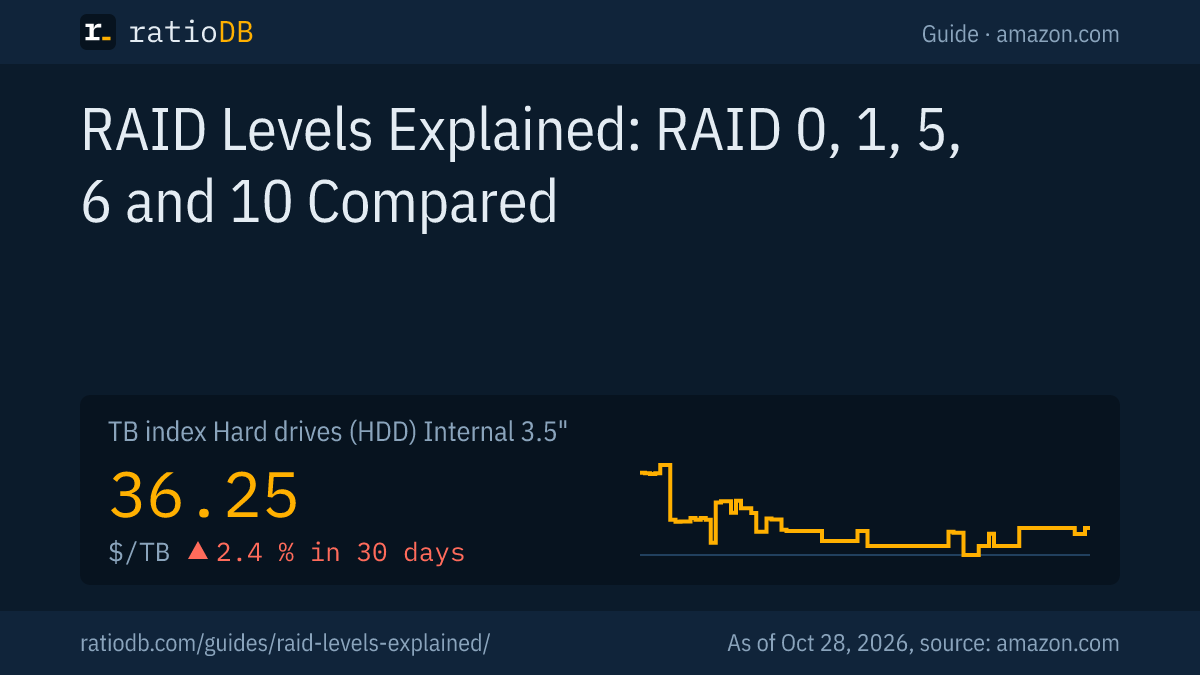
For most desktop PCs, one large drive plus a backup on separate storage is enough, and an SSD is the place to look for speed. Internal 3.5" hard drives cost $36.25 per TB on amazon.com according to the ratioDB TB index. Fast SSDs are under M.2 NVMe SSDs. For SSDs in a NAS, see our NAS SSD guide. US price trends for hard drives are on the hard drive price history page.
How does ratioDB calculate RAID costs?
ratioDB takes the cheapest new NAS hard drive per TB at 4TB or more on amazon.com, multiplies its price by the number of drives and divides by the usable capacity from Synology's formulas. 1TB equals 1,000,000,000,000 bytes.
Only models from NAS lines per the manufacturer datasheet, sold under the manufacturer's name, count as NAS drives. Enclosures, power and spare drives are not included. Prices refresh from our database on every build, as of Oct 28, 2026 at 1:17 AM UTC. We do not run our own RAID tests. Our rules are on the methodology page.
RAID levels FAQ
What is the difference between RAID 1 and RAID 5?
RAID 1 mirrors two drives and gives you one drive of space. RAID 5 needs at least three drives and gives up only one drive to parity. Both survive one drive failure; RAID 5 offers more usable space per drive bought.
Is RAID 1 a backup?
No. RAID 1 mirrors every change instantly, including deletions and ransomware damage. It only protects against a drive failing. A backup needs a separate copy, ideally following the 3-2-1 rule.
How many drives does RAID 5 need?
At least three. Usable capacity is all drives minus one, calculated with the smallest drive according to Synology. Four 8TB drives give 24TB usable.
RAID 6 or RAID 10 with four drives?
Both give half the raw capacity with four drives. RAID 6 survives any two failures; RAID 10 survives one per mirrored pair but rebuilds without parity math. Pick RAID 6 for safety and RAID 10 for speed.
Can I mix drive sizes in a RAID?
For RAID 1, 5, 6 and 10, Synology calculates with the smallest drive, so the extra space on larger drives goes unused. Only JBOD and RAID 0 use mixed sizes fully, and neither protects against failure.
How much does a RAID 1 cost right now?
With two drives like the Synology Plus HAT3310 16 TB, a RAID 1 costs $1,389.32 on amazon.com right now for 16 TB usable, or $86.83 per usable TB (as of Oct 28, 2026 at 1:17 AM UTC). The table above lists current prices per capacity.