SSD Heatsink 2026: Does Your M.2 SSD Need One?
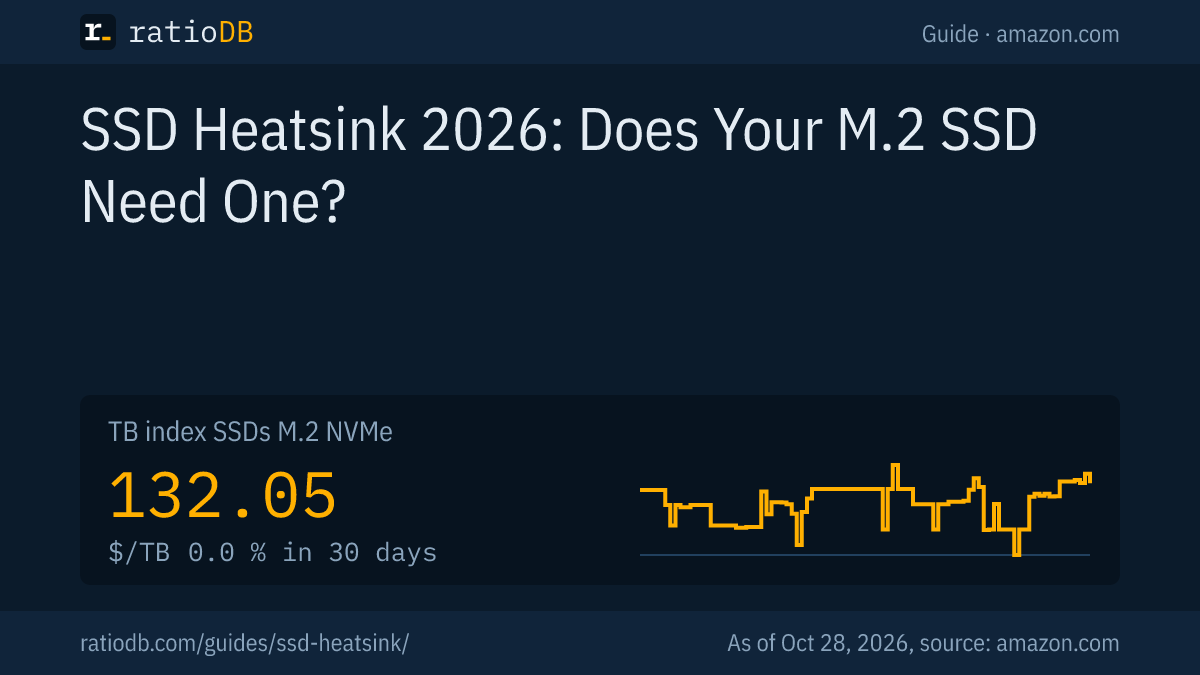
An SSD heatsink is a metal cooler on top of an M.2 SSD that moves heat away so the drive does not throttle under sustained load. It is a must for PCIe 5.0 SSDs like the Crucial T700 and in the PlayStation 5, while a PCIe 4.0 SSD in a desktop PC often does fine with the motherboard's own heatsink. On amazon.com, M.2 NVMe SSDs cost $132.05 per TB right now according to the ratioDB TB index (as of Oct 28, 2026 at 1:17 AM UTC).
This guide explains when your SSD needs a heatsink, what Samsung, Crucial and WD say about it and what Sony requires for the PS5. We also show live how much more the heatsink version costs on amazon.com right now. ratioDB does not measure temperatures. We combine data sheets with current prices.
What is an SSD heatsink?
An SSD heatsink is a finned block of aluminum or copper that sits on the controller and memory chips of an M.2 SSD via a thermal pad. It increases the surface area that releases heat into the air inside the case.
There are three options:
| Option | What it is | Typical for |
|---|---|---|
| SSD with factory heatsink | drive ships with the cooler already fitted | desktop PCs without a motherboard heatsink, PS5 |
| Motherboard heatsink | cover over the M.2 slot, part of the motherboard | many current desktop motherboards |
| Add-on heatsink | cooler bought separately, fitted with a thermal pad | bare SSDs in a PC or PS5 |
The size difference is real. According to Samsung's data sheets, the bare 990 PRO measures up to 80 × 22 × 2.3 mm, the 990 PRO with Heatsink up to 80.15 × 25 × 8.88 mm (Samsung 990 PRO, Samsung 990 PRO with Heatsink). The heatsink makes the drive nearly four times as tall and 3 mm wider.
Do M.2 SSDs need a heatsink?
For everyday use, office work and gaming, a PCIe 3.0 or 4.0 M.2 SSD in a desktop PC usually does not need its own heatsink. You need one for PCIe 5.0, for long writes such as video editing, and in the PS5, where Sony requires cooling.
SSDs mostly get hot while writing large files for a long time. Short bursts when launching programs or loading games produce little heat. At a glance:
| Use | Heatsink needed? | Reason |
|---|---|---|
| PCIe 3.0 or 4.0, everyday use and games | usually not | short bursts, little heat |
| PCIe 4.0, video editing and big copies | recommended | sustained writes |
| PCIe 5.0 | yes | per Crucial, full speed only with cooling |
| PlayStation 5 | yes | Sony requires cooling |
| Laptop | usually no room | heatsinks are several millimeters tall |
A WD blog post says heatsinks have become essential for gaming, video and design work with sustained reads and writes. Jared Peck, director of product management at WD, puts it like this: "A heatsink is about making sure your SSD never slows down" (Western Digital Blog).
What happens when an SSD gets too hot?
When an SSD gets too hot, it lowers its speed to protect the controller and memory chips. This is called thermal throttling. Your data stays safe, but reads and writes slow down a lot until the drive has cooled off.
Samsung rates the 990 PRO and the 9100 PRO for an operating temperature of 0 to 70 °C, measured through the drive's S.M.A.R.T. value, and recommends proper airflow. How hard throttling can hit was measured by Guru3D on the Crucial T700, a PCIe 5.0 drive: after 15 minutes of continuous writes, the bare drive averaged 1,027 MB/s, the version with a heatsink 3,681 MB/s (Guru3D, 05/12/2023). Guru3D also notes that writes that long are rare in everyday use.
Tools that read S.M.A.R.T. values (the drive's self monitoring data) show your SSD temperature. Samsung measures the operating temperature in its data sheets through that same value. If your drive regularly sits close to the data sheet limit during big copies, a heatsink is worth it.
Do PCIe 5.0 SSDs need a heatsink?
Yes. Crucial's T700 data sheet says versions without a heatsink must be installed with a motherboard or alternate heatsink to perform at their best. Samsung lists much higher power draw for its PCIe 5.0 9100 PRO than for its PCIe 4.0 990 PRO.
More power means more heat. Samsung lists an average read power of 7.6 W (1 TB) to 9.0 W (4 TB) for the 9100 PRO and 5.4 W (1 TB) and 5.8 W (2 TB) for the 990 PRO (Samsung 9100 PRO with Heatsink). The specs at a glance:
| SSD | PCIe | Read per manufacturer | Read power | Height with heatsink |
|---|---|---|---|---|
| Samsung 990 PRO | 4.0 | up to 7,450 MB/s | 5.4 to 5.8 W | 8.88 mm |
| Samsung 9100 PRO | 5.0 | up to 14,800 MB/s | 7.6 to 9.0 W | 8.88 mm, 8 TB 11.25 mm |
| Crucial T700 | 5.0 | up to 12,400 MB/s | n/a | sold with or without heatsink |
Crucial says its pre-installed heatsink lets the T700 run "at max workload without the need to thermal throttle" (Crucial T700 data sheet). If you buy a PCIe 5.0 SSD, you need either the heatsink version or a slot with a motherboard heatsink.
Is the motherboard heatsink enough?
Usually yes. Many current desktop motherboards have their own heatsinks for the M.2 slots. Crucial sells the T700 without a heatsink for exactly that case, for systems that use the motherboard's built-in cooler. An SSD with its own heatsink often does not fit under it.
How to handle it:
- Check the motherboard: The manual lists which M.2 slots have a heatsink and which PCIe generation (4.0 or 5.0) they support.
- Do not double up: If the slot has a heatsink, buy the bare SSD. A heatsink version generally does not fit under the cover.
- Check for film: If the thermal pad under the motherboard heatsink has protective film, remove it before installing.
- Pick the slot: Slots right below the graphics card can catch its waste heat. A free slot with airflow is the better choice.
Does the PS5 need an SSD with a heatsink?
Yes. Sony requires effective heat dissipation with a cooling structure such as a heatsink for an M.2 SSD in the PS5. Drive and cooler together may be up to 25 mm wide and 11.25 mm thick, with up to 8 mm above and 2.45 mm below the board.
Sony also requires a PCIe Gen4 x4 M.2 NVMe SSD with 250 GB to 8 TB and recommends at least 5,500 MB/s sequential read (PlayStation Support). Samsung lists the PlayStation 5 as a use for both the 990 PRO with Heatsink and the 9100 PRO with Heatsink, which are 8.88 mm tall at 1 to 4 TB. Which drives fit and what they cost is covered in Best SSD for PS5.
Will an SSD with a heatsink fit my laptop?
In most laptops, no. An SSD with a heatsink like the Samsung 990 PRO with Heatsink is 8.88 mm tall and 25 mm wide, the bare drive 2.3 mm and 22 mm. For laptops, buy the version without a heatsink.
Laptops and mini PCs usually have only a few millimeters of room above the M.2 slot under the bottom panel. If your laptop has a flat metal plate over the SSD, reuse it when you swap drives. Your laptop's service manual shows how it is mounted. Short M.2 2230 SSDs for handhelds and small laptops generally come without a heatsink.
Does a heatsink help a PCIe 4.0 SSD?
Yes, measurably under sustained load. Samsung says the PCIe 4.0 990 PRO with Heatsink runs up to 16 °C cooler in sequential reads and up to 12 °C cooler in writes than the bare 990 PRO. In everyday use with short bursts you notice little of it.
Samsung measured these figures at 25 °C room temperature and says its Dynamic Thermal Guard technology keeps the temperature at a suitable level to prevent performance swings (Samsung Newsroom Germany, 06/12/2023). What matters is how long your SSD stays under load at a stretch:
- Loading games, launching programs: short bursts, a heatsink adds little speed.
- Big copies and video editing: minutes of sustained writes, a heatsink prevents throttling.
- Cramped case without airflow: heat builds up, a heatsink or motherboard heatsink helps.
Samsung recommends proper airflow in the data sheets of both versions. A heatsink releases heat into the air inside the case, and a case fan moving air past the M.2 slot helps it do that.
How much more does an SSD with a heatsink cost?
On amazon.com, the same SSD with a heatsink currently costs $22.00 to $68.90 more than without, that is 9.1% to 18.7%. The table compares 3 line and capacity pairs that are sold both with and without a heatsink.
Same SSD with and without a heatsink: cheapest new offer on amazon.com, as of Oct 28, 2026 at 1:17 AM UTC
| Line | Capacity | Without heatsink | With heatsink | Extra cost |
|---|---|---|---|---|
| WD_BLACK SN850X | 1 TB | $243.00 | $265.00 | +$22.00 (+9.1%) |
| WD_BLACK SN850X | 2 TB | $369.00 | $437.90 | +$68.90 (+18.7%) |
| WD_BLACK SN850X | 4 TB | $780.59 | $764.99 | -$15.60 (-2.0%) |
A negative extra cost means the heatsink version was cheaper than the bare one at our last price check. That happens because sellers price the versions differently. In that case the heatsink version is worth it even if you do not need the cooler, as long as it fits your device.
In total, ratioDB currently lists 19 new M.2 SSDs with a heatsink and 90 without. The median price per TB is $192.50 with a heatsink and $180.00 without.
Which SSDs with a heatsink are cheapest right now?
The cheapest new M.2 SSD with a heatsink per TB on amazon.com right now is Move Speed 2 TB at $150.00 per TB. The table shows the six cheapest per TB, each with its brand, so you can tell well known makers from smaller brands.
Cheapest new M.2 SSDs with a heatsink per TB on amazon.com, as of Oct 28, 2026 at 1:17 AM UTC
| SSD with heatsink | Brand | Capacity | Price | Price per TB |
|---|---|---|---|---|
| Move Speed 2 TB | MOVE SPEED | 2 TB | $299.99 | $150.00 |
| Klevv CRAS C910G 2 TB | KLEVV | 2 TB | $299.99 | $150.00 |
| DATO 1 TB | DATO | 1 TB | $162.99 | $162.99 |
| Bestoss PCIe4.0 2 TB | Bestoss | 2 TB | $334.98 | $167.49 |
| SIX 1 TB | SIX | 1 TB | $169.99 | $169.99 |
| Addlink A93 1 TB | Addlink | 1 TB | $176.44 | $176.44 |
With smaller brands, check the warranty and the TBW (terabytes written, the maximum write volume the maker rates the drive for). How long SSDs last is covered in SSD lifespan, which lines are worth buying in Best SSD.
Should I add a heatsink or buy an SSD with one?
If you already own a bare SSD, you can add a heatsink as long as there is room. If you are buying new and your motherboard has no heatsink, the factory heatsink version is the easiest option, because fit and thermal pad are already right.
Three things matter when adding one:
- Dimensions: The cooler has to fit the space above the slot, in the PS5 no more than 8 mm above the board.
- Thermal pad: It must touch the controller and chips across the full surface. A pad that is too thick presses on the SSD, one that is too thin does not make contact.
- Mounting: Rubber bands or clips must not cover or bend any components.
ratioDB lists SSDs only and no add-on heatsinks. The heatsink version can look pricier at first. Add the cost of a decent add-on cooler before you compare.
How do I install an SSD with a heatsink?
You install an SSD with a heatsink like any M.2 SSD: slide it into the slot at an angle, press it flat and secure it. Before that, check that the graphics card, CPU cooler and other parts next to the slot leave enough room.
- Power down: Unplug the PC and discharge static on a grounded object.
- Check clearance: The heatsink is wider and taller than the bare drive. For Samsung it is 25 mm wide and 8.88 mm tall.
- Remove the motherboard heatsink: If the slot cover does not fit over the drive's heatsink, take it off.
- Insert the SSD: Slide it in at an angle, press it flat and secure it with the screw or the quick latch.
- Check: After booting, Disk Management or the maker's software shows the new SSD.
What should I look for when buying an SSD with a heatsink?
Check the height and width with the heatsink, the PCIe generation of your slot and the price per TB. A heatsink version that is 25 mm wide does not fit under every motherboard heatsink and not in laptops.
The key points:
- Dimensions: Height and width with the heatsink are on the data sheet, for Samsung 80.15 × 25 × 8.88 mm.
- Slot: A PCIe 5.0 SSD in a PCIe 4.0 slot runs at the slot's speed. How much faster NVMe is in practice is covered in NVMe vs SATA.
- Motherboard heatsink: If there is one, buy the bare SSD.
- Price per TB: Compare the versions with and without a heatsink, as in the table above.
- Lighting: According to Samsung, the 990 PRO with Heatsink has RGB lighting you set in Samsung Magician. It adds looks, no cooling.
How does ratioDB compare SSDs with heatsinks?
ratioDB checks the amazon.com prices of every listed M.2 SSD regularly and converts them to price per TB. We tell whether an SSD has a heatsink from the offer title. The TB index is the median of the 10 cheapest new offers.
For the with and without comparison, we take the cheapest new offer of both versions for each line and capacity. The specs come from the linked data sheets from Samsung and Crucial, the WD blog and Sony's support page, as of 10/24/2026. We do not run our own measurements. All rules are on the Methodology page, all offers under M.2 NVMe SSD and sizes like 2TB NVMe SSD.
SSD heatsink FAQ
Do NVMe SSDs need a heatsink?
For everyday use and games on PCIe 3.0 or 4.0, usually not, and a motherboard heatsink is enough. For PCIe 5.0, long writes and the PS5, yes. Crucial requires a motherboard or alternate heatsink for the bare T700.
Can an SSD die without a heatsink?
Generally not. When it gets too hot, it throttles its speed to protect itself. Samsung rates the 990 PRO for 0 to 70 °C operating temperature. Throttling costs speed, your data stays intact.
How much cooler is an SSD with a heatsink?
Samsung says the 990 PRO with Heatsink runs up to 16 °C cooler in reads and up to 12 °C cooler in writes than the bare 990 PRO, measured at 25 °C room temperature.
Can I use an SSD heatsink and a motherboard heatsink together?
Pick one of the two. An SSD with its own heatsink usually does not fit under the motherboard cover. If your slot has a heatsink, buy the bare drive.
Do I need a heatsink for a PS5 SSD?
Yes. Sony requires cooling, with drive and cooler together at most 25 mm wide and 11.25 mm thick. Suitable models are in our PS5 SSD guide.
How much does an SSD with a heatsink cost?
On amazon.com, the heatsink version currently costs $22.00 to $68.90 more than the same SSD without (as of Oct 28, 2026 at 1:17 AM UTC). The TB index for M.2 NVMe SSDs is $132.05.
Sources
- Samsung: 990 PRO data sheet, 990 PRO with Heatsink data sheet, 9100 PRO with Heatsink data sheet, Newsroom Germany on the 990 PRO Heatsink (06/12/2023)
- Crucial: T700 data sheet
- Western Digital: blog on SSD heatsinks
- Sony: How to add an M.2 SSD to a PS5
- Guru3D: Crucial T700 without a cooler (05/12/2023)
- ratioDB: amazon.com prices, Methodology