Steam Deck SSD Upgrade 2026: Which M.2 2230 SSD Fits?
The Steam Deck takes an M.2 2230 NVMe SSD, a drive measuring 22 × 30 mm. According to PC Games Hardware, the Deck connects it over PCIe 3.0 x4, so PCIe 4.0 drives run at reduced speed there. Valve sells the Steam Deck OLED with 512 GB or 1 TB, and 2230 drives such as the Crucial P310, WD_BLACK SN770M or Kingston NV3 come in 1 and 2 TB. The cheapest alternative that needs no screwdriver is a microSD card.
This guide covers which SSD fits the Steam Deck, what a 2230 SSD costs per TB right now, how the swap works and when a microSD card is enough. Prices come live from the ratioDB database for amazon.com, as of Oct 28, 2026 at 1:17 AM UTC. ratioDB does not benchmark drives. We combine Valve and publication data with price per TB.
Which SSD fits the Steam Deck?
Only an M.2 2230 NVMe SSD fits the Steam Deck. Tom's Hardware writes that all models come with "a single M.2 2230 slot for storage". Longer drives such as 2242 or 2280 do not fit, and Valve explicitly advises against mods with 2242 drives.
The number 2230 describes the size: 22 mm wide and 30 mm long (PCGH, 05/23/2024). The usual desktop SSD in the 2280 format is 80 mm long, almost 3 times as long. iFixit also describes the Steam Deck SSD as "single-sided", with components on 1 side only (iFixit). Make sure your new drive is single-sided as well. The spec sheet tells you.
The key specs at a glance:
| Spec | Steam Deck | Source |
|---|---|---|
| Form factor | M.2 2230 (22 × 30 mm), single-sided | iFixit, PCGH |
| Interface | NVMe over PCIe 3.0 x4 | PCGH, Tom's Hardware |
| Slots | 1 × M.2 2230 | Tom's Hardware |
| Factory storage (OLED) | 512 GB or 1 TB NVMe SSD | Valve |
| microSD | UHS-I, SD, SDXC and SDHC | Valve |
Sources: Valve: Steam Deck tech specs, Tom's Hardware, PCGH, iFixit.
2280 vs 2230: why not a 2242 or 2280 SSD?
A 2280 SSD is far too long for the Steam Deck. Mods exist for 2242 drives, but Valve designer Lawrence Yang warns that most 2242 drives draw more power and get hotter than the Deck is designed for. The mod may appear to work but will significantly shorten the life of your Deck, he says.
GamingOnLinux reported Lawrence Yang's warning on 06/27/2022. Yang wrote that "most 2242 m.2 drives draw more power and get hotter than what Deck is designed for", and that "The charger IC gets very hot and nearby thermal pads should not be moved" (GamingOnLinux). The mod "may appear to work but will significantly shorten the life of your Deck".
So stick with 2230. The search "2280 vs 2230" often comes down to this question: 2280 is the desktop standard, while handhelds like the Steam Deck take only 2230. If you have a spare 2280 SSD, put it in a USB enclosure and use it as an external drive.
Is a PCIe 4.0 SSD worth it in the Steam Deck?
A PCIe 4.0 SSD works in the Steam Deck but runs at PCIe 3.0 speed. Tom's Hardware says PCIe 4.0 drives are widely available, so buying a new PCIe 3.0 drive is not worth it. Differences between fast drives are small in the Deck because the CPU and the interface set the limit.
PCGH explains it with the WD_BLACK SN770M: the drive is built for PCIe 4.0 x4, but the Steam Deck only connects it at "PCIe Gen3 ×4" (PCGH). Tom's Hardware compared several 2230 drives in the Steam Deck and concluded that performance differences are small, because the Deck's CPU and interface limit speeds (Tom's Hardware).
When you buy, that means capacity, price per TB, heat and warranty matter most. Read speeds above 5,000 MB/s on the spec sheet add little in the Deck, because the PCIe 3.0 link holds them back. How PCIe 3.0, 4.0 and 5.0 differ in general is covered in NVMe vs SATA.
Does the SSD get hot in the Steam Deck?
SSDs get noticeably warm in the Steam Deck. Tom's Hardware measured between 54 and 66 degrees Celsius across several 2230 drives in the Deck, with the 2 TB WD SN740 running hottest. Valve advises leaving the thermal pads in place and moving the foil sleeve over to the new SSD.
The Steam Deck is tightly packed. Valve designer Lawrence Yang says the charger IC near the SSD gets "very hot", which is why the nearby thermal pads should not be moved (GamingOnLinux). According to iFixit, the foil around the SSD is ESD shielding (protection against electrostatic discharge), and iFixit sells it as a spare part too.
For buying, that means picking a drive made for handhelds and laptops and skipping heatsinks or thick labels that will not fit under the shield. Heat measurements for individual models are in the Tom's Hardware guide, and power figures are on the SSD spec sheet.
Which capacity is worth it for a Steam Deck upgrade?
Valve sells the Steam Deck OLED with 512 GB or 1 TB. An upgrade therefore mostly makes sense to 2 TB, or to 1 TB from the smaller model. A 2 TB 2230 SSD costs from $355.93 on amazon.com right now.
These are your options right now, prices for new offers on amazon.com, as of Oct 28, 2026 at 1:17 AM UTC:
- Internal 1 TB SSD: from $259.99 (SanDisk Optimus GX 7100M 1 TB), plus the install and a fresh SteamOS setup.
- Internal 2 TB SSD: from $355.93 (Crucial P310 2 TB).
- Internal 500 GB class SSD: from $124.99 (Acer MA200 512 GB), mostly useful as a replacement part.
If you own a 512 GB Steam Deck, a 1 TB microSD card brings you to 1.5 TB in total without opening the case. If you want everything on the fast internal drive, go for 2 TB. You can keep using the old SSD in a USB enclosure afterwards.
How much does an M.2 2230 SSD cost per TB?
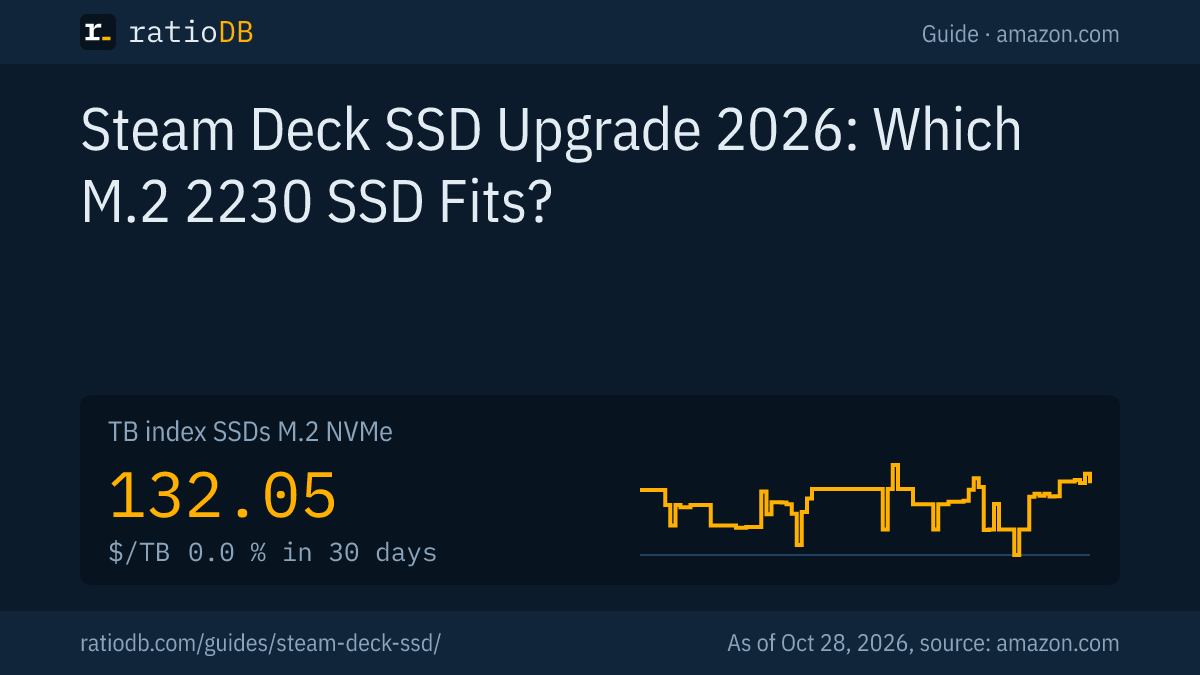
The cheapest new M.2 2230 SSD per TB on amazon.com right now is Crucial P310 2 TB at $177.97 per TB (2 TB). That is 34.8% above the TB index for all M.2 NVMe SSDs at $132.05, since the small 2230 format carries a premium. As of Oct 28, 2026 at 1:17 AM UTC.
New M.2 2230 SSDs from known brands on amazon.com, sorted by price per TB, 5 offers, as of Oct 28, 2026 at 1:17 AM UTC
| M.2 2230 SSD | Capacity | Price | Price per TB |
|---|---|---|---|
| Crucial P310 2 TB | 2 TB | $355.93 | $177.97 |
| Patriot Viper VP4000 Mini 2 TB | 2 TB | $423.97 | $211.99 |
| Acer MA200 512 GB | 512 GB | $124.99 | $244.12 |
| SanDisk Optimus GX 7100M 1 TB | 1 TB | $259.99 | $259.99 |
| Kingston NV3 500 GB | 500 GB | $144.99 | $289.98 |
The list includes every new NVMe SSD from a known brand whose listing title names the 2230 format. At 1 TB, the cheapest 2230 SSD costs $259.99 right now (SanDisk Optimus GX 7100M 1 TB). At 2 TB it is Crucial P310 2 TB for $355.93. Tom's Hardware recommends 1 or 2 TB, saying smaller capacities are hardly worth it. All NVMe SSDs are under M.2 NVMe SSD, prices by size on 1TB NVMe SSD and 2TB NVMe SSD. Those pages also list 2280 drives that do not fit the Deck. The long term trend is on the SSD price history page.
Why SSDs are so expensive in 2026 is covered in SSD prices.
What is the best SSD for the Steam Deck?
The best SSD for the Steam Deck is a single-sided M.2 2230 NVMe drive with 1 or 2 TB from a known brand with a warranty. Tom's Hardware compared the WD_BLACK SN770M, Corsair MP600 Core Mini, Lexar Play and Sabrent Rocket 4, among others, in the Deck and found only small differences.
Since the Steam Deck caps speed, these points decide:
- Capacity: 1 TB or 2 TB. Tom's Hardware says smaller sizes are hardly worth it for an upgrade.
- Price per TB: 2 TB models are often cheaper per TB than 1 TB models, and the table above shows the current state.
- Heat: Tom's Hardware measured the 2 TB WD SN740 as the hottest drive at 66 degrees Celsius, against 54 degrees for the coolest.
- Warranty: According to Tom's Hardware, cheap OEM drives like the SN740 typically lack warranties. Buy a retail model instead.
- Single-sided: The drive must fit under the shield.
Well known 2230 lines include the Crucial P310, WD_BLACK SN770M, Kingston NV3, Corsair MP600 Core Mini, Lexar Play and SanDisk Optimus GX 7100M. The table shows which of them are on offer at amazon.com right now. General SSD buying criteria are in Best SSD.
How do I install a new SSD in the Steam Deck?
To swap the SSD, drain the battery below 25%, enable battery storage mode in the BIOS, remove the 8 back cover screws, take off the shield and swap the SSD along with its foil sleeve. Then install SteamOS with Valve's recovery image.
The steps according to iFixit, PCGH and Tom's Hardware:
- Prepare the battery: Drain it below 25%. According to iFixit, Valve recommends putting the Deck into battery storage mode in the BIOS.
- Remove the microSD card: iFixit advises taking the card out before opening, because the back cover can snap it.
- Open the back: Remove 8 screws, on the LCD model 4 with PH0 and 4 with PH1 according to PCGH, on the OLED model Torx according to Tom's Hardware. Pry the cover off carefully with a plastic tool.
- Remove the shield: On the LCD model it is held by 3 screws (2 on refreshed units) according to iFixit, and 1 of them may hide under foil tape. On the OLED model, disconnect the cable across the shield first.
- Disconnect the battery: Unplug the battery cable, as iFixit and PCGH describe.
- Swap the SSD: Remove the SSD screw and pull out the old drive. Move the foil sleeve to the new SSD, which PCGH says Valve recommends. Leave the thermal pads where they are.
- Reassemble: Reconnect the battery and refit the shield and back cover. Tom's Hardware notes that removing parts of the shield can affect Wi-Fi reception.
- Install SteamOS: Write Valve's recovery image to a USB drive with Rufus or Balena Etcher, boot from it with Volume Down plus Power and choose "Re-image Steam Deck".
Sources: iFixit, PCGH, Tom's Hardware. If you want to keep your games, Tom's Hardware says you can clone the old drive first with an enclosure and Clonezilla.
Is a microSD card enough instead of an SSD?
For many players a microSD card is enough as extra storage. Valve lists a high-speed microSD slot with UHS-I that supports SD, SDXC and SDHC. The card needs no tools but loads more slowly than the internal SSD.
The microSD index is $0.207 per GB.
Valve's spec reads "UHS-I supports SD, SDXC and SDHC" (Valve). A microSD Express card therefore brings no speed gain in the Steam Deck, and a UHS-I card is enough. Which card class suits games and what A1 and A2 mean is explained in microSD Express. Prices by size are on 512GB microSD card and under microSD.
SSD or microSD: which is better for the Steam Deck?
An internal SSD has the faster link, PCIe 3.0 x4 instead of UHS-I. A microSD card is cheaper per GB and swapped in seconds. If you install many large games and want short load times, upgrade the SSD. If you just need more space, add a 512 GB or 1 TB microSD card.
| Feature | Internal 2230 SSD | microSD card |
|---|---|---|
| Install | open the case, reinstall SteamOS | plug in |
| Interface | NVMe over PCIe 3.0 x4 | UHS-I |
| Price per GB | higher (table above) | $0.207 per index |
| Library | everything on 1 drive | several cards possible |
| Risk | warranty and install mistakes | low |
You can combine both: a larger SSD for the games you play daily and a microSD card as an archive.
Can I use an external SSD with the Steam Deck?
Yes, an external SSD connects over USB-C, for example through a dock or with a cable on the go. Check how you will charge at the same time, for example through a dock with power input. For travel, the internal SSD and microSD are more convenient.
External SSDs make sense when you play docked on a TV and have room for a drive there. Which USB speed an external SSD needs is explained in USB 3.2 Gen 2 explained, and prices are under External SSD. Consoles with different rules are covered in Best SSD for PS5.
How does ratioDB compare Steam Deck SSDs?
ratioDB pulls amazon.com prices for every listed NVMe SSD and microSD card regularly and converts them into price per TB or GB, with 1 TB equal to 1,000,000,000,000 bytes. A 2230 SSD is any new offer from a known brand whose title names 2230.
The TB index is the median of the 10 cheapest new offers per product type. For the 2230 table we take the cheapest new offer per product and drop listings that mention 2242 or 2280. We do not run our own measurements. All rules are on the Methodology page, and the full lists are under M.2 NVMe SSD and microSD.
Steam Deck SSD FAQ
What size SSD fits the Steam Deck?
Only the M.2 2230 NVMe format, 22 × 30 mm. Valve advises against 2242 drives because, according to Valve, they draw more power and run hotter. 2280 drives are too long.
How big can the Steam Deck SSD be?
Tom's Hardware recommends 1 or 2 TB for an upgrade. Larger 2230 drives exist, so check price per TB and heat. Valve sells the Steam Deck OLED with 512 GB or 1 TB from the factory.
Do I need a PCIe 4.0 SSD for the Steam Deck?
No. According to PC Games Hardware, the Steam Deck connects the SSD over PCIe 3.0 x4. A PCIe 4.0 drive works but runs at PCIe 3.0 speed. Tom's Hardware still calls PCIe 4.0 models a sensible choice because they are widely available.
Do I have to reinstall SteamOS after swapping the SSD?
Yes, unless you clone the old drive first. Valve provides a recovery image that you write to a USB drive with Rufus or Balena Etcher. Then choose "Re-image Steam Deck".
Can I put a 2242 SSD in the Steam Deck?
Only with a mod, and Valve advises against it. Valve designer Lawrence Yang wrote that most 2242 drives draw more power and get hotter than the Steam Deck is designed for. The mod may appear to work but shortens the device's life.
How much does a 1 TB 2230 SSD cost right now?
The cheapest new 1 TB M.2 2230 SSD costs $259.99 on amazon.com right now (as of Oct 28, 2026 at 1:17 AM UTC).
Sources
- Valve: Steam Deck tech specs, 2242 warning by Lawrence Yang per GamingOnLinux (06/27/2022)
- Guides: iFixit: Steam Deck SSD Replacement, PC Games Hardware (05/23/2024), Tom's Hardware
- ratioDB: amazon.com prices, Methodology