How to Format a USB Drive to FAT32 on Windows and Mac
To format a USB flash drive to FAT32 on Windows, use Disk Management or the command format E: /FS:FAT32; on a Mac, use Disk Utility and pick MS-DOS (FAT). Built-in Windows tools only offer FAT32 up to 32GB, and Apple recommends exFAT above 32GB. Formatting erases everything on the drive. FAT32 also limits single files to 4GiB.
This guide follows the official help pages from Microsoft and Apple. It covers every built-in way to format a USB drive, explains the 32GB barrier and the change Microsoft is testing in Windows 11, and shows what a FAT32-friendly flash drive costs on amazon.com right now (as of Oct 28, 2026 at 1:17 AM UTC).
What does formatting a USB drive do?
Formatting writes a new file system to the USB drive, the structure that tells a device where files and folders live. Everything stored on the drive is lost. Microsoft puts it plainly: formatting a volume destroys any data on the partition.
A file system decides three things that matter on a flash drive: the largest single file you can store, which devices can read the drive, and whether permissions exist. Formatting therefore means choosing between FAT32, exFAT and NTFS.
Windows offers two kinds of format:
| Type | What happens according to Microsoft | Time |
|---|---|---|
| Quick format | deletes the file table and root directory, no scan for bad sectors | seconds |
| Full format | writes to every sector of the drive | many minutes, depending on size |
Microsoft recommends a quick format only for drives that were formatted before and are known to be in good condition (Microsoft Learn: format). For the PowerShell cmdlet Format-Volume, Microsoft notes that a full format writes to every sector and takes much longer than the default quick format (Microsoft Learn: Format-Volume).
Before you start: copy every file you want to keep to another drive. After a format, ordinary tools cannot get it back. For a routine that keeps two copies of everything, see our guide to the 3-2-1 backup rule.
FAT32, exFAT or NTFS: which should a USB drive use?
Use FAT32 when a device demands it and the drive holds 32GB or less. Use exFAT for larger drives shared between Windows and Mac or files over 4GiB. Use NTFS only for drives that stay on Windows PCs. Apple's Disk Utility cannot create NTFS at all.
The limits below come from Microsoft's file system comparison (Microsoft Learn) and Apple's list of formats in Disk Utility (Apple Support).
| Feature | FAT32 | exFAT | NTFS |
|---|---|---|---|
| Largest file per Microsoft | 4GiB | 2^64 minus 1 bytes | 2^64 minus 1 bytes |
| Can a Mac format it | yes, as MS-DOS (FAT) | yes | no, not in the list |
| Apple's advice for Windows volumes | 32GB or less | over 32GB | not stated |
| Metadata journaling | no | no | yes |
| Access control lists | no | no | yes |
4GiB equals 4 × 1,073,741,824 bytes, just under 4.3 billion bytes. A long 4K video or a disk image can exceed that, so it will not copy to a FAT32 drive even when most of the drive is empty.
NTFS keeps a transaction log that lets Windows restore file system consistency after a crash (Microsoft Learn: NTFS overview). FAT32 and exFAT have no such journal, so eject the drive before you pull it out.
How do I format a USB drive to FAT32 on Windows?
On Windows, open Disk Management by right-clicking Start, right-click the USB drive's volume, choose Format, select FAT32 and confirm with OK. The FAT32 option appears only for drives of 32GB or less. Microsoft warns that formatting destroys all data on the partition.
Steps from Microsoft Support (Disk Management in Windows):
- Open Disk Management: right-click (or press and hold) the Start button and select Disk Management.
- Find the drive: check the size and drive letter so you do not pick another disk.
- Choose Format: right-click the USB drive's volume and select Format.
- Pick the file system: select FAT32, exFAT or NTFS and type a volume label.
- Confirm: select OK. Windows warns that all data will be erased.
Microsoft adds that you cannot format a disk or partition that is in use. Close every window and app that has files open on the drive. If the drive does not appear at all, start with our guide external hard drive not showing up; the same checks apply to flash drives.
How do I format a USB drive to FAT32 with Command Prompt?
In an elevated Command Prompt, type format E: /FS:FAT32 /Q /V:USB, where E: is your drive letter. /FS sets the file system, /Q runs a quick format and /V sets the label. On current Windows releases, FAT32 still stops at 32GB.
Microsoft lists FAT, FAT32, NTFS, exFAT, ReFS and UDF as valid values for /FS (Microsoft Learn: format). The three common commands:
- FAT32: format E: /FS:FAT32 /Q /V:USB
- exFAT: format E: /FS:exFAT /Q /V:USB
- NTFS: format E: /FS:NTFS /Q /V:USB
PowerShell does the same with Format-Volume. Microsoft documents NTFS, ReFS, exFAT, FAT32 and FAT for the FileSystem parameter, and even shows Format-Volume -DriveLetter D -FileSystem FAT32 -Full -Force as an example (Microsoft Learn: Format-Volume). Without -Full, the cmdlet runs a quick format.
Check the letter twice. A wrong drive letter formats the wrong disk, and Windows asks for confirmation only once.
How do I format a USB drive larger than 32GB to FAT32?
With built-in tools in today's Windows releases, you can't: FAT32 formatting stops at 32GB. Microsoft has been testing a change in Windows 11 Insider builds since April 2026 that lets the format command create FAT32 volumes up to 2TB. The 4GB file limit stays.
According to PCWorld, the change shipped in Insider Preview Build 26300.8170 (Dev Channel) and Build 26220.8165 (Beta Channel), and it applies only to the command line; the graphical Format dialog keeps the 32GB cap (PCWorld, April 13, 2026). The article says the 32GB limit still applies in regular Windows 11. Apple gives the same split in Disk Utility: MS-DOS (FAT) for disks of 32GB or less, exFAT for anything larger (Apple Support).
Your options when a device insists on FAT32:
- Check whether exFAT works: many newer devices read exFAT. PS5 and PS4 play video and music from USB drives formatted with exFAT or FAT32 (PlayStation Support). Your TV, car stereo or printer manual lists the supported formats.
- Use a 32GB drive: any Windows PC formats a 32GB flash drive to FAT32. The cheapest from a known brand on amazon.com is SanDisk Cruzer Blade Drive 32 GB at $10.40 right now.
- Wait for the Windows update: once the Insider change reaches regular Windows 11, format E: /FS:FAT32 will handle drives up to 2TB.
No option removes the 4GiB file limit. Files larger than that need exFAT or NTFS.
How do I format a USB drive to FAT32 on a Mac?
On a Mac, open Disk Utility, choose View > Show All Devices, select the USB drive, click Erase, pick Master Boot Record as the scheme and MS-DOS (FAT) as the format, then click Erase again. Apple recommends MS-DOS (FAT) for disks of 32GB or less.
Steps from Apple Support (Format a disk for Windows computers):
- Open Disk Utility: it lives in Applications > Utilities.
- Show all devices: choose View > Show All Devices.
- Select the drive: click the USB drive itself in the sidebar, not only its volume.
- Click Erase in the toolbar.
- Pick a scheme: Apple says Master Boot Record gives compatibility with all Windows-based computers, while GUID Partition Map is for Macs and some newer Windows PCs (Apple Support: partition schemes).
- Pick a format: MS-DOS (FAT) for 32GB or less, ExFAT for larger disks.
- Name it: Apple limits the volume name to 11 characters.
- Click Erase, then Done.
Disk Utility does not offer NTFS. Which formats a Mac reads and writes, and when APFS is the better pick, is covered in our guide to the best external hard drive for Mac.
What if a USB drive won't format?
If a USB drive refuses to format, first check for a write-protect switch on the drive or adapter. If that is not it, use diskpart to wipe the partition table and create a fresh partition. If formatting still fails, the drive is probably faulty and should be replaced.
Some drives and card adapters have a small lock slider; in the LOCK position, the drive is write-protected (heise). Slide it back and try again.
Next comes diskpart, Windows' command-line tool for disks, partitions and volumes; it needs administrator rights (Microsoft Learn: diskpart). Per Microsoft, clean removes any and all partition or volume formatting from the selected disk (Microsoft Learn: clean):
- Open Command Prompt as administrator and type diskpart.
- Type list disk and identify the USB drive by its size.
- Type select disk 2, replacing 2 with your drive's number.
- Type clean. Every partition and file on that disk is gone.
- Type create partition primary.
- Type format fs=fat32 quick (or fs=ntfs).
- Type assign to give the drive a letter, then exit.
Warning: if you select the wrong number in step 3, clean wipes your Windows disk or a backup drive. Compare sizes in list disk carefully and unplug other USB storage first.
A flash drive that still throws write errors after this is usually not worth saving. The lowest price per GB on amazon.com right now is PNY Attaché Gen 1 256 GB at $0.117 per GB (256 GB).
Which format do PS5, TVs and car stereos need?
PS5 and PS4 read USB drives formatted with exFAT or FAT32, according to PlayStation's help pages. For TVs, car stereos, printers and cameras, the device manual sets the format. Many of these devices do not read NTFS, so check before you format.
PlayStation's support page is explicit: make sure the USB drive is formatted with either exFAT or FAT32 to play video and music on PS5 or PS4 (PlayStation Support).
For other devices:
- Search the manual for "file system", "FAT32" or "exFAT".
- If it lists only FAT32, use a drive of 32GB or less and format it FAT32.
- If it lists exFAT, any larger drive works.
- If it lists nothing, ask the manufacturer or try FAT32 first and switch to exFAT for files over 4GB.
How much do USB flash drives cost per GB?
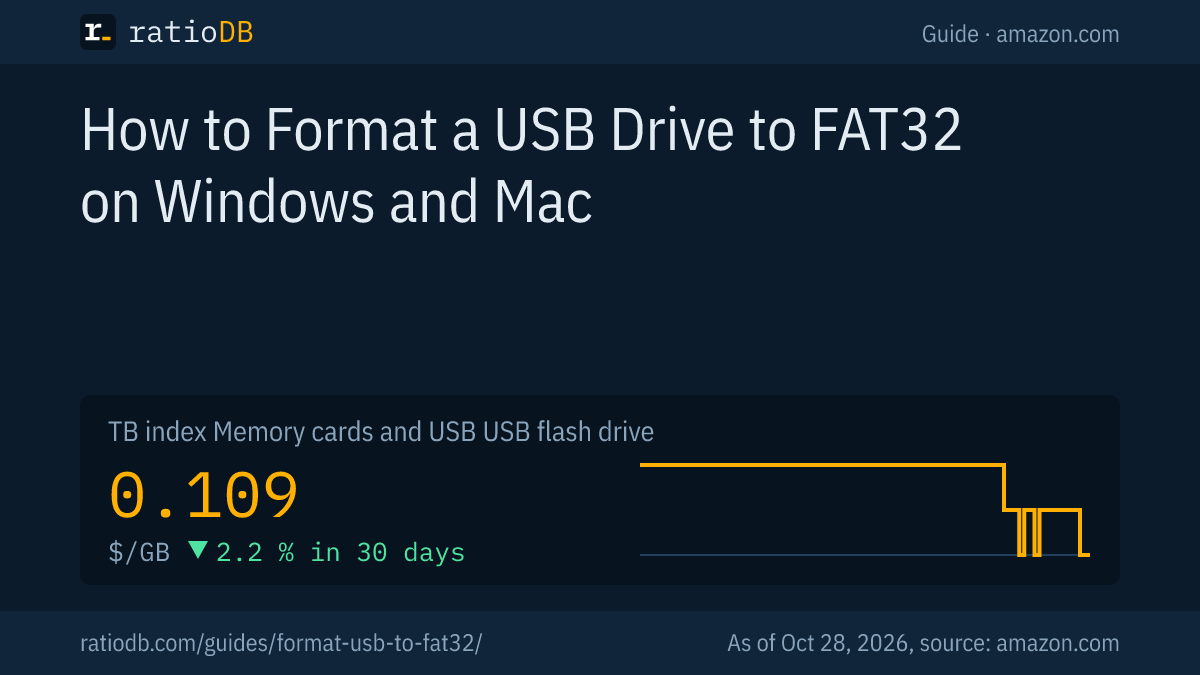
USB flash drives cost $0.109 per GB on amazon.com according to the ratioDB GB index, -2.2% over 30 days. The index is the median of the 10 cheapest new offers. Larger drives usually cost less per GB than small ones.
Cheapest flash drive from a known brand per capacity on amazon.com, as of Oct 28, 2026 at 1:17 AM UTC
| Capacity | Cheapest USB flash drive | Price | Price per GB | Format per Apple for Windows |
|---|---|---|---|---|
| 32 GB | SanDisk Cruzer Blade Drive 32 GB | $10.40 | $0.325 | FAT32 (MS-DOS FAT) |
| 64 GB | SanDisk Ultra Dual Go 64 GB | $18.39 | $0.287 | exFAT |
| 128 GB | SanDisk Ultra Flair 128 GB | $24.56 | $0.192 | exFAT |
| 256 GB | PNY Attaché Gen 1 256 GB | $29.99 | $0.117 | exFAT |
| 512 GB | SanDisk Ultra Dual Go 512 GB | $79.99 | $0.156 | exFAT |
The last column shows the format Apple recommends for Windows use: MS-DOS (FAT) up to 32GB, exFAT above. Only single drives from known brands are listed; multipacks and marketplace brands are left out.
Stepping up from 32GB to 64GB costs $7.99 more right now: SanDisk Ultra Dual Go 64 GB at $18.39 versus SanDisk Cruzer Blade Drive 32 GB at $10.40. If you do not strictly need FAT32, 64GB gets you twice the space. For fast drives and what USB 3.2 Gen 1 means, read our guide to the best USB flash drive. Every listing is under USB flash drives.
Why does Windows show fewer GB after formatting?
Windows counts in binary units: its "GB" is 1,073,741,824 bytes, while the box uses 1GB for 1,000,000,000 bytes. A 64GB drive therefore shows about 59.6GB in Windows. The file system itself also takes a little space.
The math: 64,000,000,000 bytes divided by 1,073,741,824 equals 59.6. Nothing is missing; the unit is different. Manufacturers and ratioDB count 1GB as 10^9 bytes and 1TB as 10^12 bytes.
Allocation unit size (cluster size) matters too, because every file occupies at least one cluster. For the format command, Microsoft recommends default settings for general use; Windows picks them based on the size of the volume (Microsoft Learn: format).
How does ratioDB compare USB flash drives?
ratioDB pulls amazon.com prices for every listed USB flash drive on a fixed schedule and converts them to price per GB, with 1GB equal to 1,000,000,000 bytes. Multipacks are divided by total capacity. The GB index is the median of the 10 cheapest new offers.
The steps in this guide come from Microsoft's and Apple's help pages as of October 26, 2026. We do not run our own measurements on flash drives. Every offer is listed with condition, price, capacity and timestamp. Our rules are on the methodology page, and all cards and flash drives are collected under memory cards and USB.
USB formatting FAQ
What format should a USB drive be for Windows and Mac?
exFAT. Both Windows and macOS read and write it, and single files can exceed 4GB. Apple recommends exFAT for disks over 32GB and MS-DOS (FAT), which is FAT32, for smaller ones.
Why is FAT32 missing from the Windows format options?
Because the drive is larger than 32GB. Current Windows releases format FAT32 only up to 32GB. Since April 2026, Microsoft has been testing FAT32 formatting up to 2TB with the format command in Windows 11 Insider builds.
Does formatting a USB drive erase everything?
Yes. Microsoft says formatting destroys any data on the partition, and Apple says erasing a storage device deletes everything on it. Copy anything you want to keep to another drive first.
Should I choose quick format or full format?
Quick format is fine for a working drive. According to Microsoft, it deletes the file table but skips the scan for bad sectors. A full format writes to every sector and takes much longer.
What format does a USB drive need for PS5?
exFAT or FAT32 for video and music, according to PlayStation Support. Pick exFAT if any file is larger than 4GB, because FAT32 caps single files at 4GiB.
Can I format a USB drive as NTFS?
Yes, in Disk Management or with format E: /FS:NTFS on Windows. NTFS makes sense for a drive that stays on Windows PCs. Disk Utility on a Mac does not offer NTFS as a format.
Sources
- Microsoft: format (Microsoft Learn), Format-Volume (Microsoft Learn), diskpart (Microsoft Learn), clean (Microsoft Learn), File system functionality comparison (Microsoft Learn), NTFS overview (Microsoft Learn), Disk Management in Windows (Microsoft Support)
- Apple: File system formats in Disk Utility, Format a disk for Windows computers, Partition schemes
- PlayStation Support: play video and music from USB drives, PCWorld: Windows 11 removes the 32GB FAT32 limit in Insider builds (April 13, 2026), heise: USB stick won't format (German)
- ratioDB: amazon.com prices, methodology