EXPO vs XMP and DDR5 Timings: CL30, 6000 MT/s and Latency
EXPO (AMD) and XMP (Intel) are memory profiles stored on a DDR5 kit that run it faster than the JEDEC standard. Both do the same job: XMP is built for Intel platforms, EXPO for AMD AM5. A DDR5-6000 CL30 kit reaches about 10 nanoseconds of true latency, according to Kingston, but only once you enable the profile in the BIOS. Without a profile, even a fast kit runs at standard speed.
This guide explains EXPO vs XMP, what timings like CL30-38-38-96 mean, how to calculate true latency, how to enable a profile step by step, and what faster kits cost right now. Prices come live from the ratioDB database for amazon.com, as of Oct 28, 2026 at 1:17 AM UTC. Speed and CL come from the listing titles. ratioDB does not benchmark memory.
What is the difference between EXPO and XMP?
XMP (Extreme Memory Profile) is Intel's profile technology, EXPO (Extended Profiles for Overclocking) is AMD's for AM5. Both store faster settings for speed, timings and voltage on the stick. ASUS sums it up: XMP is optimized for Intel CPUs, EXPO for AMD.
The main differences according to the companies:
| Feature | XMP (Intel) | EXPO (AMD) |
|---|---|---|
| Platform | Intel Core Ultra and Core K on Z and B series boards | Ryzen on AM5 |
| DDR5 version | XMP 3.0 | EXPO |
| Profiles | up to 5, 2 of them rewritable | depends on the kit |
| Extra | users can save their own profiles | AMD says it now supports Ultra Low Latency memory |
| Warranty note | may void the processor warranty | voids the AMD product warranty |
Sources: Intel XMP, AMD EXPO, ASUS.
Corsair writes that "essentially, XMP and EXPO serve the same purpose and can be treated as the same" (Corsair). ASUS, on the other hand, warns that compatibility isn't guaranteed for modules on the opposing platform. ASUS boards offer DOCP, which uses the kit's profile data to set speed and timings, and AEMP (ASUS Enhanced Memory Profiles) as a fallback when no XMP or EXPO profile is available.
In our database, 17 of 29 DDR5 desktop kits from known brands mention EXPO in the title, 13 mention XMP and 8 mention both. If the title is silent, the manufacturer's spec sheet will tell you. For a Ryzen PC the safest buy is an EXPO kit, for Intel an XMP kit. Many kits carry both.
What do DDR5 timings like CL30-38-38-96 mean?
DDR5 timings are 4 numbers in a fixed order: CL, tRCD, tRP and tRAS. Each is a delay counted in clock cycles. CL30-38-38-96 means 30 cycles CAS latency, 38 cycles tRCD, 38 cycles tRP and 96 cycles tRAS. Lower numbers mean shorter delays at the same speed.
The 4 values at a glance, definitions per Wikipedia: Memory timings:
| Value | Name | Meaning |
|---|---|---|
| CL | CAS latency | cycles between requesting a column and the start of the response |
| tRCD | Row Address to Column Address Delay | minimum cycles between opening a row and accessing its columns |
| tRP | Row Precharge Time | minimum cycles between closing a row and opening the next |
| tRAS | Row Active Time | minimum cycles a row must stay open |
Kingston defines CAS latency as "the amount of time your RAM takes to start delivering data after the CPU asks for it" (Kingston). Most listings only show CL, while some makers such as G.Skill or Corsair print the full set, for example "CL30-38-38-96".
Kingston also separates standard and overclockable memory: standard memory follows JEDEC speeds, timings and voltages, while overclockable memory "is built with more aggressive timings". Those tighter values live in the EXPO or XMP profile.
How do I calculate true latency in nanoseconds?
True latency in nanoseconds equals CL times 2,000 divided by the speed in MT/s. By that formula, Kingston puts DDR5-6000 CL30 at about 10 ns, and DDR5-7600 CL38 also at 10 ns. A higher CL is no drawback when the speed is proportionally higher.
Kingston gives the formula as "CAS latency × (2000 ÷ RAM speed in MT/s) = total latency (ns)" (Kingston). The factor 2,000 comes from DDR memory making 2 transfers per clock and 1 second having 1,000,000,000 nanoseconds. Our math for common DDR5 kits:
| Kit | Calculation | True latency |
|---|---|---|
| DDR5-4800 CL40 | 40 × 2,000 / 4,800 | 16.7 ns |
| DDR5-5600 CL46 | 46 × 2,000 / 5,600 | 16.4 ns |
| DDR5-5600 CL36 | 36 × 2,000 / 5,600 | 12.9 ns |
| DDR5-6000 CL36 | 36 × 2,000 / 6,000 | 12.0 ns |
| DDR5-6000 CL30 | 30 × 2,000 / 6,000 | 10.0 ns |
| DDR5-6400 CL32 | 32 × 2,000 / 6,400 | 10.0 ns |
| DDR5-7200 CL34 | 34 × 2,000 / 7,200 | 9.4 ns |
| DDR5-8000 CL38 | 38 × 2,000 / 8,000 | 9.5 ns |
Latency is only half the story. A faster kit moves more data per second at the same latency. DDR5-6400 CL32 and DDR5-6000 CL30 respond equally fast, but the 6400 kit has about 7% more bandwidth. The comparison with DDR4 is in DDR5 vs DDR4.
CL30 vs CL36: is DDR5-6000 CL30 better?
DDR5-6000 CL30 responds after 10.0 ns in theory, DDR5-6000 CL36 after 12.0 ns. CL30 is about 17% quicker per access at the same bandwidth. On amazon.com the cheapest 2 × 16 GB CL30 kit costs $92.00 more than the cheapest CL36 kit right now.
The 2 cheapest 32 GB (2 × 16 GB) kits at 6,000 MT/s on amazon.com, as of Oct 28, 2026 at 1:17 AM UTC:
- CL30: Klevv CRAS RGB 2 × 16 GB for $551.99
- CL36: Crucial Pro 2 × 16 GB for $459.99
That makes CL30 $92.00 or 20.0% more expensive. For that premium you get 2 ns lower true latency at the same bandwidth. If the gap is small, CL30 is the better buy. On a tight budget, CL36 gives you the same 6,000 MT/s and the same bandwidth.
DDR5-6000 CL30 is popular on AMD AM5 because AMD called 6,000 MT/s the sweet spot for Ryzen 7000 in 2022. PC Games Hardware reports that AMD's Robert Hallock described it as the best balance of cost, stability, performance, availability and simplicity (PCGH, 09/02/2022).
How much more do fast DDR5 kits cost?
Fast DDR5 kits with low CL cost more than standard kits on amazon.com right now. The cheapest 2 × 16 GB kit with speed and CL in its title is Crucial Pro 2 × 16 GB at DDR5-6000 CL36 for $459.99, with 12.0 ns true latency. The table shows the premium for each combination.
Cheapest new 2 × 16 GB DDR5 desktop kit by speed and CL on amazon.com, 14 kits from known brands, as of Oct 28, 2026 at 1:17 AM UTC
| Speed and CL | True latency | Cheapest 2 × 16 GB kit | Price | Premium |
|---|---|---|---|---|
| DDR5-6000 CL28 | 9.3 ns | Klevv FIT 2 × 16 GB | $496.99 | +$37.00 |
| DDR5-6000 CL30 | 10.0 ns | Klevv CRAS RGB 2 × 16 GB | $551.99 | +$92.00 |
| DDR5-6000 CL32 | 10.7 ns | G.skill Flare X5 Series 2 × 16 GB | $589.98 | +$129.99 |
| DDR5-6000 CL36 | 12.0 ns | Crucial Pro 2 × 16 GB | $459.99 | cheapest |
| DDR5-6000 CL38 | 12.7 ns | Lexar Thor RGB 2 × 16 GB | $479.99 | +$20.00 |
| DDR5-6400 CL30 | 9.4 ns | G.skill Trident Z5 Royal Neo 2 × 16 GB | $779.00 | +$319.01 |
| DDR5-6400 CL32 | 10.0 ns | TeamGroup T-Force Vulcan 2 × 16 GB | $629.99 | +$170.00 |
| DDR5-6800 CL34 | 10.0 ns | Kingston FURY Beast 2 × 16 GB | $736.82 | +$276.83 |
| DDR5-7400 CL36 | 9.7 ns | Patriot Viper Venom RGB 2 × 16 GB | $1,394.14 | +$934.15 |
The premium is measured against the cheapest kit in the table. We calculated true latency with Kingston's formula from the speed and CL in the listing title. The lowest true latency right now belongs to DDR5-6000 CL28 at 9.3 ns (Klevv FIT 2 × 16 GB for $496.99). The fastest kit by speed, DDR5-7400 CL36, costs $934.15 more than the cheapest.
All kits sorted by price per GB are under DDR5 desktop and on 32GB DDR5 RAM. The long term trend is on the RAM price history page.
How do I enable XMP or EXPO in the BIOS?
You enable XMP or EXPO in your motherboard BIOS: press Delete during startup, switch the memory profile from Standard to XMP 1 or EXPO 1, save with F10 and reboot. Then check in Task Manager that the memory runs at the new speed.
On MSI boards, according to MSI:
- Enter the BIOS: Restart and press Delete (DEL) as the PC turns on. Some other makers use F2.
- Pick the profile: In EZ Mode, top left under "Memory", change "Standard" to XMP1, or EXPO1 on AMD.
- Save: Press F10, confirm and reboot.
- Verify: In Windows Task Manager, check the speed under Performance and Memory.
On ASUS boards, according to ASUS:
- Enter the BIOS: Press Delete during startup.
- Advanced Mode: Press F7.
- Pick the profile: On the Ai Tweaker tab, choose XMP, EXPO, DOCP or AEMP under Ai Overclock Tuner.
- Save: Press F10 and reboot.
Gigabyte, ASRock and others name their menus differently, but the principle is the same. Your motherboard manual has the exact path.
What if my PC won't boot after enabling XMP or EXPO?
If the PC won't start after enabling a profile, restore the defaults: press F6 in the BIOS and save with F10. If it then boots, the profile is not stable on your system. On AMD Ryzen, MSI advises waiting a while first when the screen stays black.
MSI puts it this way: if an AMD Ryzen system shows no display after enabling a profile, "the best thing to do... is to just wait for a while". If it never comes up, press F6 to restore defaults and F10 to save. If the PC boots at default settings, MSI says the overclock may not be stable, and points to its Memory-Try-It feature, which tries common timings (MSI).
Other things to check:
- 4 sticks: With 4 sticks, AMD rates the Ryzen 7 9800X3D at only DDR5-3600, with 2 sticks at DDR5-5600. Fast profiles often fail with 4 sticks.
- BIOS version: Check your motherboard support page for a newer BIOS that improves memory support.
- Compatibility list: AMD keeps a list of kits that ran at rated speed and latency across systems. Motherboard makers publish their own QVL lists.
- Lower profile: Some kits include a 2nd, slower profile such as XMP2 or EXPO2.
Is XMP or EXPO safe, and does it void the warranty?
XMP and EXPO are overclocking. Intel says altering frequency or voltage outside its specifications may void the processor warranty. AMD says running outside its published specifications voids any applicable AMD product warranty, even when enabled through AMD hardware or software.
Intel's wording: "Altering the frequency and/or voltage outside of Intel specifications may void the processor warranty" (Intel). AMD writes that operating outside its published specifications "will void any applicable AMD product warranty, even when enabled via AMD hardware and/or software", and notes that system maker or retailer warranties may be affected too (AMD EXPO).
Memory makers sell their kits with exactly these profiles and rate them for the listed values. According to Intel and AMD, the risk mainly concerns the processor warranty. If you want to play it safe, run your processor's official memory speed without a profile.
What speed does DDR5 run at without EXPO or XMP?
Without a profile, DDR5 runs at a JEDEC standard speed which, according to MSI, depends on what the chipset and processor support. AMD rates the Ryzen 7 9800X3D at DDR5-5600 with 2 sticks. Since 2024 the JEDEC standard goes up to 8,800 MT/s.
According to HotHardware, JEDEC (the standards body for memory) extended DDR5 to 8,800 MT/s with JESD79-5C on 04/23/2024, while the 2020 version went up to 6,400 MT/s (HotHardware). Your motherboard picks the speed without a profile based on the data stored on the stick and what the processor supports. A kit marked "6000MHz" can therefore run much slower after installation until you enable its profile.
This is a budget decision when you buy: a kit at your processor's official speed runs without a profile and without warranty questions. A fast kit pays off if you plan to use the profile. Which kit in which size is cheapest right now is covered in Best DDR5 RAM.
How much does faster RAM really help?
In theory, true latency drops about 39% from DDR5-5600 CL46 to DDR5-6000 CL30, but only 5% from DDR5-6000 CL30 to DDR5-8000 CL38. How much of that reaches your software depends on the processor and the application. Very high speeds mainly add bandwidth.
The premium table shows the cost, the latency table the theoretical gain. DDR5-5600 CL46 works out to 16.4 ns, DDR5-6000 CL30 to 10.0 ns and DDR5-8000 CL38 to 9.5 ns. Going from 6,000 to 8,000 MT/s raises bandwidth by about 33% while latency barely moves. Benchmarks from tech publications comparing DDR5 and DDR4 are linked in DDR5 vs DDR4.
How much RAM prices rose in 2026 is covered in Why RAM prices are so high. When prices are high, the cost per nanosecond saved matters even more.
How does ratioDB compare DDR5 kits?
ratioDB pulls amazon.com prices for every listed RAM kit regularly and converts them into price per GB. We read speed and CL from the listing title and calculate true latency with the formula CL times 2,000 divided by MT/s.
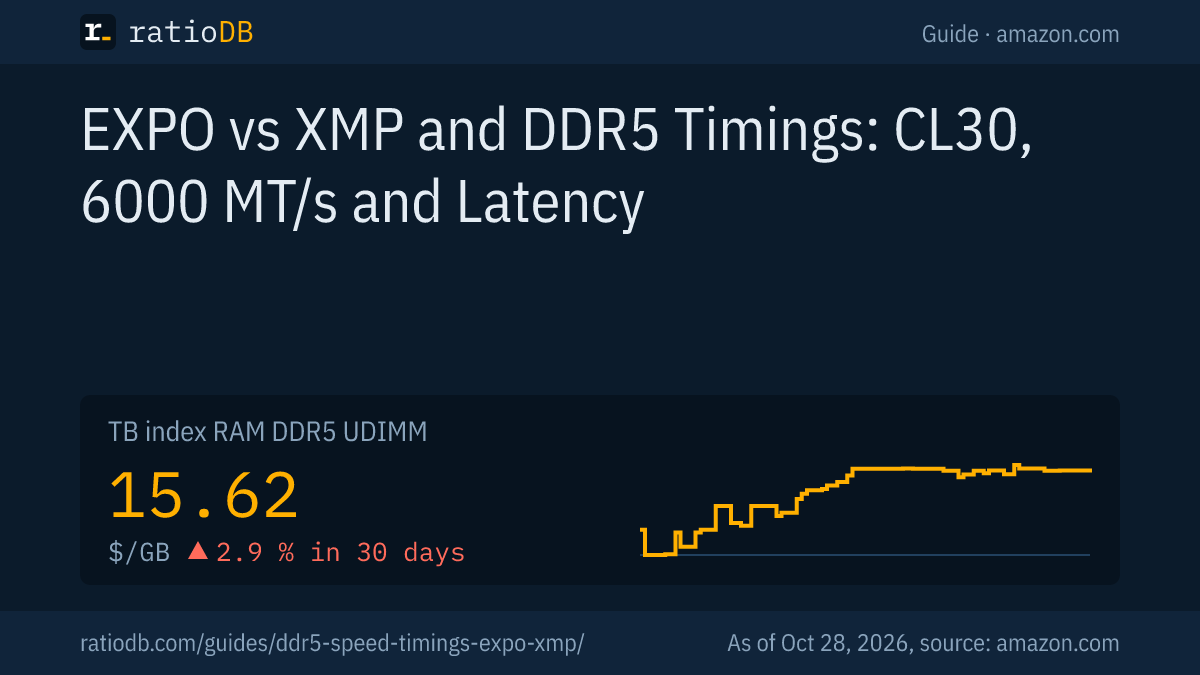
For the premium table we only count new 2 × 16 GB desktop kits from known brands with speed and CL in the title, using the cheapest offer per product. We do not run our own measurements. The DDR5 desktop index is $15.62 per GB right now. All rules are on the Methodology page, all kits under DDR5 desktop and RAM.
EXPO vs XMP and DDR5 timings FAQ
Which is better, EXPO or XMP?
Neither is better in principle. XMP is built for Intel, EXPO for AMD AM5, and Corsair says both serve the same purpose. Buy the profile that matches your processor. Many kits have both.
Can I use an XMP kit on an AMD motherboard?
Often yes. ASUS boards for AMD offer DOCP, which reads the profile data. ASUS notes, however, that compatibility isn't guaranteed on the opposing platform. An EXPO kit is the safer choice.
How do I enable XMP?
Press Delete during startup, switch the memory profile in the BIOS from Standard to XMP 1 and save with F10. On MSI it is in EZ Mode under "Memory", on ASUS in Advanced Mode under Ai Tweaker and Ai Overclock Tuner.
What does CL30 mean on DDR5?
CL30 means the memory needs 30 clock cycles to respond. At 6,000 MT/s that is 10 nanoseconds in theory. The same 30 cycles at 5,600 MT/s would be 10.7 nanoseconds.
CL30 vs CL36: which is better?
At the same speed, CL30 is faster. DDR5-6000 CL30 responds after 10.0 ns, CL36 after 12.0 ns. Whether the premium is worth it is shown in the price table above.
Why is my RAM running slower than advertised?
Because the EXPO or XMP profile is not enabled. Without it, the motherboard uses a JEDEC standard speed. With 4 sticks, the profile may also be too fast for your system.
How much does DDR5-6000 CL30 cost right now?
The cheapest new 2 × 16 GB DDR5-6000 CL30 kit costs $551.99 on amazon.com right now (as of Oct 28, 2026 at 1:17 AM UTC).
Sources
- AMD: AMD EXPO, Ryzen 7 9800X3D, DDR5-6000 sweet spot per PC Games Hardware (09/02/2022)
- Intel: Extreme Memory Profile (XMP)
- Motherboard makers: ASUS: XMP vs EXPO vs AEMP, MSI: enabling XMP and EXPO
- Memory makers: Kingston: CAS latency explained, Corsair: XMP vs EXPO
- JEDEC: JESD79-5C update per HotHardware (04/23/2024), timing definitions: Wikipedia: Memory timings
- ratioDB: amazon.com prices, Methodology