NVMe vs SATA SSD: Which is better? Differences and prices per TB
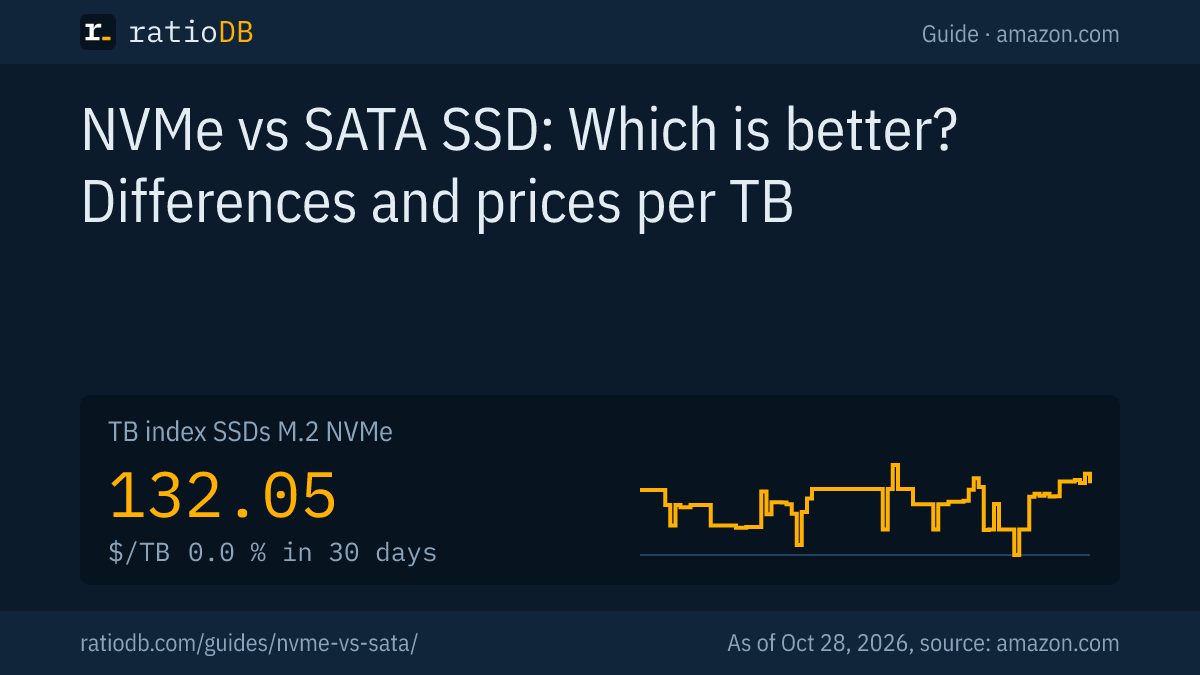
NVMe SSDs connect via PCIe and read up to 14,800 MB/s according to their datasheets, while SATA SSDs are limited by their interface to about 560 MB/s. A PCIe 4.0 NVMe SSD is therefore about 13 times as fast in sequential reads. On amazon.com, NVMe currently costs $132.05 per TB according to the ratioDB TB index, a 2.5-inch SATA SSD $122.93 (as of Oct 28, 2026 at 1:17 AM UTC). For new PCs and laptops with an M.2 slot, NVMe is the default choice, while SATA mainly makes sense for older devices.
This guide explains the difference, shows how much of it you notice in daily use, clears up the confusion around M.2 and compares real amazon.com prices from the ratioDB database. All prices are recalculated with every update.
What is the difference between NVMe and SATA?
SATA is an older interface designed for hard drives. NVMe (Non-Volatile Memory Express) is a protocol for flash storage that runs directly over PCIe. NVMe can handle up to 65,535 queues with 65,535 commands each, SATA only 1 queue with up to 32 commands.
IBM cites these figures in a comparison of both (IBM, updated Aug 11, 2026). For you, it means an NVMe SSD can process a very large number of requests at once and has a much wider connection. A SATA SSD uses the same interface as a hard drive and hits its limit.
| Feature | SATA SSD | NVMe SSD |
|---|---|---|
| Connection | SATA 6 Gb/s | PCIe 3.0, 4.0 or 5.0, usually 4 lanes |
| Theoretical maximum | about 600 MB/s | about 4, 8 or 16 GB/s depending on PCIe generation |
| Queues | 1 with up to 32 commands | up to 65,535 with 65,535 commands each |
| Form factors | 2.5-inch or M.2 | M.2, rarely add-in card or U.2 |
| Price per TB on amazon.com | $122.93 (2.5-inch), $242.11 (M.2) | $132.05 |
Sources: SATA-IO, IBM, Trenton Systems on PCIe.
How much faster is NVMe than SATA?
In sequential reads, a SATA SSD like the Samsung 870 EVO does 560 MB/s, a PCIe 3.0 NVMe SSD about 3,500 MB/s, PCIe 4.0 about 7,450 MB/s and PCIe 5.0 up to 14,800 MB/s. NVMe also leads with many small accesses.
The figures from the manufacturers' datasheets:
| SSD | Interface | Sequential read | Sequential write |
|---|---|---|---|
| Samsung 870 EVO | SATA 6 Gb/s | 560 MB/s | 530 MB/s |
| Samsung 970 EVO Plus | PCIe 3.0 x4 | 3,500 MB/s | 3,300 MB/s |
| Samsung 990 PRO 1 TB | PCIe 4.0 x4 | 7,450 MB/s | 6,900 MB/s |
| Samsung 9100 PRO 2 TB | PCIe 5.0 x4 | 14,700 MB/s | 13,400 MB/s |
Sources: 870 EVO datasheet, Samsung on the 970 EVO Plus (Jan 23, 2019), Samsung 990 PRO, Samsung 9100 PRO.
With single small accesses, the gap is smaller. Samsung lists 13,000 IOPS (input/output operations per second) for 4 KB random reads at a queue depth of 1 for the 870 EVO and 22,000 IOPS for the 990 PRO. Only with many simultaneous requests does NVMe pull far ahead. That is where its many queues pay off.
The PCIe generation determines how wide the connection is. Per lane, PCIe 3.0 delivers about 1 GB/s, PCIe 4.0 about 2 GB/s and PCIe 5.0 about 4 GB/s. M.2 SSDs usually use 4 lanes (Trenton Systems).
Will you notice the difference between NVMe and SATA in daily use?
When copying large files, clearly. When loading many games, less than the datasheets suggest. In a Legit Reviews test, an NVMe SSD loaded Final Fantasy XIV barely faster than good SATA SSDs. With DirectStorage, however, NVMe cut load times in Forspoken by 77%.
The results in detail:
- Classic loading without DirectStorage: Final Fantasy XIV loaded in 42.4 seconds from a hard drive and in 33.9 seconds from the Crucial BX200 SATA SSD. The Kingston A1000 NVMe SSD was only about 0.5 seconds faster than the BX200 and slower than the Samsung 850 EVO SATA SSD. The Samsung 960 Pro NVMe SSD loaded about 13% faster than the BX200 (Legit Reviews, 2018).
- With DirectStorage: in Forspoken, a scene took 7.4 seconds with the Samsung 860 EVO SATA SSD and 1.9 seconds with the MSI M480 NVMe SSD (PCIe 4.0). Across all scenes, NVMe cut load times by 77%. The author also notes that DirectStorage has little effect on most existing games (PCWorld, Feb 2, 2023).
When loading, how fast the CPU and the game process the data matters alongside the SSD. DirectStorage is a Microsoft technology that lets games load data from the SSD faster. The more games use it, the more NVMe pays off.
You notice the biggest difference when copying large amounts of data, for example when moving video projects or large game folders. Here an NVMe SSD is many times faster than any SATA SSD.
How much does NVMe cost compared with SATA?
Per TB, the TB index for M.2 NVMe SSDs on amazon.com currently stands at $132.05, for 2.5-inch SATA SSDs at $122.93 and for M.2 SATA SSDs at $242.11. NVMe costs 7.4% more per TB than 2.5-inch SATA.
At the same capacity, the gap depends a lot on the size. The table compares the cheapest new NVMe SSD with the cheapest new SATA SSD (2.5-inch or M.2):
Cheapest NVMe and SATA SSD by capacity on amazon.com, as of Oct 28, 2026 at 1:17 AM UTC
| Capacity | Cheapest NVMe SSD | Cheapest SATA SSD | NVMe costs |
|---|---|---|---|
| 500 GB | Fikwot 2280,Read 500 GB: $85.49 | SanDisk Plus 500 GB: $109.00 | -21.6% |
| 1 TB | Timetec High Read Speed 1 TB: $139.99 | SP Silicon Power A55 Boost 1 TB: $119.67 | +17.0% |
| 2 TB | KingSpec NX Series 2 TB: $246.99 | Bestoss NGFF 2 TB: $215.99 | +14.4% |
| 4 TB | Crucial P3 Plus 4 TB: $669.77 | Ediloca 4 TB: $379.99 | +76.3% |
M.2 SATA SSDs are often the most expensive per TB because few models are left. If your device supports NVMe, an M.2 SATA SSD is almost never the best choice.
Is M.2 the same as NVMe?
No, M.2 is only the form factor: a slim stick that plugs directly into the motherboard. There are M.2 SSDs with NVMe and M.2 SSDs with SATA. An M.2 SATA SSD is about as fast as a 2.5-inch SATA SSD.
How to tell them apart (Coolblue):
- Key: M.2 SSDs with an M key are much faster than SSDs with a B key. SSDs with a B+M key, meaning 2 notches, fit both slot types mechanically but don't always work in an M slot.
- Size: M.2 SSDs are always 22 mm wide. The number after it is the length: 2242 means 42 mm long, 2280 means 80 mm long. 2280 is the most common.
- Interface: whether an M.2 SSD uses NVMe or SATA is listed in the datasheet and product description.
That is why ratioDB lists M.2 SSDs in 2 separate lists: M.2 NVMe SSD and M.2 SATA SSD.
Which SSD fits my PC or laptop?
Your motherboard or laptop manual tells you: which M.2 slots there are, whether they support NVMe, SATA or both, which PCIe generation they have and which length fits. Without an M.2 slot, use a 2.5-inch SATA SSD.
How to proceed:
- Check the manual: the storage or M.2 page lists slots, interface and supported lengths.
- Note the PCIe generation: a PCIe 3.0 slot limits a PCIe 4.0 SSD to PCIe 3.0 speed. The SSD still works because PCIe is backward compatible (PCI-SIG via Design & Reuse, May 29, 2019).
- Check the space: laptops often have only 2 to 3 mm of height to spare, so a heatsink won't fit (SanDisk).
- 2.5-inch as an alternative: older laptops and PCs without M.2 almost always have a 2.5-inch drive bay and a SATA port.
The lists by form factor: M.2 NVMe SSD, 2.5" SATA SSD and M.2 SATA SSD.
PCIe 3.0, 4.0 or 5.0: which generation do I need?
For most users, PCIe 4.0 is the best choice: about twice as fast as PCIe 3.0 and much cheaper and cooler than PCIe 5.0. PCIe 5.0 pays off if your motherboard supports it and you regularly copy very large amounts of data.
| Generation | Per lane | With 4 lanes | Datasheet example |
|---|---|---|---|
| PCIe 3.0 | about 1 GB/s | about 4 GB/s | Samsung 970 EVO Plus: 3,500 MB/s |
| PCIe 4.0 | about 2 GB/s | about 8 GB/s | Samsung 990 PRO: 7,450 MB/s |
| PCIe 5.0 | about 4 GB/s | about 16 GB/s | Samsung 9100 PRO: 14,700 MB/s |
A PCIe 5.0 SSD only reaches its full speed in a PCIe 5.0 slot. It also runs warmer and uses more power, as the next sections show. For older PCIe 3.0 systems, an affordable PCIe 3.0 or 4.0 SSD is often enough, because the slot limits the speed anyway.
Do NVMe SSDs get hot?
Yes, according to SanDisk, fast NVMe SSDs get much warmer than SATA SSDs and throttle their speed when hot. Crucial says the PCIe 5.0 T705 without its own heatsink needs a motherboard heatsink or another one.
SanDisk writes that fast NVMe SSDs generate "significantly more heat than SATA drives" and throttle when they get too hot (SanDisk). For PCIe 5.0 SSDs, cooling is practically a must: according to Crucial, the T705 without its own heatsink needs one for optimal performance, while the heatsink version runs without throttling under typical airflow (Crucial).
Many motherboards already have a heatsink over the M.2 slot. Use it, even for PCIe 4.0 SSDs. Laptops often have no room for one, so efficient PCIe 4.0 SSDs are usually the better choice there.
How much power do NVMe and SATA SSDs use?
A SATA SSD like the Samsung 870 EVO uses 2.0 to 2.5 watts when reading and writing, the 1 TB 990 PRO NVMe SSD 5.4 watts on average and the PCIe 5.0 9100 PRO 8.1 watts when reading. At idle, all 3 are very efficient.
| SSD | Interface | Active | Idle |
|---|---|---|---|
| Samsung 870 EVO | SATA | 2.0 to 2.5 W | 30 to 35 mW |
| Samsung 990 PRO 1 TB | PCIe 4.0 | 5.4 W average | 50 mW max |
| Samsung 9100 PRO 2 TB | PCIe 5.0 | 8.1 W read, 7.9 W write | 4.8 mW |
Manufacturers measure differently, so the values are only roughly comparable. In a desktop PC, the difference hardly matters. In a laptop, a more efficient SSD can save some battery under load.
Which SSD fits the PlayStation 5?
The PS5 needs an M.2 NVMe SSD with PCIe 4.0 x4. According to Sony's requirements from 2021, it recommends at least 5,500 MB/s read speed and cooling, and the SSD including heatsink may be at most 11.25 mm tall. SATA SSDs don't work there.
According to a report on Sony's requirements, M.2 SSDs in the lengths 2230, 2242, 2260, 2280 and 22110 with a width of 22 mm fit, while 25 mm wide SSDs don't. The total size including heatsink must be under 110 × 25 × 11.25 mm (TheSixthAxis, Jul 29, 2021). Check Sony's current page before buying, because details such as the maximum capacity can change with new system software. Suitable PCIe 4.0 SSDs are in the list M.2 NVMe SSD.
What do DRAM-less and HMB mean?
Many budget NVMe SSDs have no DRAM chip of their own and use HMB (host memory buffer) instead: a small part of the PC's system memory. HMB came with the NVMe 1.2 standard. Kioxia claims equivalent performance to SSDs with DRAM, Innodisk is more cautious.
An SSD's DRAM chip stores where which data is located. Without it, an NVMe SSD with HMB borrows a little system memory from the PC. Kioxia claims "equivalent performance" to an SSD with DRAM (Kioxia). Innodisk writes more cautiously that performance comes "closer to DRAM-equipped designs" and that the host only provides the memory if resources allow (Innodisk, Apr 13, 2026).
For games, office work and your system, an SSD without DRAM is usually sufficient. According to PC Games Hardware, the DRAM premium rose sharply in 2026, more in the guide SSD prices.
Which SSD is right for whom?
For office work and everyday use, an affordable PCIe 3.0 or 4.0 NVMe SSD without DRAM is enough. For gaming, a PCIe 4.0 NVMe SSD with 1 to 2 TB is the best choice. For video editing and large projects, a fast PCIe 4.0 or 5.0 SSD with 2 TB or more pays off.
An overview by use:
| Use | Recommendation | What to watch |
|---|---|---|
| Office and browsing | PCIe 3.0 or 4.0 NVMe, 500 GB to 1 TB | lowest price per TB, DRAM not needed |
| Gaming | PCIe 4.0 NVMe, 1 to 2 TB | use the motherboard heatsink |
| Video editing, large projects | PCIe 4.0 or 5.0 NVMe, 2 TB and more | cooling, write speed after the cache fills |
| Laptop | PCIe 4.0 NVMe in the right length | length (2230, 2242 or 2280), height, power draw |
| PlayStation 5 | PCIe 4.0 NVMe, at least 5,500 MB/s | heatsink, at most 11.25 mm tall |
| Older PC without M.2 | 2.5-inch SATA SSD | bay and SATA port available |
One point is often overlooked: many SSDs only write at full speed until a fast cache fills up. For the 250 GB and 500 GB versions of the 870 EVO SATA SSD, Samsung lists only 300 MB/s write after this cache, 530 MB/s from 1 TB (870 EVO datasheet). If you often write large files, check this value in the datasheet.
How do I switch from SATA to NVMe?
Install the NVMe SSD in a free M.2 slot, copy your system from the SATA SSD to the NVMe SSD with cloning software and then set the NVMe SSD as the boot drive in the BIOS. Keep using the old SATA SSD as a data drive.
How to proceed:
- Back up: copy important data to an external drive first.
- Check the slot: the manual says which M.2 slot supports NVMe. On some motherboards, an occupied M.2 slot disables certain SATA ports, which the manual also lists.
- Install the SSD: secure it with the screw or clip at the end of the slot and put the heatsink back on.
- Clone the system: many SSD makers offer their own software for this. Alternatively, install the system fresh.
- Set the boot drive: in the BIOS or UEFI, move the NVMe SSD to the top of the boot order.
- Keep using the old SSD: after testing, format the SATA SSD and use it for data or games.
When is SATA still worth it?
SATA is worth it for older PCs and laptops without an NVMe slot, as an extra data drive in a free 2.5-inch bay and when a SATA SSD is much cheaper at the same capacity. For the system drive of a new PC, use NVMe.
SanDisk suggests a split: a 500 GB to 1 TB NVMe SSD for the system and a 2 to 4 TB SATA SSD for data (SanDisk). That can make sense if your motherboard has only 1 M.2 slot. For very large amounts of data, a hard drive is even cheaper per TB, see the guide SSD vs HDD.
Another advantage of SATA: a 2.5-inch SSD fits almost any older device and can also be used externally with an inexpensive enclosure. All models are in the list 2.5" SATA SSD.
How does ratioDB compare NVMe and SATA?
ratioDB fetches the amazon.com prices of all listed SSDs every 2 hours and converts them into price per TB. NVMe, M.2 SATA and 2.5-inch SATA are in separate lists with their own TB index. Right now, ratioDB compares 109 NVMe SSDs and 51 SATA SSDs with product pages.
The TB index is the median of the 10 cheapest new offers per form factor. Every offer is listed with its condition, price, capacity and timestamp. Refurbished and used SSDs are shown separately and never count toward the index. All rules are on the methodology page.
NVMe vs SATA FAQ
Is NVMe better than SATA?
For speed, yes: according to its datasheet, a PCIe 4.0 NVMe SSD reads about 7,450 MB/s, a SATA SSD about 560 MB/s. When loading many games the difference is smaller, when copying large files it is clear. If your device supports NVMe, NVMe is the better choice.
Can I put an NVMe SSD in a SATA M.2 slot?
Only if the slot also supports NVMe. An M.2 slot that only supports SATA won't recognize an NVMe SSD, even if it fits mechanically. Your motherboard or laptop manual lists which interface each slot supports.
Is NVMe better for gaming?
Somewhat. Without DirectStorage, many games load barely faster from NVMe than from a good SATA SSD, in the Legit Reviews test the difference was a few seconds or less. With DirectStorage, NVMe was 77% faster in Forspoken.
Does a PCIe 4.0 SSD work in a PCIe 3.0 slot?
Yes, PCIe is backward compatible. The SSD then runs at PCIe 3.0 speed, up to about 3,500 MB/s instead of 7,000 MB/s and more.
How much does 1 TB of NVMe cost right now?
Per TB, the TB index for M.2 NVMe SSDs on amazon.com currently stands at $132.05 (as of Oct 28, 2026 at 1:17 AM UTC). The cheapest models by capacity are in the table above.
Is PCIe 5.0 worth it?
Only if your motherboard supports PCIe 5.0 and you often copy very large amounts of data. PCIe 5.0 SSDs need more power and good cooling. For games and your system, PCIe 4.0 is usually enough.
Is M.2 SATA faster than a 2.5-inch SATA SSD?
No, both use the same SATA interface and are about equally fast, according to Coolblue M.2 SATA is about as fast as 2.5-inch SATA. M.2 just saves space and cables. Per TB, M.2 SATA SSDs on amazon.com are currently often more expensive, with a TB index of $242.11.
Can I use NVMe and SATA at the same time?
Yes, it is a common combination: the system on a fast NVMe SSD, data and older games on a SATA SSD or hard drive. Check in the manual whether an occupied M.2 slot disables certain SATA ports.
Sources
- SATA-IO: SATA 6 Gb/s, IBM: NVMe vs SATA (updated Aug 11, 2026), Trenton Systems: PCIe generations, PCI-SIG on PCIe 5.0 via Design & Reuse (May 29, 2019)
- Samsung: 870 EVO datasheet, 970 EVO Plus (Jan 23, 2019), 990 PRO, 9100 PRO
- Crucial: T705, SanDisk: NVMe vs SATA, Coolblue: M.2 SSDs
- Legit Reviews: load times (2018), PCWorld: DirectStorage (Feb 2, 2023)
- Kioxia: Host Memory Buffer, Innodisk: Host Memory Buffer (Apr 13, 2026)
- TheSixthAxis: PS5 expansion (Jul 29, 2021)
- ratioDB: daily amazon.com prices, methodology