Best USB flash drive 2026: speed, USB-C and price per GB
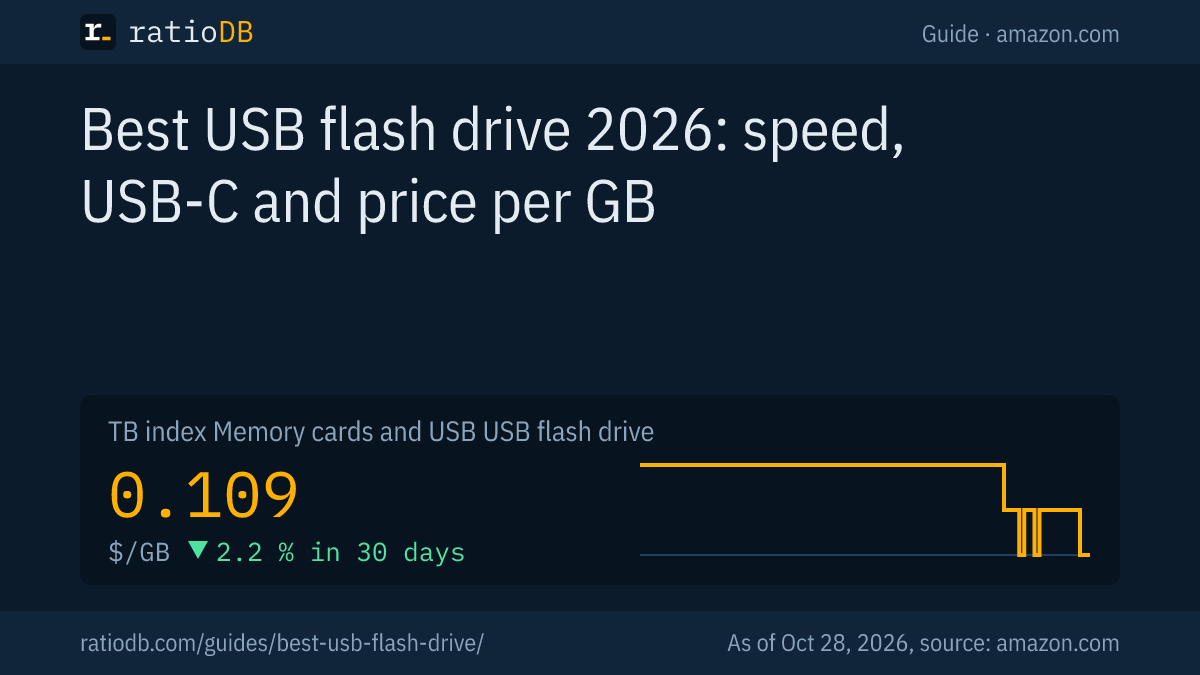
The best USB flash drive for 2026 has at least USB 3.2 Gen 1 at 5 Gbps according to the USB-IF, a connector that fits your devices (USB-A, USB-C or both) and a data sheet that lists read and write speeds. Fast models such as the SanDisk Extreme PRO Dual Drive read up to 1,000 MB/s according to the maker. On amazon.com, flash drives currently cost $0.109 per GB according to the ratioDB index (as of Oct 28, 2026 at 1:17 AM UTC).
This guide explains how to spot a fast flash drive, what each USB version means and when a flash drive, an external SSD or a memory card is the better fit. ratioDB does not test flash drives itself. We compare manufacturer data sheets with real prices per GB from amazon.com.
What is the best USB flash drive?
The best USB flash drive is the cheapest per GB that fits your ports and delivers the speed you need according to its data sheet. For most people a USB 3.2 Gen 1 drive with up to 400 MB/s read speed is enough. For large files, a USB 3.2 Gen 2 drive that is also fast at writing pays off.
Find your flash drive in 3 steps:
- Check your ports: Does your laptop only have USB-C? Does your TV or car stereo only take USB-A? Drives with both connectors fit everywhere.
- Decide on speed: almost any drive handles documents and music. For video and large archives, write speed matters.
- Compare price per GB: ratioDB sorts every offer that way. Larger drives are often cheaper per GB.
The cheapest flash drive from a known brand per GB on amazon.com is currently PNY Attaché Gen 1 256 GB at $0.117 per GB.
Which fast USB flash drives are there according to data sheets?
According to SanDisk's data sheet, the Extreme PRO Dual Drive reads up to 1,000 MB/s and writes up to 900 MB/s over USB 3.2 Gen 2. The SanDisk Ultra Dual Drive Go and the Samsung BAR Plus read up to 400 MB/s at 128 GB and above over USB 3.2 Gen 1 and give no write speed.
Known flash drive lines with manufacturer specs and the cheapest new offer on amazon.com, as of Oct 28, 2026 at 1:17 AM UTC
| Line | Speed per manufacturer | Interface | Connector | Cheapest offer per GB |
|---|---|---|---|---|
| SanDisk Ultra Dual Drive Go | up to 400 MB/s read (128 GB and up) | USB 3.2 Gen 1 | USB-A + USB-C | SanDisk Ultra Dual Drive Go 512 GB: $79.99, $0.156 |
| Samsung BAR Plus | up to 400 MB/s read (128 GB and up) | USB 3.1 Gen 1 | USB-A | Samsung BAR Plus 256 GB: $67.00, $0.262 |
If a line is missing, it had no new offer on amazon.com at our last update. The manufacturer specs in detail:
- SanDisk Extreme PRO Dual Drive: USB-A and USB-C, USB 3.2 Gen 2, up to 1,000 MB/s read and 900 MB/s write, 256 GB to 2 TB, lifetime limited warranty. A footnote says the speeds are based on SanDisk's internal testing (SanDisk data sheet).
- SanDisk Ultra Dual Drive Go: USB-A and USB-C with a swivel cover, USB 3.2 Gen 1, up to 400 MB/s read at 128 GB and above, 300 MB/s at 64 GB and 150 MB/s at 32 GB, 5-year warranty (SanDisk data sheet).
- Samsung BAR Plus: USB-A, USB 3.1 Gen 1, up to 400 MB/s read at 128 GB and above and 300 MB/s at 64 GB. On writing, Samsung only says it is "lower than read speed." Waterproof for 72 hours in 1 m of salt water according to Samsung, 5-year limited warranty (Samsung, BAR Plus 256 GB).
What do USB 3.2 Gen 1, Gen 2 and USB 2.0 mean?
According to the USB-IF, USB 3.2 Gen 1 signals at 5 Gbps, USB 3.2 Gen 2 at 10 Gbps and USB 3.2 Gen 2x2 at 20 Gbps. USB 2.0 runs at 480 Mbps. These are signaling rates, and the real speed of a flash drive is lower and listed in its data sheet.
The USB Implementers Forum (USB-IF) is the organization behind the USB standard. It states: "USB 3.2 identifies three transfer rates, USB 3.2 Gen 1 at 5Gbps, USB 3.2 Gen 2 at 10Gbps and USB 3.2 Gen 2x2 at 20Gbps" (USB-IF, USB 3.2 Language Usage Guidelines). For packaging, the USB-IF now recommends plain names such as "USB 5Gbps" and "USB 10Gbps" (USB-IF, Data Performance Language Usage Guidelines).
| Spec name | USB-IF name | Signaling rate | Theoretical max |
|---|---|---|---|
| USB 2.0 | Hi-Speed | 480 Mbps | 60 MB/s |
| USB 3.2 Gen 1 (formerly USB 3.0 and USB 3.1 Gen 1) | USB 5Gbps | 5 Gbps | 625 MB/s |
| USB 3.2 Gen 2 | USB 10Gbps | 10 Gbps | 1,250 MB/s |
| USB 3.2 Gen 2x2 | USB 20Gbps | 20 Gbps | 2,500 MB/s |
The right column is the signaling rate divided by 8, and protocol overhead comes off that. A drive rated at 1,000 MB/s therefore needs a 10 Gbps port and runs slower on a 5 Gbps port. For USB 2.0 the USB-IF states: "The new hi-speed data transfer rate is 480 Mb/s" (USB-IF FAQ).
USB 3.2 is not a connector, the USB-IF stresses. A USB-C plug can carry USB 2.0 or USB 3.2 Gen 2, so check the interface in the data sheet.
USB-A or USB-C: which connector fits?
USB-C fits current laptops, tablets and many phones, USB-A fits older PCs, TVs, car stereos and printers. Drives with both connectors fit everywhere. The cheapest flash drive with USB-C per GB on amazon.com is currently SanDisk Ultra Dual Go 512 GB at $0.156 per GB.
Many current models have USB-A on 1 end and USB-C on the other, such as SanDisk's Dual Drive lines. For phones, the drive needs a USB-C plug and the phone needs OTG support (On-The-Go, for connecting USB devices). SanDisk lists OTG as a requirement for mobile devices in the Extreme PRO Dual Drive data sheet.
The cheapest drive without USB-C in its title currently costs $0.117 per GB (PNY Attaché Gen 1 256 GB). For iPhones with a Lightning port there are dedicated drives with a Lightning plug.
How fast is a USB flash drive really?
How fast a flash drive really is depends on 3 things: the write speed in its data sheet, the port on your device and the type of files. Many makers only list read speed. A drive that reads at 400 MB/s can be much slower when writing.
The 3 brakes in detail:
- Write speed: SanDisk gives no write speed for the Ultra Dual Drive Go, and Samsung only says "lower than read speed" for the BAR Plus. If you often copy large files to the drive, choose a model with a stated write speed.
- Port: a USB 3.2 Gen 2 drive in a USB 2.0 port runs at 480 Mbps at most, 60 MB/s in theory.
- Many small files: thousands of photos or documents copy more slowly than 1 large video file because every file adds overhead. Zipping them first helps.
SanDisk's data sheets note that speed depends on the host device, usage and capacity. Smaller capacities are often slower: the Ultra Dual Drive Go reads up to 150 MB/s at 32 GB and up to 400 MB/s at 128 GB and above, according to SanDisk.
USB flash drive or external SSD: which is worth it?
For small amounts of data and on the go a flash drive is more practical, for large amounts and frequent writing an external SSD. Per GB, external SSDs on amazon.com currently cost $0.125 in the index, flash drives $0.109.
The differences at a glance:
| Feature | Flash drive | External SSD |
|---|---|---|
| Size | fits on a keychain | card size, often with a cable |
| Typical capacity | 32 GB to 2 TB | 500 GB to 8 TB |
| Use | sharing files, install media | backups, video editing, game library |
A flash drive is a poor place for the only copy of important data. For backups, external hard drives cost less per TB, as the guide 3-2-1 backup rule shows. All external SSDs are listed under external SSDs, and SSD price trends are on the SSD price history chart.
Which flash drive size is cheapest per GB?
Small flash drives with 32 or 64 GB usually cost more per GB than drives with 128 GB and up. The cheapest per GB on amazon.com is currently a 256 GB drive. As of Oct 28, 2026 at 1:17 AM UTC.
Cheapest flash drive per size, known brands on amazon.com, as of Oct 28, 2026 at 1:17 AM UTC
| Capacity | Cheapest flash drive | Price | Price per GB |
|---|---|---|---|
| 64 GB | SanDisk Ultra Dual Go 64 GB | $18.39 | $0.287 |
| 128 GB | SanDisk Ultra Flair 128 GB | $24.56 | $0.192 |
| 256 GB | PNY Attaché Gen 1 256 GB | $29.99 | $0.117 |
| 512 GB | SanDisk Ultra Dual Go 512 GB | $79.99 | $0.156 |
The table only shows single drives from known brands. Multi-packs from unknown brands are sometimes cheaper per GB but often come without a data sheet that lists speed. All offers with price per GB are listed under USB flash drives.
Which flash drive do I need for what?
For an install drive, 8 to 32 GB with USB 3.2 Gen 1 is enough, for photos and videos on the go 128 to 256 GB, and for large projects a fast USB 3.2 Gen 2 drive or an external SSD. Microsoft requires at least 8 GB for a Windows installation drive.
| Use | Capacity | What to look for |
|---|---|---|
| Windows or Linux install media | 8 to 32 GB | USB 3.2 Gen 1, gets fully erased |
| Documents and presentations | 32 to 64 GB | small drive, key ring |
| Photos from your phone | 128 to 256 GB | USB-C, OTG |
| Music in the car | 32 to 128 GB | USB-A, file system per car manual |
| Videos and large projects | 256 GB to 1 TB | write speed in the data sheet, USB 3.2 Gen 2 |
For its Media Creation Tool, Microsoft requires "a blank USB flash drive with at least 8 GB of space," and all content on it is deleted (Microsoft, create installation media). How to install a new SSD and set up Windows afterwards is covered in the guide on installing an SSD.
How do I protect data on a USB flash drive?
You protect data on a flash drive with encryption, a second copy in another place and safely ejecting before unplugging. SanDisk offers 128-bit AES password protection via software for the Extreme PRO Dual Drive. Flash drives get lost easily, so encryption is a must for personal data.
The key points:
- Encrypt: SanDisk lists 128-bit AES password protection for the Extreme PRO Dual Drive, supported on Windows 10 and later and macOS 12 and later, with a software download.
- Eject: eject the drive in the operating system before unplugging it. Pulling it during a write can corrupt files.
- Second copy: a flash drive is for carrying files. Important files also belong on a hard drive in your backup.
- Warranty: SanDisk gives 5 years on the Ultra Dual Drive Go and a lifetime limited warranty on the Extreme PRO Dual Drive, Samsung 5 years on the BAR Plus. A warranty replaces the drive, not your data.
- Durability: Samsung lists water, shock, magnet and X-ray protection for the BAR Plus. On a keychain, a metal housing or a protective cap makes sense.
If you regularly move phone photos to a flash drive, the maker's app helps. For the Extreme PRO Dual Drive, SanDisk mentions an app with automatic backup that you have to set up after installing it.
How does ratioDB compare USB flash drives?
ratioDB regularly collects amazon.com prices for all listed flash drives and converts them to price per GB, with 1 GB equal to 1,000,000,000 bytes. Multi-packs are divided by total capacity. The index is the median of the 10 cheapest new offers.
Speed, interface and warranty specs come from the linked SanDisk and Samsung data sheets, USB version names from the USB-IF, as of October 24, 2026. We do not run our own measurements. The flash drive index is $0.109 per GB, -2.2% over 30 days. All rules are on the methodology page, and all memory cards under memory cards and USB.
USB flash drive FAQ
What is the fastest USB flash drive?
Among the lines in this guide, SanDisk lists the highest speed for the Extreme PRO Dual Drive: up to 1,000 MB/s read and 900 MB/s write over USB 3.2 Gen 2. Full speed needs a 10 Gbps port.
Is USB 3.0 the same as USB 3.2 Gen 1?
Yes, both mean 5 Gbps. In its USB 3.1 guidelines the USB-IF states that "USB 3.1 Gen 1 and USB 3.0 terms are synonymous," and today it recommends "USB 5Gbps" on packaging. USB 3.2 Gen 2 means 10 Gbps.
What is the best USB-C flash drive?
The best USB-C flash drive matches your speed needs at the lowest price per GB. The cheapest with USB-C per GB on amazon.com is currently SanDisk Ultra Dual Go 512 GB at $0.156 per GB. Drives with both USB-A and USB-C, such as SanDisk's Dual Drive lines, also work with older computers.
Does a USB 3 flash drive work in a USB 2.0 port?
Yes, USB is backward compatible. The drive then runs at 480 Mbps at most, 60 MB/s in theory. Full speed needs a USB 3.2 port.
How much does a good USB flash drive cost?
The cheapest flash drive from a known brand per GB on amazon.com currently costs $0.117 per GB (256 GB). The flash drive index is $0.109 per GB (as of Oct 28, 2026 at 1:17 AM UTC).
What does Dual Drive mean on a flash drive?
SanDisk uses Dual Drive for drives with 2 connectors: USB-A on 1 end and USB-C on the other. On the Ultra Dual Drive Go, a swivel cover protects both. That way the drive fits older PCs as well as new laptops and phones.
Can I use a flash drive with an Android phone?
Yes, if the drive has a USB-C plug and the phone supports OTG (On-The-Go). SanDisk lists both as requirements for mobile devices in the Extreme PRO Dual Drive data sheet. The maker's app can back up photos automatically.
Which flash drive works in a car?
Most cars need a USB-A drive, newer models also USB-C. Which capacity and file system the stereo reads is in the car's manual.
Flash drive or external SSD?
For small amounts of data and for sharing, a flash drive is handier and cheaper. For backups, large video files and frequent writing, an external SSD is the better choice. Check the write speed in the data sheet there too.
Sources
- USB-IF: USB 3.1 Language Usage Guidelines, USB 3.2 Language Usage Guidelines, Data Performance Language Usage Guidelines, FAQ on USB 2.0
- SanDisk: Extreme PRO Dual Drive data sheet, Ultra Dual Drive Go data sheet
- Samsung: BAR Plus 256 GB
- Microsoft: Create installation media for Windows
- ratioDB: amazon.com prices, methodology