External hard drive not showing up? How to fix it step by step
An external hard drive that is not showing up in Windows or macOS usually has a cable, port or power problem, no drive letter, a file system the computer cannot read, or a hardware fault. Windows Disk Management and the macOS Disk Utility tell you within 2 minutes whether the computer sees the drive at all. That answer decides whether you fix it, recover the data first or replace the drive.
This guide orders the fixes from least to most risky: check the hardware, look at what the operating system sees, and only change something on the drive at the very end. The Windows and macOS steps are based on the support pages of Microsoft and Apple. If the drive turns out to be dead, the last part shows what a replacement costs per TB on amazon.com, with live ratioDB prices (as of Oct 28, 2026 at 1:17 AM UTC).
Why is my external hard drive not showing up?
An external hard drive does not show up when it gets no power or data connection, when Windows assigns no drive letter, when the file system is foreign to the operating system, or when the drive itself has failed. The symptom points to the cause.
Match your symptom first:
| Symptom | Likely cause | Next step |
|---|---|---|
| No light, no sound | power or cable | other cable, adapter straight into the wall, other port |
| Drive spins, File Explorer shows nothing | no drive letter or disk offline | open Disk Management |
| Disk Management says "Not Initialized" | new drive or damaged disk signature | initialize only if there is no data on it |
| Partition listed as "RAW" | missing or damaged file system | recover data before you format |
| Visible on a Mac but read only | drive formatted as NTFS | check the file system |
| Invisible on Windows, fine on a Mac | drive formatted as HFS+ or APFS | use exFAT for both systems |
| Does not power on or spin | the drive may be damaged | test on a 2nd computer, consider data recovery |
The table sums up the most common cases. It is no diagnosis, but it tells you where to start.
What should I check first: cable, port and power?
Check the cable, USB port and power first, because these checks cost nothing and do not touch your data. Connect the drive directly to the computer without a USB hub, try a different cable and plug the power adapter straight into a wall outlet.
Work through this list:
- Swap the cable: A cable can work with one computer and fail with another. Try a different, good quality cable.
- Connect directly: Skip USB hubs, extension cables and keyboard ports. A direct connection rules out the hub as the cause.
- Try another port: Use a different USB port, and a 2nd computer if you have one.
- Check the adapter: Large 3.5-inch desktop drives usually need their own power adapter. Use a wall outlet rather than a crowded power strip.
- Listen: If the drive does not power on or is not spinning, it could be damaged.
If the drive appears right away on a 2nd computer, the first computer is the problem: its port, driver or settings. If it shows up nowhere, the drive itself becomes the suspect. If it makes unusual noises and holds important files without a copy, stop plugging it in again and again until you have decided about data recovery.
How do I find the drive in Disk Management?
Windows Disk Management lists every connected disk, even one without a drive letter. For an external disk that is not showing up, Microsoft says to unplug it, plug it back in and then choose Action, Rescan Disks.
Open Disk Management by right-clicking the Start button or by pressing Windows plus R and typing diskmgmt.msc. The lower half of the window lists every disk with its number, size and status. You can usually spot your external drive by its size, for example about 1,863 GB for a 2 TB drive, because Windows counts in gibibytes.
Microsoft's Disk Management troubleshooting page describes these steps:
- Rescan: unplug the drive, plug it back in, then select Action, Rescan Disks.
- Read the status: if the disk shows "Offline", right-click it and select "Online".
- Look at the partition: if the partition is "Unallocated" or "RAW", read the status section below before you change anything.
If the drive does not appear in Disk Management at all, Windows is not receiving it. Device Manager or a 2nd computer is the next stop.
What do "Not Initialized", "Offline", "Unallocated" and "RAW" mean?
These Disk Management labels tell you how far Windows can read the drive. "Offline" takes one click to fix. "Not Initialized", "Unallocated" and "RAW" can be fixed too, but the fix erases whatever data is on the drive.
| Status | What Microsoft says it means | What you can do |
|---|---|---|
| Offline | Windows has taken the disk offline | right-click, select "Online" |
| Not Initialized | no valid disk signature, never set up or formatting corrupted | initialize a new, empty drive; recover data first otherwise |
| Unknown | boot sector corrupted or setup not finished | initialize only without important data |
| Unallocated | space without a partition | empty: create a new simple volume; with data: leave it |
| RAW | partition without a recognized file system | empty: format; with data: do not format |
Microsoft is explicit: formatting a disk erases all data on it, so skip that step if you are trying to recover files. The same applies to initializing a disk or creating a new volume on space that used to hold data.
A drive that suddenly reports "Not Initialized" or "RAW" although it worked yesterday is a warning sign. Your files may still be there, and every write to the drive lowers the chance of getting them back.
How do I assign a drive letter to an external drive?
You assign a drive letter in Disk Management: right-click the partition and choose Change Drive Letter and Paths. Microsoft documents 6 steps that apply to Windows 10 and Windows 11.
Microsoft's steps:
- Open Disk Management with administrator rights.
- Find the partition of your external drive.
- Right-click it and select "Change Drive Letter and Paths".
- Select "Add" if the drive has no letter yet, or "Change" to pick a different one.
- Select "Assign the following drive letter" and choose a free letter.
- Confirm with OK, then Yes.
The drive now appears in File Explorer. If new drives never get a letter, automount may be disabled. The fix: open Command Prompt as administrator, run diskpart and enter automount enable. According to Microsoft, this lets Windows automatically mount new volumes and assign drive letters again (Microsoft).
Assigning a letter does not change any data on the drive. That makes it a safe step, and it always comes before formatting.
Can Device Manager help when the drive does not appear at all?
Yes, when the drive shows up neither in File Explorer nor in Disk Management. Microsoft suggests looking for devices with an exclamation point in Device Manager, uninstalling the device and then scanning for hardware changes.
Open Device Manager by right-clicking the Start button. Your drive is usually listed under "Disk drives" or "Universal Serial Bus controllers". Microsoft advises checking devices with an exclamation point and reading their status. One approach Microsoft says sometimes works: right-click the device, select "Uninstall device", then choose Action, "Scan for hardware changes". Windows then sets the driver up again.
If no entry appears although the drive spins, the cable, the USB port and the electronics inside the enclosure are the remaining suspects. A 2nd computer answers that question fastest.
What if my Mac is not recognizing the external hard drive?
On a Mac, open Disk Utility and choose View, Show All Devices. If the drive appears, check it with First Aid. If it does not appear even there, Apple says your Mac or the storage device might need service.
Apple's procedure:
- Have a current backup: Apple recommends a current backup before repairing, in case First Aid finds errors it cannot fix.
- Show all devices: in Disk Utility, choose View, Show All Devices. The sidebar then lists every device, starting with your startup disk.
- Work from the bottom up: select the last volume on the external drive, click First Aid and then Run. Then select the next item above it and run First Aid again.
- If errors remain: when First Aid finds errors it cannot repair, Apple names erasing (formatting) the disk as the next step. That deletes all data.
If the drive only seems missing in Finder, it may simply be hidden. Finder settings let you choose which devices appear on the desktop and in the sidebar. Apple also suggests unplugging nonessential devices and trying again if the drive is missing from Disk Utility. Time Machine, formats and drive choice for the Mac are covered in the guide Best external hard drive for Mac.
Can the wrong file system be the problem?
Yes. The file system decides which operating system can read a drive. According to Seagate, macOS can read NTFS but not write to it, Windows cannot natively read HFS+ or APFS, and exFAT works on both.
| File system | Windows | macOS |
|---|---|---|
| NTFS | read and write | read only |
| HFS+ (Mac OS Extended) | not visible | read and write |
| APFS | not usable without extra software | read and write, default since macOS 10.13 |
| exFAT | read and write | read and write |
Sources: Seagate, Apple. Seagate, for example, ships the Expansion Portable Plus preformatted as exFAT so it works with both Windows and Mac. Apple recommends exFAT for Windows volumes over 32 GB.
A drive set up as APFS on a Mac therefore looks like a disk without a readable partition to Windows. That is no fault. If you reformat it on Windows in that state, the Mac files are gone. Copy them off on the Mac first, then format the drive as exFAT.
How can I tell if my external hard drive is dead?
A drive is probably failing when it shows up on no computer with any cable, does not spin up, or reports errors in its SMART data. SMART is the drive's self-monitoring, which counts problems such as reallocated sectors.
Cloud storage company Backblaze runs a very large fleet of drives and tracks 5 SMART attributes for failures (Backblaze, November 12, 2014):
| SMART ID | Name | What it counts |
|---|---|---|
| 5 | Reallocated Sectors Count | bad sectors moved to spare areas |
| 187 | Reported Uncorrectable Errors | read errors that could not be corrected |
| 188 | Command Timeout | commands that got no answer |
| 197 | Current Pending Sector Count | sectors waiting to be reallocated |
| 198 | Offline Uncorrectable | uncorrectable sectors found in self tests |
Backblaze schedules a drive for replacement once attribute 187 goes above 0 and writes that drives with zero uncorrectable errors hardly ever fail. It also says the stats are inconsistent from drive to drive. So SMART often warns you, but not always.
A single value above 0 for attribute 5, 187 or 197 is reason enough to copy your files to a 2nd drive now. The drive may keep running for a long time. You just should not rely on it anymore.
When should I recover data instead of trying to fix the drive?
Choose data recovery over repair when important files without a 2nd copy sit on a drive that does not spin up, shows "RAW" or reports "Not Initialized". Every repair attempt that writes to the drive can make recovery harder.
Decide with 3 questions:
- Is there a 2nd copy? Then initialize, format and keep testing. Worst case, you buy a new drive.
- Are the files important and irreplaceable? Then do not initialize, do not format and do not create a new volume. Microsoft advises against exactly these steps when you want to recover files.
- Does the drive not spin or make unusual noises? Then switch it off and only reconnect it once you have decided whether a recovery service gets it.
Western Digital refers customers to data recovery partners and states that any agreement you reach with such a provider is a matter between you and that provider (Western Digital). Ask for a fixed price or a quote first.
When is a new external hard drive worth it?
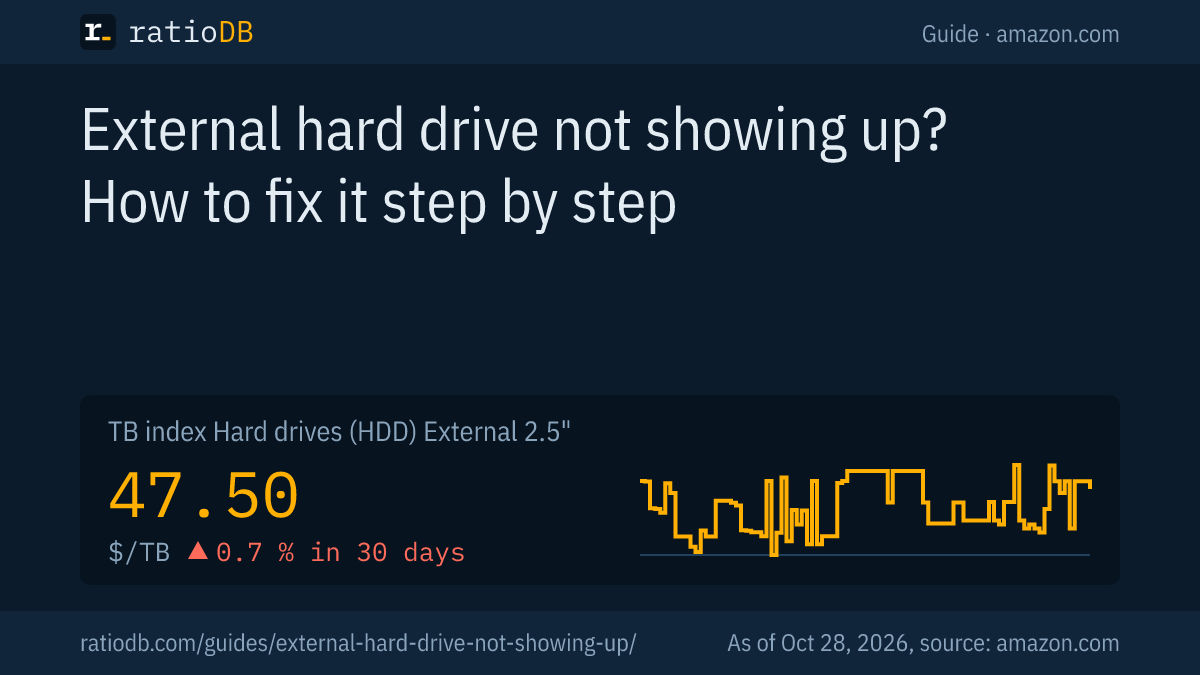
A new external drive makes sense when the old one fails on several computers, reports SMART errors or does not spin, and the data is either backed up or lost anyway. On amazon.com, a portable 2.5-inch drive currently costs $47.50 per TB according to the ratioDB TB index (as of Oct 28, 2026 at 1:17 AM UTC).
Cheapest new external hard drive and SSD per size on amazon.com, known brands, as of Oct 28, 2026 at 1:17 AM UTC
| Capacity | Cheapest external 2.5" HDD | Cheapest external SSD |
|---|---|---|
| 1 TB | SanDisk 1 TB: $120.00 ($120.00 per TB) | Verbatim Pocket 1 TB: $149.99 ($149.99 per TB) |
| 2 TB | WD Elements 2 TB: $127.00 ($63.50 per TB) | TeamGroup T-Force M200 2 TB: $249.99 ($125.00 per TB) |
| 4 TB | WD Elements 4 TB: $183.89 ($45.97 per TB) | WD My Passport 4 TB: $719.99 ($180.00 per TB) |
| 5 TB | WD My Passport 5 TB: $218.00 ($43.60 per TB) | no offer |
| 6 TB | WD My Passport 6 TB: $264.90 ($44.15 per TB) | no offer |
Prices come live from the ratioDB database and cover new single drives from known brands. The cheapest portable drive per TB right now is WD My Passport 5 TB at $43.60 per TB (5 TB). Among large 3.5-inch drives with a power adapter, Seagate Expansion 8 TB leads at $35.00 per TB (8 TB). An external SSD costs about 2.6 times as much per TB as a portable hard drive, but it has no moving parts.
Browse by size on 2TB external hard drive, 4TB external hard drive, 5TB external hard drive, External 2.5" HDD and External 3.5" HDD. Which form factor and size are cheapest per TB is covered in the guide Best external hard drive. Long-term prices for drives are on the hard drive price history page.
How do I protect my files from the next drive failure?
Keep at least a 2nd copy of your files on a different drive. A single external drive is no backup when the files live only there. If it fails, they are gone.
3 simple habits:
- Copy in 2 places: important files always exist in at least 2 places, for example on the computer and on the external drive, or on 2 external drives.
- Eject safely: use "Safely Remove Hardware" on Windows or Eject on a Mac. Apple asks you to eject or shut down before disconnecting a Time Machine disk, too.
- Check regularly: plug in backup drives every few weeks and open a few files. That way you notice early when a drive stops showing up.
A full backup plan with the 3-2-1 rule is in the backup section of the guide Best external hard drive. Used drives as backup targets are discussed in the guide Refurbished hard drives.
How does ratioDB compare external hard drives?
ratioDB fetches the amazon.com prices of every listed external hard drive regularly and converts them into price per TB, with 1 TB = 10^12 bytes. The TB index is the median of the 10 cheapest new offers per drive type.
Portable 2.5-inch drives and large 3.5-inch drives sit in separate lists with their own index. Used and refurbished offers are labeled and never count toward the index. Multipacks are divided by their total capacity. ratioDB does not test drives itself; the troubleshooting steps in this guide come from the linked manufacturer support pages. All rules are on the methodology page, all drives under hard drive prices per TB.
External hard drive not showing up FAQ
Why did my external hard drive suddenly stop showing up?
Possible causes are the cable, the USB port, missing power or a lost drive letter. Try another cable and port first, then open Disk Management. If the drive shows up on no computer at all, it may have failed.
The drive shows in Disk Management but not in File Explorer. What now?
Then the drive letter is missing or the disk is offline. Right-click and choose "Online" or "Change Drive Letter and Paths" and assign a free letter. This does not change any data on the drive.
Can I initialize a drive that has data on it?
Only if you no longer need the data. Initializing and formatting make existing files inaccessible. Microsoft advises skipping these steps when you want to recover files.
Why does my Mac see the drive but Windows does not?
The drive is probably formatted as HFS+ or APFS, which Windows cannot read without extra software. exFAT works on both systems. Back up the files on the Mac before reformatting.
What does RAW mean in Disk Management?
RAW means Windows finds no file system on the partition, which happens with damaged or foreign file systems. If the drive is empty, you can format it. With important files, recover them first, because formatting erases all data.
My external hard drive does not spin up. What should I do?
Try another cable, another port and, for 3.5-inch drives, the power adapter in a wall outlet. If it still does not spin, the drive could be damaged. With important files and no copy, talk to a recovery service.
How much does a new external hard drive cost right now?
On amazon.com, the TB index is $47.50 per TB for portable 2.5-inch drives and $42.62 per TB for 3.5-inch drives (as of Oct 28, 2026 at 1:17 AM UTC). The table above lists the cheapest offers per size.
Sources
- Microsoft: Troubleshoot Disk Management, Change a drive letter
- Apple: Repair a Mac storage device with Disk Utility, See the devices connected to your Mac, File system formats in Disk Utility
- Microsoft: automount in diskpart
- Western Digital: Data recovery partners
- Seagate: File systems for Windows and macOS
- Backblaze: Hard Drive SMART Stats (November 12, 2014)
- ratioDB: amazon.com prices, methodology