How to Test RAM: Windows, MemTest86, Memtest86+ and Mac
To test RAM on Windows, run the built-in Windows Memory Diagnostic (mdsched.exe) or, for a more thorough check, boot PassMark's MemTest86 or the open-source Memtest86+ from a USB drive. On a Mac, Apple Diagnostics checks the memory. If a test reports errors, you test each stick on its own and replace only the bad module.
This guide covers the warning signs of failing memory, which tool does what, and the exact steps for each one. The steps follow the help pages of Microsoft, Apple, PassMark and the memory maker Corsair. ratioDB does not test hardware itself. We compare prices and spec sheets, so when a stick has to go, the tables below show what a replacement costs right now on amazon.com (as of Oct 28, 2026 at 1:17 AM UTC).
What are the signs of bad RAM?
Bad RAM shows up as crashes and blue screens, frozen applications, failure to boot and graphical glitches. Corsair lists these 5 symptoms in its RAM testing guide. Each one can have other causes, so only a memory test tells you whether the RAM is really at fault.
RAM (random access memory) holds everything the processor and your programs are working on at this moment. One flipped bit is enough to crash a program or corrupt a file as it is saved. That is why memory faults feel random: a game crashes one day, the browser the next, and some mornings the PC will not start at all.
Common symptoms and what to check first
| Symptom | Points to RAM when | First step |
|---|---|---|
| Blue screen or crash | the error message changes and no single app is to blame | Windows Memory Diagnostic |
| Apps freeze | it hits many different programs | Memory test with several passes |
| PC fails to boot | it started right after new sticks went in | Reseat the sticks, check the manual |
| Graphical glitches | the graphics card has already been checked | Memory test, then graphics driver |
| Errors only with XMP or EXPO | the PC is stable without the memory profile | Turn the profile off, test again |
The table is a pointer, not a diagnosis. It tells you when a memory test is worth running before you start suspecting the power supply, the graphics card or Windows itself.
Which tools can test RAM?
4 tools cover almost every case: Windows Memory Diagnostic, PassMark's MemTest86, the open-source Memtest86+ and Apple Diagnostics on a Mac. Windows Memory Diagnostic is already installed. MemTest86 and Memtest86+ boot outside the operating system and give a more thorough check.
RAM test tools compared (vendor information, checked 26.10.2026)
| Tool | Cost | How it starts | Notable features |
|---|---|---|---|
| Windows Memory Diagnostic | included in Windows | restart from Windows | 3 test mixes (Basic, Standard, Extended), up to 15 passes |
| MemTest86 Free | free | USB drive, UEFI | 14 test algorithms, x86 and ARM, DDR5, HTML report |
| MemTest86 Pro | paid | USB drive, UEFI, network boot | extra 64-bit tests, ECC error injection |
| Memtest86+ | free and open source | USB drive, UEFI and legacy BIOS | DDR4 and DDR5, DDR5 module temperatures since version 8.0 |
| Apple Diagnostics | built into the Mac | key combination at startup | checks all hardware, memory faults reported as reference codes |
Corsair calls the result of Windows Memory Diagnostic "not conclusive" and tells readers to run MemTest86 next if they still suspect the memory. A clean result from the Windows tool therefore does not fully clear your RAM.
How do I test RAM with Windows Memory Diagnostic?
Run mdsched.exe and Windows offers 2 choices: restart now and check for problems, or check the next time the PC starts. After the restart the test runs on its own, and Windows shows the result once you sign in again.
Here is the sequence:
- Save your work: Close every program, because the PC will restart.
- Launch the tool: Press Windows plus R, type mdsched.exe and press Enter. Microsoft notes that the tool has to run with administrator rights.
- Choose the restart: Pick "Restart now and check for problems (recommended)", the option Corsair quotes as the recommended one.
- Change the test mix (optional): While the test is running, press F1 to open the options. You can choose the Basic, Standard or Extended test mix, the cache setting, and the number of passes, up to a maximum of 15. Press F10 to start with the new settings.
- Read the result: After the restart and sign-in, Windows displays the outcome.
Microsoft describes the 3 test mixes as suites of "varying thoroughness". If you already have a strong suspicion, pick Extended and several passes. Errors from Windows Memory Diagnostic are a clear signal. No errors while the crashes continue means it is time for MemTest86 or Memtest86+.
How do I run MemTest86?
MemTest86 boots from a USB flash drive and runs without Windows, Linux or macOS. Download the free edition from PassMark, write it to a USB drive, boot from that drive and let the 14 test algorithms run. Corsair warns that this "can take several hours".
PassMark Software has maintained MemTest86 since February 2013, taking it over from its original author Chris Brady. PassMark states that it runs on x86 and ARM machines, supports UEFI and handles all RAM types including DDR5. The steps:
- Download: Get the free edition from the official site, memtest86.com.
- Prepare the USB drive: The download contains an image for a USB drive. Writing it wipes everything on that drive.
- Boot from USB: Plug the drive in, restart and pick it in the motherboard's boot menu or BIOS. Corsair points out that you may need to change the boot order.
- Let it run: MemTest86 starts the tests automatically and shows any errors it finds on screen.
- Save the report: According to PassMark, both the free and Pro editions can save an HTML report. Corsair asks for exactly this report when you contact its support.
The test runs outside any operating system because Windows itself occupies part of the memory while it runs. Booting on its own lets the tester reach almost all of your RAM. PassMark lists row hammer detection (errors caused when neighboring memory rows are accessed very often) among its tests, in both the free and the Pro edition.
MemTest86 vs Memtest86+: what is the difference?
MemTest86 is PassMark's program with a free and a paid edition. Memtest86+ is a separate open-source project. Its version 6.0 shipped in October 2022 as a complete rewrite with UEFI support and DDR4 and DDR5 support, and version 8.0 followed in November 2025.
Both programs share a common ancestry but are developed by different teams today. Either one is enough for home users. The practical differences:
- MemTest86 (PassMark): polished interface, HTML reports, row hammer test and ECC error reporting in both editions. The Pro edition adds extra 64-bit tests and ECC error injection.
- Memtest86+: free and open source, and according to its project description it boots from a PC BIOS in legacy or UEFI mode. Phoronix reports that version 8.0 ships a single file for UEFI and legacy boot, supports the newest AMD and Intel processors, reads DDR5 module temperatures and fixes DDR5 XMP 3.0 issues.
If either tool finds errors, you have your answer. If both pass cleanly, the cause of your crashes probably lies elsewhere. A 2nd tool mainly pays off when you are chasing very rare errors.
How long should a RAM test run?
A thorough RAM test takes several hours, longer with more memory installed. A single error in any pass is enough to prove a problem. For a clean bill of health, run several passes, ideally overnight.
Run time depends on the amount of memory, the processor and the test mix. A PC with 64 GB takes longer than one with 32 GB because there is more memory to write and read back. Neither PassMark nor Microsoft publishes fixed times. Corsair only says MemTest86 "can take several hours".
You set the number of passes yourself. Windows Memory Diagnostic allows up to 15. In MemTest86, PassMark says you can pick the number of passes from the menu or set it in the configuration file. One clean pass is not proof that the memory is healthy. Every extra pass gives a rare fault another chance to show up, so it is better to give up one evening than to miss an error.
How do I find which RAM stick is bad?
Test each module on its own. Corsair's method: power off, remove all sticks but one, run the test, then move the next stick into the same slot and test again. The stick that produces errors is the bad one.
Corsair's steps in short:
- Prepare: Update the chipset driver, Windows and the BIOS. Then clear the CMOS to remove overclocking settings: power off, unplug, remove the coin cell battery and wait 5 to 10 minutes. Some boards have a reset button or jumper for this, described in the manual.
- Install 1 stick: Use the slot your motherboard manual recommends for a single module.
- Test: Run MemTest86 with that one stick.
- Swap: Put the next stick in the same slot and test again.
- Compare: If only one stick shows errors, that module is faulty. If every stick fails in the same slot, the slot or the motherboard may be the cause.
Handle modules by their edges only. A stick that is not fully seated can cause the same symptoms as a dead one, so reseat every module before you test, until the retention clips snap shut.
Can XMP or EXPO cause RAM errors?
Yes. A memory overclocking profile such as Intel XMP or AMD EXPO can cause errors that disappear without it. That is why Corsair suggests clearing the CMOS before testing. If the memory passes without the profile, the profile is the problem, not the stick.
XMP (Extreme Memory Profile) and EXPO (Extended Profiles for Overclocking) are settings stored on the module that run it faster than the baseline values of the DDR4 or DDR5 standard. Whether your CPU and motherboard can hold a given profile stable is not guaranteed. If errors appear only with the profile enabled, you have 3 options: choose a slower profile, update the BIOS, or switch the profile off.
What speed and timings mean on DDR5 and how XMP and EXPO work is covered in DDR5 speed, timings, EXPO and XMP. For the test itself, the order matters: test without the profile first, then with it. That separates a faulty stick from an overly ambitious setting.
How do I test RAM on a Mac?
On a Mac you check memory with Apple Diagnostics. On Apple silicon, press and hold the power button until the startup options appear, then hold Command plus D. On Intel Macs, hold the D key at startup. Memory problems appear as reference codes starting with PPM.
Apple's steps:
- Prepare: Update macOS, shut down and disconnect everything except keyboard, mouse, display, Ethernet and power.
- Apple silicon: Hold the power button until Options appears, release it, then press and hold Command plus D.
- Intel Mac: Turn the Mac on and immediately hold D, or Option plus D if that does not work.
- Follow the prompts: Apple Diagnostics guides you through. In macOS Tahoe 26 and later you choose specific diagnostics.
Reference code PPM001 means, in Apple's words, "There may be an issue with a memory module." Codes PPM002 to PPM016 point to the onboard memory. Onboard memory is built in and cannot be swapped at home, so Apple directs you to Apple Support, an Apple Authorized Service Provider or an Apple Store.
What should I do if the RAM test finds errors?
Replace the faulty stick. Check the warranty first: Corsair asks for the MemTest86 HTML report when you open a support ticket. Without warranty, buy a module with the same form factor, generation and capacity, ideally as a matched pair.
Settle 3 things before you buy:
- Generation: DDR4 and DDR5 are not interchangeable. Your motherboard manual states which one it takes. The differences are explained in DDR5 vs DDR4.
- Form factor: Desktops use UDIMM (long sticks), laptops use SODIMM (short sticks).
- Capacity: If you replace only one stick, match the size and, where possible, the speed of the stick that stays.
Replacing a bad stick: cheapest new offers on amazon.com, as of Oct 28, 2026 at 1:17 AM UTC
| RAM type | Single 16 GB module | Kit 2 × 16 GB |
|---|---|---|
| DDR5 desktop (UDIMM) | A-Tech PC/Computer Upgrade 16 GB: $249.99 | Crucial Pro 2 × 16 GB: $459.99 |
| DDR5 laptop (SODIMM) | Acer SD200 Single 16 GB: $249.99 | Corsair Vengeance 2 × 16 GB: $479.99 |
| DDR4 desktop (UDIMM) | Timetec 16 GB: $103.99 | Timetec 2 × 16 GB: $193.99 |
| DDR4 laptop (SODIMM) | A-Tech 16 GB: $88.64 | Puskill 2 × 16 GB: $179.97 |
The table shows, per RAM type, the cheapest new single 16 GB module and the cheapest new 2 × 16 GB kit. Compare the kit price with the price of 2 single modules before you decide. Every 32 GB kit is listed under 32GB DDR5 RAM. Whether you should upgrade while you are at it is answered in How much RAM do I need. For notebooks, see Laptop RAM upgrade.
How much does new RAM cost right now?
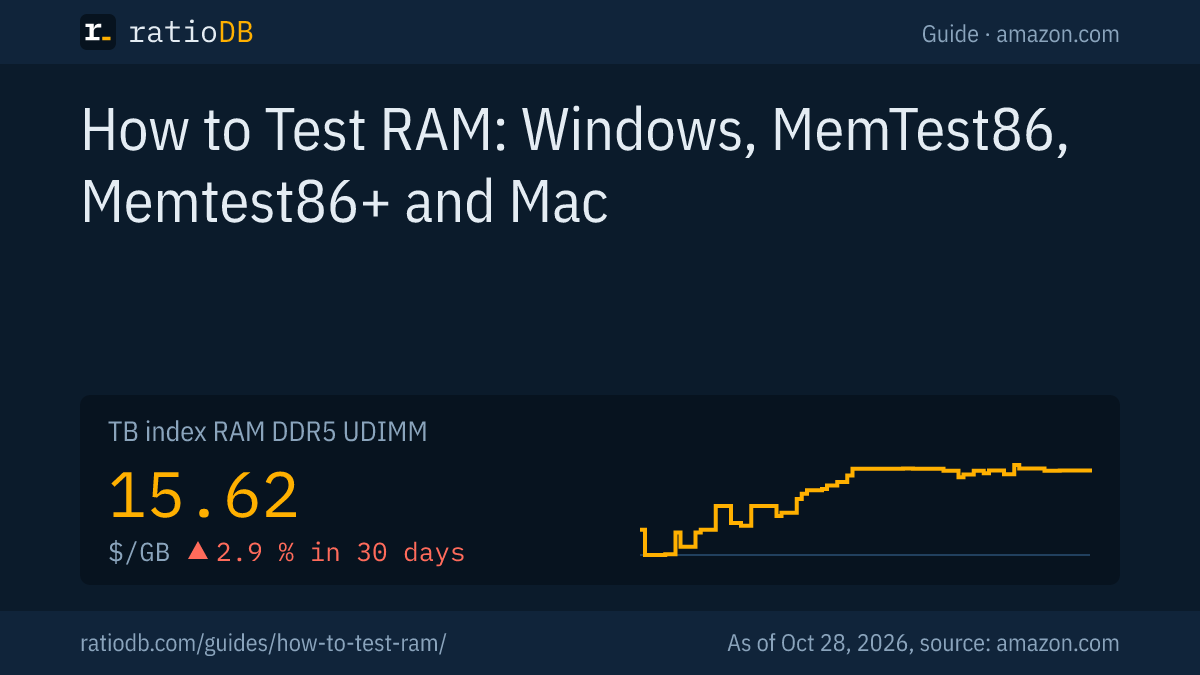
On amazon.com, DDR5 desktop memory costs $15.62 per GB according to the ratioDB index, +2.9% over 30 days. DDR4 desktop memory sits at $6.51 per GB. The index is the median of the 10 cheapest new offers per RAM type.
Index per GB by RAM type on amazon.com, as of Oct 28, 2026 at 1:17 AM UTC
| RAM type | Index per GB | List |
|---|---|---|
| DDR5 desktop (UDIMM) | $15.62 | DDR5 desktop |
| DDR5 laptop (SODIMM) | $16.52 | DDR5 laptop |
| DDR4 desktop (UDIMM) | $6.51 | DDR4 desktop |
| DDR4 laptop (SODIMM) | $6.05 | DDR4 laptop |
The cheapest new DDR5 desktop kit with 2 × 16 GB is Crucial Pro 2 × 16 GB at $459.99. The long-term chart is on the US RAM price history page, and the reasons behind it are in Why RAM prices are so high. Testing before you buy saves money: not every crash means a dead stick, and often only one module is affected.
How does ratioDB compare RAM prices?
ratioDB pulls the amazon.com prices of every listed RAM offer at regular intervals and converts them to price per GB. Kits are divided by the combined capacity of all modules. The index is the median of the 10 cheapest new offers per RAM type.
Every offer appears with condition, price, capacity and timestamp. New, refurbished and used offers are never mixed in one calculation. The details on the test tools come from the linked pages of Microsoft, Apple, PassMark, Corsair and Phoronix, as of 26.10.2026. We do not run memory tests ourselves. All rules are on the methodology page, and every offer is under RAM.
RAM testing FAQ
How do I test my RAM on Windows 11?
Press Windows plus R, type mdsched.exe and choose to restart now and check for problems. Windows Memory Diagnostic runs after the restart and shows the result when you sign in. For a deeper check, boot MemTest86 or Memtest86+ from a USB drive.
Is MemTest86 free?
Yes. PassMark offers a free edition that includes the row hammer test and HTML reports. The paid Pro edition adds extra tests and features aimed at businesses. Memtest86+ is a separate program that is free and open source.
How many passes of MemTest86 should I run?
Run several passes, ideally overnight. A single error in any pass already shows a problem. A single clean pass is not proof of healthy memory, because rare faults may only appear on a later pass.
Can bad RAM be fixed?
A faulty module cannot be repaired at home. If errors only appear with XMP or EXPO, a slower profile or no profile often solves it. If the stick itself is bad, replace it or claim the manufacturer's warranty.
How do I know which RAM stick is bad?
Test each stick on its own in the same slot, as Corsair describes. The stick that throws errors is the faulty one. If every stick fails in the same slot, try another slot, because the motherboard may be the cause.
Is Windows Memory Diagnostic reliable?
It catches many faults, but Corsair calls its result "not conclusive". Errors from it are a clear signal. If it finds nothing and the crashes continue, run MemTest86 or Memtest86+.
What does Apple code PPM001 mean?
According to Apple, PPM001 indicates a possible issue with a memory module, and codes PPM002 to PPM016 point to the onboard memory. Apple recommends contacting Apple Support or an Apple Authorized Service Provider.
Sources
- Corsair: RAM: How to Test RAM Modules for Memory Issues
- PassMark: MemTest86, edition comparison, forum: setting the number of passes
- Memtest86+: memtest.org, Phoronix on version 6.0 (25.10.2022) and version 8.0 (24.11.2025)
- Microsoft: Windows Memory Diagnostic in Windows Vista, Windows Memory Diagnostics Tool (TechNet Wiki)
- Apple: Use Apple Diagnostics to test your Mac, Apple Diagnostics reference codes
- ratioDB: amazon.com prices, methodology