exFAT vs NTFS: Which Format for External Drives and USB?
exFAT is the better format for external hard drives, SSDs and USB drives you plug into Windows PCs, Macs, consoles or TVs. NTFS is the Windows file system with journaling, permissions and BitLocker support, and it suits drives that only ever connect to Windows. Both handle files far beyond 4GB, according to Microsoft. A Mac's Disk Utility cannot format NTFS.
This guide compares exFAT and NTFS using Microsoft's and Apple's own documentation, gives a clear pick for each use case, and shows what external hard drives and SSDs cost on amazon.com right now (as of Oct 28, 2026 at 1:17 AM UTC).
What is the difference between exFAT and NTFS?
exFAT is a lightweight file system for removable storage that almost any device can read. NTFS is Windows' full-featured file system with metadata journaling, access control lists, encryption, compression and quotas. exFAT has none of those features, but it works on Windows, Mac and many other devices.
Microsoft calls exFAT the successor to FAT32 in the FAT family. It uses 64 bits to describe file size and allows clusters up to 32MB, which enables very large files and storage devices (Microsoft Learn: exFAT specification). NTFS is built for reliability and security inside a Windows PC: it keeps a log of changes, remaps bad sectors on its own and uses access control lists to decide who may open which file (Microsoft Learn: NTFS overview).
In short, exFAT is for sharing and NTFS is for protection on Windows. For most external drives, sharing matters more.
exFAT vs NTFS vs FAT32: how do the specs compare?
exFAT and NTFS both allow files up to 2^64 minus 1 bytes, per Microsoft, while FAT32 stops at 4GiB. NTFS adds journaling, permissions, encryption, compression, hard links and quotas; exFAT and FAT32 have none of them. All three allow file names of 255 characters.
Values from Microsoft's file system functionality comparison (Microsoft Learn):
| Feature | exFAT | NTFS | FAT32 |
|---|---|---|---|
| Maximum file size | 2^64 minus 1 bytes | 2^64 minus 1 bytes | 4GiB |
| Maximum file name | 255 Unicode characters | 255 Unicode characters | 255 Unicode characters |
| Metadata journaling | no | yes | no |
| Access control lists and owner | no | yes | no |
| File system level encryption | no | yes | no |
| Built-in compression | no | yes | no |
| User disk quotas | no | yes | no |
For whole volumes, Microsoft says NTFS supports up to 8PB (petabytes) on Windows 10 version 1709 and later, and 256TB on earlier versions (Microsoft Learn: NTFS overview). The ceiling depends on cluster size: 16TB with 4KB clusters, 256TB with 64KB. If you don't specify a size when formatting, Windows chooses it based on the volume size (Microsoft Learn: format).
What is exFAT designed for?
exFAT (Extended File Allocation Table) succeeds FAT32. Microsoft says it is used in Windows and in many storage devices such as SD cards and USB flash drives. In 2019, Microsoft backed adding exFAT to the Linux kernel and announced it would publish the specification.
Microsoft lists three design goals: keep the simplicity of FAT-based file systems, enable very large files and storage devices, and leave room for future extensions (Microsoft Learn: exFAT specification).
In August 2019, Microsoft announced it would make the exFAT technical specification public and support its inclusion in the Linux kernel. The post mentions hundreds of millions of exFAT-formatted storage devices that work when plugged into laptops, cameras and cars (Microsoft Open Source Blog, Aug 28, 2019). On a Mac, Disk Utility offers exFAT as a format out of the box (Apple Support).
What are the advantages of NTFS?
NTFS (New Technology File System) is the default file system of Windows. It logs changes, restores a consistent state after a crash, remaps bad sectors, assigns permissions per user and works with BitLocker drive encryption. These features protect data on drives that stay with one Windows PC.
What Microsoft lists (Microsoft Learn: NTFS overview):
- Transaction log: NTFS keeps a log file and checkpoints; after a system failure it uses them to restore consistency at the next startup.
- Bad sector remapping: when NTFS finds a bad sector, it moves the cluster to a healthy one and marks the old one as unusable.
- Online repair: chkdsk can scan and repair NTFS volumes while they stay online.
- Access control lists: you decide which users and groups can read, write or modify files.
- BitLocker: NTFS works with Windows drive encryption, so data stays protected even if the drive is removed.
For a backup drive attached to your own Windows PC, journaling and BitLocker are a real gain. For a drive that also needs to work on a Mac, TV or console, they help little if that device cannot write to NTFS.
Is exFAT or NTFS better for an external hard drive?
exFAT is better for an external hard drive you use with both Windows and Mac, or with a TV or console. NTFS is better for an external drive that serves only as a backup for your Windows PC, because journaling and BitLocker add protection.
| Use case | Pick | Why |
|---|---|---|
| Sharing between Windows and Mac | exFAT | both read and write it, a Mac cannot format NTFS |
| USB flash drive over 32GB | exFAT | Apple's format for Windows volumes over 32GB |
| Movies and music on PS5 or PS4 | exFAT | PlayStation supports exFAT or FAT32 |
| Backup drive for one Windows PC | NTFS | journaling, permissions, BitLocker |
| Windows-only features like compression | NTFS | only NTFS has them |
| Older devices, drives up to 32GB | FAT32 | Apple's format for Windows volumes up to 32GB |
If a new drive's format doesn't match how you will use it, reformat it before you copy anything onto it, and nothing is lost.
Which format works on both Mac and Windows?
exFAT works on Mac and Windows with full read and write access. Apple's Disk Utility recommends exFAT for Windows volumes over 32GB and MS-DOS (FAT) for volumes of 32GB or less. NTFS is not in Disk Utility's list of formats.
Disk Utility offers APFS, Mac OS Extended, MS-DOS (FAT) and exFAT (Apple Support: file system formats). Apple's steps for Windows-compatible disks: select the device, click Erase, choose a scheme and a format (Apple Support: format a disk for Windows). For the scheme, Apple says Master Boot Record gives compatibility with all Windows-based computers (Apple Support: partition schemes).
What a Mac can do with an NTFS drive, and how to split a drive between Time Machine and file sharing, is covered in our guide to the best external hard drive for Mac. If a drive doesn't show up at all, see external hard drive not showing up.
Which format do PS5, TVs and cameras need?
PS5 and PS4 play video and music from USB drives formatted with exFAT or FAT32; NTFS is not on PlayStation's list. For TVs, car stereos and cameras, the manual sets the format. If exFAT is listed, it is the best pick for large files.
PlayStation's help page says: make sure the USB drive is formatted with either the exFAT or FAT32 file system (PlayStation Support). Expanded game storage follows its own rules; see best SSD for PS5 and Xbox Series X storage.
Which memory card suits which camera is covered in our guide to the best SD card for cameras.
Is exFAT less reliable than NTFS?
exFAT has no metadata journal, according to Microsoft; NTFS does. Unplugging an exFAT drive mid-write can damage the file system, because there is no log to restore from. With proper ejecting and a backup, exFAT is dependable for everyday use.
NTFS uses its log to restore consistency at the next startup after a failure (Microsoft Learn: NTFS overview). exFAT lacks that log (Microsoft Learn: file system comparison). Three simple rules for exFAT drives:
- Always eject: eject the drive in your operating system before you pull the cable.
- Never unplug during a copy: wait until the transfer has finished.
- Keep a second copy: a single drive is never a backup, whatever its format. Our 3-2-1 backup rule guide explains how.
For confidential data, NTFS has one more edge: BitLocker. exFAT has no file system level encryption, according to Microsoft.
How do I switch from exFAT to NTFS or back?
You switch between exFAT and NTFS by reformatting the drive, which erases all data on it. Copy your files to another drive first, format, then copy them back. Plan the time for copying twice.
Step by step:
- Back up: copy everything to another drive or to the cloud.
- Format on Windows: right-click Start, open Disk Management, right-click the volume, choose Format and pick the file system (Microsoft Support). Or use Command Prompt: format E: /FS:NTFS /Q or format E: /FS:exFAT /Q (Microsoft Learn: format).
- Format on a Mac: in Disk Utility, click Erase and choose ExFAT. A Mac does not offer NTFS.
- Copy the files back and spot-check that they open.
Microsoft warns that formatting a volume destroys any data on the partition. For flash drives and the FAT32 route, see our guide how to format a USB drive to FAT32.
Which allocation unit size should I choose?
For almost every drive, the default allocation unit size Windows suggests is the right one. Microsoft recommends default settings for general use. Larger units only pay off on drives that hold mostly very large files, such as video archives.
The allocation unit (cluster) is the smallest block a file system assigns to a file. A 1KB file still takes up 64KB on a drive with 64KB clusters. For the format command, Microsoft allows different sizes per file system (Microsoft Learn: format):
| File system | Sizes allowed per Microsoft | Limit |
|---|---|---|
| FAT32 | 512 bytes to 64KB | 4GiB per file |
| NTFS | 512 bytes to 2MB | 16TB at 4KB up to 8PB at 2MB per volume |
| exFAT | up to 32MB | clusters up to 32MB per the specification |
On NTFS, cluster size sets the maximum volume size: 4KB allows 16TB and 64KB allows 256TB (Microsoft Learn: NTFS overview). If you leave it out, Windows picks a size that fits the drive. To set one yourself, add /A, for example format E: /FS:exFAT /A:128K /Q.
When does FAT32 still make sense?
FAT32 only makes sense for devices that can't read exFAT and for drives of 32GB or less. Microsoft caps single files at 4GiB, just under 4.3 billion bytes. That rules out FAT32 for most external hard drives and SSDs.
Apple recommends MS-DOS (FAT), which is FAT32, only for Windows volumes of 32GB or less (Apple Support). Current Windows releases also stop FAT32 formatting at 32GB. Microsoft is testing FAT32 formatting up to 2TB with the format command in Windows 11 Insider builds (PCWorld, April 13, 2026). The 4GiB file limit does not change.
How much do external hard drives and SSDs cost right now?
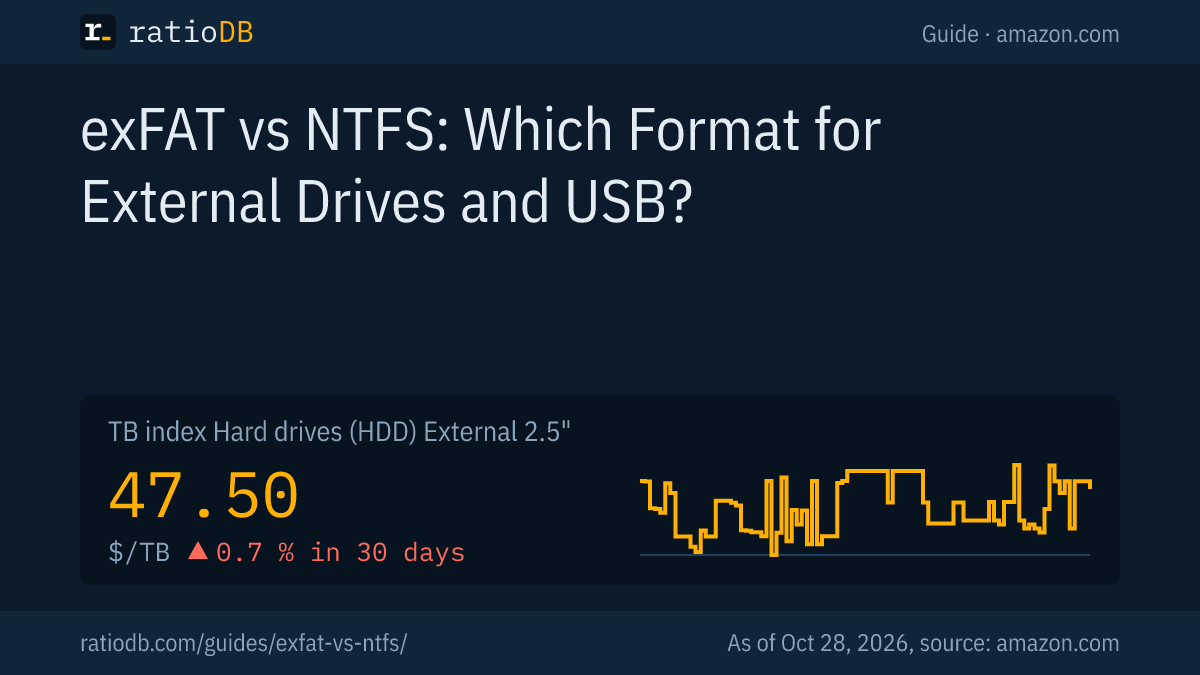
External 2.5" hard drives cost $47.50 per TB on amazon.com according to the ratioDB TB index, external SSDs $125.50 per TB. An external SSD costs about 2.6 times as much per TB. The file system has no effect on price.
Cheapest external hard drives and SSDs from known brands by capacity on amazon.com, as of Oct 28, 2026 at 1:17 AM UTC
| Type | Capacity | Cheapest offer | Price | Price per TB |
|---|---|---|---|---|
| External 2.5" hard drive | 1 TB | WD My Passport 1 TB | $126.91 | $126.91 |
| External 2.5" hard drive | 2 TB | WD Elements 2 TB | $127.00 | $63.50 |
| External 2.5" hard drive | 4 TB | WD Elements 4 TB | $183.89 | $45.97 |
| External 2.5" hard drive | 5 TB | WD My Passport 5 TB | $218.00 | $43.60 |
| External SSD | 1 TB | Verbatim Pocket 1 TB | $149.99 | $149.99 |
| External SSD | 2 TB | TeamGroup T-Force M200 2 TB | $249.99 | $125.00 |
| External SSD | 4 TB | WD My Passport 4 TB | $719.99 | $180.00 |
Only new single units from known brands are listed. At 2TB, the cheapest external hard drive is $127.00 (WD Elements 2 TB) and the cheapest external SSD $249.99 (TeamGroup T-Force M200 2 TB). A hard drive is enough for backups and media libraries; an SSD pays off for fast work on the go. See best external hard drive and best external SSD.
Browse every offer of one size on 2TB external hard drives and 4TB external hard drives. Full lists: external 2.5" hard drives, external 3.5" hard drives and external SSDs. USB flash drives cost $0.109 per GB right now; see USB flash drives.
How does ratioDB compare external storage?
ratioDB pulls amazon.com prices for every listed external hard drive, SSD and USB flash drive on a schedule and converts them to price per TB or GB, with 1TB equal to 1,000,000,000,000 bytes. The TB index is the median of the 10 cheapest new offers per product type.
The exFAT and NTFS details in this guide come from Microsoft's and Apple's documentation as of October 26, 2026. We do not test drives ourselves. Every offer is listed with condition, price, capacity and timestamp. Our rules are on the methodology page.
exFAT vs NTFS FAQ
Is exFAT or NTFS better?
It depends on the use. exFAT is better for drives shared between Windows, Mac and other devices. NTFS is better for drives that stay on a Windows PC, because it adds journaling, permissions and BitLocker.
Can a Mac use NTFS?
Disk Utility on a Mac cannot format NTFS; it offers APFS, Mac OS Extended, MS-DOS (FAT) and exFAT. For a drive you use on both Mac and Windows, choose exFAT.
Which format for an external drive with movies for a TV?
Usually exFAT, because movie files often exceed 4GB and Microsoft caps FAT32 files at 4GiB. Check your TV's manual for exFAT support. PS5 and PS4 read exFAT and FAT32.
Will I lose data switching from exFAT to NTFS?
Yes. The switch requires a format, and Microsoft says formatting destroys any data on the partition. Back up your files first and copy them back afterward.
Why doesn't exFAT have a journal?
Microsoft's file system comparison lists no metadata journaling for exFAT. Its first design goal, per Microsoft, is to keep the simplicity of FAT-based file systems. If you want crash protection through a log, use NTFS.
How large can a file be on exFAT?
Up to 2^64 minus 1 bytes, according to Microsoft, the same as NTFS. In practice only the drive size limits you. FAT32 stops at 4GiB per file.
Sources
- Microsoft: exFAT specification (Microsoft Learn), NTFS overview (Microsoft Learn), File system functionality comparison (Microsoft Learn), format (Microsoft Learn), Disk Management (Microsoft Support), exFAT in the Linux kernel (Microsoft Open Source Blog, Aug 28, 2019)
- Apple: File system formats in Disk Utility, Format a disk for Windows computers, Partition schemes
- PlayStation Support: play video and music from USB drives, PCWorld: Windows 11 FAT32 limit (April 13, 2026)
- ratioDB: amazon.com prices, methodology