Best external hard drive: price per TB compared
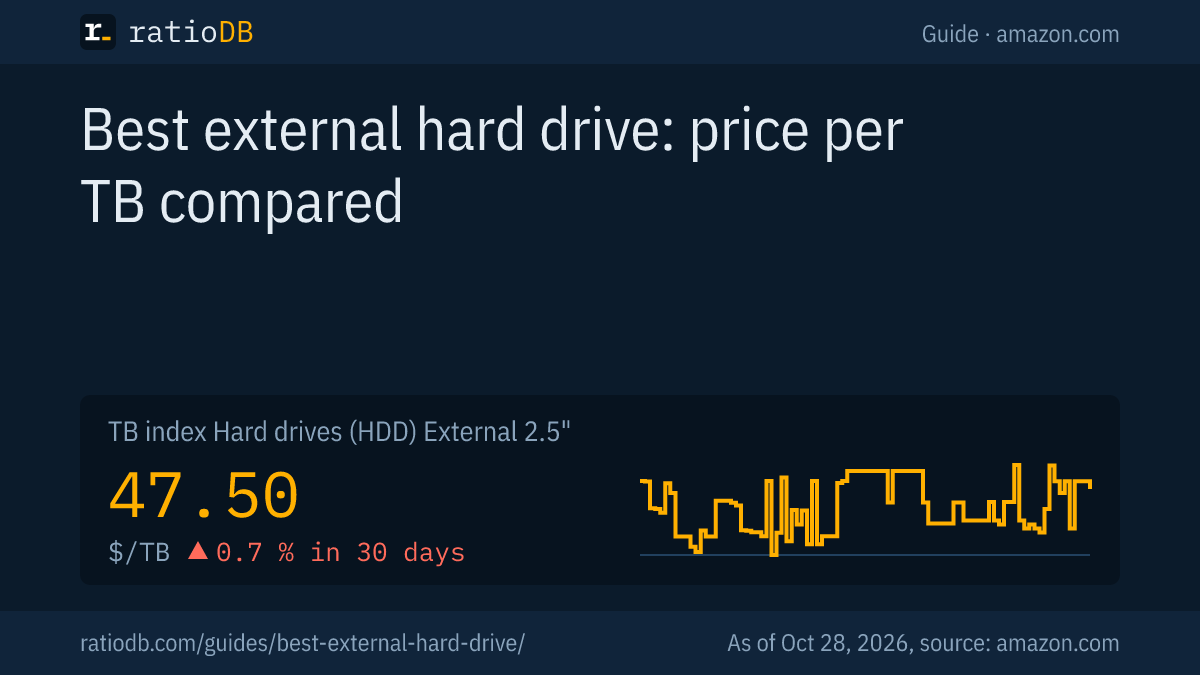
An external hard drive is the cheapest way to store a lot of data over USB. On amazon.com, a portable 2.5-inch drive currently costs $47.50 per TB according to the ratioDB TB index, a large 3.5-inch desktop drive $42.62 per TB (as of Oct 28, 2026 at 1:17 AM UTC). If you need a lot of storage, the larger form factor usually costs less per TB.
This guide explains the difference between portable and desktop drives, shows with real prices which size pays off, compares warranty and design of the well-known model lines, and covers which drive works with PS5, Xbox and Mac. All prices come live from the ratioDB database and are recalculated with every update.
Which external hard drive is best?
The best external hard drive depends on how much storage you need and whether you carry it around. A 2.5-inch drive without a power adapter suits travel, a 3.5-inch drive with a power adapter suits large backups at home. The cheapest per TB on amazon.com right now is Seagate Expansion 8 TB at $35.00 per TB.
The key questions before you buy:
- How much storage? Count your data today plus headroom. With external drives, price per TB falls with size, but not evenly. The tables below show this with real prices.
- Portable or stationary? Portable 2.5-inch models run off the USB cable. Large 3.5-inch models usually need a power adapter.
- What for? A hard drive is enough for backups and archives. For fast work with many small files, an external SSD is better but costs several times as much per TB.
- Which device? PS5, Xbox, Windows and Mac each have their own requirements for size, connection and format.
What is the difference between 2.5-inch and 3.5-inch drives?
2.5-inch is the portable form factor: small, no power adapter, up to 6 TB. 3.5-inch is the desktop form factor: larger, with a power adapter on most models, but up to 30 TB and usually cheaper per TB.
| Feature | 2.5-inch (portable) | 3.5-inch (desktop) |
|---|---|---|
| Power | over the USB cable | usually a power adapter |
| Largest capacity of known lines | 6 TB (WD My Passport, WD Elements Portable) | 30 TB (Seagate Expansion Desktop) |
| TB index on amazon.com | $47.50 per TB | $42.62 per TB |
| Typical use | travel, laptop, console | PC backup, large archives, console |
Western Digital offers the My Passport in 1, 2, 4, 5 and 6 TB (WD, My Passport product overview) and the Elements Desktop in 4 to 26 TB with an AC adapter in the box (WD, Elements Desktop product overview). Seagate sells the Expansion Desktop in 4 to 30 TB (Seagate).
There is one exception: Seagate describes the One Touch desktop with 8 to 24 TB as "bus-powered" (powered over the USB cable) (Seagate One Touch). So check whether a power adapter is included with the model you pick.
How much does an external hard drive cost per TB?
On amazon.com, the TB index is $47.50 per TB for portable 2.5-inch drives, $42.62 for 3.5-inch drives and $125.50 for external SSDs. An external SSD costs about 2.6 times as much per TB as a portable hard drive.
| Type | TB index | 30 days |
|---|---|---|
| External 2.5" HDD | $47.50 | +0.7% |
| External 3.5" HDD | $42.62 | -9.8% |
| Internal 3.5" HDD | $36.25 | +2.4% |
| External SSD | $125.50 | 0.0% |
The TB index is the median of the 10 cheapest new offers per type. It shows the typical low price level without a single deal distorting the value. All rules are on the methodology page.
Which size pays off for portable drives?
Among portable 2.5-inch drives, the cheapest per TB on amazon.com right now is WD My Passport 5 TB at $43.60 per TB. Small 1 or 2 TB models cost much more per TB, because the enclosure, electronics and cable cost about the same at every size.
Cheapest portable drive per size on amazon.com, new offers, as of Oct 28, 2026 at 1:17 AM UTC
| Capacity | Cheapest drive | Price | Price per TB |
|---|---|---|---|
| 1 TB | SanDisk 1 TB | $120.00 | $120.00 |
| 2 TB | WD Elements 2 TB | $127.00 | $63.50 |
| 4 TB | WD Elements 4 TB | $183.89 | $45.97 |
| 5 TB | WD My Passport 5 TB | $218.00 | $43.60 |
| 6 TB | WD My Passport 6 TB | $264.90 | $44.15 |
The table only shows known brands and single drives, no multipacks. For photos, documents and a laptop backup, 2 TB is often enough. If you back up videos or several devices to one drive, 4 to 6 TB is usually cheaper per TB.
Which size pays off for large 3.5-inch drives?
Among desktop 3.5-inch drives, Seagate Expansion 8 TB is currently the cheapest on amazon.com at $35.00 per TB, with 8 TB. The lowest price per TB often sits in the middle of the range, while the very largest models cost more per TB again.
Cheapest 3.5-inch drive per size on amazon.com, new offers, as of Oct 28, 2026 at 1:17 AM UTC
| Capacity | Cheapest drive | Price | Price per TB |
|---|---|---|---|
| 4 TB | Seagate Expansion 4 TB | $175.00 | $43.75 |
| 6 TB | Seagate Expansion 6 TB | $219.00 | $36.50 |
| 8 TB | Seagate Expansion 8 TB | $279.99 | $35.00 |
| 20 TB | WD Elements 20 TB | $829.99 | $41.50 |
| 24 TB | SanDisk Professional G-Drive Enterprise-Class 24 TB | $1,379.99 | $57.50 |
One large drive replaces several small ones and saves ports and power adapters. Keep in mind: if it fails, all data on it is affected at once. Important data always needs a 2nd copy, see the 3-2-1 rule below.
Which model lines are there, and how long is the warranty?
The well-known lines come from Western Digital, Seagate and Toshiba. Warranty ranges from 1 to 3 years depending on the line, a real difference between otherwise similar drives.
| Line | Form factor | Capacities per manufacturer | Warranty per manufacturer |
|---|---|---|---|
| WD My Passport | 2.5-inch | 1 to 6 TB | 3 years |
| WD Elements Portable | 2.5-inch | up to 6 TB | 2 years |
| WD Elements Desktop | 3.5-inch, with adapter | 4 to 26 TB | 2 years |
| WD My Book | 3.5-inch, with adapter | up to 26 TB | 3 years |
| Seagate Expansion Portable | 2.5-inch | 2 and 4 TB | 1 year plus Rescue data recovery |
| Seagate Expansion Desktop | 3.5-inch | 4 to 30 TB | 1 year plus Rescue data recovery |
| Seagate One Touch | portable and desktop | 2 to 4 TB, desktop 8 to 24 TB | 2 years plus Rescue data recovery |
| Toshiba Canvio Basics | 2.5-inch | up to 4 TB | 1 year (US) |
Sources: WD My Passport, WD Elements Portable, WD Elements Desktop, WD My Book, Seagate Expansion, Seagate One Touch, Toshiba Canvio Basics (US).
Seagate notes that the warranty period may vary by region, so check it for the specific offer. Rescue is a Seagate data recovery service that helps recover data if the drive fails during the warranty period.
How fast is an external hard drive?
Manufacturers do not state a transfer rate in MB/s for their external hard drives, only the USB connection. USB 3.2 Gen 1 at 5 Gbps is typical. That is enough for a hard drive, because the drive itself is the slower part.
USB 3.0, USB 3.1 Gen 1 and USB 3.2 Gen 1 describe the same 5 Gbps speed, only the names changed (Cambrionix). Western Digital lists "SuperSpeed USB 3.2 Gen 1 (5Gbps)" for the Elements Portable (WD Elements Portable).
For backups and movies, speed hardly matters. If you often edit large projects straight from the external drive or copy many small files, you will notice the difference to an SSD clearly. Then external SSDs are worth a look.
External hard drive or external SSD?
An external hard drive gives you a lot of storage for little money, an external SSD is faster, lighter and has no moving parts. On amazon.com, an external SSD currently costs about 2.6 times as much per TB as a portable hard drive.
An example with 2 TB: the cheapest portable hard drive, WD Elements 2 TB, costs $127.00. The cheapest 2 TB external SSD, TeamGroup T-Force M200 2 TB, costs $249.99.
The datasheets show the difference in shock resistance: Seagate rates its 4 and 5 TB BarraCuda 2.5-inch drives at 300 G operating shock (Seagate, BarraCuda 2.5-inch datasheet). Samsung rates the T7 external SSD at 1,500 G non-operating and drops from up to 2 m (Samsung, T7 datasheet). The values come from different test methods and are not directly comparable. Still, it is clear that you should not move or drop a hard drive with spinning platters while it is running.
The full comparison of both technologies is in the guide SSD vs HDD.
Do external hard drives use SMR?
Many portable ones do. In its datasheet, Seagate lists SMR recording for all internal 2.5-inch BarraCuda drives from 500 GB to 5 TB. According to AnandTech, the thick 3 to 5 TB models are meant for Seagate's own external drives.
SMR (shingled magnetic recording) fits more data on the platter but writes large amounts of data more slowly (Seagate, BarraCuda 2.5-inch datasheet, AnandTech). For backups and archives this is usually not a problem. Manufacturers mostly do not state which recording method a specific external drive uses. Everything about CMR and SMR is in the guide CMR vs SMR.
Which external hard drive works with PS5 and Xbox?
The PS5 accepts external USB drives from 250 GB to 8 TB, connected directly via SuperSpeed USB at 5 Gbps or faster and not through a USB hub. You can only store PS5 games on it, playing them requires the internal SSD. PS4 games run directly from the external drive.
That is what Sony says on its extended storage help page (PlayStation). An 8 TB drive is therefore the largest sensible choice for the PS5. More space for PS5 games you can play directly only comes with an internal M.2 SSD.
According to Microsoft, the Xbox Series X and Series S support external USB 3.1 hard drives (Xbox). You can store any game on a USB drive, but games optimized for Xbox Series X and S do not run from it (Xbox Wire).
Which format do I need for Windows and Mac?
For Windows and Mac together, use exFAT. A Mac can read the Windows format NTFS but cannot write to it. For Time Machine on a Mac, Apple recommends APFS.
Apple says Disk Utility does not support NTFS and a Mac can only read NTFS drives (Apple Support). Apple recommends exFAT for Windows volumes over 32 GB (Apple Disk Utility), and APFS is the preferred format for Time Machine (Apple, Time Machine). Western Digital ships the My Book formatted as exFAT, for example, so it works with Windows and Mac right away (WD, My Book user manual).
Important: formatting erases all data on the drive. Format a new drive right after you buy it, before you store data on it.
How do I back up my data properly with an external hard drive?
With the 3-2-1 rule: 3 copies of your data, on 2 different media, 1 copy at another location. An external hard drive covers the 2nd medium. The 3rd copy can sit in the cloud or on a 2nd drive at a friend's place or at the office.
Backblaze puts the rule like this: "keep three copies of your data on two different media with one copy off-site" (Backblaze).
How to do it with external drives:
- Original: your data on the PC or laptop.
- 1st backup: an external drive that backs up automatically on a schedule, with File History on Windows or Time Machine on a Mac.
- 2nd backup: a 2nd external drive or cloud storage at another location, so fire, water or theft cannot hit all copies.
Disconnect the backup drive from the computer after the backup. That way, malware that encrypts files cannot reach the backup too.
Is it worth taking a drive out of an external enclosure?
Not right now: on amazon.com, internal 3.5-inch drives are not more expensive per TB than external ones. This is called shucking and can void the warranty.
Manufacturers do not commit to which drive sits inside the enclosure, and it can change. The warranty consequences of opening it and what to watch out for in a NAS are covered in the guide Best NAS hard drive. For a PC data drive you can also buy internal 3.5-inch drives directly in the list Internal 3.5" HDD.
How does ratioDB compare external hard drives?
ratioDB fetches the amazon.com prices of all listed external hard drives every 2 hours and converts them into price per TB, with 1 TB = 10^12 bytes. Portable and desktop drives are in separate lists with their own TB index.
Every offer is listed with condition, price, capacity and timestamp. Used and refurbished drives are labeled and never count toward the TB index. Multipacks are divided by their total capacity. In this guide, the tables only show known brands and single drives. The full lists are under External 2.5" HDD and External 3.5" HDD. All rules are on the methodology page.
External hard drive FAQ
Which external hard drive is cheapest per TB?
On amazon.com right now, Seagate Expansion 8 TB at $35.00 per TB (as of Oct 28, 2026 at 1:17 AM UTC). Large 3.5-inch models are usually cheaper per TB than portable 2.5-inch models. ratioDB shows the current ranking under External 3.5" HDD.
Do external hard drives need a power adapter?
Portable 2.5-inch drives run off the USB cable. Toshiba lists "USB bus power (max. 900mA)" for the Canvio Basics, for example. Most 3.5-inch models need a power adapter, with the One Touch desktop being an exception according to Seagate.
How large can an external hard drive for the PS5 be?
According to Sony, at least 250 GB and at most 8 TB. The drive must be connected directly over USB at 5 Gbps or faster, not through a hub. PS5 games cannot be played from it, only stored.
Can I use an external hard drive with Windows and Mac?
Yes, with the exFAT format. According to Apple, a Mac can only read NTFS drives, not write to them. For Time Machine, Apple recommends APFS, but then Windows cannot read the drive without extra software.
How long is the warranty on external hard drives?
Between 1 and 3 years depending on the line: Western Digital gives 3 years on the My Passport and My Book and 2 years on the Elements line. Seagate lists 2 years for the One Touch and 1 year for the Expansion, both with Rescue data recovery.
Is an external SSD better than an external hard drive?
It is faster and more robust, but currently costs about 2.6 times as much per TB. For large backups and archives, the hard drive is the cheaper choice, for travel and fast work the SSD.
Sources
- Western Digital: My Passport product overview, Elements Portable datasheet, Elements Portable, Elements Desktop product overview, My Book, My Book user manual
- Seagate: Expansion Desktop, One Touch, BarraCuda 2.5-inch datasheet
- Toshiba Canvio Basics (US), Toshiba Canvio Basics (EMEA), Samsung T7 datasheet, AnandTech
- USB: Cambrionix
- Consoles: PlayStation extended storage, Xbox Series S, Xbox Wire
- Apple: NTFS, file systems, Time Machine
- Backup: Backblaze, 3-2-1 rule
- ratioDB: daily amazon.com prices, methodology