Best SSD for Gaming 2026: Capacity, PCIe 4.0 vs 5.0 and Price
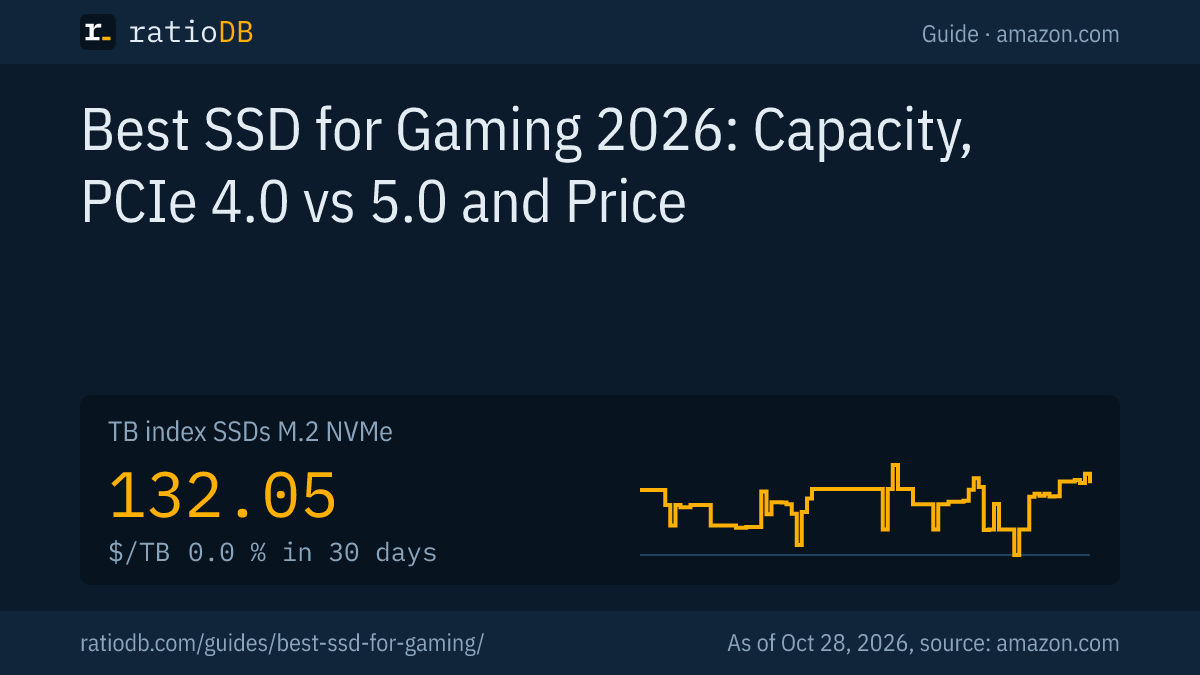
The best SSD for gaming in 2026, for most PCs, is a 2TB M.2 NVMe SSD with PCIe 4.0 from a well-known brand. On amazon.com, M.2 NVMe SSDs cost $132.05 per TB according to the ratioDB TB index, so 100GB of game space runs about $13.21 (as of Oct 28, 2026 at 1:17 AM UTC). For games, space per dollar matters more than peak speed.
ratioDB does not test SSDs. This guide compares every listed NVMe SSD on amazon.com by capacity, PCIe generation and the read speed sellers state in the listing. You will see how much storage your budget buys and what a step up in speed actually costs.
What is the best SSD for gaming?
The best gaming SSD is the largest M.2 NVMe SSD with PCIe 4.0 that fits your budget, from a brand with a clear warranty. Games mostly need room. A 2TB drive is the sweet spot between price and capacity for most game libraries.
Find your gaming SSD in three steps:
- Check your slot: your motherboard or laptop manual says whether you have an M.2 slot for NVMe and which PCIe generation it supports.
- Pick a size: add up the install size of your main games, listed on each game's store page, and leave room for updates.
- Compare price per TB: SSDs in the same class differ a lot per TB. ratioDB sorts every offer that way.
The cheapest new 2TB NVMe SSD from a known brand on amazon.com right now is the Crucial E100 2 TB at $249.00 ($124.50 per TB). Check warranty and TBW (the total data the manufacturer rates the drive to write) on the datasheet for any drive you consider.
How much SSD storage do I need for gaming?
1TB covers a handful of big games, 2TB suits a growing library, and 4TB lets you keep many large games installed without juggling. On amazon.com, the cheapest NVMe SSD from a known brand costs $146.99 at 1TB and $249.00 at 2TB right now.
At 4TB, the cheapest offer is $669.77 (Crucial P3 Plus 4 TB, $167.44 per TB). That makes 4TB more expensive per TB than the cheapest 2TB drive ($124.50 per TB) right now. The cheapest 1TB drive is the Adata Legend 710 1 TB.
A quick way to size it:
| Game library | Suggested size | Why |
|---|---|---|
| 2 to 5 big games | 1TB | fine if you uninstall old games |
| 5 to 15 big games | 2TB | room for updates and new releases |
| Many big games, no uninstalling | 4TB | whole library installed at once |
| Older or small games | add a hard drive | a fraction of the SSD price per TB |
Each game's install size is in the system requirements on its store page. Add room for patches and expansions, which make games grow over the years. Windows also shows a 2TB SSD as about 1.82TB because it counts in binary units.
Browse every offer of one size: 1TB NVMe SSDs, 2TB NVMe SSDs and 4TB NVMe SSDs.
How much does 100GB of game space cost?
100GB of game space costs about $13.21 on an M.2 NVMe SSD right now and a fraction of that on a hard drive. ratioDB divides each storage type's TB index by 10, so you see at a glance what a big game costs in storage.
Cost of 100GB of game space by storage type on amazon.com, as of Oct 28, 2026 at 1:17 AM UTC
| Storage type | TB index | Cost of 100GB of game space |
|---|---|---|
| M.2 NVMe SSD | $132.05 | $13.21 |
| 2.5" SATA SSD | $122.93 | $12.29 |
| External SSD | $125.50 | $12.55 |
| External 2.5" hard drive | $47.50 | $4.75 |
| Internal 3.5" hard drive | $36.25 | $3.62 |
The TB index is the median of the 10 cheapest new offers per storage type. A 150GB game on an NVMe SSD costs 1.5 times the figure in the last column.
The numbers suggest a simple split: games you are playing now go on the SSD. Older games, recordings and installers can live on a cheap hard drive and be copied back when you need them. The operating system and frequently launched games belong on the NVMe SSD.
Is PCIe 5.0 worth it for gaming?
For most gamers, PCIe 5.0 is not worth it: the drives cost more and games mostly need space. At 2TB, the cheapest PCIe 5.0 SSD on amazon.com costs 44.6% more than the cheapest PCIe 4.0 drive right now. The same money often buys more capacity with PCIe 4.0.
Cheapest NVMe SSD from a known brand per PCIe generation, per listing title, amazon.com, as of Oct 28, 2026 at 1:17 AM UTC
| Capacity | Cheapest PCIe 4.0 | Cheapest PCIe 5.0 | PCIe 5.0 premium |
|---|---|---|---|
| 1 TB | Patriot P400 Lite 1 TB: $149.99 | Crucial P510 1 TB: $184.81 | +$34.82 |
| 2 TB | Crucial E100 2 TB: $249.00 | Lexar NM1090 PRO 2 TB: $359.99 | +$110.99 |
| 4 TB | Crucial P3 Plus 4 TB: $669.77 | WD Black SN8100 4 TB: $699.99 | +$30.22 |
PCIe generation comes from the listing title. Right now, 28 NVMe SSDs from known brands in our list state PCIe 4.0 and 9 state PCIe 5.0.
PCIe (Peripheral Component Interconnect Express, the link between motherboard and expansion devices) comes in generations, and each new one adds bandwidth. Your motherboard manual tells you whether an M.2 slot supports PCIe 5.0. The fastest models with manufacturer specs are compared in our best SSD guide, and cooling is covered in SSD heatsink.
How fast does a gaming SSD need to be?
For gaming, a PCIe 4.0 NVMe SSD rated around 7,000MB/s read is plenty. Those figures are peak sequential reads of large files. When choosing, capacity and price per TB matter more than the last 1,000MB/s.
The MB/s figure in a listing is the seller's peak sequential read, measured on large contiguous files. Fast PCIe 4.0 drives at 2TB come in many price brackets:
2TB NVMe SSDs with PCIe 4.0 and at least 7,000MB/s per listing, cheapest first, amazon.com, as of Oct 28, 2026 at 1:17 AM UTC
| 2TB SSD | Read per listing | Price | Price per TB |
|---|---|---|---|
| Crucial P310 2 TB | up to 7,100 MB/s | $262.23 | $131.12 |
| Crucial P310 2 TB | up to 7,100 MB/s | $355.93 | $177.97 |
| Samsung 990 PRO 2 TB | up to 7,450 MB/s | $399.99 | $200.00 |
| Adata LEGEND 900 2 TB | up to 7,000 MB/s | $412.99 | $206.50 |
| Crucial T500 2 TB | up to 7,400 MB/s | $498.73 | $249.37 |
| Sabrent Rocket 4 Plus 2 TB | up to 7,100 MB/s | $699.99 | $350.00 |
6 offers from known brands meet these conditions right now. Speed and PCIe generation come from the listing title, so check the manufacturer datasheet before you buy.
What happens beyond peak numbers matters too: warranty, TBW and whether the drive has its own DRAM cache are on the datasheet. DRAM-less drives with HMB are explained in NVMe vs SATA.
NVMe or SATA for gaming?
For a current gaming PC with an M.2 slot, NVMe is the right pick. A SATA SSD makes sense in older PCs without an M.2 NVMe slot or as a second drive. On amazon.com, NVMe costs 7.4% more per TB than a 2.5" SATA SSD right now.
The TB index for 2.5" SATA SSDs is $122.93 per TB, for M.2 NVMe SSDs $132.05. How big the real-world difference is, and when switching pays off, is covered in NVMe vs SATA. All offers are under M.2 NVMe SSDs and 2.5" SATA SSDs. US price trends are on the SSD price history page.
Can I play games from an external SSD or a hard drive?
An external SSD works for games you are not playing right now, or as extra space for consoles and laptops. A hard drive makes a cheap archive. For the operating system and frequently launched games, an internal NVMe SSD remains the best choice.
The cost-per-100GB table above shows the gap: an external SSD costs about as much per TB as an internal one, an external hard drive a fraction. Which external SSD fits which port is covered in best external SSD. External SSDs are listed under external SSDs, archive drives under internal 3.5" hard drives.
Which SSD fits PS5, Xbox and Steam Deck?
Consoles and handhelds have their own requirements for form factor, connection and speed. A drive that runs well in a PC does not automatically fit a PS5, an Xbox or a Steam Deck. ratioDB covers the requirements for each device in separate guides.
- PS5: requirements and matching models in best SSD for PS5.
- Xbox Series X and S: storage expansion and external drives in Xbox Series X storage.
- Steam Deck: internal SSD and memory cards in Steam Deck SSD.
The number after M.2 gives width and length in millimeters: M.2 2280 is 22mm wide and 80mm long, the usual size in desktop PCs.
What should I look for in a gaming SSD?
Look at form factor and slot, capacity, price per TB, warranty and TBW. Read speed comes second for gaming, because PCIe 4.0 drives are already very fast. A known brand with a five-year warranty is the safe pick when the premium is small.
- Form factor: M.2 2280 for nearly all desktops, shorter sizes for many laptops and handhelds.
- Slot: NVMe with PCIe 4.0 or 5.0, per your motherboard manual.
- Capacity: 2TB as the default, 4TB for large libraries.
- Price per TB: bigger drives are often cheaper per TB, but not always; the tables above show today's numbers.
- Warranty and TBW: check the manufacturer datasheet. How long SSDs last is covered in SSD lifespan.
- Cooling: check whether your motherboard has a heatsink for the M.2 slot; otherwise, drives with their own heatsink exist.
- Timing: the NVMe TB index moved 0.0% over 30 days. Where prices are heading is covered in SSD prices.
Should I add a second SSD or buy a bigger one?
A second SSD makes sense if your PC has a free M.2 slot and your current SSD is still in good shape. When buying from scratch, one large SSD usually costs less than two small ones. On amazon.com, two 1TB SSDs cost $293.98 right now and one 2TB SSD $249.00.
That is a difference of $44.98 in favor of the single 2TB drive today. Slots matter as well: every SSD takes its own M.2 slot. A second SSD is the better move when your system drive still has enough room for Windows and only the games need a new home. You keep everything installed and set up a separate game library on the new drive.
Your motherboard manual lists how many M.2 slots you have and which support NVMe at which PCIe generation.
When is the best time to buy a gaming SSD?
Watch the price history: when an SSD sits at its 90-day low, it is as cheap as it has been in three months. ratioDB flags those offers and shows them in the "current 90-day lows" box below. The NVMe TB index moved 0.0% over the last 30 days.
ratioDB counts a 90-day low only when the price has at least 30 days of history and the high in that window was at least 5% above it, so a price that has not moved for months does not count as a low. If you want to wait for sale events, our Black Friday guide has the dates and our take. Why SSDs have become more expensive since fall 2025 is covered in SSD prices. The SSD price history page charts the trend.
How do I set up a new gaming SSD?
Install the new gaming SSD in the M.2 slot, create a partition in Disk Management and format it as NTFS. Then add a library folder on the new SSD in your game launcher. Microsoft warns that formatting destroys any data on the partition.
To format, open Disk Management: right-click Start, choose Disk Management, right-click the volume and select Format (Microsoft Support). NTFS is Windows' file system with a transaction log for crash recovery and access control lists (Microsoft Learn: NTFS overview). Why NTFS suits internal Windows drives better than exFAT is covered in exFAT vs NTFS.
To move your old system drive to the new SSD instead of reinstalling Windows, clone the drive. Size matters here: the new SSD must hold all the used data from the old one.
How does ratioDB compare gaming SSDs?
ratioDB pulls amazon.com prices for every listed NVMe SSD on a schedule and converts them to price per TB, with 1TB equal to 1,000,000,000,000 bytes. The TB index is the median of the 10 cheapest new offers per SSD type.
The tables in this guide include only new single drives from known brands. PCIe generation and read speed come from listing titles, meaning they are seller claims. We do not run our own measurements; ratioDB compares prices and datasheets. Every offer is listed with condition, price, capacity and timestamp. Our rules are on the methodology page.
Gaming SSD FAQ
What is the best SSD for gaming?
For most PCs, a 2TB M.2 NVMe SSD with PCIe 4.0 from a known brand. It offers plenty of room at a good price per TB. PCIe 5.0 costs more per TB, and for gaming, space per dollar matters most.
How much SSD storage do I need for gaming?
1TB for a few big games, 2TB for a growing library, 4TB for many large games without uninstalling. Each game's install size is listed on its store page.
Is a PCIe 5.0 SSD worth it for gaming?
Usually not. At 2TB, the cheapest PCIe 5.0 SSD on amazon.com costs $359.99 right now and the cheapest PCIe 4.0 drive $249.00. That money often buys more capacity with PCIe 4.0.
Is a SATA SSD good enough for gaming?
For older PCs without an M.2 NVMe slot, yes. In a current PC with an M.2 slot, NVMe is the better choice. Per TB, NVMe is 7.4% above a 2.5" SATA SSD on amazon.com right now.
How much does 100GB of SSD game space cost?
About $13.21 on an M.2 NVMe SSD on amazon.com, based on the TB index of $132.05 per TB (as of Oct 28, 2026 at 1:17 AM UTC). The same space on a hard drive costs a fraction of that.
Can I store games on an external SSD?
Yes, for games you are not playing right now or as extra space for laptops and consoles. For frequently launched games, an internal NVMe SSD is the better choice. Consoles have their own rules for external drives.
Sources
- ratioDB: amazon.com prices, PCIe generation and read speed from listing titles, methodology
- Microsoft: Disk Management in Windows (Microsoft Support), NTFS overview (Microsoft Learn)