Best SD card for your camera: V30, V60 or V90?
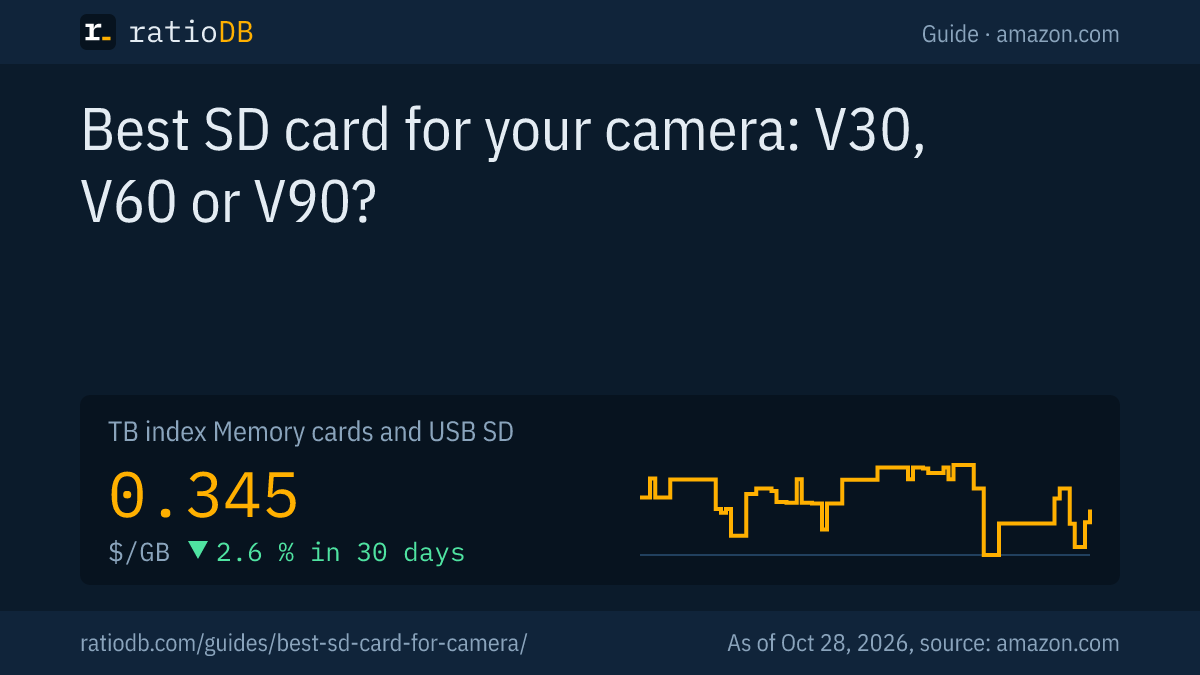
The best SD card for your camera comes down to 2 specs: the UHS-I or UHS-II bus interface and the video speed class V30, V60 or V90, which according to the SD Association guarantees a minimum sustained write speed of 30, 60 or 90 MB/s. Your camera maker's manual, for example Sony's, lists what each recording mode needs. On amazon.com, SD cards currently cost $0.345 per GB according to the ratioDB index (as of Oct 28, 2026 at 1:17 AM UTC).
This guide explains which markings matter for photography and video, how to work out the required class from your camera's bitrate and what cards cost by class and size right now. ratioDB does not test memory cards. We combine SD Association and camera maker specs with real prices per GB.
Which SD card do I need for my camera?
For photos and Full HD video, most cameras work fine with an SDXC card with UHS-I and V30. For high-bitrate 4K or intra-frame formats, camera makers require V60 or V90 with UHS-II. The exact requirement is in your camera's manual, usually in the section on compatible memory cards.
Find the right card in 3 steps:
- Open the manual: makers such as Sony list the minimum card class for each recording format.
- Check the interface: if the card slot supports UHS-II, a UHS-II card pays off. Otherwise the camera limits it to UHS-I speeds.
- Pick a size: based on recording time and photo count, using the table further down.
A higher class than needed does no harm but costs more per GB. On amazon.com, the cheapest V90 card currently costs 3.8 times as much per GB as the cheapest V30 card.
What do UHS-I, UHS-II, V30, V60 and V90 mean?
UHS-I and UHS-II describe the bus interface and therefore the possible peak speed: up to 104 MB/s for UHS-I and up to 312 MB/s for UHS-II according to the SD Association. V30, V60 and V90 are video speed classes with a guaranteed minimum write speed of 30, 60 and 90 MB/s.
The SD Association is the body behind the SD standard. It separates 2 kinds of specs: the bus interface tells you how fast data can move in short bursts, and the class tells you which write speed the card sustains at minimum. For video the class counts, and for burst shooting the peak speed matters too.
| Marking | Meaning per SD Association | Typical use |
|---|---|---|
| UHS-I | bus up to 104 MB/s | photos, Full HD, many 4K cameras |
| UHS-II | bus up to 312 MB/s, second row of pins | fast bursts, high-bitrate 4K |
| U3 | at least 30 MB/s | 4K video |
| V30 | at least 30 MB/s for video | 4K at 60 frames per second |
| V60 | at least 60 MB/s, UHS-II and up only | high-bitrate 4K |
| V90 | at least 90 MB/s, UHS-II and up only | intra-frame formats, 8K |
Sources: SD Association, Anatomy of an SD Memory Card (December 8, 2022), SD Association, Choosing the SD Speed Class (March 9, 2016).
The SD Association defines card speed as "the minimum speed at which the memory card's continuous write is assured." The big MB/s numbers on the package are peak figures, often for reading. What the markings on microSD cards mean, such as A1 and A2 for apps, is covered in the guide microSD Express.
Does a UHS-II card work in a UHS-I camera?
Yes, a UHS-II card works in a UHS-I camera. Its first row of pins provides backward compatibility according to the SD Association. Kingston notes that the card then runs at UHS-I speeds, so the UHS-II premium buys nothing in that camera.
A full-size UHS-II SD card has 17 pins in 2 rows, while a UHS-I card has 9 pins in 1 row (SD Association, SD Standard Overview). Only a UHS-II device uses the second row. Kingston puts it this way: "you won't see the speed benefits of UHS-II as the card will default back to the lower specs of UHS-I" (Kingston).
The same applies to card readers. To copy photos from a UHS-II card to your computer quickly, you need a UHS-II reader. V60 and V90 require UHS-II anyway, according to the SD Association.
Capacity class is a second limit. SDXC covers cards above 32 GB up to 2 TB. According to the SD Association, older SD and SDHC devices are not compatible with SDXC cards, while SD and SDHC cards work in SDXC devices (SD Association, FAQ).
How do I work out the class from my camera's bitrate?
Divide your camera's bitrate in Mbps by 8 to get MB/s. The card's video class has to be above that. 200 Mbps is 25 MB/s, which U3 or V30 covers. 600 Mbps is 75 MB/s, which needs V90.
Sony's requirements follow exactly this logic. For the ZV-E1, Sony's help guide lists:
| Format on Sony ZV-E1 | Max bitrate | In MB/s | Required card |
|---|---|---|---|
| XAVC S HD | 100 Mbps | 12.5 | SDHC or SDXC, U3 |
| XAVC S 4K | 200 Mbps | 25 | SDHC or SDXC, U3 |
| XAVC S 4K slow and quick motion | 280 Mbps | 35 | SDXC, V60 |
| XAVC S-I 4K | 600 Mbps | 75 | SDXC, V90 |
Source: Sony, ZV-E1 help guide, memory cards that can be used. We converted the MB/s column. Sony also states that the ZV-E1 "supports only SD memory cards (UHS-II compatible)" and that long recordings on SDHC cards are split into 4 GB files.
XAVC S-I is an intra-frame format: each frame is stored on its own. That makes editing easier but produces much higher bitrates. If you only shoot XAVC S or a similar format, a cheaper card will do.
Which SD card is cheapest per GB?
The cheapest SD card from a known brand per GB on amazon.com is currently SanDisk Ultra 128 GB at $0.246 per GB. The SD card index is $0.345 per GB, roughly $345 per TB. As of Oct 28, 2026 at 1:17 AM UTC.
The table shows the cheapest card per class based on the listing title. Makers do not always put every class in the title, so some cards are missing from individual rows.
Cheapest SD card per class per GB, known brands on amazon.com, as of Oct 28, 2026 at 1:17 AM UTC
| Class per listing | Cheapest card per GB | Capacity | Price | Price per GB |
|---|---|---|---|---|
| V30 with UHS-I | Lexar Silver 512 GB | 512 GB | $158.99 | $0.311 |
| V90 with UHS-II | ProGrade Digital V90 Iridium 256 GB | 256 GB | $299.99 | $1.17 |
Buy the class your camera requires for your format. A V90 card in a camera that only needs V30 does not record better video.
What size memory card do I need for my camera?
Card size depends mostly on video bitrate. At 200 Mbps, 1 minute of video takes about 1.5 GB, so a 128 GB card holds about 85 minutes. At 600 Mbps it is about 4.5 GB per minute and about 28 minutes.
The math: bitrate divided by 8 gives MB per second, times 60 gives MB per minute. The values below are rounded and leave out audio and headroom:
| Card size | 100 Mbps | 200 Mbps | 600 Mbps |
|---|---|---|---|
| 64 GB | about 85 minutes | about 43 minutes | about 14 minutes |
| 128 GB | about 171 minutes | about 85 minutes | about 28 minutes |
| 256 GB | about 341 minutes | about 171 minutes | about 57 minutes |
| 512 GB | about 683 minutes | about 341 minutes | about 114 minutes |
For photos, the count depends on sensor and format, and raw files are much larger than JPEG. The SD Association names raw burst shooting as a case where a lot of data arrives in a short time. 2 medium cards are safer than 1 huge card: if 1 card fails, you do not lose everything.
Cheapest SD card per size, known brands on amazon.com, as of Oct 28, 2026 at 1:17 AM UTC
| Capacity | Cheapest SD card | Price | Price per GB |
|---|---|---|---|
| 64 GB | SanDisk Ultra 64 GB | $22.65 | $0.354 |
| 128 GB | SanDisk Ultra 128 GB | $31.51 | $0.246 |
| 256 GB | ProGrade Digital V90 Iridium 256 GB | $299.99 | $1.17 |
| 512 GB | SanDisk Extreme 512 GB | $136.69 | $0.267 |
| 1 TB | Transcend SDC300S 1 TB | $361.99 | $0.362 |
All offers are listed under SD cards, and all memory cards and flash drives under memory cards and USB.
Which SD card for which camera?
Which SD card fits which camera depends on the use: compact cameras for photos and Full HD manage with U1 or V10, mirrorless cameras shooting 4K need U3 or V30, and video cameras with high bitrates need V60 or V90. That is how the SD Association maps classes to video formats.
| Camera and use | Minimum | Good choice |
|---|---|---|
| Compact camera, photos and Full HD | U1 or V10 | SDXC with 64 to 128 GB |
| DSLR or mirrorless, photos | U3 or V30 | UHS-II for fast bursts |
| Mirrorless, 4K up to 200 Mbps | U3 or V30 | 128 to 256 GB |
| Video camera, high-bitrate 4K or slow motion | V60 | UHS-II, 256 GB and up |
| Intra-frame formats, 8K | V90 | UHS-II, check the manual |
| Action camera | microSD with V30 | see the next section |
The mapping follows the SD Association, which names U1 for 720p and 1080p cameras, U3 and V30 for 4K at 60 frames per second and V90 for 8K. These are minimums. Your camera's manual can require more, as the Sony ZV-E1 example with its formats shows.
Watch the write-protect switch on full-size cards: according to the SD Association, full-size SD cards have a write-protect switch and microSD cards do not. If the switch is set to "Lock," the camera cannot record.
How do I protect photos on my SD card from loss?
To protect photos on your SD card, format the card in the camera, only remove it with the camera switched off and copy your shots after every session. GoPro recommends reformatting the card in the camera regularly.
The key habits:
- Format in the camera: the camera sets up the file system the way it expects. GoPro notes that formatting erases all media, so save it first.
- Switch off, then remove: pulling a card while the camera is writing can cost you files.
- Copy after every shoot: the card is working storage on the go. Afterwards, photos belong on your computer and in a backup.
- 2 cards in rotation: alternate 2 cards on trips and jobs. If 1 fails, you still have the other.
- Reader with the right interface: a UHS-II reader copies UHS-II cards faster, while a UHS-I reader runs them at UHS-I speed.
Which card do action cameras like GoPro need?
Action cameras like GoPro use microSD cards. For the HERO10 Black, GoPro's manual requires a microSD, microSDHC or microSDXC card rated V30 or UHS-3, up to 512 GB.
The GoPro HERO10 Black manual states "Rated Class V30, UHS-3, or higher" and "Capacity up to 512GB" (GoPro, HERO10 Black manual). GoPro also advises reformatting the card in the camera regularly. Which microSD cards exist and what they cost per GB is covered in the guide microSD Express. microSD cards currently cost $0.207 per GB in the index. All models are listed under microSD.
Some cameras also use CFexpress cards, alone or next to SD. Which card your camera takes is in its manual. Offers are listed under CFexpress.
What should I look for when buying an SD card?
When buying an SD card, check the class in your camera's manual, the interface of your card slot, a known brand and the price per GB. Very cheap offers from unknown brands often leave out class and interface details.
The key points:
- Class: V30, V60 or V90 as your camera requires. For photos without video, U3 or V30 is usually enough.
- Interface: UHS-II only if both camera and card reader support UHS-II.
- Capacity class: SDXC (above 32 GB) needs a device with SDXC support. Older cameras often only know SDHC.
- Brand and seller: buy known brands from the maker or from Amazon directly. The tables above only show known brands.
- Check after buying: format the new card in the camera and record a longer trial clip before an important shoot.
A memory card is no archive for data you want to keep. Copy photos and videos to your computer after every shoot and back them up following the 3-2-1 rule (see the guide 3-2-1 backup rule).
How does ratioDB compare SD cards?
ratioDB regularly collects amazon.com prices for all listed SD cards and converts them to price per GB, with 1 GB equal to 1,000,000,000 bytes. Packs are divided by total capacity. The index is the median of the 10 cheapest new offers.
The class in the table above comes from the listing title. We do not measure cards ourselves. Specs for classes and interfaces come from the SD Association, examples from Sony's and GoPro's manuals, as of October 24, 2026. The SD card index is $0.345 per GB, -2.6% over 30 days. All rules are on the methodology page.
SD card for camera FAQ
Which SD card is best for 4K video?
For 4K at bitrates up to 200 Mbps, Sony requires a U3 card, meaning at least 30 MB/s. For slow motion and high bitrates Sony requires V60, and for 600 Mbps intra-frame formats V90. Your camera's manual is the authority.
Is V30 good enough for photos?
For photos without video, V30 or U3 is usually enough. Fast raw bursts produce a lot of data in a short time according to the SD Association, so a UHS-II card helps if your camera supports UHS-II.
What does the V on an SD card mean?
V stands for Video Speed Class. The number is the guaranteed minimum write speed in MB/s: V30 sustains at least 30 MB/s, V60 at least 60 MB/s and V90 at least 90 MB/s. According to the SD Association, V60 and V90 only exist with UHS-II or faster.
What size SD card should I get for my camera?
For photos and occasional video, 64 to 128 GB is enough. If you shoot a lot of 4K, do the math with your bitrate: at 200 Mbps a 128 GB card holds about 85 minutes. 2 medium cards are safer than 1 very large card.
How much does a good camera SD card cost?
The cheapest V30 card from a known brand on amazon.com currently costs $0.311 per GB, the cheapest V90 card $1.17 per GB (as of Oct 28, 2026 at 1:17 AM UTC). The tables above show current prices by class and size.
Does an SDXC card work in an old camera?
Not necessarily. According to the SD Association, older SD and SDHC devices are not compatible with SDXC cards. SDXC means above 32 GB up to 2 TB. An old camera that only supports SDHC needs a card of 32 GB or less.
Sources
- SD Association: Anatomy of an SD Memory Card (December 8, 2022), Choosing the SD Speed Class (March 9, 2016), SD Standard Overview, FAQ
- Sony: ZV-E1 help guide, memory cards that can be used
- GoPro: HERO10 Black manual
- Kingston: A Guide to Speed Classes for SD and microSD Cards
- ratioDB: amazon.com prices, methodology