The 3-2-1 backup rule explained, with real costs per TB
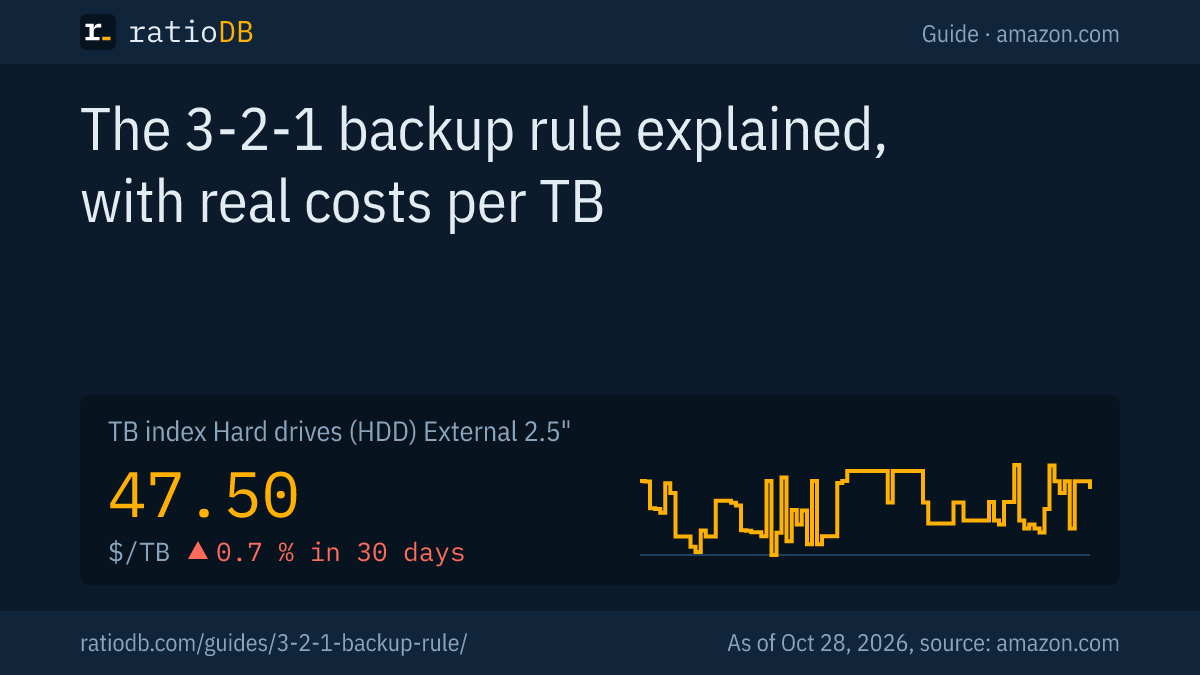
The 3-2-1 backup rule is a data protection strategy: keep 3 copies of your data, on 2 different types of storage media, with 1 copy in a different location. That is how the National Cybersecurity Center of Excellence at NIST describes it, and the FTC also advises offline, off-site backups. With 2 external hard drives, a 3-2-1 backup for 2 TB of data currently costs $254.00 on amazon.com (as of Oct 28, 2026 at 1:17 AM UTC).
This guide explains the rule and its 3-2-1-1-0 variant, shows setups for homes and small offices and calculates the cost with real prices from the ratioDB database. ratioDB does not review backup software. We compare storage media by price per TB and link to the recommendations of public agencies.
What is the 3-2-1 backup rule?
The 3-2-1 backup rule calls for 3 copies of every important file, meaning the original plus 2 backups, on 2 different media types, with 1 of those copies stored off-site, outside your home or office. Each number protects against a different risk.
The National Cybersecurity Center of Excellence (NCCoE), part of the US National Institute of Standards and Technology (NIST), puts it this way: "Keep three copies of any important file: one primary and two backups." "Keep the files on two different media types to protect against different types of hazards." And "Store one copy … off-site (e.g., outside the home or business facility)" (NIST NCCoE).
What each number covers:
| Part of the rule | Protects against | Example |
|---|---|---|
| 3 copies | failure of 1 storage device | PC drive dies, 2 backups remain |
| 2 media types | problems that hit a whole class of devices | hard drive plus cloud, tape or Blu-ray |
| 1 copy off-site | fire, flood, theft | drive at the office, with family or in the cloud |
Backup software maker Veeam says the rule originated "in the early 2000s" (Veeam). It still holds because it does not depend on any specific technology. Whether your copies live on hard drives, SSDs, tape or in the cloud is up to you.
Why is a single backup not enough?
A single backup is not enough because it often sits in the same place as the computer and shares its risks: water damage, fire, theft or ransomware that also encrypts connected drives. The FTC recommends offline, off-site and encrypted backups for exactly these reasons.
The US Federal Trade Commission advises small businesses: "One key protective step is to set up offline, off-site, encrypted backups of information essential to your business" (FTC, November 5, 2021). The NCCoE recommends preparing a "go bag" for data recovery and keeping "a set of systems completely disconnected from the business network."
Germany's Federal Office for Information Security (BSI) gives the same advice to consumers. In its step-by-step backup guide it lists burst pipes, floods, cable fires and firefighting water, after which only a backup kept outside your own home helps. It also advises disconnecting the backup drive from the computer outside of backup runs so that malware or defects cannot damage the backup copy (BSI, step-by-step backup guide, German).
Few people follow that advice. According to the BSI, only a fifth of internet users in Germany back up their data regularly (BSI press release, March 30, 2026, German).
What does 3-2-1-1-0 mean?
3-2-1-1-0 is an extension of the rule by backup software maker Veeam: on top of 3-2-1 it adds 1 copy that is immutable or offline and 0 errors on recovery, confirmed through regular checks. It targets ransomware above all.
Veeam describes the extra 1 as a copy that is immutable or air-gapped, meaning it cannot be changed or is physically disconnected. The 0 stands for zero recovery errors, achieved through automated integrity checks and regular restore testing (Veeam).
At home this is easy to put into practice:
| Part | Meaning | At home |
|---|---|---|
| 3 | 3 copies | original plus 2 backups |
| 2 | 2 media types | external hard drive plus cloud or Blu-ray |
| 1 | 1 copy off-site | drive with family or at the office |
| 1 | 1 copy offline or immutable | unplug the drive after backup, M-DISC, LTO WORM |
| 0 | 0 recovery errors | restore a few files regularly as a check |
The NCCoE guide also mentions WORM storage, where "files/data written to these types of drives cannot be modified." WORM stands for write once, read many.
How do I set up a 3-2-1 backup at home?
The simplest 3-2-1 setup at home is your data on the computer, 1 external hard drive for regular backups and a second external hard drive kept with family or at the office. You swap the 2 drives every few weeks.
Examples by situation:
| Situation | Copy 1 (original) | Copy 2 (at home) | Copy 3 (off-site) |
|---|---|---|---|
| Laptop with photos | laptop | external hard drive | second external drive with family |
| PC with a large archive | PC | NAS or external hard drive | external drive at the office |
| Smartphone | phone | cloud backup | copy on an external hard drive |
| Small office | workstations and NAS | external drive on the NAS | LTO tape or drive off-site |
Rotating 2 drives covers all 3 numbers: 3 copies, 2 media types (internal storage in the computer and the external drive) and 1 copy off-site. The key is to unplug the drive after each backup, so that ransomware cannot reach it.
For photos that will not change anymore, a write-once Blu-ray makes a good extra copy. If you have a very large archive, the guide on LTO tape works out whether tape pays off.
How do I build a backup plan step by step?
A backup plan starts with deciding which data is irreplaceable. Then you choose storage media by data size, set up automatic backups, keep 1 copy off-site and check restores regularly. This plan follows the 3-2-1 rule.
- Take stock: Which data would be lost if your computer died tomorrow? Photos, documents, tax records, email and work projects usually top the list. Programs can be reinstalled.
- Measure: The size of your important folders sets the capacity of the backup drives. Plan for 2 times that amount to keep several versions.
- Pick media: For most households 2 external hard drives are enough. If you already have a NAS, use it as copy 2 and an external drive as copy 3.
- Automate: Windows backup tools and Time Machine on macOS run on a schedule, so the backup does not depend on your memory.
- Unplug and move off-site: Disconnect the drive after each backup. The second drive stays with family, friends or at the office and gets swapped regularly.
- Check: Restore a few files every month, as described in the section below.
The same principle applies to phones. The manufacturer's cloud backup is 1 copy, and an extra copy of your photos on your computer, and therefore in your computer backup, is the second.
How much does a 3-2-1 backup cost?
With 2 external hard drives, a 3-2-1 backup for 2 TB of data currently costs $254.00 on amazon.com, or $127.00 per TB of protected data. External 2.5" hard drives cost $47.50 per TB in the TB index, external SSDs $125.50. As of Oct 28, 2026 at 1:17 AM UTC.
The table shows the cheapest external hard drive from a known brand for each data size and what 2 of them cost for copies 2 and 3. Next to it is the combination of a hard drive and an external SSD, for example if the off-site copy should be small and rugged.
Cost of copies 2 and 3 by data size, cheapest new offers from known brands on amazon.com, as of Oct 28, 2026 at 1:17 AM UTC
| Data | External hard drive | 2 hard drives (copy 2 and 3) | External SSD | Hard drive plus SSD |
|---|---|---|---|---|
| 1 TB | SanDisk 1 TB: $120.00 | $240.00 | Verbatim Pocket 1 TB: $149.99 | $269.99 |
| 2 TB | WD Elements 2 TB: $127.00 | $254.00 | TeamGroup T-Force M200 2 TB: $249.99 | $376.99 |
| 4 TB | Seagate Expansion 4 TB: $175.00 | $350.00 | WD My Passport 4 TB: $719.99 | $894.99 |
| 5 TB | WD My Passport 5 TB: $218.00 | $436.00 | no offer | n/a |
| 8 TB | Seagate Expansion 8 TB: $279.99 | $559.98 | SanDisk Desk 8 TB: $899.99 | $1,179.98 |
Per TB, external SSDs currently cost 2.6 times as much as external 2.5" hard drives. For a backup that runs once a week, SSD speed matters little. Leave headroom when buying: a backup that keeps several versions needs more space than the data itself. A drive with twice your data size is a good starting point.
All offers of 1 size are on the pages 2TB external hard drive and 4TB external hard drive. The full lists are under external 2.5" hard drives and external 3.5" hard drives.
Which storage media work for backups?
External hard drives are the main choice for backups because they are cheap per TB and work with any computer. External SSDs are tougher and faster but cost more. For the off-site copy, cloud storage, Blu-ray and, for large amounts, LTO tape are options.
The media compared with current index values on amazon.com:
| Medium | TB index | Strengths | Weaknesses |
|---|---|---|---|
| External 2.5" hard drive | $47.50 | cheap, USB powered | sensitive to drops |
| External 3.5" hard drive | $42.62 | often cheapest per TB, large capacities | needs a power adapter |
| External SSD | $125.50 | fast, rugged, small | more expensive per TB |
| BD-R disc | $21.59 | write-once | small capacity, burner needed |
| LTO tape | $10.64 | offline, large capacity | drive needed |
The TB index is the median of the 10 cheapest new offers per type, and for LTO tape it spans all generations. What to look for in external drives is covered in the guide best external hard drive. Flash drives are fine for a few documents on the go, but as a main backup they cost more per TB than hard drives (see best USB flash drive). Long-term price trends are on the hard drive price history and SSD price history charts.
Is a NAS with RAID a backup?
A NAS with RAID is not a backup under the 3-2-1 rule. Germany's BSI states that RAID systems do not replace data backup and do not help against theft, ransomware or fire. A NAS works as copy 2 but still needs an off-site copy.
RAID 1 mirrors data across 2 drives. If 1 drive fails, the data keeps running. But if you delete a file or ransomware encrypts the NAS, the BSI notes that the change hits both drives immediately (BSI, implementation notes CON.3 backup concept, German).
What the drives for a NAS with 2 mirrored disks cost, as of Oct 28, 2026 at 1:17 AM UTC:
| Capacity per drive | Cheapest NAS drive | 2 drives (mirror) | Usable |
|---|---|---|---|
| 4 TB | WD Red Plus 4 TB: $189.99 | $379.98 | 4 TB |
| 8 TB | Synology Plus HAT3320 8 TB: $464.49 | $928.98 | 8 TB |
| 12 TB | Toshiba N300 Pro 12 TB: $529.99 | $1,059.98 | 12 TB |
Add the NAS enclosure on top. Which drives are built for around-the-clock NAS use is covered in the guide best NAS hard drive. To follow 3-2-1, back up the NAS to an external drive that is stored off-site.
How often should I back up?
Back up as often as you can afford to lose data: if you work every day, back up every day or let software do it automatically. Swap the off-site copy weekly to monthly. Keep older versions so you can go back to a state before damage occurred.
The BSI calls this the generation principle: each full backup is a generation, and several generations help when a file was deleted or silently changed by malware. In that case you need a version from before the damage.
Backup types as described by the BSI:
| Type | What gets saved | Restoring |
|---|---|---|
| Full | all files | simple, needs lots of space |
| Incremental | changes since the last backup of any kind | last full backup plus every increment |
| Differential | changes since the last full backup | last full backup plus the latest differential |
| Image | the whole drive sector by sector | fast onto an identical drive |
Built-in tools such as Windows backup and Time Machine on macOS back up automatically at regular intervals. Cloud services for phones work the same way.
How do I check that my backup works?
A backup only works if you can restore data from it. Restore a few files regularly and open them. The NIST NCCoE recommends testing recovery processes, both manually and automatically, to verify backup file integrity and confirm that files can be recovered and are usable.
A simple routine:
- Monthly: restore 3 random files and open them, for example a photo, a document and a spreadsheet.
- After each drive swap: check that the new backup completed.
- Yearly: run a bigger restore, such as a whole folder onto another computer.
- Encrypt: encrypt the off-site copy so that strangers cannot read it. The NCCoE recommends encryption for data at rest and in transit.
- Write it down: keep the encryption password and the location of every copy somewhere safe.
Hard drives age even in a drawer. If you use old or used drives for backups, read the guide refurbished hard drives first.
How does ratioDB compare backup media?
ratioDB regularly collects amazon.com prices for all listed hard drives, SSDs, discs and tapes and converts them to price per TB, with 1 TB equal to 1,000,000,000,000 bytes. The examples above use only new offers from known brands and single units.
The TB index is the median of the 10 cheapest new offers per type. Backup recommendations come from the linked NIST, FTC, BSI and Veeam sources, as of October 24, 2026. We do not review backup software. All rules are on the methodology page, and all external SSDs are listed under external SSDs.
3-2-1 backup rule FAQ
What does 3-2-1 mean in backup?
3 copies of your data, meaning the original and 2 backups, on 2 different media types, with 1 copy in another location. That is how the NIST NCCoE describes it. Each number covers a different risk: device failure, problems with a whole device class, and fire or theft.
Does the original count as 1 of the 3 copies?
Yes. The NCCoE says "one primary and two backups." Besides the data on your computer you need 2 backups, and 1 of them should be off-site.
Is the cloud a good off-site copy?
Yes, cloud storage covers the "1 copy off-site" part. Germany's BSI advises checking the provider first and warns that data can be lost if the provider locks your account. An additional copy on your own drive protects against that.
How much does a 3-2-1 backup for 2 TB cost?
With 2 external hard drives at $127.00 each, currently $254.00 for 2 TB of data on amazon.com (as of Oct 28, 2026 at 1:17 AM UTC). With headroom for several versions, the next larger drive is often worth it.
Is RAID a backup?
No. Germany's BSI states that RAID systems do not replace backups. RAID only protects against a drive failure. It does not help against deletion, ransomware, theft or fire, so a NAS with RAID still needs an off-site backup.
Is the 3-2-1 rule outdated?
No. The rule is still the basis of current guidance, and variants such as 3-2-1-1-0 build on it by adding an offline or immutable copy and regular restore checks. The core idea of separate copies on different media in different places remains the same.
Sources
- NIST NCCoE: A Guide for Managed Service Providers to Conduct, Maintain and Test Backup Files
- FTC: Ransomware risk: 2 preventive steps for your small business (November 5, 2021)
- Veeam: 3-2-1 Backup Rule Explained
- BSI (German): step-by-step backup guide, implementation notes CON.3, press release March 30, 2026
- ratioDB: amazon.com prices, methodology