microSD Express and microSD cards explained: classes, Switch 2 and prices per GB
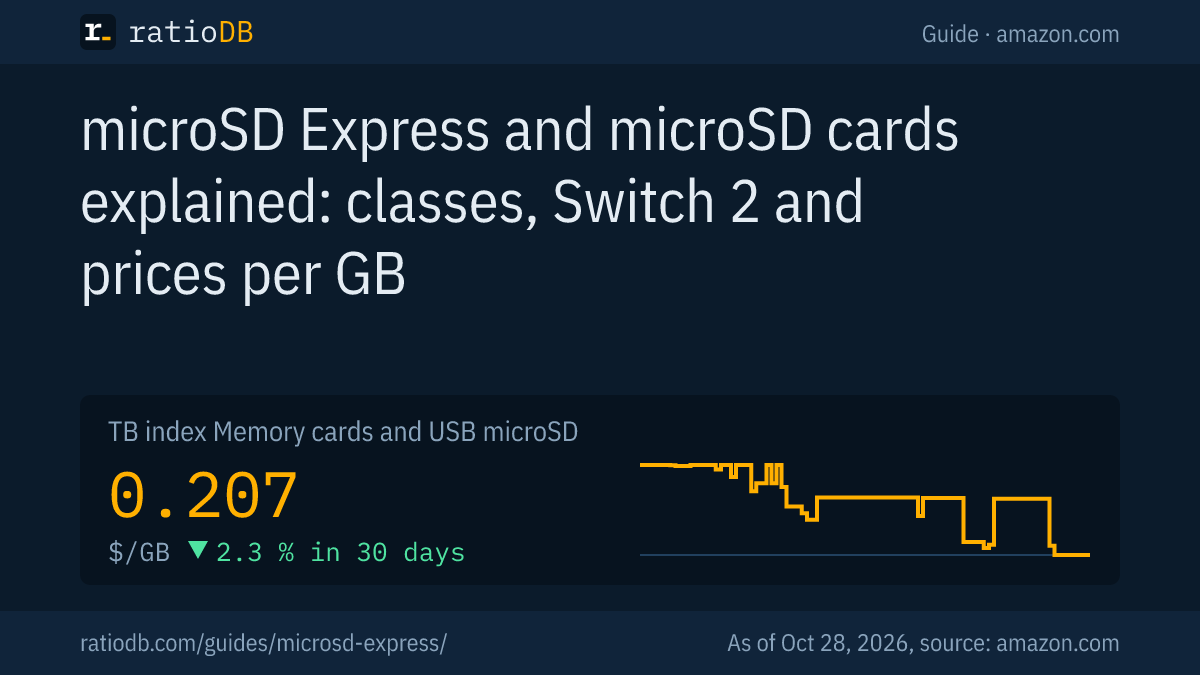
A microSD card for your phone, camera or handheld should match the use: A2 for apps, U3 or V30 for video, microSD Express for the Nintendo Switch 2. On amazon.com, microSD cards currently cost $0.207 per GB according to the ratioDB index (as of Oct 28, 2026 at 1:17 AM UTC). The cheapest per GB is SanDisk Made 128 GB at $0.196 per GB.
This guide explains the markings on microSD cards according to the SD Association, shows what microSD Express brings and which card the Switch 2 needs, and compares real prices per GB from the ratioDB database.
What do the markings on a microSD card mean?
A microSD card can carry up to 4 kinds of markings: the capacity class (SDHC, SDXC, SDUC), the speed class (C10, U1, U3), the video class (V30 and up) and the app class (A1, A2). They are defined by the SD Association, the body behind the SD standard.
| Marking | Meaning according to the SD Association |
|---|---|
| SDHC | up to 32 GB |
| SDXC | over 32 GB up to 2 TB |
| SDUC | over 2 TB up to 128 TB |
| Class 10 and U1 | at least 10 MB/s write |
| U3 | at least 30 MB/s |
| V30, V60, V90 | at least 30, 60 or 90 MB/s sustained write, V60 and V90 only with UHS-II |
| A1 | at least 1,500 read and 500 write operations per second (IOPS) with random access |
| A2 | at least 4,000 read and 2,000 write operations per second |
Sources: SD Association, speed class, SD Association, classes explained (Mar 9, 2016), SD Association, A1 (Oct 2, 2017), SD Association, SDXC (Jan 7, 2009), SD Association, SDUC (Sep 13, 2018).
IOPS (input/output operations per second) counts small read and write operations per second. They matter when apps or games run directly from the card. Class values are minimums. The large MB/s figures on the packaging are the manufacturer's maximums, often for reading only and only with a matching reader.
Which microSD card do I need for what?
For phones and apps, a card with A2; for 4K video, one with U3 or V30; for dashcams and security cameras, an endurance card; and for the Nintendo Switch 2, a microSD Express card. For photos and music, a basic U1 card is usually enough.
| Use | What to look for |
|---|---|
| Phone, tablet, apps | A2, SDXC |
| Camera and drone (4K video) | U3 or V30 |
| Dashcam, security camera | endurance card for continuous recording |
| Nintendo Switch 2 | microSD Express only |
| Steam Deck | UHS-I card, A2 helps with games |
| Photos, music, documents | U1 or Class 10 is usually enough |
The table is our own classification based on the SD Association's classes. Also check your device manual, many manufacturers state the required class there.
What is microSD Express?
microSD Express is a fast type of microSD card that works over PCIe and NVMe like an SSD. The 1st generation from the SD 7.1 standard reaches up to 985 MB/s, the new generation with PCIe 4.0 up to 1,969 MB/s. Regular UHS-I microSD cards are far slower.
The SD Association introduced microSD Express at 985 MB/s with the NVMe protocol and later doubled the maximum to 1,969 MB/s with PCIe 4.0 (SD Association, Oct 19, 2023, SD Association, SD 9.1). Express cards have their own speed classes from E150 to E600, where the number is the minimum speed in MB/s (SD Association).
Important: full speed only comes in devices with an Express slot. Samsung lists 800 MB/s read in Express mode for the P9 Express, for example, but only 90 MB/s in a regular UHS-I slot (Samsung P9 Express).
Which microSD card does the Nintendo Switch 2 need?
For games, the Nintendo Switch 2 only works with microSD Express cards up to 2 TB. It can only read regular microSD cards to load screenshots and videos. Before the 1st Express card, the console needs a system update over the internet.
That is what Nintendo says on its support page (Nintendo). So a card you used in the original Switch cannot be used for games in the Switch 2 unless it is a microSD Express card.
Suitable cards according to their manufacturers:
| Card | Read per manufacturer | Write per manufacturer | Capacities |
|---|---|---|---|
| SanDisk microSD Express for Switch 2 | up to 880 MB/s | up to 650 MB/s (256 and 512 GB), up to 800 MB/s (1 TB) | 256 GB, 512 GB, 1 TB |
| Samsung P9 Express | 800 MB/s | not stated | 256 GB, 512 GB |
| Lexar PLAY PRO microSDXC Express | up to 900 MB/s | up to 600 MB/s | 256 GB, 512 GB, 1 TB |
Sources: SanDisk, Samsung, Lexar.
SanDisk lists its card as officially licensed for the Switch 2. Lexar's 900 MB/s apply in an Express device, in a regular slot Lexar lists up to 205 MB/s read.
How much does a microSD card cost per GB?
On amazon.com, the microSD index is currently $0.207 per GB, a change of -2.3% over 30 days. Large cards are usually cheaper per GB than small ones, but the cheapest size per GB is not always the largest.
Cheapest microSD card per size on amazon.com, new offers, as of Oct 28, 2026 at 1:17 AM UTC
| Capacity | Cheapest card | Price | Price per GB |
|---|---|---|---|
| 64 GB | SanDisk Ultra 64 GB | $21.99 | $0.344 |
| 128 GB | SanDisk Made 128 GB | $25.10 | $0.196 |
| 256 GB | SanDisk Extreme UHS 256 GB | $61.38 | $0.240 |
The table only shows known brands and no Express cards. The index is the median of the 10 cheapest new offers, converted to 1 GB. All cards are in the list microSD, regular SD cards for cameras under SD cards.
How much do microSD Express cards cost?
microSD Express cards cost more per GB than regular cards. On amazon.com, the cheapest Express card right now is Samsung P9 Express 512 GB with 512 GB for $99.00, which is $0.193 per GB.
microSD Express cards on amazon.com, new offers, as of Oct 28, 2026 at 1:17 AM UTC
| microSD Express | Capacity | Price | Price per GB |
|---|---|---|---|
| Samsung P9 Express 512 GB | 512 GB | $99.00 | $0.193 |
| SanDisk Express 512 GB | 512 GB | $129.99 | $0.254 |
Which microSD card fits the Steam Deck?
According to Valve, the Steam Deck has a UHS-I slot and takes SD, SDHC and SDXC cards. microSD Express brings no speed advantage there, a fast UHS-I card with A2 is enough.
Valve's tech specs list the slot as "UHS-I supports SD, SDXC and SDHC" (Steam Deck). Valve does not recommend a specific card there. Because games read many small files while loading, the A2 app class is a sensible criterion. More space for the Steam Deck is also available as an M.2 2230 SSD, more on that in the guide NVMe vs SATA.
Which card is right for a dashcam or security camera?
For devices that record continuously, there are endurance cards. Manufacturers state their durability in hours of video recording: Samsung lists up to 140,160 hours for the 256 GB PRO Endurance, SanDisk up to 40,000 hours in Full HD for the 512 GB High Endurance.
Regular cards are designed for occasional writing. A dashcam, on the other hand, constantly overwrites the card. Samsung also lists 100 MB/s read and 40 MB/s write for the PRO Endurance (Samsung Newsroom, May 3, 2022), and SanDisk lists the same values and a 2 year warranty for the High Endurance (SanDisk). The hour figures are measured under different conditions and are only comparable within one brand.
How do I spot a fake microSD card?
Fake cards report more storage to the device than they actually have. Data written beyond the real capacity is lost. You can check a card with tools such as H2testw on Windows, F3 on a Mac or SD Insight on Android.
TP-Link describes this in its camera support pages, for example: the cards are modified to report a much larger storage size than they contain (TP-Link Tapo, Sep 29, 2026). The test tools fill the whole card with test data and read it back. That reveals if part of the storage is missing.
Tips against fakes:
- Buy known brands: in this guide's tables, ratioDB only shows known brands.
- Be suspicious of huge cards at a small price: a card with a lot of storage at a price far below the index is a warning sign.
- Test new cards right away: check the whole card once before you rely on it, while you can still return it.
How does ratioDB compare microSD cards?
ratioDB fetches the amazon.com prices of all listed microSD cards every 2 hours and converts them into price per GB. The index is the median of the 10 cheapest new offers.
Every offer is listed with condition, price, capacity and timestamp. Multipacks are divided by their total capacity. Card classes come from the manufacturers' specs and the SD Association. All rules are on the methodology page. All memory cards and USB flash drives are under Memory cards and USB.
microSD card FAQ
What is the difference between A1 and A2?
Both are SD Association app classes. A1 requires at least 1,500 read and 500 write operations per second, A2 at least 4,000 and 2,000. A2 is worth it when apps or games run from the card.
Which microSD card do I need for the Switch 2?
A microSD Express card up to 2 TB. According to Nintendo, the Switch 2 only reads regular microSD cards for screenshots and videos, not for games.
What does V30 mean on a microSD card?
V30 means the card writes at least 30 MB/s sustained, according to the SD Association. That is enough for many 4K cameras and drones.
How large can a microSD card be?
SDXC cards go up to 2 TB according to the SD Association, SDUC cards up to 128 TB. Whether your device reads large cards is in its manual, the Switch 2 takes up to 2 TB, for example.
Are expensive microSD cards really faster?
Often yes, but only if the device can use the speed. A microSD Express card is only fast in an Express slot. Samsung lists 90 MB/s instead of 800 MB/s for the P9 Express in a regular slot.
How do I test a new microSD card?
With H2testw on Windows, F3 on a Mac or SD Insight on Android. The tools write to the whole card and detect whether the stated capacity is really there.
Sources
- SD Association: speed class, classes explained (Mar 9, 2016), A1 (Oct 2, 2017), SDXC (Jan 7, 2009), SDUC (Sep 13, 2018), microSD Express (Oct 19, 2023), SD 9.1
- Nintendo: microSD cards for Switch 2, Valve: Steam Deck
- Manufacturers: SanDisk microSD Express, Samsung P9 Express, Lexar PLAY PRO, Samsung PRO Endurance (May 3, 2022), SanDisk High Endurance
- Fakes: TP-Link Tapo (Sep 29, 2026)
- ratioDB: daily amazon.com prices, methodology