USB 3.2 Gen 2 Explained: Speeds, Names and External SSDs
USB 3.2 Gen 2 is the 10Gbps USB standard that used to be called USB 3.1 Gen 2. The USB Implementers Forum (USB-IF) markets it as "SuperSpeed USB 10Gbps", which works out to a theoretical 1,250 MB/s. External SSDs such as the Samsung T7 read up to 1,050 MB/s over it, according to Samsung. Faster tiers are USB 3.2 Gen 2x2 at 20Gbps, USB4 and Thunderbolt 4 at 40Gbps, and Thunderbolt 5 at 80Gbps.
This guide sorts every USB name from USB 3.0 to USB4 Version 2.0 by speed, explains Thunderbolt 3, 4 and 5, and shows what it means in practice for external SSDs and flash drives. Prices come live from the ratioDB database for amazon.com, as of Oct 28, 2026 at 1:17 AM UTC. ratioDB does not benchmark drives. We combine manufacturer specs with price per TB.
What does USB 3.2 Gen 2 mean?
USB 3.2 Gen 2 is a USB connection that moves 10Gbps over 1 data lane. The same speed was previously called USB 3.1 Gen 2, and before that simply USB 3.1. In retail, the USB-IF wants it labeled "SuperSpeed USB 10Gbps".
The USB-IF reshuffled the names at Mobile World Congress in 2019. ComputerBase summarized the mapping on 02/25/2019:
| Original name | Interim name | Technical name today | Speed | Retail name |
|---|---|---|---|---|
| USB 3.0 | USB 3.1 Gen 1 | USB 3.2 Gen 1 | 5Gbps | SuperSpeed USB |
| USB 3.1 | USB 3.1 Gen 2 | USB 3.2 Gen 2 | 10Gbps | SuperSpeed USB 10Gbps |
| USB 3.2 | none | USB 3.2 Gen 2x2 | 20Gbps | SuperSpeed USB 20Gbps |
Source: ComputerBase, 02/25/2019, based on USB-IF information.
"Gen" refers to the signaling generation, and the number after the "x" counts the data lanes. Gen 2x2 therefore means 2 lanes at 10Gbps each. The renaming created a trap: a device labeled just "USB 3.2" may only run at 5Gbps if it is Gen 1. ComputerBase points out that "USB 3.2" on its own says nothing about speed. The USB-IF itself wrote on 10/18/2022 that "USB specification names and technical terminology are not intended for use when describing USB capabilities to end consumers" (USB-IF, 10/18/2022). Look for the Gbps figure instead.
How fast is each USB version?
USB 3.2 Gen 1 runs at 5Gbps, USB 3.2 Gen 2 at 10Gbps and USB 3.2 Gen 2x2 at 20Gbps. USB4 reaches 40Gbps and USB4 Version 2.0 up to 80Gbps. Thunderbolt 3 and 4 sit at 40Gbps, Thunderbolt 5 at 80Gbps.
The table lists every tier with its theoretical ceiling in MB/s. We simply divide Gbps by 8. Real drives stay below that because part of the link carries protocol and control data.
| Name | Speed | Theoretical gross | Connector |
|---|---|---|---|
| USB 3.2 Gen 1 (USB 3.0) | 5Gbps | 625 MB/s | USB-A or USB-C |
| USB 3.2 Gen 2 (USB 3.1 Gen 2) | 10Gbps | 1,250 MB/s | USB-A or USB-C |
| USB 3.2 Gen 2x2 | 20Gbps | 2,500 MB/s | USB-C only |
| USB4 (USB 40Gbps) | 40Gbps | 5,000 MB/s | USB-C only |
| USB4 Version 2.0 (USB 80Gbps) | 80Gbps | 10,000 MB/s | USB-C only |
| Thunderbolt 3 | 40Gbps | 5,000 MB/s | USB-C |
| Thunderbolt 4 | 40Gbps | 5,000 MB/s | USB-C |
| Thunderbolt 5 | 80Gbps, up to 120Gbps with Bandwidth Boost | 10,000 MB/s | USB-C |
Sources: ComputerBase, USB-IF, usb.org: USB4, Intel: Thunderbolt 5 Technology Brief, audioXpress, 06/03/2015.
According to ComputerBase, Gen 2x2 only exists over USB-C because it needs both wire pairs in the connector. USB-A tops out at 10Gbps. Tom's Hardware also lists the rare Gen 1x2 mode, which combines 2 lanes of 5Gbps into 10Gbps (Tom's Hardware).
USB 3.0 vs 3.1: what is the difference?
USB 3.0 transfers 5Gbps, USB 3.1 Gen 2 transfers 10Gbps. The confusing one is USB 3.1 Gen 1: it is simply a new name for USB 3.0 with the same 5Gbps. Today both tiers are called USB 3.2 Gen 1 and USB 3.2 Gen 2.
When you shop, that means a box saying "USB 3.1" without a suffix can mean 5 or 10Gbps. "USB 3.1 Gen 1" or "USB 3.2 Gen 1" always means 5Gbps, the same as USB 3.0. In theory 5Gbps allows 625 MB/s, so a fast external SSD rated at 1,050 MB/s is held back noticeably on such a port. How fast external hard drives are, and whether 5Gbps is enough for them, is covered in Best external hard drive.
The only reliable way to know a port's speed is your device's spec sheet or a logo that states the Gbps figure. The USB-IF naming puts exactly that number up front: SuperSpeed USB 10Gbps, USB 20Gbps, USB 40Gbps, USB 80Gbps.
What is USB 3.2 Gen 2x2?
USB 3.2 Gen 2x2 is the fastest USB 3.2 tier, with 20Gbps over 2 data lanes of 10Gbps each. It only works with USB-C on both ends. External SSDs built for Gen 2x2 read around 2,000 MB/s, according to their makers.
Your PC or motherboard manual tells you whether it has a 20Gbps USB-C port. Apple computers do not: Macworld notes that "Macs don't support USB 3.2 (Gen 2×2)" (Macworld). A Gen 2x2 SSD therefore runs at 10Gbps on a Mac. For Macs, drives with USB4 or Thunderbolt are the faster choice.
A Gen 2x2 SSD still works on a 10Gbps port. It simply drops to that port's speed. That is always how USB behaves: the link runs at the fastest tier that both ends and the cable support.
What is USB4 and how fast is it?
USB4 is the USB standard with 40Gbps over USB-C, and USB4 Version 2.0 reaches up to 80Gbps. According to the USB-IF, USB4 is compatible with USB 3.2, USB 2.0 and Thunderbolt 3 devices. Retail names are USB 40Gbps and USB 80Gbps.
The USB-IF announced USB4 Version 2.0 on 10/18/2022. The release lists 80Gbps over USB-C and an optional asymmetric mode that delivers up to 120Gbps in 1 direction and 40Gbps in the other (USB-IF, 10/18/2022). For 80Gbps, usb.org requires a cable certified for 80Gbps (usb.org).
External USB4 SSDs currently read up to around 4,000 MB/s according to their makers. The SanDisk Extreme PRO with USB4 is listed as "USB4 Gen 3x2 (40Gb/s)", reads up to 3,800 MB/s and writes up to 3,700 MB/s, with a 5 year warranty. Its data sheet says it also supports Thunderbolt 4 and works with older USB 3.2 and USB 2.0 devices (SanDisk Extreme PRO with USB4 data sheet). Macworld measured about 3,400 MB/s read and write on a MacBook Pro with Thunderbolt 4 (Macworld).
USB4 vs Thunderbolt: what is the difference?
Thunderbolt is Intel's certification built on USB4 with stricter minimums. Thunderbolt 4 guarantees 40Gbps and 32Gbps for PCIe data, Thunderbolt 5 guarantees 80Gbps and 64Gbps for PCIe. Intel requires USB4 specification compliance for both.
PCIe (PCI Express, the internal link used by SSDs and graphics cards) is the number that matters most for fast external SSDs, which is why Intel lists it separately. Its Thunderbolt 5 Technology Brief gives these figures:
| Feature | Thunderbolt 4 | Thunderbolt 5 |
|---|---|---|
| Bandwidth | 40Gbps | 80Gbps, up to 120Gbps with Bandwidth Boost |
| PCIe data | 32Gbps | 64Gbps |
| PC charging | up to 100W | up to 140W |
| Displays | dual 4K | dual 6K |
| USB4 compliance | required | required |
| Introduced | 2020 | technology brief dated 09/2023 |
Source: Intel: Thunderbolt 5 Technology Brief. Intel says Bandwidth Boost kicks in when there is heavy video traffic (Intel: Thunderbolt overview).
Thunderbolt 3 arrived in 2015 as the first Thunderbolt version with a USB-C connector and 40Gbps (audioXpress, 06/03/2015). Intel says Thunderbolt 4 has been integrated into the CPU since 11th Gen Intel Core processors. The difference from plain USB4 is certification: Intel mandates higher minimum performance for cables, PCs and accessories. Thunderbolt 4 always means at least 40Gbps, while the USB-IF naming for USB-C products also includes a USB 20Gbps tier. With USB4, look for the 40Gbps or 80Gbps label.
What do these speeds mean for external SSDs?
An external SSD only reaches its rated speed when the port, the cable and the drive support the same tier. A 1,050 MB/s SSD needs at least 10Gbps, a 2,000 MB/s SSD needs 20Gbps, and a 3,800 MB/s SSD needs USB4 or Thunderbolt at 40Gbps.
Samsung states that the T7 only reaches its maximum speed when "the host device and connection cables must support USB 3.2 Gen 2 and the UASP mode must be enabled". UASP (USB Attached SCSI Protocol) is a faster transfer mode. The T7 is listed with "USB 3.2 Gen.2 (10Gbps)", up to 1,050 MB/s read and 1,000 MB/s write, and a 3 year warranty (Samsung T7).
We grouped the external SSDs from well known brands in the ratioDB database by the read speed in their listing title, which is the manufacturer figure shown with the offer. That tells you the minimum port each drive needs, in theory, to show its full speed.
External SSDs from known brands on amazon.com by required port, 27 new offers from 500 GB, as of Oct 28, 2026 at 1:17 AM UTC
| Port needed for full speed | Offers | Median per TB | Cheapest per TB |
|---|---|---|---|
| 5Gbps (USB 3.2 Gen 1, formerly USB 3.0) | 2 | $162.62 | Netac ZSlim 1 TB: $137.74 |
| 10Gbps (USB 3.2 Gen 2) | 11 | $219.90 | SanDisk Desk 8 TB: $112.50 |
| 20Gbps (USB 3.2 Gen 2x2) | 11 | $213.39 | TeamGroup T-Force M200 2 TB: $125.00 |
| 40Gbps (USB4, Thunderbolt 3 and 4) | 2 | $212.50 | Sabrent Rocket Nano XTRM 4 TB: $150.00 |
| 80Gbps (USB4 Version 2.0, Thunderbolt 5) | 1 | $349.88 | Oyen Digital Bolt+ 8 TB: $349.88 |
The grouping uses the theoretical limits from the table above: up to 625 MB/s fits 5Gbps, up to 1,250 MB/s fits 10Gbps, up to 2,500 MB/s fits 20Gbps, up to 5,000 MB/s fits 40Gbps. Offers without an MB/s figure in the title are not included.
Worth noting: the median price per TB in the 20Gbps group is $213.39 right now, 3.0% below the 10Gbps group at $219.90. That comes from the mix of offers, as the 20Gbps group currently holds many large drives that are cheaper per TB. At 2 TB, the cheapest 10Gbps drive costs $289.99 right now (SanDisk Extreme 2 TB) and the cheapest 20Gbps drive $249.99 (TeamGroup T-Force M200 2 TB). The faster drive is actually $40.00 cheaper.
Is a Thunderbolt SSD or USB4 SSD worth it?
A Thunderbolt SSD or USB4 SSD pays off if your computer has Thunderbolt or USB4 and you copy large files such as video regularly. These drives read up to about 3,800 MB/s according to their makers, and on a 10Gbps port they fall back to USB 3.2 Gen 2 speed.
Put it in time: 100 GB of video takes about 100 seconds at 1,000 MB/s and about 30 seconds at 3,400 MB/s. If you back up once a week, you will hardly notice. If you edit camera footage every day, you save real time. Intel guarantees 32Gbps of PCIe data for Thunderbolt 4, a theoretical 4,000 MB/s gross. That is why even fast SSDs on Thunderbolt 4 stay below that figure, and Macworld measured about 3,400 MB/s.
External SSDs above 2,500 MB/s per listing on amazon.com, 3 new offers, as of Oct 28, 2026 at 1:17 AM UTC
| External SSD | Read per listing | Capacity | Price | Price per TB |
|---|---|---|---|---|
| Sabrent Rocket Nano XTRM 4 TB | up to 2,700 MB/s | 4 TB | $599.99 | $150.00 |
| SanDisk Extreme PRO 2 TB | up to 4,000 MB/s | 2 TB | $549.99 | $275.00 |
| Oyen Digital Bolt+ 8 TB | up to 6,000 MB/s | 8 TB | $2,799.00 | $349.88 |
There are also Thunderbolt and USB4 enclosures that take an M.2 NVMe SSD you install yourself. That can pay off when internal NVMe drives are cheaper per TB. The TB index for M.2 NVMe SSDs on amazon.com is $132.05 per TB right now, for external SSDs $125.50 per TB. Which NVMe drive is worth buying is covered in Best SSD, and the difference between NVMe and SATA in NVMe vs SATA.
How much do external SSDs cost per TB right now?
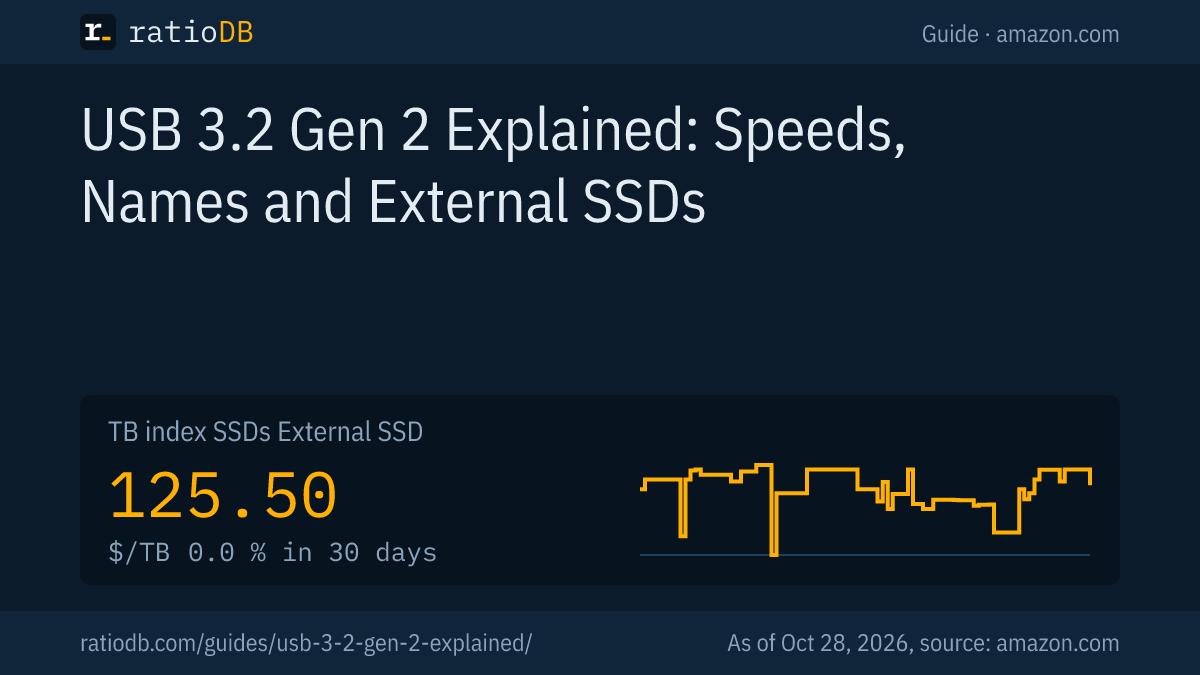
On amazon.com, external SSDs cost $125.50 per TB right now according to the ratioDB TB index, 0.0% over 30 days. The TB index is the median of the 10 cheapest new offers, as of Oct 28, 2026 at 1:17 AM UTC. Larger 2 or 4 TB drives are usually cheaper per TB than small ones.
That puts external SSDs 5.0% below internal M.2 NVMe SSDs at $132.05 per TB, so among the cheapest offers there is no premium for an external drive right now. Current prices by size are on 1TB external SSD, 2TB external SSD, 4TB external SSD and in the full list External SSD. The long term trend is on the SSD price history page.
How SSD prices developed in 2026 and why is covered in SSD prices. For large backups, an external hard drive is still cheaper per TB, see SSD vs HDD.
What USB speed do flash drives need?
Most USB flash drives are fine with 5Gbps (USB 3.2 Gen 1), because many read only up to about 400 MB/s according to their listings. Only fast drives rated around 1,000 MB/s need 10Gbps. On amazon.com, flash drives cost $0.109 per GB right now according to the index.
Our database lists 10 new flash drives from known brands with a speed figure in the title. 10 of them are rated at 625 MB/s or less, the 5Gbps range, and the fastest states 400 MB/s. A drive labeled "USB 3.2" can be Gen 1 or Gen 2, so check the MB/s figure. If you often copy large files, an external SSD is the faster choice. All offers sorted by price per GB are in the list USB flash drives.
Cameras use their own memory cards. How fast microSD cards are and what the classes mean is explained in microSD Express. Professional cameras use CFexpress, more in CFexpress Type B.
Which cable do I need for 10, 20 and 40Gbps?
For 10Gbps, a cable rated USB 3.2 Gen 2 or "USB 10Gbps" is enough. For 20Gbps you need a USB-C cable rated Gen 2x2 or "USB 20Gbps". For 40 and 80Gbps you need a USB4 or Thunderbolt cable, and for 80Gbps usb.org requires one certified for 80Gbps.
The cable is an easy bottleneck to miss. Not every USB-C cable carries full speed, and some are built mainly for charging. Samsung explicitly names the cable as a requirement for the T7's top speed. Use the cable that came with the drive, or one that clearly states its Gbps rating.
How to check that the connection is right:
- Identify the port: Your PC or motherboard manual says which USB-C or USB-A port runs at which speed. Often only 1 or 2 ports offer 20Gbps or more.
- Check the cable: Good cables carry a logo with the Gbps figure or the Thunderbolt symbol.
- Measure: Copy a large file, around 10 GB, and watch the transfer rate. If a drive rated at 1,000 MB/s stays well below 625 MB/s, it is probably on a 5Gbps port or a slow cable.
Which external SSD matches my port?
Buy the external SSD that matches the fastest port you actually use. For USB-A and 10Gbps ports, a drive around 1,000 MB/s is enough. Windows PCs with a 20Gbps port benefit from Gen 2x2, Macs and PCs with Thunderbolt from a USB4 or Thunderbolt drive.
| Your port | Matching SSD class | Read per manufacturer | Note |
|---|---|---|---|
| USB-A at 5Gbps | basic external SSD | up to about 550 MB/s | faster drives are capped |
| USB-A or USB-C at 10Gbps | USB 3.2 Gen 2 | about 1,000 to 1,050 MB/s | the most common class |
| USB-C at 20Gbps (Windows PC) | USB 3.2 Gen 2x2 | about 2,000 MB/s | only 10Gbps on Macs |
| USB4 or Thunderbolt 4 | USB4 or Thunderbolt | about 2,700 to 3,800 MB/s | also works on USB 3.2, slower |
| USB4 Version 2.0 or Thunderbolt 5 | 80Gbps | up to about 6,000 MB/s | few models so far |
The read figures are typical manufacturer ratings of the offers in our database. If you also use the drive with a console: the PS5 accepts external drives over USB, and Sony's requirements are covered in Best SSD for PS5.
How does ratioDB compare external SSDs?
ratioDB pulls amazon.com prices for every listed external SSD regularly and converts them into price per TB, with 1 TB equal to 1,000,000,000,000 bytes. The TB index is the median of the 10 cheapest new offers. Read speeds come from the listing title.
For the table by port we only count new offers from known brands at 500 GB or more, using the cheapest offer per product. If a title contains more than 1 MB/s figure, we take the highest, which is usually the read speed. We do not run our own measurements. All rules are on the Methodology page, the full list under External SSD and SSD prices per TB.
USB 3.2 Gen 2 and Thunderbolt FAQ
How fast is USB 3.2 Gen 2?
USB 3.2 Gen 2 transfers 10Gbps, a theoretical 1,250 MB/s. External SSDs with Gen 2 are usually rated around 1,050 MB/s read, for example the Samsung T7 at up to 1,050 MB/s read and 1,000 MB/s write.
Is USB 3.2 Gen 2 the same as USB 3.1 Gen 2?
Yes. Both names mean 10Gbps. The USB-IF renamed USB 3.1 Gen 2 to USB 3.2 Gen 2 in 2019. In retail, the tier is supposed to be called "SuperSpeed USB 10Gbps".
Is USB 3.0 the same as USB 3.2 Gen 1?
Yes. USB 3.0, USB 3.1 Gen 1 and USB 3.2 Gen 1 all mean the same 5Gbps. To use a fast external SSD at 1,000 MB/s, you need at least USB 3.2 Gen 2 at 10Gbps.
Is Thunderbolt faster than USB 3.2?
Yes. Thunderbolt 3 and 4 run at 40Gbps and Thunderbolt 5 at 80Gbps, while USB 3.2 tops out at 20Gbps with Gen 2x2. Thunderbolt ports also accept regular USB devices, which then run at their own speed.
Does a USB4 SSD work on a USB 3 port?
Yes. According to the USB-IF, USB4 devices are compatible with USB 3.2 and USB 2.0. The SSD then runs at the port's speed, so at most 10Gbps on USB 3.2 Gen 2.
How do I find out which USB port my PC has?
Check the manual or the manufacturer's page for your PC or motherboard. Look for Gbps ratings or the Thunderbolt symbol next to the port. A port labeled just "USB 3.2" may only offer 5Gbps.
How much does an external SSD cost per TB right now?
On amazon.com the TB index for external SSDs is $125.50 per TB right now (as of Oct 28, 2026 at 1:17 AM UTC). The table above shows the cheapest offers in each port class.
Sources
- USB-IF: USB4 Version 2.0 and USB 80Gbps announcement (10/18/2022), usb.org: USB4, USB 3.2 naming per ComputerBase (02/25/2019)
- Intel: Thunderbolt 5 Technology Brief (09/2023), Thunderbolt overview, Thunderbolt 3 per audioXpress (06/03/2015)
- Manufacturers: Samsung Portable SSD T7, SanDisk Extreme PRO with USB4 data sheet
- Further reading: Macworld on the SanDisk Extreme PRO with USB4, Tom's Hardware: USB 3.2 explained
- ratioDB: amazon.com prices, Methodology