SSD vs HDD: Which is better? Compared with real prices per TB
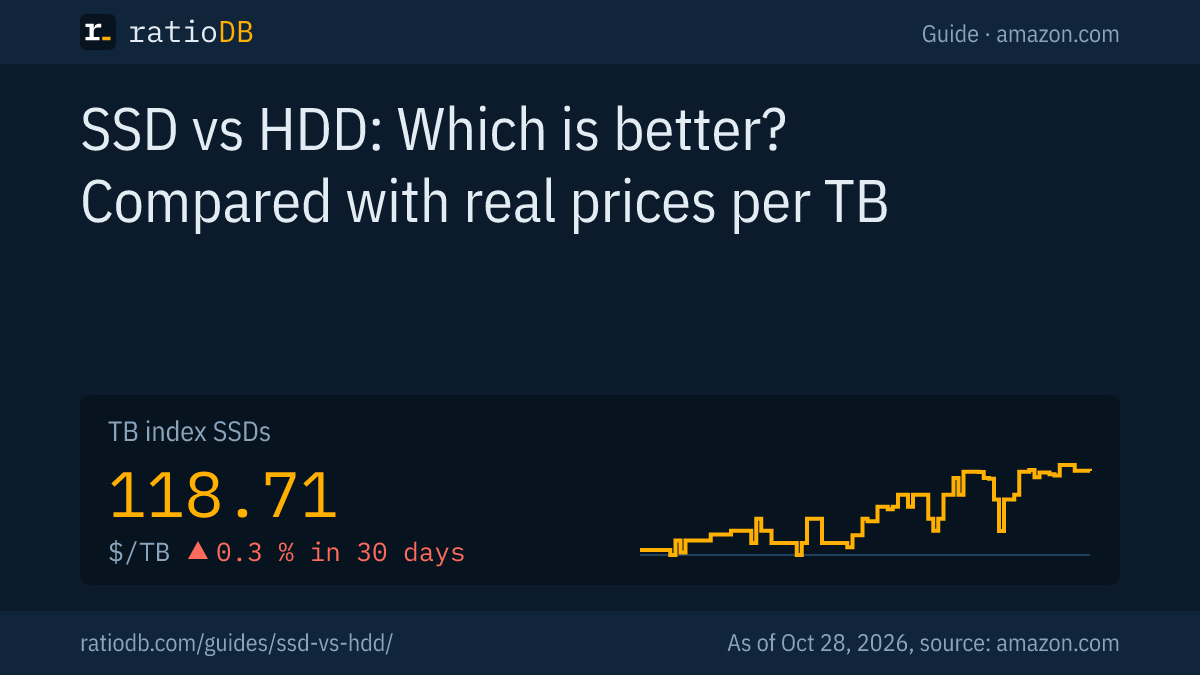
An SSD (solid state drive, flash storage without moving parts) is faster, quieter and more robust, while an HDD (hard disk drive with magnetic platters) stores far more per dollar. On amazon.com, 1 TB of SSD storage currently costs $118.71 according to the ratioDB TB index, 1 TB of hard drive storage $35.00, so the SSD costs 3.4 times as much (as of Oct 28, 2026 at 1:17 AM UTC). Use an SSD for your operating system, programs and games, and a hard drive for large amounts of data, backups and your NAS.
This guide compares both with figures from Samsung and Seagate datasheets, failure statistics from Backblaze and real amazon.com prices from the ratioDB database. All prices are recalculated with every update.
What is the difference between an SSD and an HDD?
An HDD stores data magnetically on spinning platters while a read/write head moves across them. An SSD stores data in flash memory chips without moving parts. That is why an SSD accesses data many times faster, is quieter and handles shocks better.
With a hard drive, the platter first has to rotate to the right position before the head can read. At 7,200 rpm this takes 4.16 milliseconds on average, plus the time the head needs to move (Seagate IronWolf Pro manual). An SSD has no such delay. You notice it most with many small files, when booting and when starting programs.
SSD vs HDD at a glance, figures from manufacturer datasheets
| Feature | SSD | HDD |
|---|---|---|
| Technology | flash memory, no moving parts | magnetic platters with read/write head |
| Sequential read | 560 MB/s (SATA) to 14,800 MB/s (PCIe 5.0) | up to 285 MB/s (Seagate IronWolf Pro 32 TB) |
| Access time | no mechanical delay | 4.16 ms rotational latency at 7,200 rpm plus head movement |
| Shock resistance, powered off | 1,500 G (Samsung 990 PRO) | 200 G (Seagate IronWolf Pro 32 TB) |
| Noise | no moving parts | 28 dBA idle, 32 dBA seeking (IronWolf Pro 32 TB) |
| Largest consumer capacity | 8 TB | 32 TB |
| Price per TB on amazon.com | $118.71 (TB index) | $35.00 (TB index) |
Sources: datasheets Samsung 870 EVO, Samsung 990 PRO, Samsung 9100 PRO, Seagate IronWolf Pro 32 TB.
How much faster is an SSD than an HDD?
Even a basic SATA SSD reads sequentially about twice as fast as the fastest hard drive, and a PCIe 4.0 NVMe SSD about 26 times as fast. With many small accesses the gap is even larger, because the SSD has no mechanics to move.
The datasheet figures at a glance:
| Drive | Interface | Sequential read | Sequential write |
|---|---|---|---|
| Seagate IronWolf Pro 32 TB (HDD, 7,200 rpm) | SATA | 285 MB/s | 285 MB/s |
| Samsung 870 EVO (SSD) | SATA | 560 MB/s | 530 MB/s |
| Samsung 990 PRO 2 TB (SSD) | PCIe 4.0 NVMe | 7,450 MB/s | 6,900 MB/s |
| Samsung 9100 PRO 4 TB (SSD) | PCIe 5.0 NVMe | 14,800 MB/s | 13,400 MB/s |
The SATA interface itself limits an SSD to a theoretical maximum of about 600 MB/s (SATA-IO). That is why all SATA SSDs perform about the same. How much of the NVMe advantage you notice in daily use is explained in the guide NVMe vs SATA.
When loading games, the gap is smaller than the datasheets suggest. In a Legit Reviews test, Final Fantasy XIV loaded in 42.4 seconds from a hard drive and in 33.9 seconds from a SATA SSD (Legit Reviews, 2018). Games also need CPU time while loading, which limits any SSD. For games and your system, an SSD is still the right choice, because the whole system feels noticeably snappier.
How much does an SSD cost per TB compared with an HDD?
On amazon.com, 1 TB of SSD storage currently costs $118.71 according to the TB index, 1 TB of hard drive storage $35.00. Per TB, the SSD is 3.4 times as expensive. Over 30 days, the SSD index changed by +0.3% and the hard drive index by +2.0%.
The TB index is the median of the 10 cheapest new offers in a group. It shows what you realistically pay when you shop for a good price. Prices differ a lot by drive type:
TB index by drive type on amazon.com, new offers, as of Oct 28, 2026 at 1:17 AM UTC
| Type | TB index | 30 days | 90 days |
|---|---|---|---|
| Internal 3.5" HDD | $36.25 | ▲ 2.4 % | ▼ 1.9 % |
| External 3.5" HDD | $42.62 | ▼ 9.8 % | ▼ 9.8 % |
| External 2.5" HDD | $47.50 | ▲ 0.7 % | ▲ 1.0 % |
| Internal 2.5" HDD | $55.62 | ▲ 4.9 % | ▲ 11.8 % |
| 2.5" SATA SSD | $122.93 | ▲ 0.7 % | ▼ 3.7 % |
| External SSD | $125.50 | 0.0 % | ▲ 9.4 % |
| M.2 NVMe SSD | $132.05 | 0.0 % | 0.0 % |
| M.2 SATA SSD | $242.11 | ▼ 1.7 % | ▼ 0.4 % |
The cheapest single offers per TB right now are HGST Ultrastar He6 6 TB at $23.08 per TB among hard drives and Ediloca 4 TB at $95.00 per TB among SSDs. Large 3.5-inch hard drives are almost always the cheapest way to store many TB. 2.5-inch laptop hard drives, on the other hand, are hardly cheaper per TB than SSDs.
Which SSD form factors are there?
There are 4 common types: the 2.5-inch SSD with a SATA connection, the M.2 SSD with SATA, the M.2 SSD with NVMe and the external SSD with USB. On amazon.com, NVMe currently costs $132.05 per TB, a 2.5-inch SATA SSD $122.93 and an external SSD $125.50 (TB index).
M.2 only describes the shape, a slim stick that plugs directly into the motherboard. The most common format is 2280: 22 mm wide and 80 mm long (Coolblue). Whether the stick uses SATA or NVMe is listed in the datasheet. An M.2 SATA SSD is only as fast as a 2.5-inch SATA SSD.
How to find the right type:
- Desktop PC with an M.2 slot: M.2 NVMe, list M.2 NVMe SSD
- Older laptop or PC without M.2: 2.5-inch SATA SSD, fits where a 2.5-inch hard drive used to sit, list 2.5" SATA SSD
- Older laptop with an M.2 slot for SATA only: M.2 SATA, list M.2 SATA SSD
- On the go or as a laptop backup: external SSD, list External SSD
Which slot your device has is listed in the manual of your motherboard or laptop.
What does the same capacity cost as an SSD and as an HDD?
At the same capacity, the cheapest SSD on amazon.com currently costs 2.2 to 3.4 times as much as the cheapest hard drive. The gap is often largest at high capacities, because large hard drives are especially cheap per TB.
Cheapest new hard drive and SSD by capacity on amazon.com, as of Oct 28, 2026 at 1:17 AM UTC
| Capacity | Cheapest HDD | Cheapest SSD | SSD costs more |
|---|---|---|---|
| 1 TB | Toshiba MQ01ABD 1 TB: $53.89 | Vansuny 1 TB: $118.99 | +120.8% |
| 2 TB | Mdd Maxdigitaldata 5900RPM 2 TB: $98.95 | Bestoss NGFF 2 TB: $215.99 | +118.3% |
| 4 TB | White Label WL 4 TB: $169.95 | Ediloca 4 TB: $379.99 | +123.6% |
| 8 TB | Seagate BarraCuda 8 TB: $264.00 | SanDisk Desk 8 TB: $899.99 | +240.9% |
The table compares purchase prices, whether internal or external. Every name links to the product page with price history and technical data. Check that the form factor fits your device before you buy.
Can I replace my hard drive with an SSD?
Yes, it is one of the most worthwhile upgrades for older PCs and laptops. A 2.5-inch SATA SSD fits every 2.5-inch drive bay and every SATA port. Copy your data to the SSD beforehand with cloning software.
How to proceed:
- Check your space: How much space does your hard drive use right now? The SSD should be somewhat larger than that, with room for new data.
- Pick the form factor: In a laptop with a 2.5-inch bay, use a 2.5-inch SATA SSD. If the device has a free M.2 slot, an M.2 SSD may fit too.
- Back up: Copy important data to an external drive before the swap.
- Clone: Many SSD makers offer software that copies the old drive including the system to the SSD. For a laptop, you usually need a USB to SATA adapter.
- Keep using the old drive: In an external enclosure, it becomes your backup drive.
In a desktop PC you can also keep the hard drive and add the SSD. Then install the system fresh on the SSD and use the hard drive for data.
Is combining an SSD and a hard drive worth it?
Yes, for most desktop PCs the combination is the cheapest setup: a 1 TB NVMe SSD for the system, programs and games plus a hard drive for photos, videos and backups. Right now, that setup with a 8 TB hard drive costs $403.99 in total, while a single 8 TB SSD costs $899.99.
Here is how it adds up, using the cheapest new offers on amazon.com:
- SSD for the system: Timetec High Read Speed 1 TB for $139.99
- Hard drive for data (8 TB): Seagate BarraCuda 8 TB for $264.00
- Total: $403.99
- For comparison, a 8 TB SSD: SanDisk Desk 8 TB for $899.99
Western Digital recommends this split itself as a "hybrid strategy" (Western Digital). Laptops often have room for only one drive. There, use an SSD and move large amounts of data to an external hard drive. External 2.5-inch drives are in the list External 2.5" hard drives.
Which lasts longer, SSD or HDD?
In Backblaze's statistics, SSDs fail less often: across 3,144 SSDs, the annualized failure rate was 0.90%. At comparable age, the hard drives in the same role failed nearly twice as often as the SSDs. For everyday use, both last many years.
Backblaze runs a very large number of drives in its own data centers and publishes their failures. The key figures:
- SSDs as server boot drives: lifetime annualized failure rate 0.90%, measured across 3,144 SSDs from late 2018 to mid 2023 (Backblaze, Sep 26, 2023).
- SSD vs HDD at the same age: with comparable age and usage, the hard drive boot drives failed "nearly two times" as often as the SSDs (Backblaze, Aug 3, 2021).
- All Backblaze hard drives: annualized failure rate of 1.73% in Q2 2026 and 1.41% over their lifetime, measured across 354,415 drives (Backblaze, Sep 29, 2026).
Manufacturers state durability differently. SSD datasheets list TBW (terabytes written, the maximum amount of data written), for example 600 TB over 5 years for the 1 TB Samsung 990 PRO. Hard drive datasheets list a workload, 550 TB per year of reads and writes combined for the Seagate IronWolf Pro 32 TB. The MTBF (mean time between failures) is 1.5 million hours for the 990 PRO and 2.5 million hours for the IronWolf Pro (datasheets above). How long an SSD lasts in daily use is covered in the guide SSD lifespan.
Do SSDs lose data without power?
According to the JEDEC standard JESD218, a consumer SSD must retain its data for at least 1 year at 30 °C while powered off, even after its rated write endurance has been used up. For an archive that sits on a shelf for a long time, an SSD is still not the first choice.
The requirement comes from a JEDEC presentation on the SSD endurance standard. For data center SSDs, the requirement is 3 months at 40 °C (JEDEC). The requirement applies to a worn SSD, so it describes the worst case.
Hard drives are widely used for backups that sit in a drawer for months. Whatever the medium: connect an archive drive regularly and check that the data is still readable. And never keep important data on a single drive only.
How robust and quiet are SSDs and HDDs?
An SSD has no moving parts, which makes it silent and shock resistant. Samsung specifies 1,500 G powered off for the 990 PRO, Seagate 200 G powered off and 30 G in operation for the IronWolf Pro 32 TB. In operation, the hard drive reaches 28 dBA at idle and 32 dBA when seeking.
For laptops and external drives you carry around, that is a strong argument for the SSD. A fall from the desk can damage a running hard drive, because the head floats only a tiny fraction of a millimeter above the platter. External SSDs are in the list External SSD.
Inside a desktop case or a NAS, shock resistance hardly matters. If your NAS sits in the living room, noise matters more. More on that in the guide Best NAS hard drive.
How much power do SSDs and HDDs use?
SSDs draw only a fraction of a watt at idle: Samsung specifies 30 to 35 mW for the 870 EVO and 55 mW for the 2 TB 990 PRO. A large hard drive like the Seagate IronWolf Pro 32 TB needs 6.8 watts at idle and 8.3 watts in operation.
| Drive | Idle | Read or write |
|---|---|---|
| Samsung 870 EVO (SATA SSD) | 30 to 35 mW | 2.0 to 2.5 W |
| Samsung 990 PRO 2 TB (NVMe SSD) | 55 mW | 5.8 W read, 5.1 W write |
| Seagate IronWolf Pro 32 TB (HDD) | 6.8 W | 8.3 W |
In a laptop, an SSD therefore extends battery life. In a desktop PC, the cost difference is small. In a NAS that runs around the clock, it pays to add the drives' power use to the price per TB.
Is a hybrid hard drive a good compromise?
An SSHD (solid state hybrid drive) combines a regular hard drive with a small flash cache for frequently used data. It is faster than a plain hard drive but nowhere near an SSD.
Hybrid drives were an interim solution when SSDs were still very expensive per GB. Their advantage only shows with data that is read often, for example during boot. New data and rarely used files sit on the platters and load as slowly as on any hard drive. ratioDB lists them under Internal hybrid hard drives. For a new PC, the combination of a real SSD and a hard drive is the better choice.
Which drives offer the largest capacity?
Hard drives for consumers and NAS go up to 32 TB, for example the Seagate IronWolf Pro. Consumer SSDs top out at 8 TB, for example the Samsung 9100 PRO. For data centers, there are SSDs with more than 245 TB.
If you want 20, 30 or more TB in a single drive, there is no way around a hard drive. Seagate has already shipped 40 TB samples with HAMR technology, with volume production planned for the first half of 2026 (TechRadar, May 31, 2025). On the SSD side, Kioxia sampled the 245.76 TB LC9 for data centers in July 2025 (StorageReview, Jul 21, 2025). Such drives are neither meant for nor affordable to consumers.
When is an HDD the better choice?
A hard drive is the better choice when you need a lot of storage per dollar and speed comes second: for a NAS, for backups, for photo and video archives, for media libraries and for surveillance cameras.
Typical uses for a hard drive:
- NAS with several drives: many TB for your family or office. Which models fit is covered in the guide Best NAS hard drive.
- Backups: an external hard drive for regular backups is hard to beat per TB.
- Archives and media: photos, movies and music are written once and read often. SMR drives are fine for this, more in the guide CMR vs SMR.
- Surveillance: cameras write large amounts of data around the clock, and there are dedicated lines such as WD Purple and Seagate SkyHawk.
The cheapest internal hard drives per TB are in the list Internal 3.5" hard drives.
When do you need an SSD?
You need an SSD for your operating system, programs and games, in every laptop and anywhere a drive might take a knock. A PC without an SSD feels noticeably sluggish today.
Typical uses for an SSD:
- System and programs: Windows, macOS or Linux boot and respond much faster with an SSD.
- Games: many current games stream large amounts of data. An SSD shortens load times and stutter when assets load.
- Laptops: quiet, efficient and shock resistant. Many laptops only fit an M.2 SSD anyway.
- On the go: external SSDs are small, fast and robust.
For a system drive, 1 TB is enough for many users. The cheapest new 1 TB SSD on amazon.com is currently Vansuny 1 TB at $118.99. All models are in the list M.2 NVMe SSD.
How much storage do I need on SSD and hard drive?
For a system drive, 1 TB of SSD is a good standard, for many large games rather 2 TB. Everything that needs a lot of space and doesn't have to be fast goes on the hard drive. Plan with headroom there, because photos, videos and backups grow every year.
A rough guide for the split:
| Use | SSD | Hard drive |
|---|---|---|
| Office and browsing | 500 GB to 1 TB | usually not needed, external backup |
| Gaming | 1 to 2 TB | for older or rarely played games and videos |
| Photos and videos | 1 TB for system and current projects | 4 TB and more for the archive |
| NAS and backups | not needed | depends on data, often 8 TB and more |
These are rules of thumb, not fixed requirements. Check your system settings for how much space you use today and add some for the coming years. Because large hard drives are often cheapest per TB, going one size up usually pays off for the hard drive.
How does ratioDB compare SSDs and hard drives?
ratioDB fetches the amazon.com prices of all listed SSDs and hard drives every 2 hours and converts them into price per TB. The TB index is the median of the 10 cheapest new offers per group or drive type.
Every offer is listed with its condition (new, refurbished, used), price, capacity and timestamp. Multipacks are divided by their total capacity. Refurbished and used drives are shown separately and never count toward the index. All rules are on the methodology page. The lists by group: SSD prices per TB and Hard drive prices per TB.
SSD vs HDD FAQ
Is an SSD better than an HDD?
For your system, programs, games and laptops, yes: an SSD is many times faster, silent and shock resistant. For large amounts of data, a hard drive is better because it costs only a fraction per TB. On amazon.com, the TB index for SSDs is currently $118.71 and for hard drives $35.00.
Are HDDs still worth it in 2026?
Yes, wherever you need a lot of storage: in a NAS, for backups and for archives. Per TB, a hard drive on amazon.com is currently 3.4 times cheaper than an SSD, and hard drives come with up to 32 TB.
Does an SSD last longer than an HDD?
In Backblaze's statistics, SSDs failed less often than hard drives at comparable age, with the hard drives failing nearly twice as often. Both last many years in daily use. More important than the choice of medium is a backup on a second drive.
How much does a 1 TB SSD cost right now?
The cheapest new 1 TB SSD on amazon.com is currently Vansuny 1 TB at $118.99 (as of Oct 28, 2026 at 1:17 AM UTC). The full list shows all models sorted by price per TB.
SSD or HDD for backups?
For backups, a hard drive is usually the better choice because it is much cheaper per TB and offers large capacities. According to JEDEC, a consumer SSD only has to retain its data for 1 year at 30 °C while powered off once its write endurance is used up. Connect every backup drive regularly.
Can I use an SSD and an HDD at the same time?
Yes, in a desktop PC this is the most common setup: the SSD for the system and programs, the hard drive for large data. Most motherboards have an M.2 slot for the SSD and SATA ports for hard drives.
Is a 1 TB SSD better than a 2 TB hard drive?
For your system, yes, because the SSD is many times faster. For pure data storage, capacity counts: if you store lots of photos or videos, the larger hard drive serves you better. That is why many people combine both.
What are the disadvantages of an SSD?
Mainly the price per TB: on amazon.com, an SSD currently costs 3.4 times as much as a hard drive. Add the smaller maximum capacity of 8 TB for consumer models and the limited data retention when a worn SSD sits without power for a long time.
Is 1 TB on an SSD the same as 1 TB on an HDD?
Yes. Makers of SSDs and hard drives both define 1 TB as 10^12 bytes, that is 1,000,000,000,000 bytes. ratioDB calculates the price per TB the same way. Your operating system often shows less because Windows counts in tebibytes, which applies to both drive types equally.
Sources
- Samsung: 870 EVO datasheet, 990 PRO datasheet, 9100 PRO brochure
- Seagate: IronWolf Pro 32 TB datasheet, IronWolf Pro manual
- SATA-IO: SATA 6 Gb/s
- Backblaze: SSD edition mid 2023 (Sep 26, 2023), SSD vs HDD (Aug 3, 2021), Hard drives Q2 2026 (Sep 29, 2026)
- JEDEC: SSD endurance (JESD218)
- Legit Reviews: SSD and HDD load times (2018)
- Western Digital: HDD vs SSD
- TechRadar: Seagate 40 TB (May 31, 2025), StorageReview: Kioxia LC9 (Jul 21, 2025)
- ratioDB: daily amazon.com prices, methodology